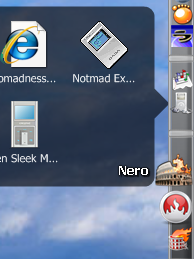
Stacks Docklet

Hey, I'm like being hanged here, someone please answer me

I think the reason nobody has responded is that we're all experiencing the same problem. The title doesn't disappear in Rocket Dock as it does in Object dock, you're exactly right. It's a difference between the two programs and will take a fix from Matonga and not an fix for you to make. Good observation though. I'm glad you said something about it so that Matonga is aware (He may already be, i don't know).

On another note, stacks open and close really quickly or not at all when you switch from single monitor to dual monitor and vise versa making them unusable. It does it in both Object Dock and Rocket Dock. A simple restart of both programs works to correct it, but it would be nice if i didn't have to. Just a friendly note = ).

Great job Matonga, i love this program and have recommended it to many others.

#504849

not sure if this was brought up. prob was but 56 pages is alot to go through. But FileSystemFolder doesn't have titles while specialfolder does. is there a way to enable titles for filesystem folder or is that gonna be added in future? thanks awesome program.

#505065

well i'm not sure if this is going to received by people with similar experience...but i'm having problems with rocketdock on startup at the moment....Vista reports a program crash and gives the option to close, debug or send details to MS. In the details, it seems the fault is with stackdocklet.dll - and it has only happened after some updates from MS. So rather than a solution (as i'm most likely going to uninstall and reinstall), i'm wondering if anyone else has had this problem starting only in the last couple of days??

#505086

Latest version works fine, all the special folder works here on Vista 64-bit with ObjectDock, except the control panel where it only displays the 32-bit "stuff" and not the rest, picture included.

Also I've notices that when i uncheck "Always on top" in the dock options, the stack is displayed before the tabs, not behind like when "always on top" is toggled.

post-79703-1215903762_thumb.jpg

Untitled-1.jpg
Untitled-1.jpg

#505106

@1942:

By "before" you mean the stack is displayed on top of the tabs, or behind the tabs?

#505109

@matonga

By "before" I mean on top of the tabs.

#505112

If you point a stack with the filesystem folder setting to a Drive (C:/ D:/) the title won't show up.

Using OD+ and Vista 32bit.

Also can ya add support for editing icons that are inside a stack. For example my games folder has shortcut icons that I would like to change.

Great work Matonga

#505138

i dont know if this is already posted coz this thread is too long.

in mac leopard when you click on a stack the icon goes away and a blank box appears in the place of the icon

heres pics of what i mean

stack clicked:

http://cache.lifehacker.com/assets/resourc...sktop-stack.jpg

stack un clicked:

http://farm3.static.flickr.com/2409/195927...0dbe5fe.jpg?v=0

and the More.... icon is at the bottom not the top

thanks

#505149

Yes, it has been said, and it would be a nice addition. However, while I can't see it being hard, it clearly is.

I need a bit more programming, methinks <_<

#505154

Hey this is great, it really completes Rocketdock. I've just discovered docks and being playing around with them all day. Some thoughts:

Dragging and dropping in docks.

I found it odd on Objectdock that you can't drag a file into a folder on the dock, Rocketdock does allow you to but it *copies* not *moves* it which is annoying (no amount of ctrl, or alt combinations changes the function) as you then have to keep deleting the previous file, so it's great that Stacks lets you drop files in to a folder and actually moves them instead of copying. - One thing though the icon is still a plus sign indicating copying, this should be the normal drag drop symbol. Having the Ctrl+ for copy would make a full intuitive environment.

--Actually I can't work out why this isn't standard behaviour for all docks, but as it stands most of my icons will be stacks docklets.

Suggestions/ Top wish list.

1. Being able to drag images, files, pictures from the web direct into folders on the dock to save a copy.

2. In fan display, being able to scroll via the mouse wheel through the folders.

3.It would be really great if once opened in grid or line format, you could drag the files around and have the normal right click functionality to every folder and file inside, is this possible?

4. The ability to drag files&folders *into* a folder in the grid array while it's open. It's great the grid stays up when you move the mouse off but otherwise the grids just for reading and opening as you can't do anything else with it.

5. To be able to change the icon name with out having to change the folder name that it links too.

6. A way to move from icon to icon along the dock with the change icon dialogue open. i.e a simple arrow above select icon box select to move to the next icon.

I think that might make my desktop experience complete, or near so :)

---

update:

I've got the latest version at time of posting, and I think I'm experiencing some slow down after a few hours of the dock being open, also sometimes upon closing the dock I'm getting a crash of the program.

#505237

The Docklet is really cool and working fine. There's just an important missing feature: you should be able to additional set the opening direction explicit when the automatic direction is failing.

Why?

When using Stardock Objectdock Registers the grid or fan always opens upwards. Had to stick my register to the bottom edge, instead of using it (as I prefer) on the top of the screen.

In Avedesk it works like a charm.

#505293

Found a little bug

If you use a "Special folder" then close the properties dialog. Opens the dialog again and change to "Filesystem folder" the textbox that shows up has the text "txtFolder" on it.

#505375

I hope someone can help me.

I'm really sorry for my bad english.

I just got a new computer for my birthday - a vista. I had a XP before it broke. anyway ..

I have used the stacks docklet before, without no problems except, sometimes when i close my computer and turn it on again, I have to re-do the whole folder and icon thing. but it was not as often as now . every time i log off or restart my computer then theres only the white icon with a triangle pointing down. the folder and icon is gone.

I am using a rocketdock, and have used it for a while now, I downloaded stacks docklet from www.rocketdock.com, but came here and downloaded it again, but when i use the current version, it keeps saying:

"Can't save configuration to .ini file.

File:.DockletsSettings.ini

Group: Docklet3

Access Denied

If your using Windows Vista, please check your UCA settings for the dock folder"

So I tried the older version, but it still says:

"Can't save configuration to .ini file.

File:.DockletsSettings.ini

Group: Docklet3

Access Denied"

The message appears all every time when I use it, or close my computer.

I really hope you guys can help me! and again sorry for my bad english. d:

#505417

Any user having problems with Vista:

I have just added a "Notes for Vista users" in the First post of this thread.

It has instructions on how to setup your UAC settings for Stack Docklet to work.

#505450

Any user having problems with Vista:

I have just added a "Notes for Vista users" in the First post of this thread.

It has instructions on how to setup your UAC settings for Stack Docklet to work.

Great! This should help keeping such inquires to a minimum - at least theoretically ;):D

Maybe you should also add the explanation to why OD+ tabbed docks won't work correctly; many inquires already...

#505453

I still have same problems with settings. I don't use Vista's UAC (I've disabled it) from the first day I've installed it :). But Stacks Docklet still looses settings from time to time, and what's worst - it's unpredictable.

#505463

I'm having the same problem. I haven't been losing folders lately though, it's been special folders.

#505546

Any user having problems with Vista:

I have just added a "Notes for Vista users" in the First post of this thread.

It has instructions on how to setup your UAC settings for Stack Docklet to work.

I am on Vista Ultimate. All I ever had to do was to take ownership of the rocketdock folder and it's subfolders (Right click folder go to properties, then Security and add yourself with full permissions). I never had problems with saving settings since then. No need to disable UAC (but maybe what I did above has the same effect).

cheers

#505690

Matonga thnx for the note nd all but I have request, add a 3rd view option tats its like the fan view only straight up, its like tat in the download stack for leopard. And ive said it before though, to fix the title bug for rocketdock.

#505706

I have experienced an annoying bug!

When clicking an icon associated with the stack docklet, and then move the cursor to another stack docklet icon and clicking that, the zoom and hide effect of the Objectdock locks (see picture for further information) and the only way to get it back is to restart the program.

It would be great if the stack frame closes by itself when the cursor is moved to another bar icon.

post-84645-1216911699_thumb.png

Docklet.png
Docklet.png

#505951

@jorgensen:

Indeed, that would be great. But ObjectDock doesn't allow me to do that :(

The only thing I can suggest you is to try checking / unchecking the "Follow the dock" in "Global settings" and use the one that fits you best.

#505966

Matonga, yes the special folders don't crash on either Rocket Dock or Object Dock, but theres still one problem. On rocketdock when you click on the stack to view whats in it, the title of the folder doesn't disappear like that of object dock. Heres wat I mean.

And if possible, when you select the folder for what the stack to look at, can you add a name changer, like say you use control panel as a stack but want to rename it to system preferences, then it would be complete.

finally ur online Matonga, theres this bug for rocketdock, look at the attched file in the quote

#505969

In responde to mvosx1094's post:

It's a Rocket Dock bug, not a Stack Docklet bug.

Punk Software (the creators of Rocket Dock) must solve that, anyone having this problem please send a bug report to them telling that DockletSetLabel( ) doesn't change the label until you move the mouse.

#505978

Matonga thnx for the note nd all but I have request, add a 3rd view option tats its like the fan view only straight up, its like tat in the download stack for leopard. And ive said it before though, to fix the title bug for rocketdock.

Thankyou Matonga for ur help. I also added a request in this reply.

#505979

I still have a problem.... I'm using vista and tryed it with both stardock and rocket dock.. When i want to save the changes the program shuts down... I already did exactly as Eriku told us to do but it still wont work.. Any other with the same problem?

Ty, Thor

#506083