Stacks Docklet

Tengo un problema con el Stacks Docklet en windows vista.

ya lo tengo bien configurado... pero al reiniciar mi maquina se pierde la configuracion.

mi pregunta es como le puedo hacer para que se quede la configuracion que yo tengo despues de reiniciar el equipo.

medio lei que es atravez de las propiedades en la carpeta de RocketDock despues en seguridad y agregar y demas pasos...

pero mi duda es que usuario tengo que seleccionar o grupo ya que me aparecen muchos...

si me pudieran explicar de una manera mas detallada

se los agradeceria mucho.

de ante mano GRACIAS

#487468

neotlax,

This is an English language forum, please post in English.

#487474

neotlax,

This is an English language forum, please post in English.

I have a problem with the Stacks Docklet windows in sight.

I have already properly configured ... But to restart my machine configuration is lost.

My question is how I can do to stay the configuration I have after restart your computer.

Half lei which is across the properties in the folder RocketDock after security and add and other steps ...

But my doubt is that I have to select user or group because I get many ...

If I could explain in a more detailed way

They agradeceria much.

Of upfront THANKS

#487482

neotlax,

This is an English language forum, please post in English.

SIRSMILEY

YOU SAY THAT EVEN THOUGH UR PICTURE IS OF A NON ENGISH PERSON (BORAT IS NOT 4M AMERICA AND CAN REALLY TALK IN ENGLISH RIGHT)....

CHANGE UR PIC...JUST SAYIN.....

#487485

Just a stupid idea, but to make sure the problem is with stacks and not your system:

in Explorer, try to double click on one of the shortcuts and make sure that the program launches. You can also try to drag one of those shortcuts to the dock and see if if actually launches the application.

The reason why I'm asking you this is, I'm wondering if your shortcuts work on your system (I know it sounds silly but sometimes debugging is all about eliminating silly things)

Yea the shortcuts,, when put on the dock byitself not in a stack docklet, will work fine...

Wait what is the newest version of stackdocklet? 1.0.0.9?

#487489

SIRSMILEY

YOU SAY THAT EVEN THOUGH UR PICTURE IS OF A NON ENGISH PERSON (BORAT IS NOT 4M AMERICA AND CAN REALLY TALK IN ENGLISH RIGHT)....

CHANGE UR PIC...JUST SAYIN.....

Do you need to shout..?!? What has the avatar to do with anything?...give me a break!

#487490

But my doubt is that I have to select user or group because I get many ...

Just select the user you use to log in. When you click in Start button, you should see your username at the top with a picture.

Seleccioná el usuario que usás para iniciar sesión. Al cliquear Inicio en la barra inicio deberías ver tu nombre de usuario y con él el dibujo que hayas seleccionado o que te puso Windows, selecciona ese mismo usuario en la lista.

#487494

yep, iBeaner try to tone down the caps.

I hope you're trying to be funny? Smilies help! ;)

PS. Try to stay on topic guys, this is a big thread

@Matonga, I don't think the zip dll is a virtual folder but, I'm looking through my doc's for info.

#487495

Matonga is not releasing updates quickly enough so the people are getting nervous :P

#487498

Thanks iBeaner and matonga

I could fix the problem only thing I did was copy the folder Rocketdock to my documents and ready.

I am already well

Thanks to both of you.

#487499

So what can i do about my problem cause all i can open are the folders that contain my shortcuts. The stack docklet .dll file says its 1.0.0.9. Am i missing an important file in the stackdocklet folder?

#487505

Hello, I downloaded the Stacks Docklet for RocketDock, copied the file to the RocketDock Docklets folder, added it to RD, and it's there. However, I drag files and such into the icon, and when I try to open the stack, nothiing happens. Help please! I think this will be a very useful thing if I can get it to work.

#487520

It's not like Leopard stacks. You must right click, choose "Icon settings" and then choose an existing folder. Then the stack will show the folder's files.

#487526

is it possible to rename the docklet? for example let's say that i have a folder called "downloads" and for the docklet, i want to change the name to "mIRC downloads" so that it shows up as "mIRC Downloads" when i hover over it.

#487560

No multi-monitor support. With the dock on the second monitor clicking the stacks icon brings up the stack on the main monitor.

#487567

I think you guys demand too much from Matonga for free.

#487586

I think you guys demand too much from Matonga for free.

Agreed

#487588

I think you guys demand too much from Matonga for free.

Yeah also think so.

#487590

Well we are only helping him debug the docklet and making a few feature requests, is that so wrong? No one here is "demanding" anything...

Pointless 1 line posts like yours don't help, this thread is busy enough as it is!

Anywho I've noticed a small bug... well sort of a bug. When you have your dock set to auto hide and you open a stack, sometimes the dock loses focus somehow and the dock hides dropping the stack down a bit as well. You have to click somewhere to close the stack, then hover top/bottom/left/right of the screen to bring the dock back again. When a stacks open the dock should always have focus right? (and shouldn't auto hide) Also at least if it does hide with an open stack, you should be able to hover over where the docks hidden and bring it back again (with a stack open it wont come back).

I'm using ObjectDock btw =]

This is pretty much the only problem I've had, apart from the odd dock freeze but I can't seem to pin-point what I did to freeze the dock - it appears to be random and it doesn't happen very often.

I'm also going to selfishly link to my previous post with feature requests -->> http://www.aqua-soft.org/board/showpost.ph...9&postcount=616

:P

#487594

I think you guys demand too much from Matonga for free.

Yeah, So far, I've never seen a docklet as efficient as this one... and FREE.

Remember that KKMenu was not as convenient and was shareware!

There is a difference between helping debugging and demanding, some remarks sound more like unhappy customer's complaints, which , to me, is inappropriate here, because a customer has paid. Remember we all pay for Microsoft's usually buggy software.:slant:

As far as I'm concerned, if Mathias stopped developement now, I would still say this docklet is a little gem, and I would still thank him for the time he has spent on this.

#487596

... you've just given it the touch of death!

#487693

this is awesome :) works a treat

maybe having skins would be good, changing font color, bg color etc

also when you mouse out it should disappear

works great in rk launcher though :)

#487708

Icon size adjustable would be great.

I love this docklet. The best of them all, apart of the dustbin...

#487709

first of all thank you for this great docklet

and sorry for being lazy today but i have exams right now.. (if this asked before)

can we expect active and passive states for the main icon?

like when i press the docklet the icon changes..

is it possible?

thanks in advance :)

#487723

Hi Matonga

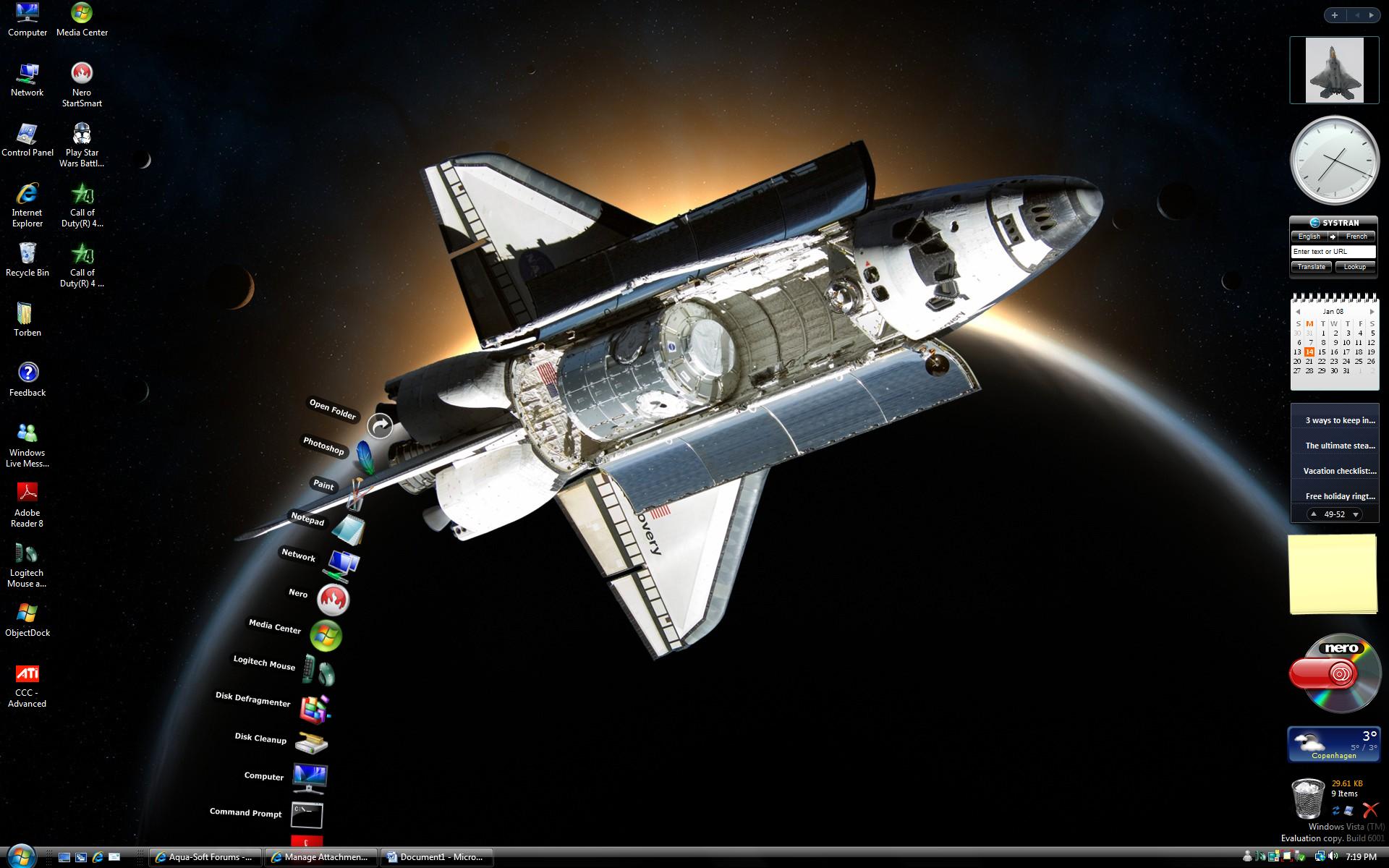
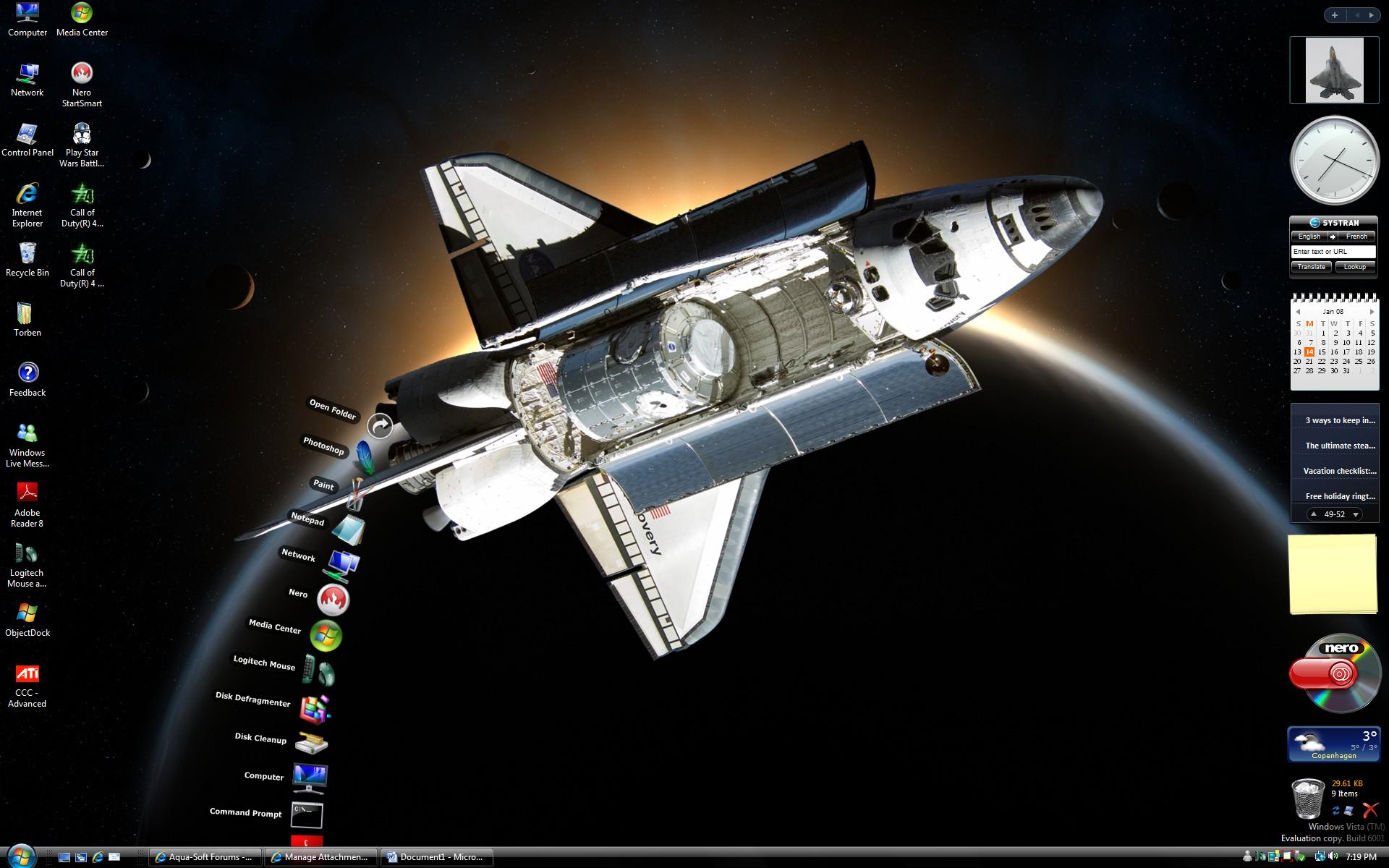
First of all thanks for this great docklets however, can you make the stack to close when the Dock is set to Hide off Screen when not in use (Autohide) You can see what happens in the jpg file of my desktop, when I move the mouse outside the Dock in the Left or Right side, the dock will autohide. Perhaps this will also remove that the stack sometime frees the dock

BTW I use Windows Vista 64 bit with SP1 RC v.744 and ObejctDock 1.9 (freeware version)

Another option that would be nice is if you can open sub folders in a stack too (fan)

Update: If I use ObejctDock without zoom effect (No Zoom) and Interaction set to: Hide in background when not in use, this stack work best however, i hope you can fix the autohide and zoom effect to work with the stack.

Best regards

Torben

Denmark

post-74392-1200334809_thumb.jpg

stack007.jpg
stack007.jpg

#487724