 Aqua-Soft Forums
Stacks Docklet

Think some of these extra requests might be suitable for a seperate docklet, as matonga has previously said some of them would require a complete rewrite. Maybe using this docklet as a bass other docklets can be created to display things like calendars, my computer etc.
Think some of these extra requests might be suitable for a seperate docklet, as matonga has previously said some of them would require a complete rewrite. Maybe using this docklet as a bass other docklets can be created to display things like calendars, my computer etc.
Now that is a good suggestion.
@Björn love it ha ha ha
My point was that after 5 years I have watched developers just give up because of too many request, and programs that started out very nice ended up very blotted. This stacks docklet is the best I have ever seen and I would like to keep all suggestions for it to emulate the real stacks and no more.
Now that is a good suggestion.@Björn love it ha ha ha
My point was that after 5 years I have watched developers just give up because of too many request, and programs that started out very nice ended up very blotted. This stacks docklet is the best I have ever seen and I would like to keep all suggestions for it to emulate the real stacks and no more.
Exactly... First I want a 100% Leopard Stack (all features, no errors, etc)... after that include some extras
hey matonga, any way to make the grid mode icons larger, like the ones seen in leopard? 48x48 maybe (or larger?) (256 i guess for vista...(which i am running)
has anyone tested it in vista home preimum? if not i tested it and works great so...
hey can u post these egg omlette and bread png
Stack docklet is fantastic, I dont understand everyone who are still non-content. I am using it for long time and have no problems with it. The only thing, what I would like to have, is download icon jumping when I download file. But big thanx to Matonoga for his great work
Hey!
Running XP Pro SP2 and ObjectDock 1.90.
I love this great docklet, however I have noticed something:
When you make this docklet point to your Desktop, not all icons are displayed. That is - files inside
C:Documents and SettingsDesktop
are visible, while files inside
C:Documents and SettingsAll UsersDesktop
are not. This folder is also a legitimate destination of the Desktop items for every user on the system.
My advice is - make an exception so that if the target is the user's Desktop folder, also include icons from the "All Users" Desktop. You don't have to check for duplicates since the default Windows behaviour is to display all files from both folders, even if duplicates exist.
Also, I believe name of the folder "All UsersDesktop" is different in different languages, so use the registry entry
HKEY_LOCAL_MACHINESOFTWAREMicrosoftWindowsCurrentVersionExplorerShell FoldersCommon Desktop
for the "All Users" Desktop and use the registry entry
HKEY_CURRENT_USERSOFTWAREMicrosoftWindowsCurrentVersionExplorerShell FoldersDesktop
for finding out if the target folder is the user's Desktop.
Hope I wasn't too technical 
I believe the folder All Users is named like that in all languages. But the Documents and settings is different. Same problem for the path, just wanted to tell you.
kindly remindMotonga:
Could you get the gray background of tabs in fan mode ajusted automaticly according to the size of fonts?
New update!
The text background in fan mode is adjusted automatically.
Edit
@pikipirs & Björn:
Take a look at SHGetSpecialFolderLocation no need to look at the registry.
Interesting parameters to SHGetSpecialFolderLocation:
CSIDL_DESKTOP, CSIDL_COMMON_DESKTOP
CSIDL_STARTMENU, CSIDL_COMMON_STARTMENU
This will be implemented soon (maybe before doing the jumping-icon-on-new-files thing, as this one is easier to implement).
Earlier on in this thread, I seconded the following opinions made by other people:
[?] (questionable) 1. Add a scrollbar, scrollable with mouse wheel
[ ] 2. Add a hovering indicator in grid mode (Leopard default)
[ ] 3. Create virtual folders (like in kkmenu)
[/] 4. Be able to open the folder itself when double-clicking
[ ]5. Create substack function (stack within a stack, so that folders' content can be seen from the stack)
[ ]6. Support for CLSID folders (It'd be nice to create a stack out of My Computer)
[ ]7. Multi-line display for file names in Grid mode.
[ ]8. Why not add a list view like in the next version of Leopard, too (and in previous versions of Mac)
Previously, I put forward the opinion for:
[ ] 10. Keyboard support
So, matonga, which of these will you implement in the docklet? I'm just curious.
Hi! I just registered to say this docklet is absolutely amazing! Great work! Looking forward to future versions 
I also have a question. Is there a way or option to leave out / hide the 'open folder' button in fan or grid mode? I'm asking this because i only have urls to programs in the docklet and no need to go to the directory in which the urls are stored.
Hey Matius, I have an ideas 
-Control Panel Suport
-My computer Suport
-See what element we are choosing
We can create a folder with shorcut but Its not the same U_U

Byes & good Luck
New update!The text background in fan mode is adjusted automatically.
just one more small thing.
now the distance between tabs and icons is very close
when bigger font size was chose, the tab got slightly overlap with icon.
could you adjust it a bit?
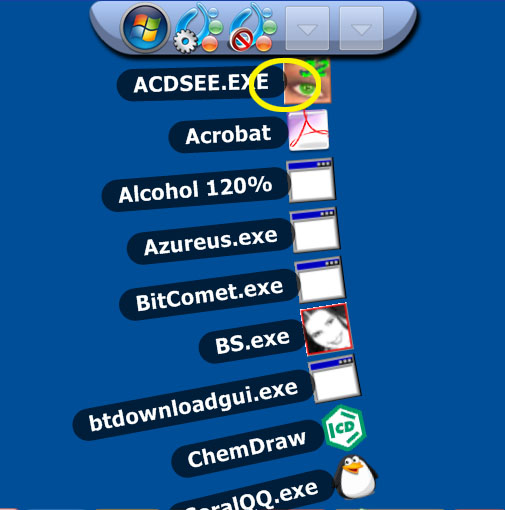
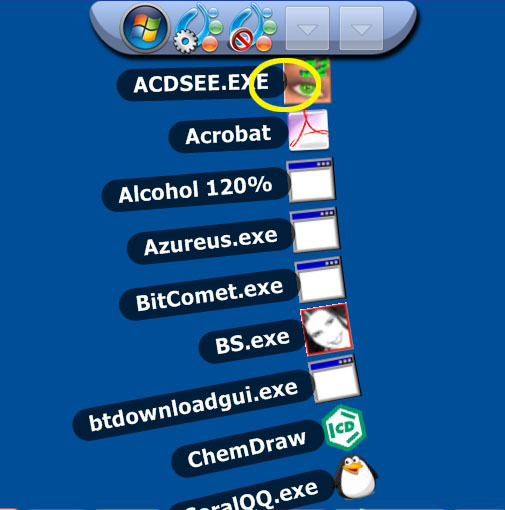
Me again. Noticed something very strange.
I believe this is not normal. When loaded inside ordinary Docks, they work fine, but these Docklets are loaded inside a Tabbed Dock of ObjectDock.
First two are when a dock is on the left side of the screen, and the second two on top of the screen. Right and Bottom sides seem to exhibit same problems.








Is there any hope that it will be a version for Y'z Dock too? For me it's still better to use Yzdock because RK Launcher for example is eating 14 MB of my memory while Yzdock just 0,5 MB
@pikipirs:
This seems to be a Tabbed Dock bug. Please report it to Stardock (I'm a RocketDock user, so don't know who to contact). Technicallry speaking, it seems DockletQueryDockEdge is returning wrong values when in tabbed docks.
@jfty009260:
4. Impossible to implement like that. Implemented as Shift+Click.
Others are in the way too (remember I have a life, too)
Edit
@tengshj:
WTF? Yes, you're right! I'll check this soon.
Edit
@tengshj:
Solved. Uploaded update.
Awesome docklet, I use it all the time now, and has become a must-have for me!
One question:
Are your updated versions the zip-download in the first post?
Reason I ask is eventhough you have updated the docklet a few times lately, the size of the docklet folder is a constant 501kb. I just think the size would differ a little bit
Probably because at the moment Mathias is mainly fixing bugs and not implementing a lot of new functions. I guess that's why the file size doesn't change.
BTW when you hover your mouse cursor on the dll it should show you the version number
Just wanted to add that the only thing I'd like to see impoved on this beloved docklet is the follow the dock option. I don't understand why the dock won't unzoom when your mouse is elswhere and a stack is open.
OOh another very minor bug I just found :
If you click many times fast on the docklet icon (opening and closing a grid many times and faster than the grid can follow, sometimes the icon-size superposition of all the files in the folder will remain on top of the dock. It only happens sometimes but I think there used to be a bug like that in previous versions.
Hi,
I have RocketDock with Stacks Docklet on my XP laptop - no problems.
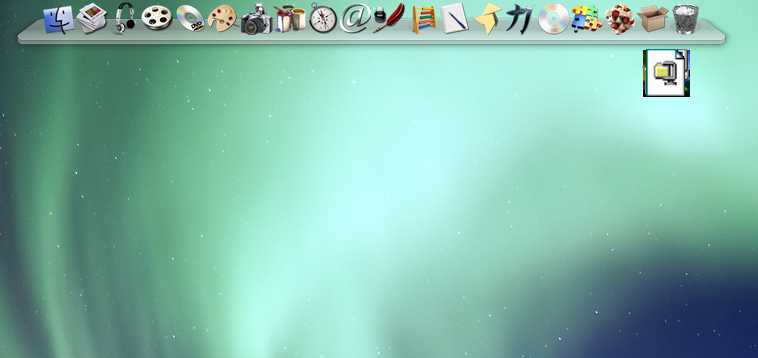
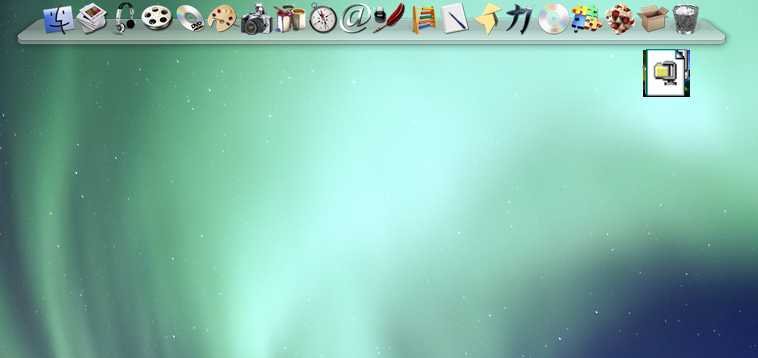
I have now installed RD + SD on my W2KSP4 w/GDIPLUS and I can't get the icons to display. The only icons that appear on the flyout are bmp files. I've tried searching this thread for a solution but have found nothing that solves this. BTW RocketDock works fine in itself, just no icons on the Stacks Docklet flyout.
Any ideas?
Hello all. This is my first post. I must say that I love the stacks docklet.
I am having a strange problem.
I amy running Win Vista Home Preium, with Objectdock plus 1.9 with the latest build of the Stacks docklet.
I have a folder setup using the stacks docklet. In this folder are about 8 differents shortcuts to pgms. The program I am having problems with is Quickbooks 2008. I can launch the program fine, but when I go to run a report the program comes back with an error stating that there is not enough memory, program will terminate. I have 3 gigs of ram and with this pgm loaded I am only using 38% of ram. If I start the program from the start menu (still have objectdock loaded) I can run reports with no problem. If I compare the properties of both shortcuts, they are identical. Clearly there is a problem when launching this pgm using the stacks pgm.
I have also encountered problems with other shortcuts while using stacks. Stacks seems sensitive as to where the shortcut comes from that populates a "Stacks folder" I have worked around these issues by trying different ways to create the shortcuts within these folders. However I have notr been able to get Quickbooks to work properly no matter how I create the shortcut.
Any thoughts