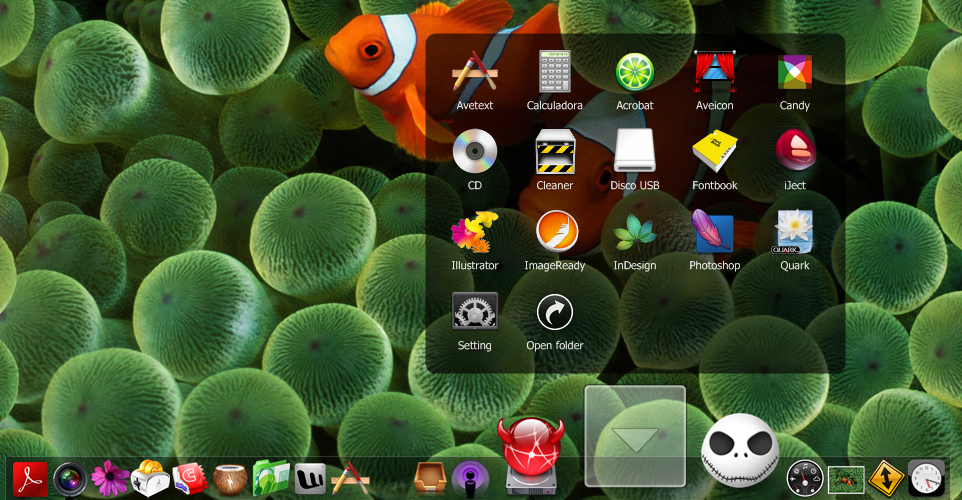
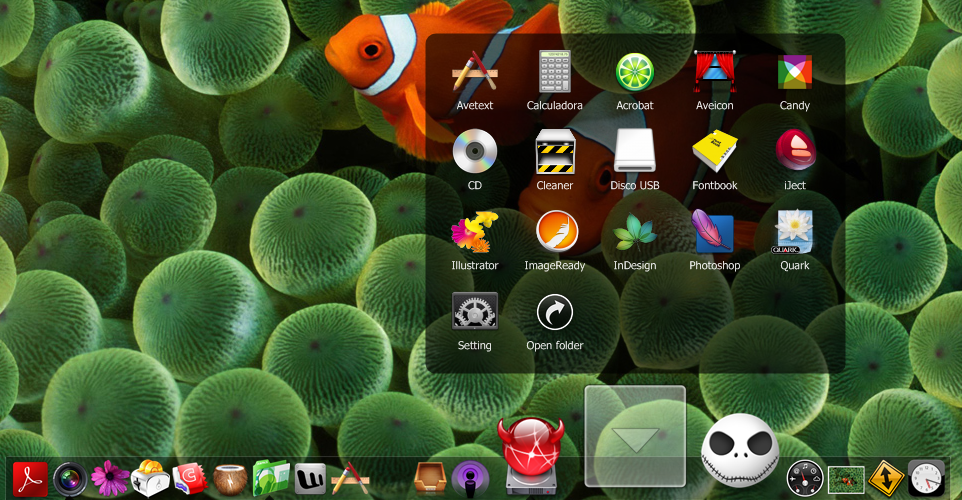
Stacks Docklet

Umh...in the last relase there's something wrong (i guess).

The folders icon now is displayed correctly (until this relase i cant see my customized icons but only the vista default yellow orrible disgusting icon).

But..but the animation is worst than the previous relase....when the icons pop up are bigger than their final size and streched/blurred...

I know... this isnt a big trouble...

ps.ya my english suck

Vista+Objectdock

EDIT: only when magification is turned on

#484607

fan-tastic ;) matonga, what can be expected from your future releases? I was using RK for a while but switched to OD1.9 :D stacks work perfect!

cool... this post happen to be my 100th :D

#484640

It seems that it doesn't work with RKLauncher, when it is on the right edge of the screen.

If RKL starts on the right side with Stacks, the stacks animation is briefly seen in the upper right corner.

If RKL is then moved to another side, stacks is correctly shown; if RKL is then moved back to the right, stacks appears in its previous place on the other side.

Other than that, no problems.

#484651

@BabboNatale:

Oh... I actually start the animation with icons the same size than the dock icon. Emm... I did this because I'm trying to also replace the dock icon (at option) with a stack of icons, as Leopard does.

@everyone playing with thousands of images/icons:

I really don't understand why everyone is surprised the stack can display thousands of icons/thumbnails. Do you think I regenerate the thumbnails every time you unfold the stack? :)

Oh, I noticed Leopard shrinks the icons when the stack (in Grid mode) doesn't fit in the screen. I'm already working to emulate this feature.

#484665

Wow... this is amazing. I can't believe it, someone finally pulled it off :D

Some things I'd love to see:

The ability to arrange icons in the stacks manually

More font options, bold, ect...

Perhaps some customization, ability to make skins for this, ect...?

Way to manipulate (open, move, delete, ect) files from within the stack

Ability to change icon size

Even in this preview, this is amazing, and I love it.

#484669

After giving this a try, I am very excited for you. This docklet represents a great effort to bring users a very close imitation of a great feature from OS X Leopard.

My comments and hopes (Windows Vista Home Premium 32-bit and ObjectDock):

--The stacks do not show a dynamic stack of files.

--If possible, perhaps a way to switch the default folders to the blue OS X ones.

--Fix the 'freezing' of the dock once a stack is selected.

--Better quality icons (particularly images) that get scrunched when using the fan view.

Other than that, fantastic job! keep up the great work. Sorry if a few of my comments have been addressed previously.

#484679

@BabboNatale:

Oh... I actually start the animation with icons the same size than the dock icon. Emm... I did this because I'm trying to also replace the dock icon (at option) with a stack of icons, as Leopard does.

Umh thank you for the explanation.

#484713

Hi, Matonga. I use de last version of your docklet and still can´t use the drag and drop function. The rest works perfectly.

I was out for a few days. Back then, you posted this:

"Mmm... no idea. I don't know how to reproduce the error. May I PM you a test version of Stack Docklet to get a closer look to the problem?"

My english sucks, i can´t understand what you need. ¿Que pruebe una version especial en mi máquina? Seguro, ningún problema. Enviala a andresfernandez14@yahoo.com.ar

Thanks

#484728

Here is my stack

post-27037-1198681958_thumb.png

Screen_1.png
Screen_1.png

#484729

Awesome Docklet ! Works very smooth with RKLauncher !

#484741

Also in your previous animations the icons went up and down very quickly now it seems to stop at the last icon and hang for a second long enough that I can move to the capture docklets and catch this.......

I liked it much better when it closed they just shot down and were gone.

First of all great docklet!

This issue is caused by your rk theme. I also had the same problem but when i changed the theme it simply gone. Sorry for my terrible english :confused:

Ciao ciao!

#484789

This issue is caused by your rk theme.

Not sure why yours quit doing it but I tried several different themes and still it persist not every time I click it though.

#484798

Amazing stuff mate, keep it up vecino argentino :)

#484831

Hi, Matonga. I use de last version of your docklet and still can´t use the drag and drop function. The rest works perfectly.

I didn't even know there was a d&d feature...It doesn't work for me on Avedesk too, not even with the latest version.

Edit: It's working on Rocketdock...Just not with Avedesk. :(

#484834

Hi matonga.

I use your software in RK Launcher, I think I found a bug.

Chinese folder does not work.

I hope you enhance Chinese support.

thank you!

My English is not good, I hope you understand what I mean.

#484838

^ Probably you've got to change the font used to one that supports chinese characters...Maybe that will work?

#484878

^ It won't work, but I have a good idea that may work: I can add Font.Charset support. I had forgot that :)

#484885

^ It won't work, but I have a good idea that may work: I can add Font.Charset support. I had forgot that :)

Ok, it was just an idea. :)

What about drag and drop on avedesk, though?

#484888

Talking about Avedesk, I tried the docklet. I can put the icon on the desktop but how do you set the path to the folder ? Am I dumb or what ?

#484897

alt+click the icon.

#484898

Thanks mate. I had forgotten the shortcut. Too bad d'n'd doesn't work.

#484907

Hi, Matonga. I have the last version and still can´t use drag and drop in my ObjectDock v1.0 (the name of the file is too large).

I though that was my PC, but I installed RocketDock and there the stacks works fine. Any idea why is that? Thanks

#484908

Yeah, the AveDesk author should add drag n' drop so anyone can use it with the docklets (should I contact him?)

#484909

Just Two words:

Thanks and Wonderful Job. Keep it UP.

I was simplying thinking of this application and waiting for updates from RD, but you have stolen the show.

#484910

Yeah, the AveDesk author should add drag n' drop so anyone can use it with the docklets (should I contact him?)

That would probable be of no use, :o

Still, if it's a limitation of Avedesk I'll probably try to live with it. Thanks anyway, :D

#484912