Stacks Docklet

Ok, let's see the alternatives:

  • The stack can follow the dock, but then I need to attempt to lock the dock if the user leaves the dock.
  • The stack con lock the dock, yes I know the other icons won't magnify then but this guarantees the stack won't close if the user leaves the dock.
  • Write a completely new dock, with some specific API to allow Stacks Docklet to behave as intended (I recall schrom was asking Radu King to give him RK Launcher sources to continue development).

If anyone else with some coding experience can suggest me another alternative, I'll be glad to discuss it and try to implement it.
#490438

Personally, I think the docklet is 99% perfect, the only thing I can about is that when a stack is open (follow the dock enabled) mouse hovering over the dock is no longer smooth (sometimes the icons magnify, sometimes they won't, sometimes they magnify and freeze until I move the mouse a little further)

Concerning the lock the dock option, I agree that the only thing that looks wrong is the opening of a second stack while one is open ( the dock should unlock, then magnify the icon that has just been clicked and finally lock again)

Finally, If you feel like writing a new dock then go ahead ! Seeing how good a developer you are, I'm sure it would be great!

I know I'm only saying what you already know but that's all I can do

Let me thank you sooooo much again for the time you've spent on this great piece of software.

#490449

one more thing to add here ... if you don`t use zoom:bubble effect when you open a stack after you do anything else or just close it back the icon looks like it`s still clicked on it

ps sorry for my bad English

#490451

Personally, I think the docklet is 99% perfect, the only thing I can about is that when a stack is open (follow the dock enabled) mouse hovering over the dock is no longer smooth (sometimes the icons magnify, sometimes they won't, sometimes they magnify and freeze until I move the mouse a little further)

Concerning the lock the dock option, I agree that the only thing that looks wrong is the opening of a second stack while one is open ( the dock should unlock, then magnify the icon that has just been clicked and finally lock again)

Finally, If you feel like writing a new dock then go ahead ! Seeing how good a developer you are, I'm sure it would be great!

I know I'm only saying what you already know but that's all I can do

Let me thank you sooooo much again for the time you've spent on this great piece of software.

99% perfect for you yes, but others are still having problems...

matonga: If in objectdock you set a dock to "keep on top hiding off screen for maximised applications" would it be possible to have a stack take focus from all other windows so the dock assumes "keep on top" mode ? So basically the stack would become an active window...

#490480

99% perfect for you yes, but others are still having problems...

hence his use of the modifier "personally."

#490482

hence his use of the modifier "personally."

Nothing more to add;)

#490483

Just doesn´t work, when RKlauncher dock is on the right. (works with Rocketdock)

#490492

Just doesn´t work, when RKlauncher dock is on the right. (works with Rocketdock)

yup.. thats right! left works fine... but the icons are totally displaced when the dock is right-placed

#490589

hey Matonaga, are there any plans to have a dock labelled "Downloads" that will bounce whenever something is downloaded to it? it happens when i drag and drop (that's what gave me the idea). i tried to drag and drop multiple files but it didn't work (not that i needed to, just wanted to try it).

#490590

...

  • Write a completely new dock, with some specific API to allow Stacks Docklet to behave as intended (I recall schrom was asking Radu King to give him RK Launcher sources to continue development).

...

I think this will be an idea, so one week and I will get the source, stay tuned!

#490618

@NetOperator Wibby:

Good idea. I think I can do this:

Monitor the folder, so whenever a new file appears the dock icon will jump.

So, once I implement that, is just a matter of pointing a stacks docklet to the folder you use to download files.

What do you think?

#490639

Sounds nice, but won't it be a little intrusive to regularly ckeck the folder for new files ? I mean you will have to set a timer to ckeck the folder every, say, 5 seconds. I may be a little ressource consuming ,no ?

#490644

An option if you want to monitor the folder would be good then...

#490652

I am hoping for a possibilty to change icons and I am still waiting for an integration of TC instead of explorer(:-))

Otherwise - tremendous

Ruben

#490657

hi, i just DLed this a couple of days ago, and it's quite awesome. found one bug, tho.

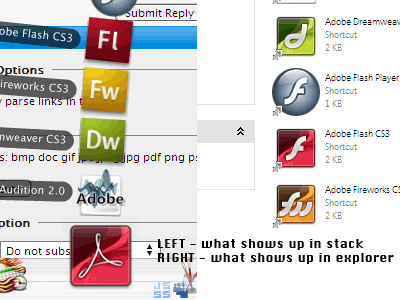
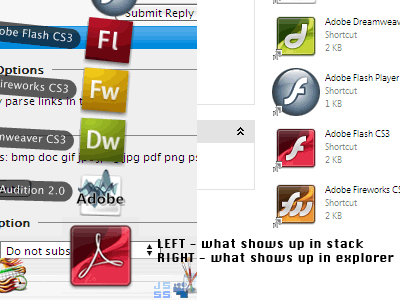
i set a stack to a folder that has nothing but aliases, and i changed the icons of a few of those by right-clicking and going to properties. these icon changes are not showing up in the stack. (attached pic shows an example)

using rocketdock 1.3.5, xp sp2 on an intel C2D. thanks in advance for taking the time to check this out.

post-75707-1202336212_thumb.png

stacks.png
stacks.png

#490658

Sounds nice, but won't it be a little intrusive to regularly ckeck the folder for new files ? I mean you will have to set a timer to ckeck the folder every, say, 5 seconds. I may be a little ressource consuming ,no ?

Actually it's not that resource consuming if instead of a timer Matonga would use (and most likely will use) a FileSystemWatcher. This hooks into the system and watches (duh) for changes to a folder. When something happens, a file creation, deletion, etc, it fires off the corresponding event.

+1 for this feature! And it's a great idea for a download folder.

#490675

Actually it's not that resource consuming if instead of a timer Matonga would use (and most likely will use) a FileSystemWatcher. This hooks into the system and watches (duh) for changes to a folder. When something happens, a file creation, deletion, etc, it fires off the corresponding event.

+1 for this feature! And it's a great idea for a download folder.

Ditto!! :cool:

#490676

the file monitoring is a great idea! and.. its leopard behavior ;)

#490684

Hey matonga did you ever manage to implement that feature of having the first 3-4 icons in the stack displayed on the dock with an overlay icon thats user defined?

Just wondering as you said "there's something in the dock" so I thought you might have already done it :)

#490713

Hey matonga did you ever manage to implement that feature of having the first 3-4 icons in the stack displayed on the dock with an overlay icon thats user defined?

Just wondering as you said "there's something in the dock" so I thought you might have already done it :)

Everything in this docklet now is perfectly fine with me. I have no more feature request :) Well except Diesel's idea. If that cant be made, could it at least change icons when the stack or grid is open? If not its still fine without doing it (well at least for me)

#490736

hi.

can someone please teach me how to install and set up this stacks docklet. I download it and i have no idea what to do from there. i don't know whether to copy it to a certain folder or what. i am running this on objectdock so if anyone can help me i would appreciate it.

thanks in advance

#490782

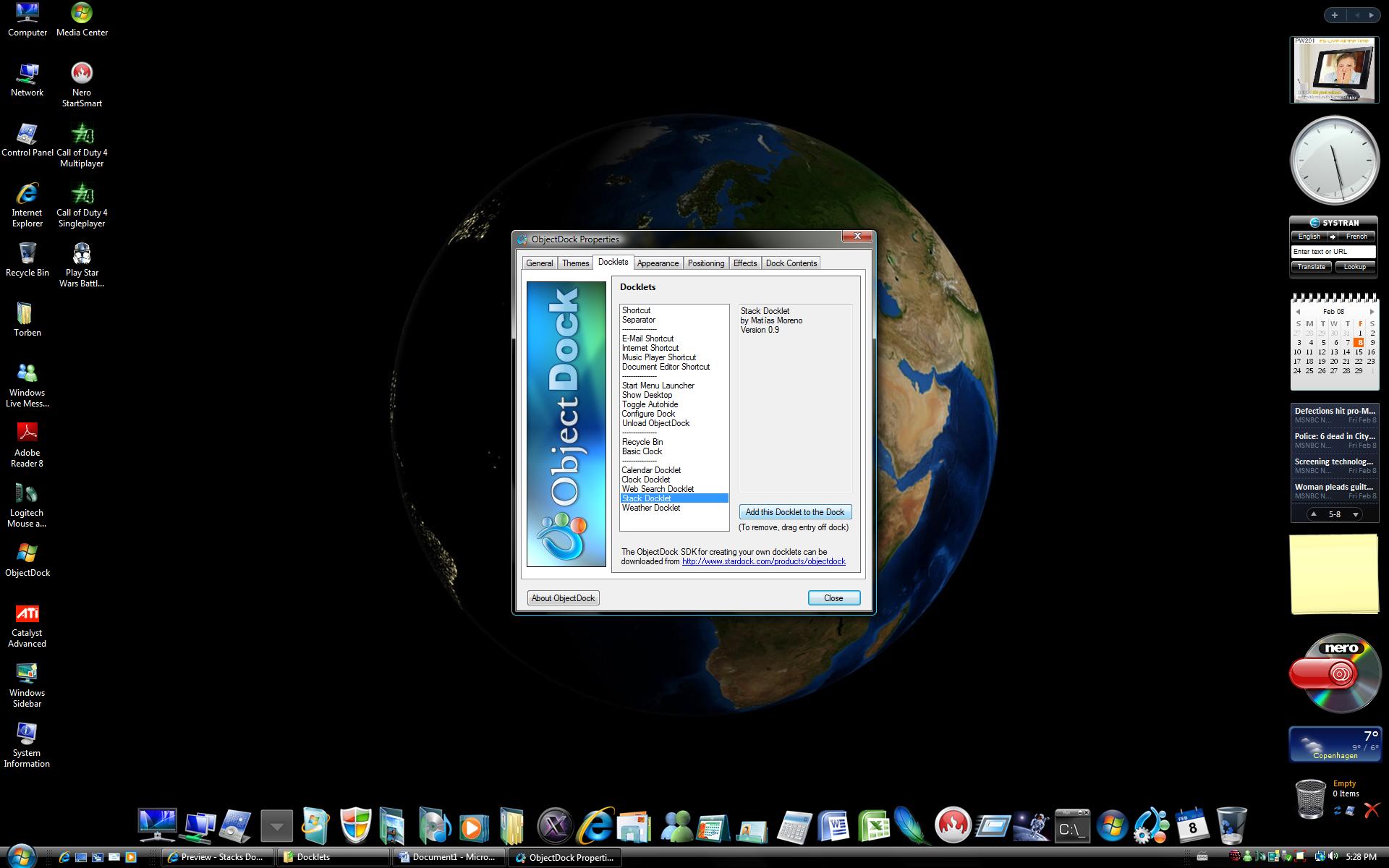
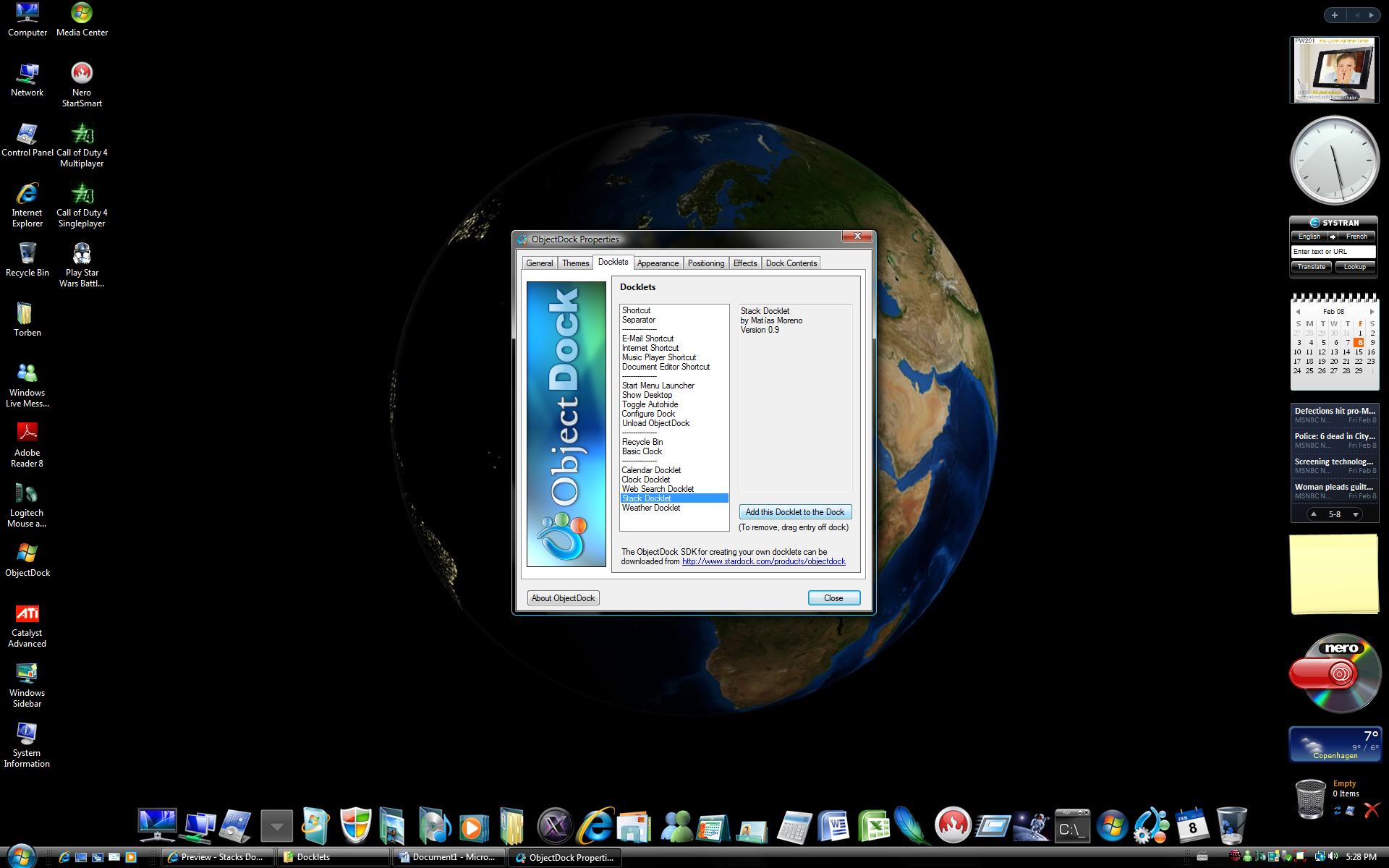
Just extract the archive in your /Docklets folder. Then add in the dock with right click.

#490791

I understand how to extract it to the Docklets folder.

but what do you mean by adding it to the docklet. I right click and select "add shortcut" and then what do i do??

#490823

@basketballxprt92

Copy the stack folder to:

C:Program FilesStardockObjectDockDocklets (32 bit windows) or

C:Program Files (x86)StardockObjectDockDocklets (Windows 64 bit)

Then add the stack in your Dock, See picture how to do it in ObjeckDock

post-74392-1202488905_thumb.jpg

Add stack.jpg
Add stack.jpg

#490825

@nighthawkf117

what do i do after i add it to the dock? it doesn't appear to be working...

#490864