 Aqua-Soft Forums
Stacks Docklet
Great job. Pitty it has so little settings.It would rock if you could implement:
Under Icon settings:
-files to include ( *.mp3, *.avi,... )
-files to exclude ( *.ini, *.dll,... )
Under Global settings:
What to do when clicked on folder... I always open folders with C:WinExplorer.exe /e, %1. So it shows folders tree automatically.
thanx. Great job again.
chavlji has some good suggestions 
hey whats new on it?
My stacks are still closing randomly on my auto-hide dock 
Hi there,
I love the Stacks Docklet but for a week or two I'm getting the following error message
- as soon as I configure a stack
- every time RocketDock is closed
- every time I move or add an item in my dock
- or change anything else...
I'm not getting these error messages as long as there aren't any stacks...
It seems to be a rights - problem since it works without any problems when I run RD as Admin.
(I'm running Vista SP1 v744, RocketDock 1.3.5)
can't download it anywhere
thank you so much 
Link in my previous post has been fixed sorry about that.
Hi DieseL1988
I do agree with you that autohide can give some problems if you move your mouse to fast out from the stack icon in the Dock.
I hope Matonga can fix autohide, when you click on the stack icon in the Dock, and move fast up to the icons in the stack. Right now it is possible, but only if you move your mouse very slow out from the stack icon in the Dock. If this can be done I believe the stack with autohide is close to be perfect.
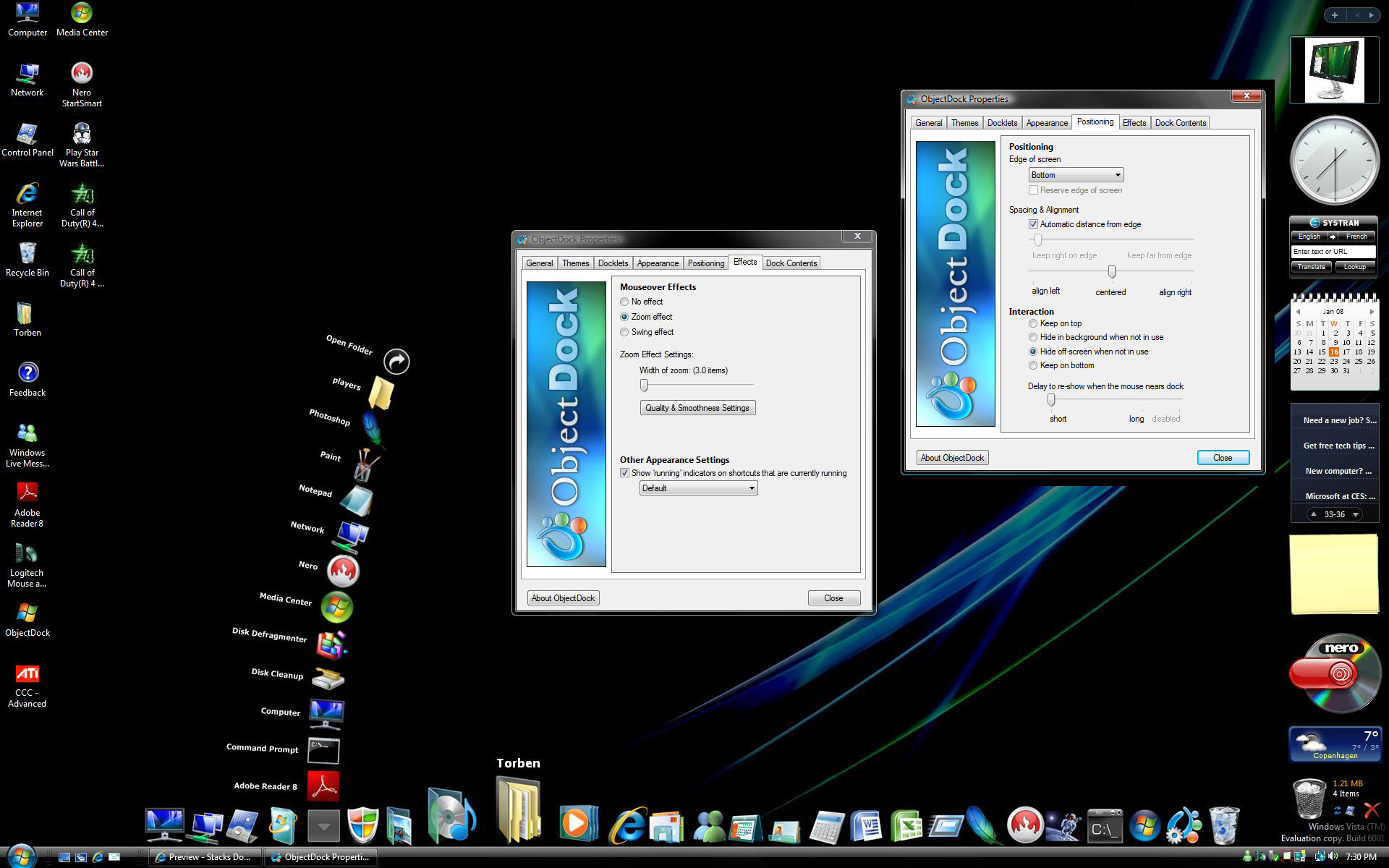
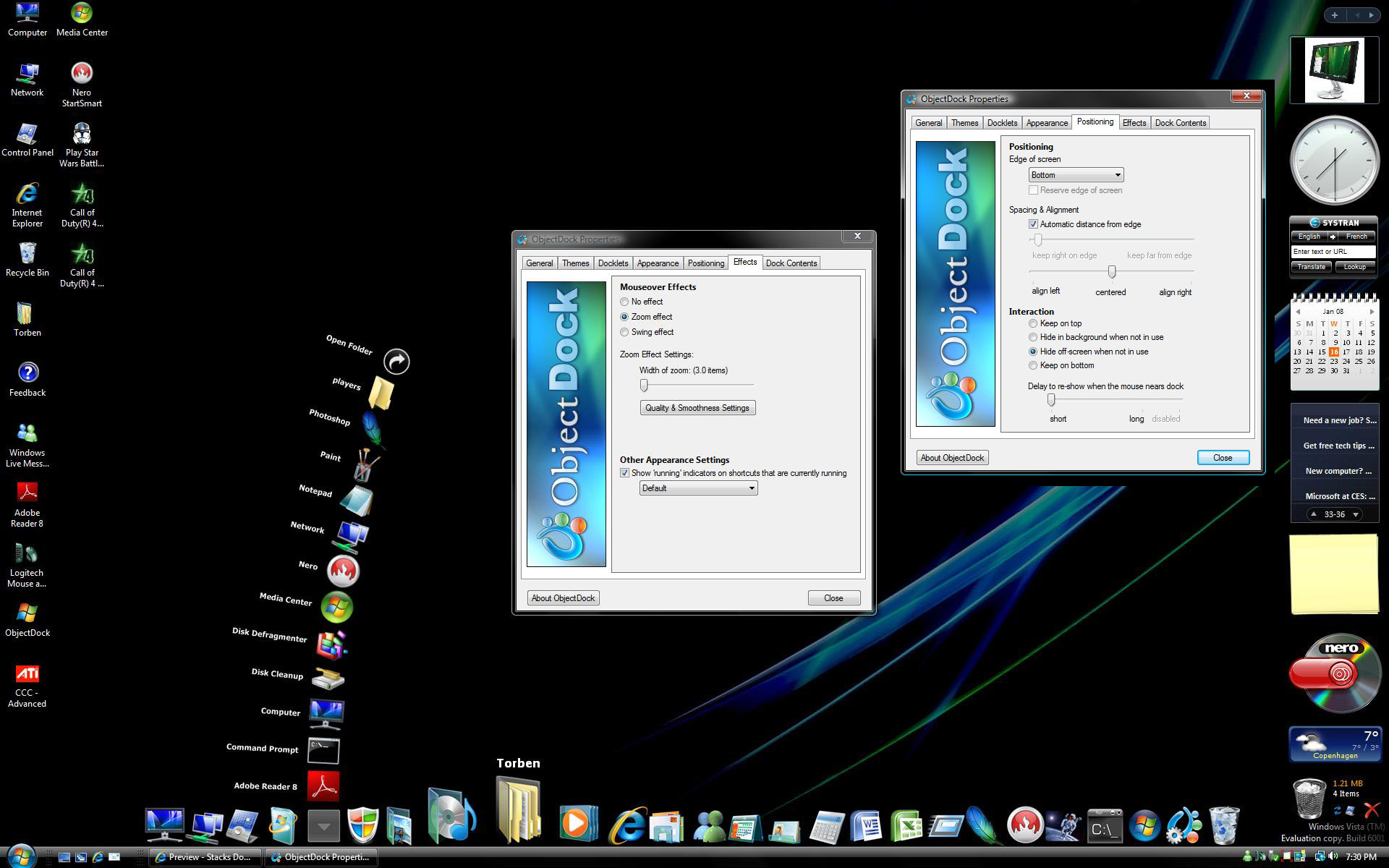
DieseL1988 if you use ObjectDock, take a look at the Picture, these settings works best with the stack when the Dock is set to Autohide.
BTW the Autohide closing randomly looks only to be a problems as long you move up/out directly from the stack icon (in the Dock) If you click a stack and then move right or left away from the stack icon first, then you can move your mouse fast up to the icons in the stack without or at least less randomly closing.
Regards Nighthawk
how do i add items to the stack? when ever i put the stackdocklet folder in the docklets folder it wont show up when i run rklauncher. when i add it to the launcher using itemlist.conf it keeps giving me an error message, and when i click add item, nothing happens, and it wont let me click "add docklet". any help on this?
When you put the StackDocklet folder in RK launcher/docklets then in Rklauncher dropdownmenu goto Add docklet and at "type" choose Objectdock docklet. Then add and you have it.
If your add docklet is greyed out, you have to go to settings - behaviour - locked add/delete/drag and uncheck it.
Not to be rude , but you go back and read this thread from the beginning and it will answer 99.9% of your questions.
Thanks NighthawkF117 but you settings didn't really have an effect, if any, I'm still getting stacks closing when i try to open them on an autohide dock. True if I go slowly they work but not everytime...
downloaded again the latest version of stacks but it doesn't want to open any shortcuts. Files are okay. open in folder shortcut is also okay.I just don't understand what the problem might be. I have tried different folders. Still no luck.
I am getting the same problem... It just ill not open shortcuts... I am on vista with Rocketdock, the latest version
wow, can't believe i missed the update ... thanks for the continued development matonga! anyhoo, i don't know if anyone's found this yet (or if it's been stated) but you can get mini-previews of the images in your stacks. i found a program called "Xentient Thumbnails" that displays ... well, a thumbnail of images, even if they are in tiled, icon, or detail form. check it out!
Hi Matías.
First of all let me thank you for developing such a great docklet.
I'm using it on Windows Vista with RocketDock and with ObjectDock and RKLauncher as well and it
does it nice and flawlessly.
I may say that is one of the best Mac-tools ported to windows.
I'd like to tell you one thing that I've found and I think that if you fix would make Stacks Docklet the ultimate tool, so we will be able to forget Explorer at all.
I just tried to make a stack pointing to a Search folder and when I click on it, it doesnt show any item. I know that Vista's searches are really virtual folders so i think that could be the problem here, but I'm sure it wont be such a great deal to a great developer like you.
I've read that you doesnt have Vista to try things out, so I would like to recommend you to use VMWare Workstation to create a Virtual Machine with Vista installed so you will be able to test this and any of your current and future applications. (It will let you create and use Linux or even OSX virtual machines).
Regards, AlexS
I am getting the same problem... It just ill not open shortcuts... I am on vista with Rocketdock, the latest version
NVM, i fixed it! I turned the shortcuts arrows back on (Made it an empty ico file... xD)
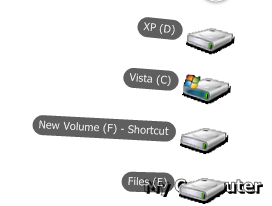
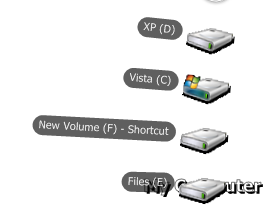
Although, I did find a bug I would like to share... It seems like icons with shadows don't turn out right. The Shadow part just turns to a solid black... i have Attached screenshots of this problem...

restart your dock Rain724
One question after a biiiig thanks for that little app
I hate explorer and use only TC -anyway of getting the folders that fan out being opened in TC too?
Ruben
Great docklet!!
Any chance to implent an option to select which folder to open when clicking on "open folder"?
Thanx:)
What is TC?