Stacks Docklet

@NighthawkF117

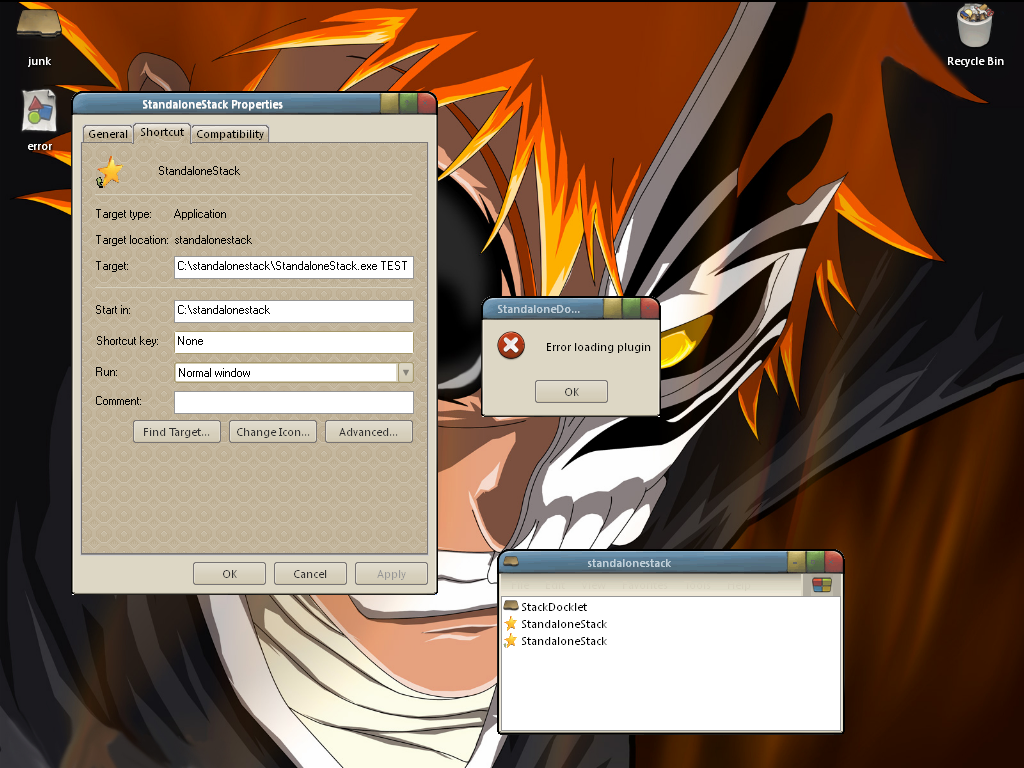
thnx for your help. i appreciate it so much. i read and followed the instructions that ChristianS gave but i get an error when i try to double click on the shortcut. i included a pic of the error. im starting to think that this wont work on my pc. well im late for church so later 4 now.

-696

ps: i forgot my specs.

mobo: gigabyte 945gzm-s2

cpu: core duo 1.8ghz

ram: 2gb xms corsair

video: on board :(

post-78520-1206901599_thumb.png

error.png
error.png

#496368

make sure you have good path...

c:standalonestack --> with standalonestack.exe

c:stadalonestackStackDocklet ---> the Matonga docklet --> StackDocklet.dll

c:stadalonestackStackDockletImages --> docklet images --> Default icon.png , Open folder.png

of course, the first folder "standalonestack" can be different if you want.

you have the message "error loading plugin" because standalonestack can't see stackdocklet.dll

see more and download full zip file at w ww.chrisnsoft.com/standalonestack/ (remove space in w ww )

#496410

Sorry I've been out for some time.

I'm currently at job at mornings, and at university at afternoon/evening (and sleeping at night) so expect very uncontinued updates :(

However I've just updated it to show more than 12 items on larger displays (I mean larger screen resolutions such as 2560x1920, etc...). I haven't tested it with such large screens, so can't tell how it will turn out. If someone has problems with this feature please post screenshots :) so I can understand better what is going on.
I think I'll completely replace the way shortcuts are launched, because I'm f*d up with so many people haveing this same problem. Does someone have a sample code on how to launch a shortcut without using ShellExecute(Ex)? (non .NET code please, unless it uses PInvoke or IShellLink stuff).

#496420

@matonga

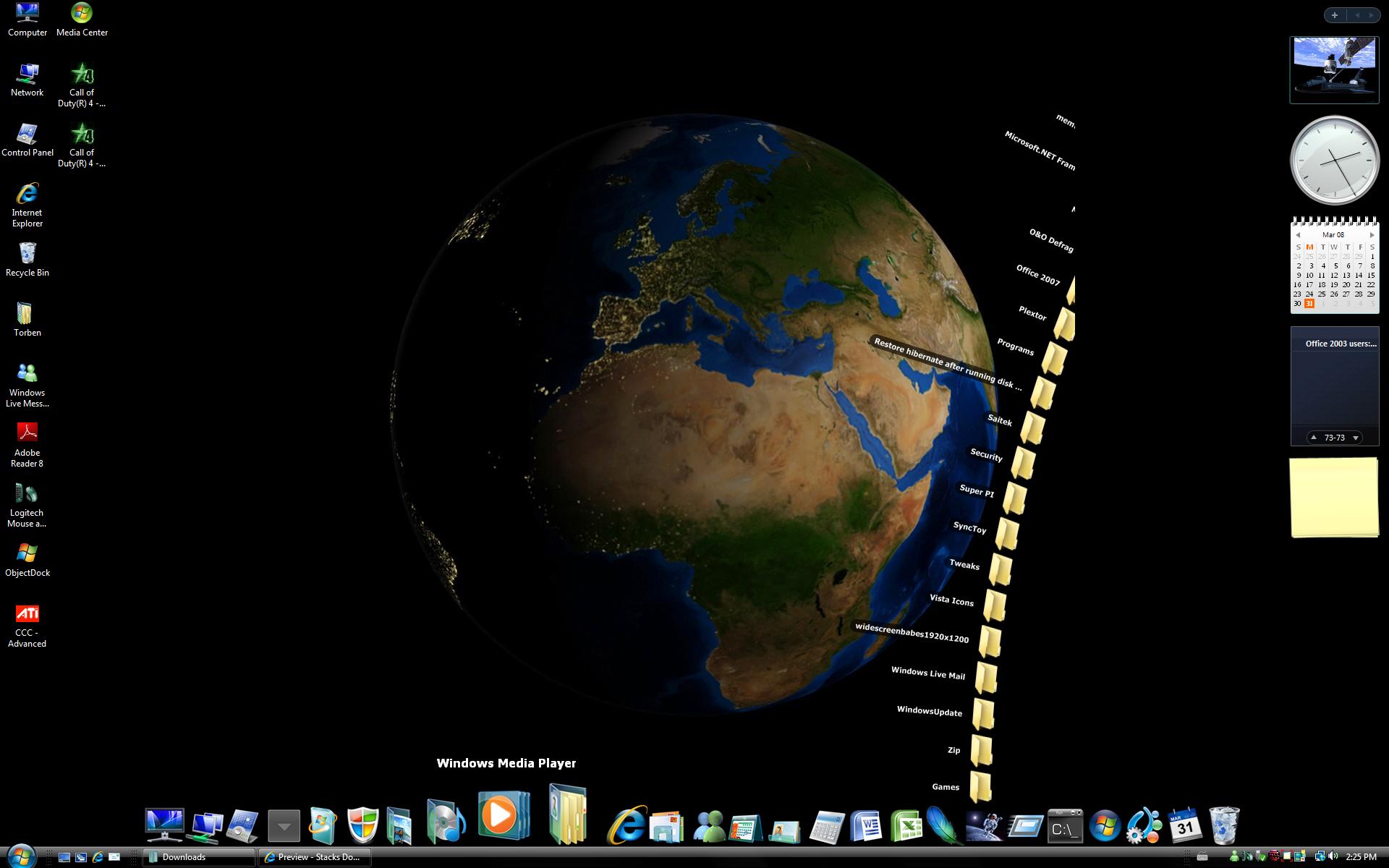
Here is a picture, my resolution is 1920x1200

Seems to need a little more work;)

post-74392-1206966544_thumb.jpg

StackFan1.jpg
StackFan1.jpg

#496422

Wooo, I thought you were overrun by a car or such....

Good to see you back!

#496423

great to hear you're back Matonga! yeah, i understand your busyness as well. anyhoo @ChristianS: nice app!

#496424

hi, matonga, I use stackdocklet on objectdock 1.9 plus,

but I can not drop files to the stack dock icon (they will be moved to the stack's configured folder)?

#496429

Hi -

@matonga:

'CreateProcess'?

Sorry, can't help a lot of this, don't know really much about real programming, just ditched a bit into AHK -

but maybe this helps:

http://www.delphicorner.f9.co.uk/articles/wapi4.htm

#496438

Great to see you back, matonga! Thanks for rolling out another update for us folks.

Now unless I'm missing something, the new update seems to have caused fan stacks to keep at least 4 items from showing and adding them to the Open Folder menu. You fix?

Edit: What's more, clicking the Open Folder icon will open the shortcut that was meant to be at the list. The stack docklet seems to be working better for those with higher resolution monitors (seen in NighthawkF117's screenshot) than those with standard (1024x768) resolution desktops (forgot to mention that I have the latter resolution).

#496450

Now unless I'm missing something, the new update seems to have caused fan stacks to keep at least 4 items from showing and adding them to the Open Folder menu. You fix?

Do you have version 1.0.0.39? (right click the .dll, Properties, Version)

#496584

Yep I do (Well not actually now since I downgraded using mirrors).

#496596

I use the stacks docket to store frequently used IE shortcuts. How can I get Stacks to show the Website's icon insted of the default IE icon? Btw, I love this docklet and am using it in Objectdock. Great work Matonga!

Irvin.

#496602

@matonga

Here are two pictures of the problems with the new stack version 1.0.0.39

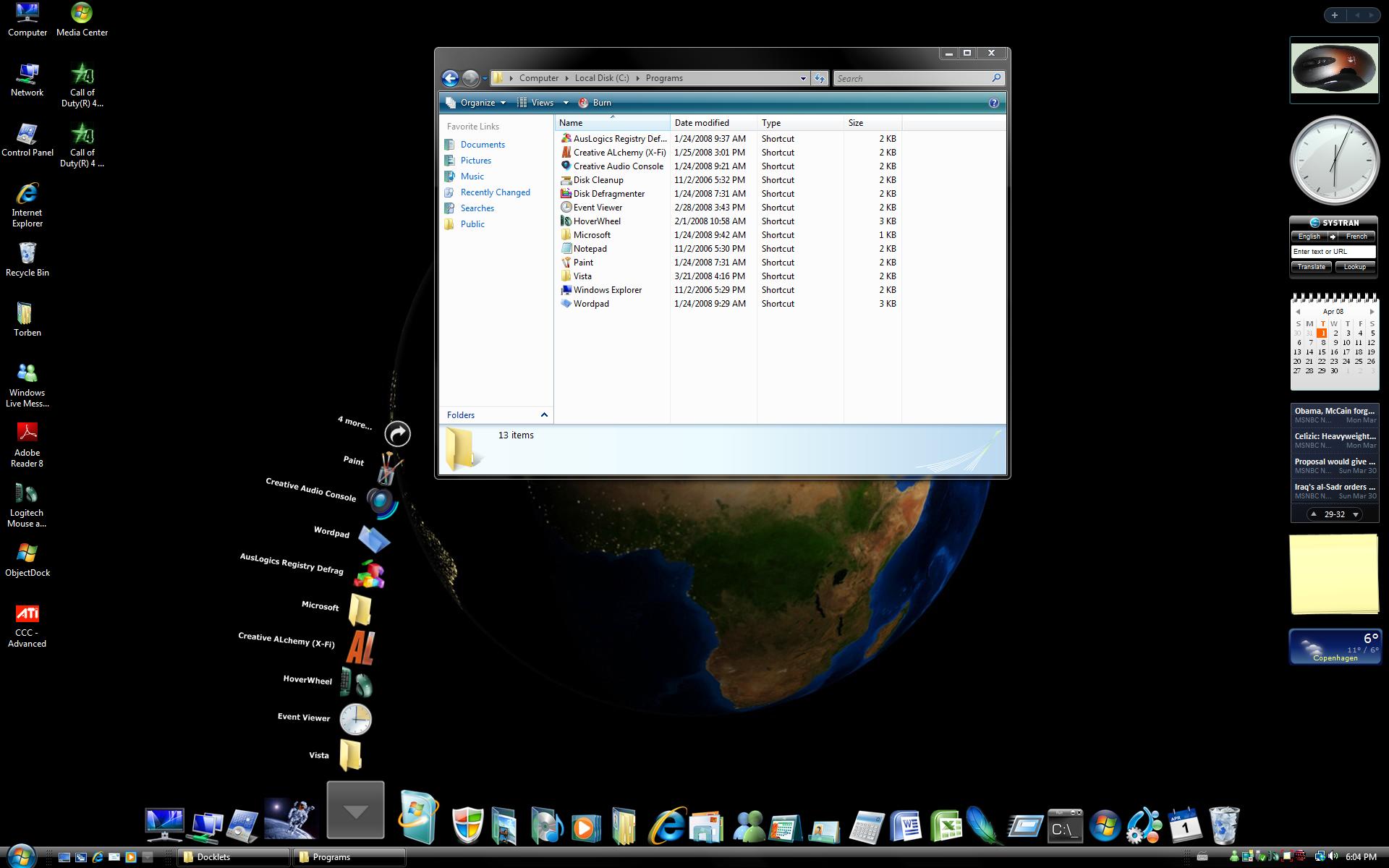
The FAN mode seems to work a little strange, Programs stack opens like jfty009260 does.

See picture: stack-fan1.jpg.

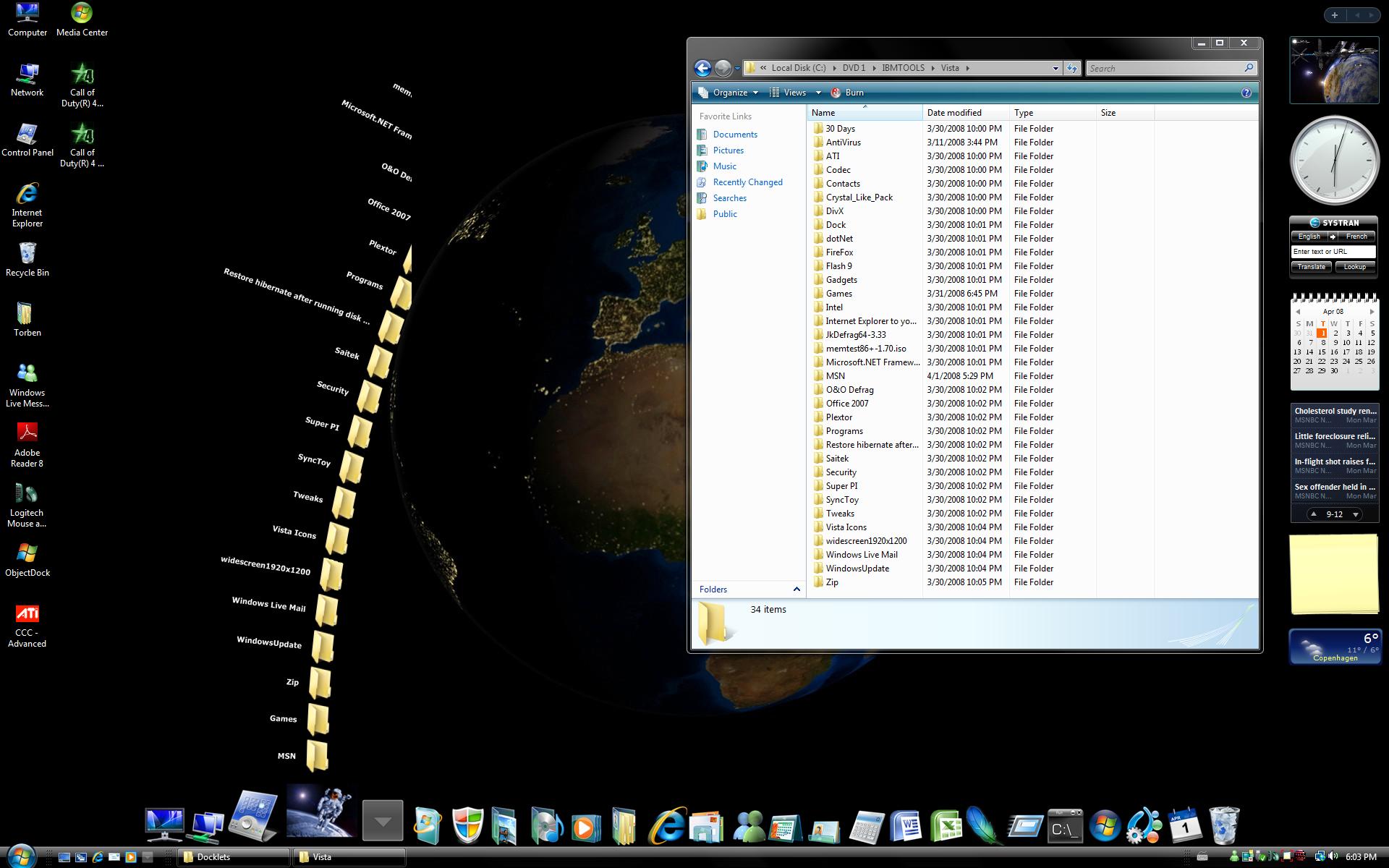
The FAN mode of my Vista folder opens more than 12 icons however, the last of them at the top are broken.

See picture: stack-Fan2.jpg.

post-74392-1207066533_thumb.jpg

post-39-1207066533_thumb.jpg

stack-fan1.jpg
stack-fan1.jpg
stack-fan2.jpg
stack-fan2.jpg

#496606

@iamoraal: You can download the website's favicon (usually by appending /favicon.ico to the site's URL; works for majority of them sites). Since those items are shortcuts, you can go to Right click > Properties > Shortcut > Change icon and just choose the website's icon.

@NighthawkF117: Nice find. So the 4-item excluding bug only works in shortcuts and not on folders...

#496607

thanx matonga

#496679

Great to see you back, matonga! Thanks for rolling out another update for us folks.

Now unless I'm missing something, the new update seems to have caused fan stacks to keep at least 4 items from showing and adding them to the Open Folder menu. You fix?

Edit: What's more, clicking the Open Folder icon will open the shortcut that was meant to be at the list. The stack docklet seems to be working better for those with higher resolution monitors (seen in NighthawkF117's screenshot) than those with standard (1024x768) resolution desktops (forgot to mention that I have the latter resolution).

Have the same problem as well since updated from 1.0.0.28..

Anyway, thanks for your time matonga :D

#496719

Thank matonga.

Little report,

RKLauncher : fan mode

v 1.0.0.28 show 13 items

v 1.0.0.39 show 11 items

StandaloneStack : fan mode

v 1.0.0.28 show 9 items

v 1.0.0.39 show 5 items

#496721

By me it is also the same "cutoff" problem. 1.0.0.39 show only 4 items. If a docklet has 4 items, it shows then only "4 more" but no icon!

thanks matonga

#496740

works perfectly fine with windows vista.

#496769

@jfty009260: I tried that but it doesn't appear to work. When I save the favicon.ico file it saves as a .bmp file. I even tried converting to a .ico file with no luck at all. Windows explorer shows all my IE shortcuts with the appropriate .ico's but they just don't appear in the stacks docklet. I am using it in Objectdock on Windows XP. I even tried closing / re-opening objectdock. Any other ideas?

#496807

Could I get some help to download this? I followed the link but some how I cant do it. Could some one help me I'm running vindows vista and I'm using the stardock but can't do it some how...

Thanks

#496813

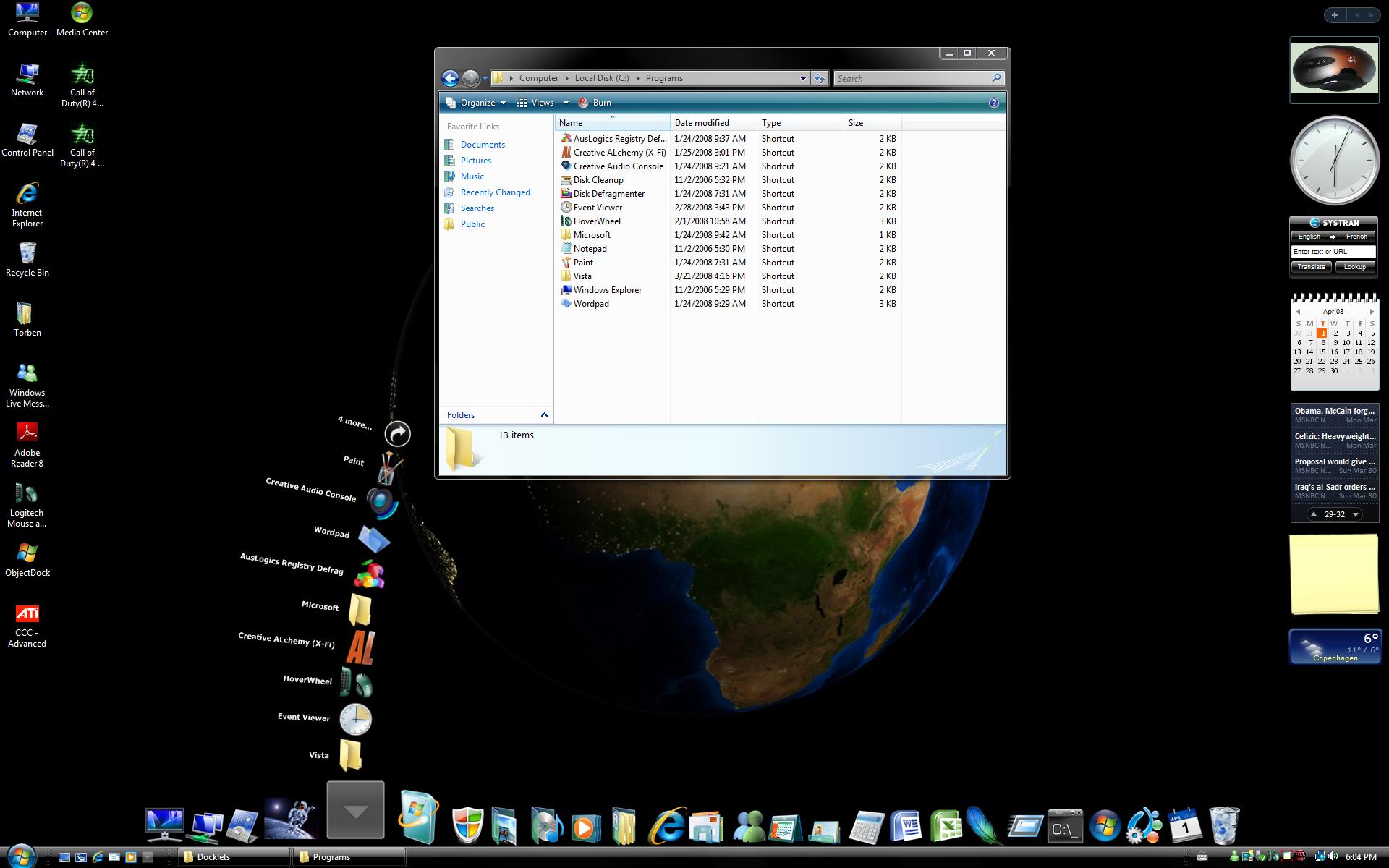
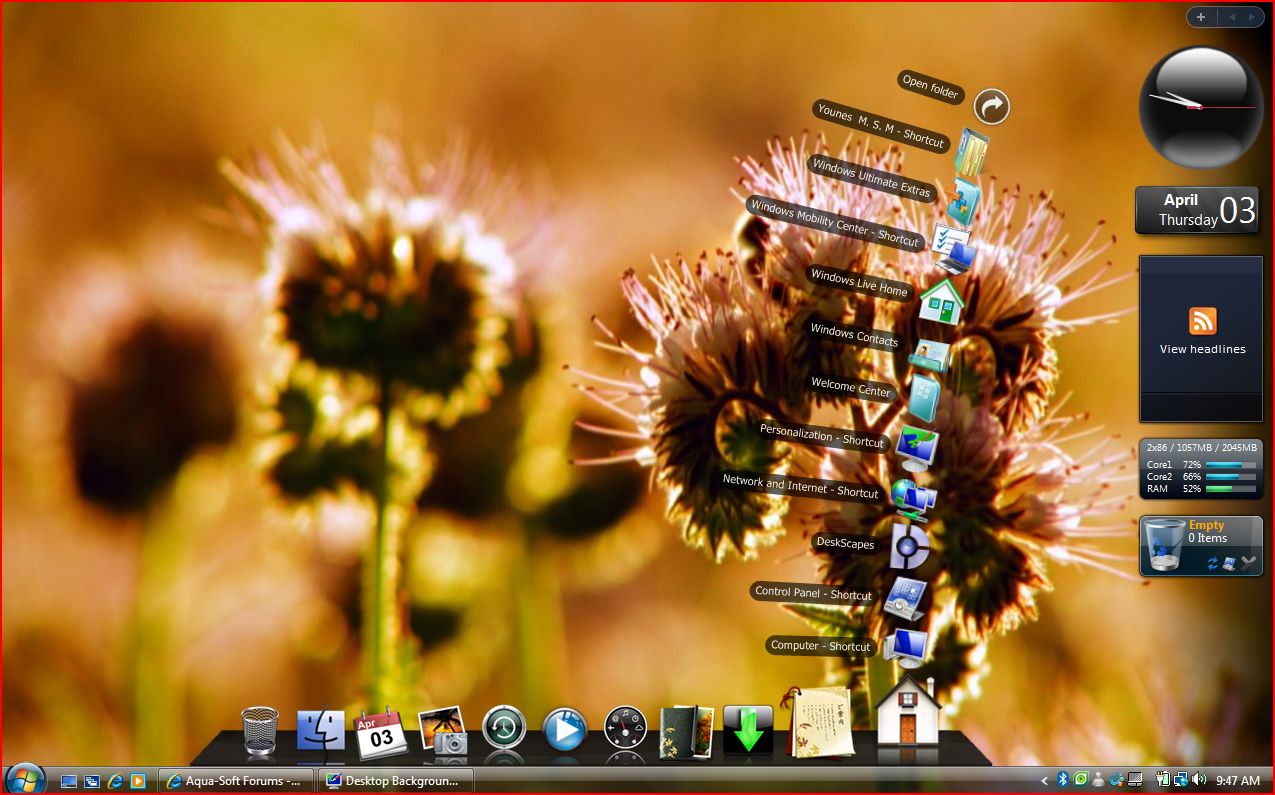
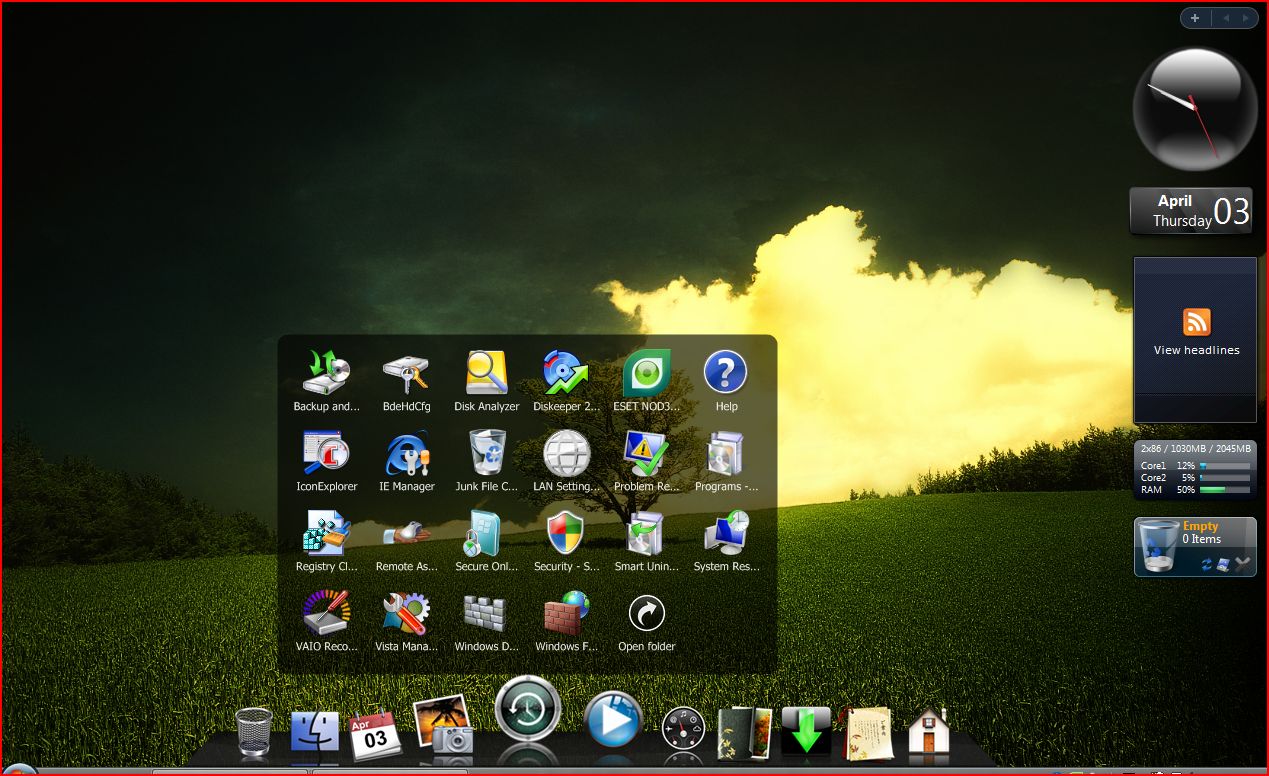
thank you very much now my objectdock is really fun to use, by the way you said that you needed vista testers well i'm using vista 32 ultimate with sp1. and the first backround the orange one is an animated dreamscene the second is a normal pic so far things are going great.

i wonder if there is a posibility to get those icons to be animated when clicked like leopard.

but again really thank you

post-78758-1207205683_thumb.jpg

post-39-1207205683_thumb.jpg

Capture1.JPG
Capture1.JPG
Capture2.JPG
Capture2.JPG

#496822

Another bug:

you can't click open the second stack docklet without closing the first one, objectdock will crash in this way. But you can click open another dock item(something other than a stack docklet) without closing an opened stack docklet. Can it be fixed? Thanks

#496825

Testing any of these and giving me feedback would be pretty appreciated ;)

Mi Matias,

cool docklet, like it very much, yet still have a few things that could be improved ;-)

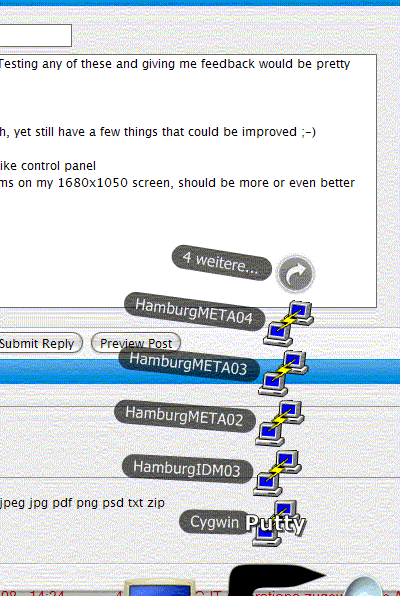
- fan mode only shows 5 items on my 1680x1050 screen, should be more or even better customizable (see attached screenshot)

- icon title from dock icon overlaps fan icons, dock icon title should be removed when opening fan (see attached screenshot)

- support for special folder like control panel and novell zenworks application folders (have an extension (listed as .{763370C4-268E-4308-A60C-D8DA0342BE32} in dos box)

cheers, Lothar

post-78769-1207231699_thumb.png

Stcks.gif
Stcks.gif

#496855

@broadway_dude

Can you give us more details about your system, display resolution and maybe Print Screen etc?

As you can see in my post (16) the fan mode (Version 1.0.0.39) does not work as it should.

My system:

Windows Vista 64 bit SP1

Dell 24" 1920x1200

Dock= ObjectDock

#496893