 Aqua-Soft Forums
So... I published new 5.0 version. And I added new functions into docklets and you should recreate your docklets. So I fixed and added a lot. However try this one  I think it's last version, or not
XWindows Dock v5.2.3
I see that you added the new 5.0 file download, but in the installer it still says 4.8
Did you just forget to edit that or did you not edit the download link at all?
I see that you added the new 5.0 file download, but in the installer it still says 4.8Did you just forget to edit that or did you not edit the download link at all?
I don't know what your talking about, it clearly says, ver 5.0
Download the file, open the installer, and on the first step it says Version 4.8
Download the file, open the installer, and on the first step it says Version 4.8
I saw installer and there is 5.0.
I saw installer and there is 5.0.
It working fine! Nice new features! (like "Pooof"! Yay! )
Thanks a lot!
I think it's last version, or not
Uh, I hope not! 
Sorry guys, it was my fault. I had to delete the folder under Program Files before I updated it.
I do suggest making the indicators work, and making the hover over a little bit smoother.
Also, the skins posted, the links don't work. GREAT JOB, nonetheless. If I can help with anything, please let me know.
When I try extracting the installer file, I get a corrupted CRC error.
KAW, do you have MSN? I could be able to help you.
Thanks for the update BOBAH.
I have one question:
Can you add a slider for the "Auto show dock, when mouse is over" setting? Right now, the dock shows instantly when I move my cursor anywhere near the dock area. Hopefully with a slider, we could set the dock to show after a mouse over of a few seconds. If not, it's not a dealbreaker for me, it's just one of those little things to make the dock that much better
Thanks again for this great app!
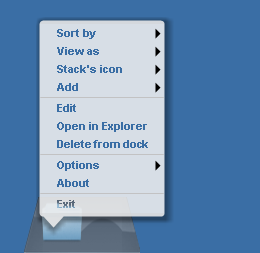
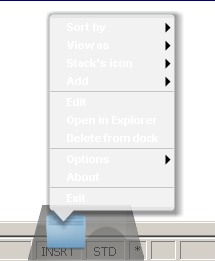
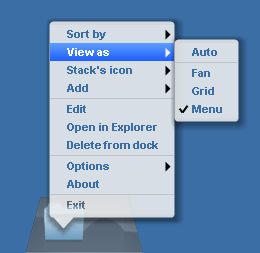
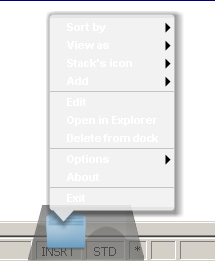
I got some defections.
They are all about new style of the popup menu.
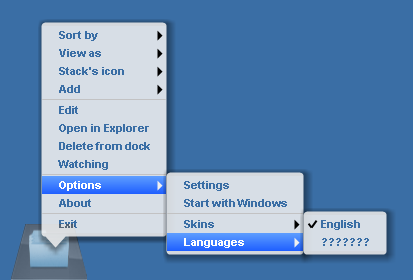
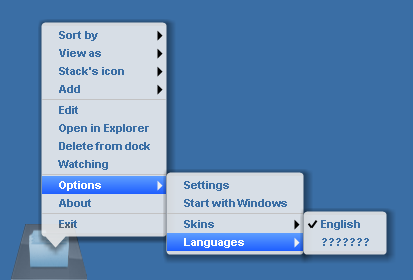
One issue is that the fonts are set transparent. It is very difficult to see them while the menu poping up over a doc or others apps which is quite white as background.
Another defection also has something to do with this transparent style. as you can see from attachments, while you move mouse on the text (exactly over the text), the submenu gone.
Could you please set a option to disable this transparent model?


What's up with this arrow icon being overlayed over everything?
Hi Bobah13
I'm literally in love with this
I was wondering if you could do a little favor
Maybe in that stacks "MENU" or LIST as they call it, i was wondering if there can be an option, where you can scroll through, the entire list...
Sorry for too many questions.
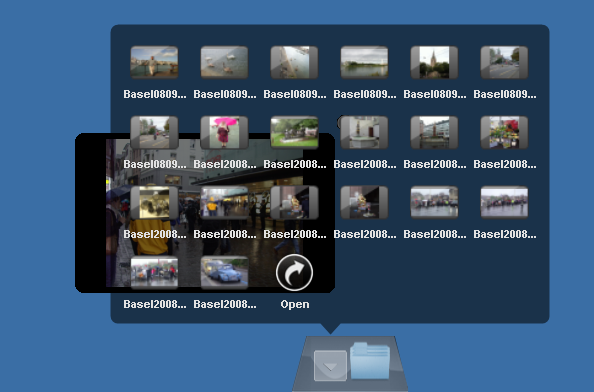
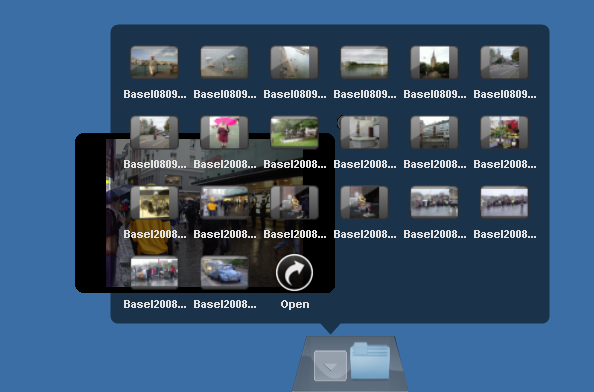
the preview is overlaped by stack. (attchment)
the preview of items in stack, should it also dispear after stack autohiding?
Published a Public Beta Release of my "Show Desktop" Docklet in the XWinDock-Releases Thread.
I updated for 5.0, killed every bug i ran into and added some functionality.
Read the link above for further info.
PS: I'm now working with D7, too. Helped me a lot!
Can someone upload the 4.8 version? Are all of my skins ruined now because I installed 5.0?
Can someone upload the 4.8 version? Are all of my skins ruined now because I installed 5.0?
KAWSquared: Can't you read?! Siik told us, that the skins won't work and how to make them work!
Please don't start 'cussing again.
Lol, can't you read? I didn't ask if they won't work. I know that already. You shouldn't be so quick to take a shot  .
.
Can someone please re up 4.8?
Sorry for too many questions.the preview is overlaped by stack. (attchment)
the preview of items in stack, should it also dispear after stack autohiding?
Hm, its working fine for me, no overlapping, in fact its working great
Do you have the overlap all the time? Have you restart the Dock and tried again? What settings do you have for the panel: Show above all? Autoshow activated? Hide in x sec?
I have no problems with the context-menu, too.
Do you have XP or Vista? Default Theme? I don't know, if it could have something to do with that...
EDIT: I was testing around with the preview: You are right, there is a bug: If you close the stack, before you close the preview, the preview will be behind the stack until restart the whole dock. The only workaround seems to be, close the preview before you close the stack :-/
This is still about v4.8.x as I arrived home right now and didn't have time to get my hands at v5.0...
@Panta: I don't really get the 1px problem you're having, since you describe it pretty much the opposite of what I'm getting XD. Still, it is indeed the problem with the right side of the dock, and it is indeed resolved by keeping the skin pngs fully opaque. Not sure what's really going on here, but whatever, I'll wait
I was thinking that the problem was that the background having any level of transparency in its PNGs was the cause of the problem and I asked bobah whether he could confirm that this was what was causing the problem; as he didn't give any kind of feedback, I decided to try a simple experiment, consisting of taking all three PNGs from Blue Glass 2's background and making them fully opaque, and then creating a test-only skin... nope, the culprit is not native transparency! 
So now the token is back at bobah's hands and I'll just wait for some support info from him (edit: or that it's been solved at v5.0).
hm, its working fine for me, no overlapping, in fact its working greatdo you have the overlap all the time? Have you restart the dock and tried again? What settings do you have for the panel: Show above all? Autoshow activated? Hide in x sec?
--first time no then all the time. Restart no for first time and all time then.
I have tried "show above all", "autoshow" no change.
I have no problems with the context-menu, too.Do you have xp or vista? Default theme? I don't know, if it could have something to do with that...
-- i have xp. Default theme. Desktop - none. You can the attachments in my post.
Edit: I was testing around with the preview: You are right, there is a bug: If you close the stack, before you close the preview, the preview will be behind the stack until restart the whole dock. The only workaround seems to be, close the preview before you close the stack :-/
-- ;-), Since the preview is behind the stack, you have no chance to close it.
This is still about v4.8.x as I arrived home right now and didn't have time to get my hands at v5.0...I was thinking that the problem was that the background having any level of transparency in its PNGs was the cause of the problem and I asked bobah whether he could confirm that this was what was causing the problem; as he didn't give any kind of feedback, I decided to try a simple experiment, consisting of taking all three PNGs from Blue Glass 2's background and making them fully opaque, and then creating a test-only skin... nope, the culprit is not native transparency!
So now the token is back at bobah's hands and I'll just wait for some support info from him (edit: or that it's been solved at v5.0).
Panta, the default skin is working fine, isn't it? Did you try to compare the source-files of the 1px-skin with the source-files of the default?
Has anyone else noticed that the icons are displayed kind of blury or low-resolution?