XWindows Dock v5.2.3

Sweet! Looks great now :-) Only one more thing: the separating space is too big. Compare it to another skin (see below). About 1/2 of the width would be enough, I think. Anyway, your skin is currently my favourite, i love it! :-)

ok, i reduce separating space. redownload

#513287

@atreiu: It's not hard to make a show_desktop icon: just take a screenshot of an empty desktop and shrink it. All you need after that is to create a shortcut to the show desktop program, and set the icon to your show desktop icon. There's no need for a docklet ;)

Yeah, i know that this is possible, too. I just change my Wallpaper once or twice a week, so a docklet would be a great help for me :-D Anyway, i guess there are more important things to do, but perhaps a developer like the idea and jump in... ;-)

#513289

ok, i reduce separating space. redownload

Thanks a lot! Much better!

#513290

my first skin :)

i hope you like

http://www.deviantart.com/download/1024409..._by_Ivanciu.rar

dude sick thanks

#513293

My humble contribution to MXD :)

A Romanian version for language.

That's all for now...

Waitin' to see that icon's animations ;)

#513295

My humble contribution to MXD :)

A Romanian version for language.

That's all for now...

Waitin' to see that icon's animations ;)

PS: soory for this 2nd post...my wifi connection is strange tonight :(

#513296

Hi all! I updated 4.8 again... so but now you should recreate all skin files using new XSkinmaker because I removed Check.png from there ;) you can download from old link ;)

#513300

Hi all! I updated 4.8 again... so but now you should recreate all skin files using new XSkinmaker because I removed Check.png from there ;) you can download from old link ;)

Thanks! Which link is the newest version now? http://nemecsx.narod.ru/Theme/XWindowsDockInstaller.zip from the first page? I'm a little bit confused...

#513301

@aozoi10: everything's fine.

-------------------------------------------- Updated for new version --------------------------------------

And now: Darkest Leopard

Preview and download: http://www.aqua-soft.org/board/showpost.ph...416&postcount=2

#513302

Yes guys, Use the Link From the first Page

DOWNLOAD LINK IS ON FRONT PAGE!

thanks

#513304

Thanks! New Menu is really great! And I love the Full-Filename-View in stacks :)

Would it be possible to double- or triple- speed up the minimize Tasks to Dock-Animations? The "genie"-effect looks very nice, but it's way to slow for daily use, even when speed is at max.

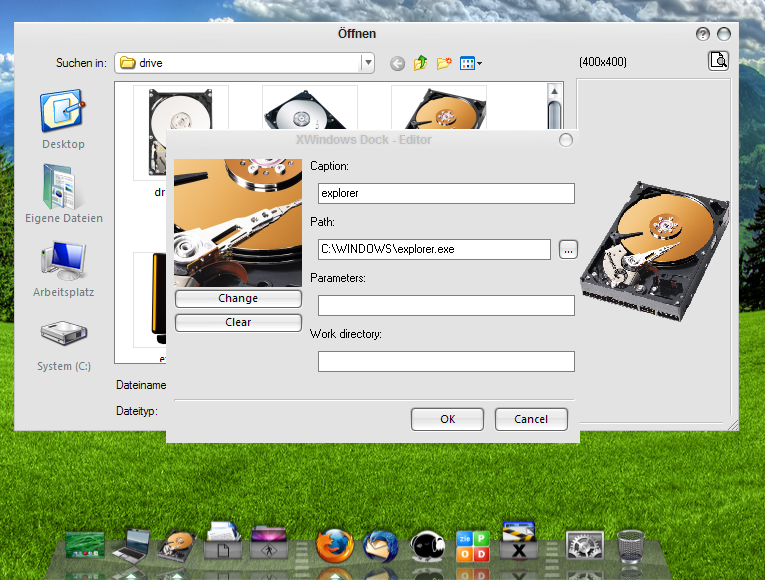
One bug introduced with the latest updates: the file-dialog for changing icon-files is hidden behind the icon-properties.

post-90085-1225656541_thumb.png

sshot-2008-11-02-[1].png

#513306

One bug introduced with the latest updates: the file-dialog for changing icon-files is hidden behind the icon-properties.

Yes, I noticed that too, though it isn't a huge problem.

#513308

Guys want to tell me what were all the previous File types were

I'm sorry mine is completely wiped out..

thanks

#513309

Excellent update, thanks bobah! :D

There are, tho, some problems... (sorry to say):

1- StackOff isn't being copied from skin file to 'Current' or not being incorporated into skin file.

2- The one pixel line bug at the right edge returned (see screenshot below). I've used your recommended dimensions in this skin; I've noticed that the default one isn't following those recommendations tho (and, strangely, doesn't present this bug).

post-58609-1225659047_thumb.jpg

Blackest Leopard New.jpg

#513310

Anyone want to address the real problems like making the dock reflect the wallpaper as well? Moving the icons down? Making the icons have priority over the indicators? Seriously.

#513311

umm i have a problem. NONE of the skins are reconzied. I even redownloaded them and nothing please help

#513313

You guys should delete the old xwindowsdock folder, and install the new one

*BACKUP YOUR SETTINGS DOCK ITEMS, ETC...*

as for skins, I believe he already fixed that, I have no problems on using the skin i'm using right now...

#513314

uhh i did that i backed up dock items ect. that worked fine but the dam skins arent

#513315

umm i have a problem. NONE of the skins are reconzied. I even redownloaded them and nothing please help

Have you read bobah's latest post? Right now you have two choices: the default one (included) or mine (a few post ago too). Hope this helps.

#513316

wow..Bobah13 man..u are so quickly :)

Awesome update...

But I have 3 strange things to say:

1. When I open the menu...all my text letters are transparent ?! I can;t view the menu text ...with a white partial colour wallpaper...I something that I missed to set?

2. I stack file preview....for pictures, avi ...It doesn't workin anymore.

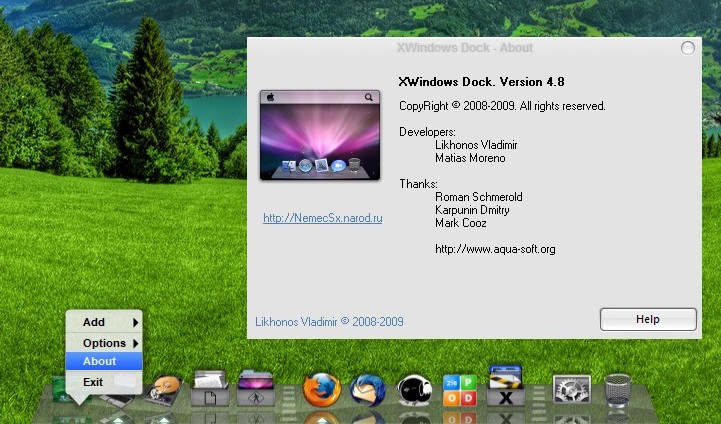
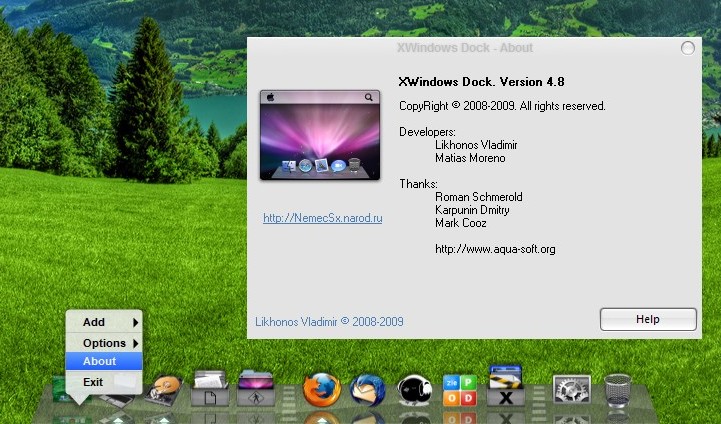
3. U put away the About menu?! :D Because it's not there ...

#513317

hmm, since everyone's all "wtf's wrong with my skinz, they aren't workingz" and since that's true enough, here's a tutorial for converting skins by yourself from oldversion to newversion:

note: When I say "old" I mean the old xwindows dock, when I say "new" I mean the latest.

-Use the old xwindowsdock and load the skin you want to convert (if you forgot to backup, that's totally your fault)

-Go to the "skin/current" folder and copy everything over to the new tools folder

-Edit the Config.txt and change the first line to Description=[NAME OF SKIN]

-Save and close

-Drag and drop Config.txt into XSkinMaker.exe, a file should popup.

-Rename the file to whatever you want and stick it into your new Skins folder.

-Close the old xwindowsdock and open the new one.

There you go

Edit: Apparently, you don't have to do the above. Feel free to do so if you want. I didn't really check what happens if you didn't update the skin file.

#513318

@Elevati0n: Dunno what you mean. I don't experience any of your problems. Try looking through this thread for possible solutions

#513319

ok thanks for the answer and i guess i will jsut wait for ports or i will try some my self but i never do it good and i dont really want to download old one cause i finally got this one working. So i will wait. And Bobah the menus are so much better great update

andrew if u find anything please post thanks

#513320

1. When I open the menu...all my text letters are transparent ?! I can;t view the menu text ...with a white partial colour wallpaper...I something that I missed to set?

2. I stack file preview....for pictures, avi ...It doesn't workin anymore.

3. U put away the About menu?! :D Because it's not there ...

2.: File types - Settings are lost during update. I set them again, restart and previews are working fine again, for me.

3.: See Screenshot below

post-90085-1225661318_thumb.jpg

screenshot1.jpg
screenshot1.jpg

#513321

andrew if u find anything please post thanks

what do you want me to do? I'm confused :S

#513322