RK Launcher v0.4 - BUG REPORTS

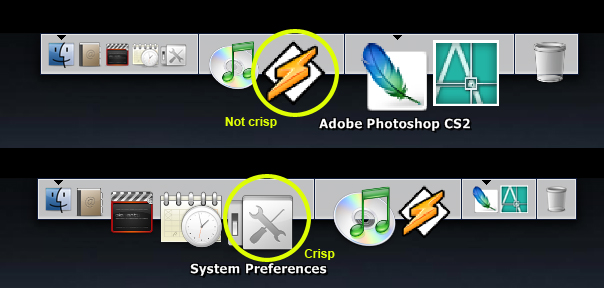
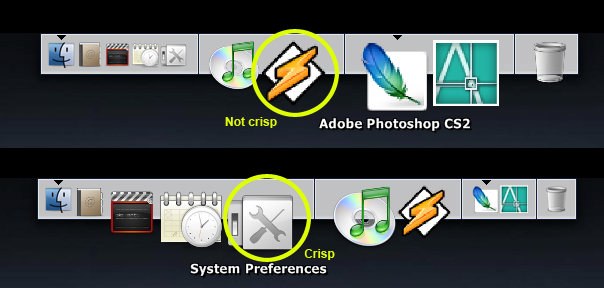
..."I use BulletProFTP (www.bpftp.com) and if i reduce to icon or system tray.....many..many and continue little image of this app...in Launcher: see image.

I also try to exclude this apps form config of launcher but nothing.."""

.Some news for this bug ??

Thank

Paul

#324149

@tehloxely: can't you just add taskman.exe to the exclusion list?

Yes I did. In the system32

#324154

When there are less than four icons in the launcher the icons at the side get clipped. Launcher position doesn't matter.

Athlon XP 3000+, 512 MB

Geforce 4, Nvidia 77.77

XP Pro SP1, DirectX 9.0c

clip4tz.jpg

what theme are U using ? i think it's the theme's fault :(

#324169

Hey, just some small annoyances:

- margin pop up problems: When I use margin enabled, when mouse is moved to bottom edge, the dock pops to front view, but no label text is show when mouse rolls over the icons (this is magnification disabled, and show labels enabled).

Also, when I am using a function such as empty recycle bin, when I go to click "empty all" the dialogue box goes back to the background with the dock instead being seperate from the dock.

- auto hiding/show is too slow

- tha'ts it.

It's a really nice and neat little dock. Just work on making it bug free, features be damned! lol. I love it for what it already is.

Good work.

#324226

2.0 GHz Centrino

1.25 Gigs RAM

256 MB Nvidia Geforce 6800 Go

Genie effect is real slow (about 10 seconds), and scale effect is choppy - two "bumps" and then it minimizes.

#324230

what theme are U using ? i think it's the theme's fault :(

Ahh, you're right Radu. It only seems to happen with imported Y'z backgrounds.

#324232

I don't believe this has been reported before; I've read the entire thread, but it's possible I missed something.

Bug: "Weird" Aladdin's Lamp behavior when mousing over dock, if magnification is enabled

Reproducibility: Always.

Steps:

1) Make sure Aladdin's Lamp Effect is selected, and you're using it on a machine that's definitely worked (meaning, ATI graphics cards for best results).

2) Minimize ANY window.

3) Mouse over the dock while this is in progress. Not only does this look weird, wait until you see what happens once the window is finally minimized...the thumbnail appears to shoot off the screen, and then come back.

Suggestion:

1) What's the Mac behavior for this? I would suggest that magnification be disabled while a window is in the process of being minimized.

-NC

P.S: I don't believe it's important, but I'm using an ATI Radeon 9000 card. Are there any other specs you need/want?

#324243

I love RK Launcher, but I've got one huge problem with it.

Whenever I mouseover a shortcut that I've placed (i.e. one that didn't come with RK Launcher), the shortcut becomes incredibly pixellated. In addition, I can't use any PNGs to replace icons because the preferences window doesn't accept them when I select them.

The pixellation issue is attached as a jpeg.

Thanks much!

2.4Ghz P4

Mobility Radeon 9000 32MB

1 GB RAM

post-36178-1129773204_thumb.jpg

mouseover.jpg
mouseover.jpg

#324253

If you have placed a shortcut, just right click on it, go to "dock item properties" and change the icon. It'll let you use pngs. Just hit browse and navigate to your png file you wanna use.

#324264

As for me Firefox 1.5 Beta 2 doesn't minimize to the dock, but I could care less since I am thinking about using 1.07 again.

#324285

Is there a fix to this problem few others also seem to be having?

http://img150.imageshack.us/img150/9039/clipboard024lx.jpg

#324326

@NC - actually that's a thread synchronization problem ;)

#324334

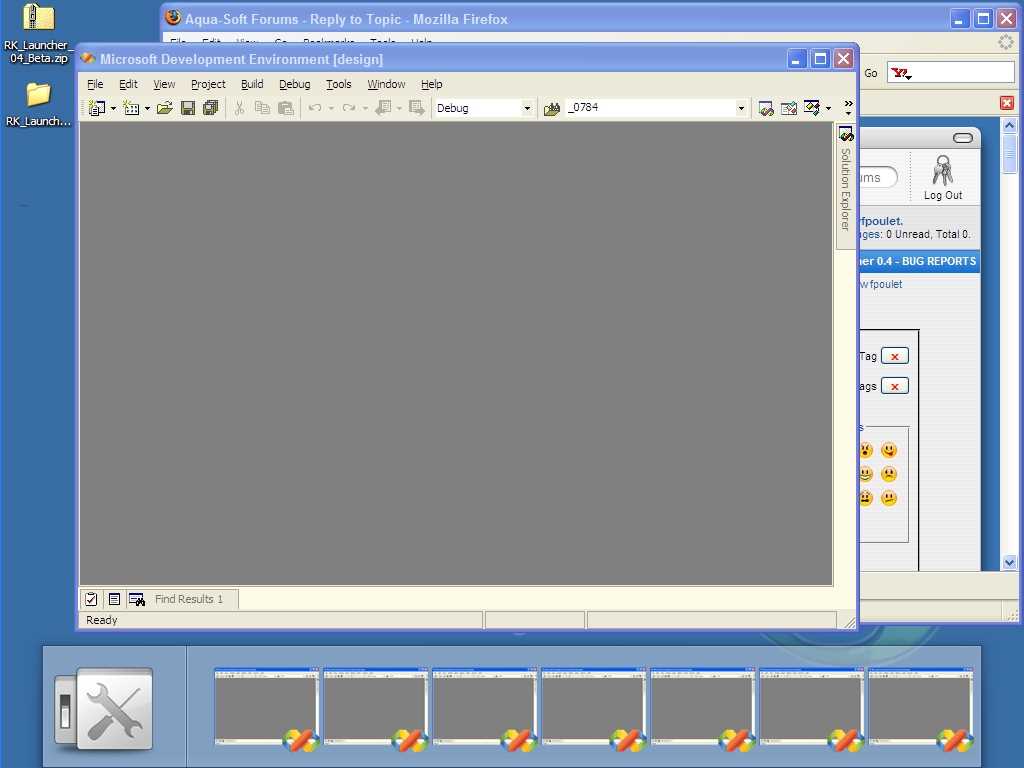
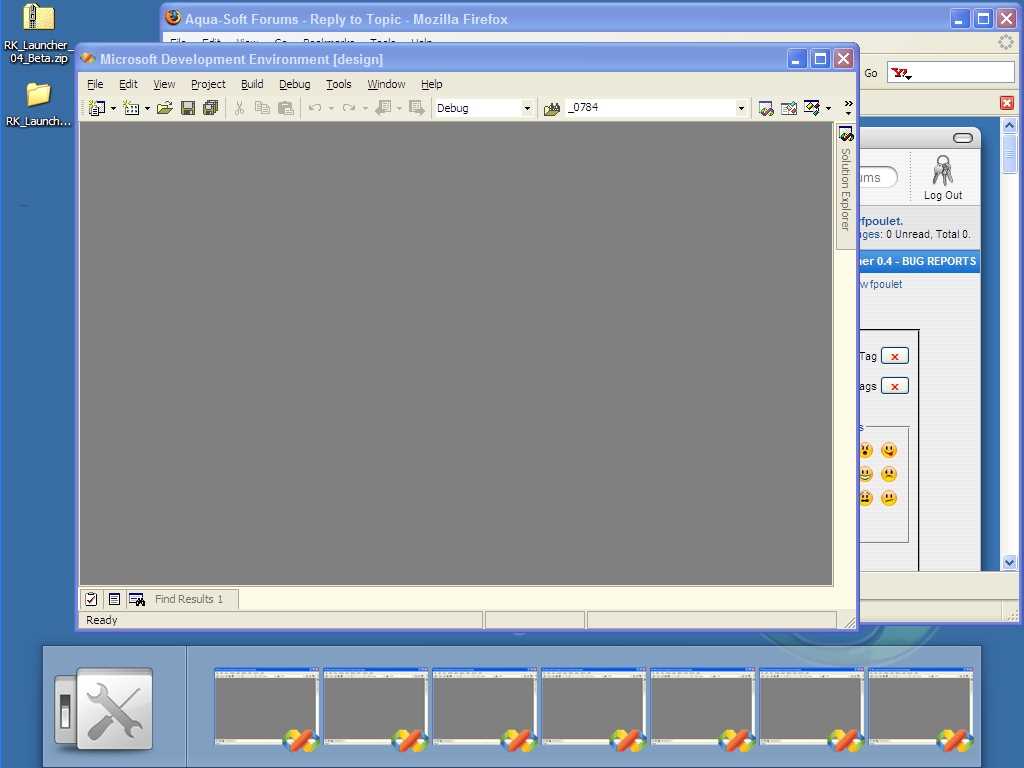
How to reproduce:

I start RKLauncher. I start VS. I minimise VS. A snapshot appears in the RK Dock. The VS window is brought to the background but does not actually gets minimised! I bring the window back in the front by clicking on it (not in the minimised screenshot in the dock). I click to minimise the window again. A second screenshot appears in the dock!... I can fill the dock with as many minimised screenshot as I want, the VS window will never be minimised off my screen.

See screenshot attached.

wfpoulet

http://www.byssus.com

post-37075-1129827516_thumb.jpg

bug_with_vs_lowquality.jpg

#324400

RK Launcher crashed while dragging Sysstats docklet off the dock, lost all my icon settings (RK launcher now starts with an empty dock).

#324436

Right here is a video running @ 60fps to show how slow the genie is on Nvidia cards:

http://gamergod.users.btopenworld.com/rk.avi

My system as follows ( clean install of windows )

A64 3500+

1GB RAM

6800 GT 81.85 WHQL Official Drivers

This also shows the problem with Thunderbird 1.5 and Firefox 1.5 NOT minimizing.

#324490

Ok, i have the minimize to RK turned on with the scale effect. I needed to exit rk launcher real quick to manualy add a program (i'm used to doing it the manual way), so i made my firefox screen (the only open window) not maximized so i could see rk, then i exited rk. My firefox disappeared when i exited but still showed in the taskbar. When i relaunched RK it showed my firefox as minimized but i couldn't get my window back. I hope this makes sense.

#324542

xp home edition sp1+all the upadates (no ****in'sp2)

p4 3.0ghz ht

1024mb

nvidia geforce pcx 5750 256mb driver beta 81.85

Got to say that genie effect is quite good if i have no magnification and i am NOT running Konfabulator!

#324545

I encountered a very weird bug, if it is one. As soon as I start RKLauncher it accesses my harddrive in an endless loop, the hd works all day long. I checked with the Filemon by sysinternals.com and it is clearly RKLauncher which causes this much disk access. When I close RKLauncher the hd calms down.

Why does RKLauncher access the disk the whole time?

This happens on:

Athlon64 on Asus K8V

Western Digital WD740GD Raptor (SATA)

Matrox P650

1024 MB Ram

Windows XP SP2 (fully updated)

#324607

Do you have a docklet or dock item that's trying to calculate free space or number of files on a drive (or folder) that's possibly running amok? RKL isn't doing any disk access on my system while it's sitting idle

#324616

No I only use simple shortcuts.

#324617

this is very very strange!

#324629

Right here is a video running @ 60fps to show how slow the genie is on Nvidia cards:

http://gamergod.users.btopenworld.com/rk.avi

My system as follows ( clean install of windows )

A64 3500+

1GB RAM

6800 GT 81.85 WHQL Official Drivers

This also shows the problem with Thunderbird 1.5 and Firefox 1.5 NOT minimizing.

On my pc it's MUCH faster,not as fast as the first video posted in the

preview but it runs pretty well.

EDIT: P4 2.0 Ghz, 1 gb ram v-data 2100, GeForce 6600 GT and beta driver 81.84

#324641

Ive noticed that only applications that have been opened by RK Launcher will minimize to the dock.. apps that I have open before running the Launcher will minimize to the taskbar... this is very annoying when running objectbar!

#324788

No, it's objectbar that's capturing the minimized apps. Quit objectbar and everything will run fine.

#324795

Here is how to reproduce:

I launch Mozilla Thunderbird (or Firefox) from the dock. The window is not maximised (it covers only part of the desktop). I maximise the window. I minimise the window. I click on the icon on the dock ("same instance" option ticked, running indicator showing). The application reappears on the screen, but NOT in maximised mode.

The probelm happens with Windows explorer and several other applications as well, but not Visual Studio.

I used versions Mozilla 1.07 and VS 2003 on XP SP2.

#324797