RK Launcher v0.4 - BUG REPORTS

Hey, I've been using Y's Dock for awhile, just got Rk Launcher recently. Very nice.

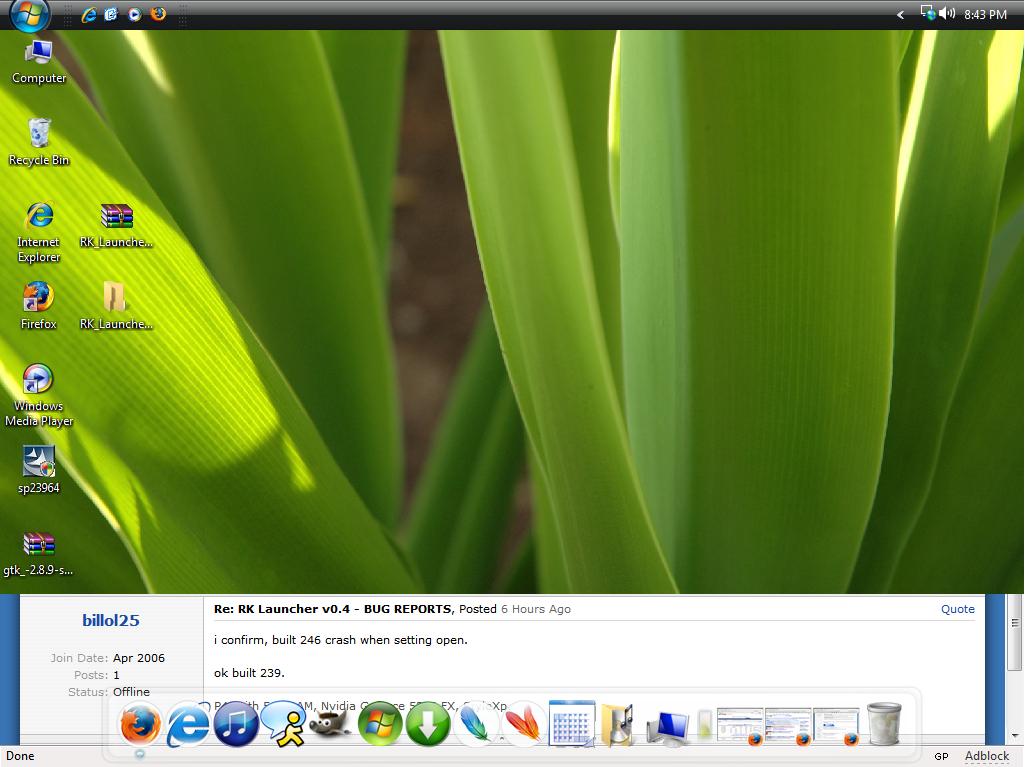
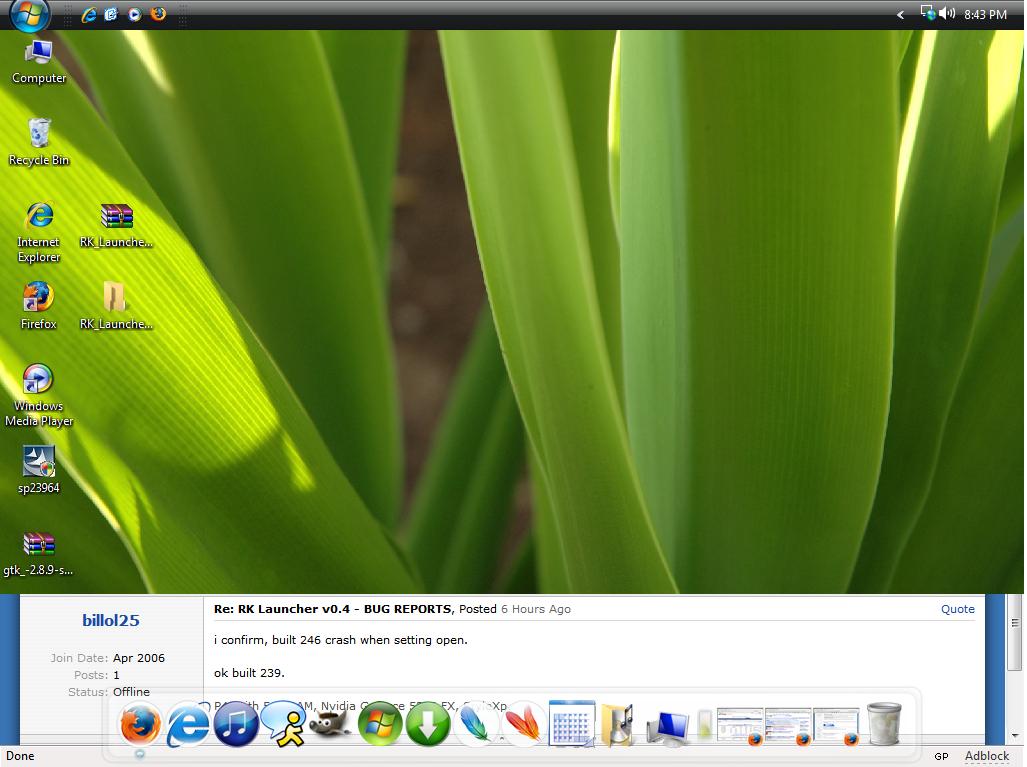
I'm using Windows Vista, so this bug is probably only eviden to me, though i will test it on my XP. When i minimize to the taskbar or the dock, an image ghost of what i was just viewing is left about an inch around Rk.(See attached) It is terribly annoying.

I just relized as typing this it is sensitive to the size the icons can be. So if i have magnification on the ghost size is much larger. It's only about a cm. if i have magnification off. I would assume the size is just determined by the size of my dock and magnification.

I understand this might be a bug exclusive to Vista, so i understand if it can't be fixed right now, just a heads up.

Scott

P.S. Vista doesn't have the drivers for my graphics card, so visualization is very limited. This may be the problem...
post-46141-1145496065_thumb.jpg

Bug.JPG
Bug.JPG

#381107

i confirm, built 246 crash when setting open.

ok built 239.

P4, with 512 RAM, Nvidia Geforce 5200 FX, StyleXp and spanish S.O.

many people have the same problem .... anybody know what happen?

#382053

Bug regarding the "Instances"

I think it's something small to solve:

I have FireFox in my dock linking to C:Program FilesMozilla Firefoxfirefox.exe

When I click on a link from Thunderbird or when I double clik on an HTML file, it create another instance of Firefox with C:Progra~1Mozill~1firefox.exe

Done with RKL 246

#383777

slt,

problème pour moi aussi quand j'essai d'acceder a la configuration de rk launcher build 246, ça le fait planter

#384173

You'll have to speak English here sir ;).

-NC

#384251

theres a bug with the latest build. When i minimize firefox to the dock .. then bring it back up againits maximized itself.

#384445

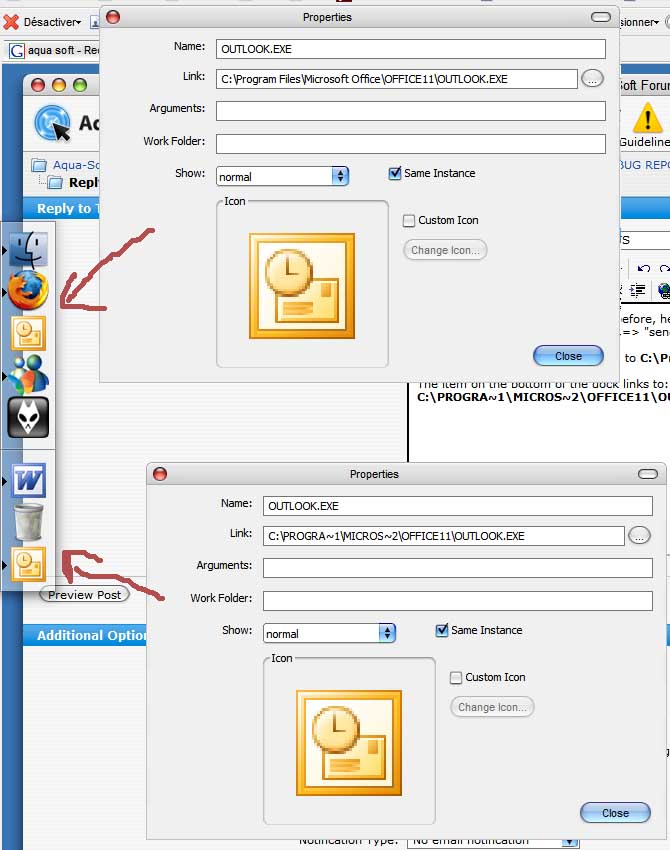
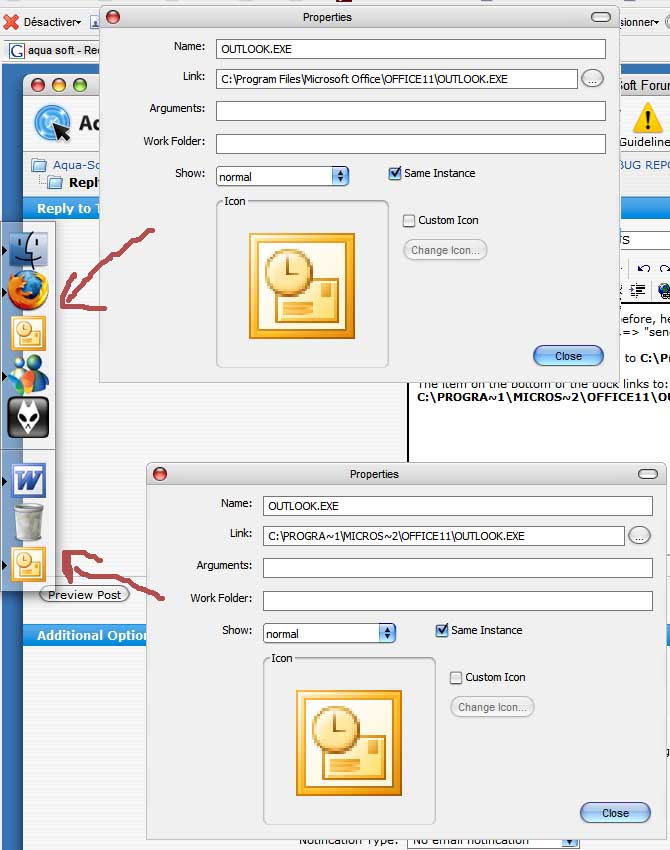
Just to illustrate what I mentioned before, here is a screenshot of what I had when I right clicked on a file and used "send to" => "send via email":

My shortcut on top of the dock links to C:Program FilesMicrosoft OfficeOFFICE11OUTLOOK.EXE

The item on the bottom of the dock links to: C:PROGRA~1MICROS~2OFFICE11OUTLOOK.EXE

post-7384-1146728156_thumb.jpg

Sans titre.JPG
Sans titre.JPG

#385667

Is it just me?

I can't change the size or transparency of the dock!

#386275

theres a bug with the latest build. When i minimize firefox to the dock .. then bring it back up againits maximized itself.

it's been discussed, have do idea when it will be fixed since Raduking went AWOL

#386277

First I would like to say this program is great. I just have a few problems that I really want to get fixed.

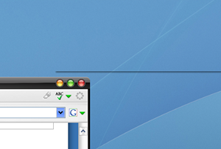
-When i maximize a window a couple of times a line then pops up on the right corner. Then in order to make it disappear i have to minimize the window to the dock drag the icon to the desktop while holding the mouse for 2 seconds and let go. Then when I maximize the window its gone. It doesn't happen every time but frequently. It gets really annoying. There's an attachment showing this problem. (This bug is now fixed in build 256)

-The second problem is when I open an application on the dock by clicking the icon and leaving the mouse on the dock the program launches really slow. But then when clicking the same icon and moving the mouse right on the desktop away from the dock the program launches way faster. Not sure why this is happening. This doesn't happen with the other docks I've tried. I did a test and firefox took less then 4 seconds to launch when moving the mouse right away from the dock. Then i tried again with the mouse on the dock while waiting for firefox to load and it took about 15 seconds. I even tried it without the magnification on.

Thanks for the great dock.

line.bmp

Attachment: line.bmp

#387038

When I try to minimize Firefox into the dock it goes into the taskbar instead. I'm using Firefox v1.5.3 and the latest version of Rklauncher v0.4 beta.

Thanks for your help :)

#390036

When I try to minimize Firefox into the dock it goes into the taskbar instead. I'm using Firefox v1.5.3 and the latest version of Rklauncher v0.4 beta.

This has been reported, download the latest nightly build and re-install, this will solve your problem

#390040

Works great now I never knew about the nightly version thanks! :D

#390042

I am not sure if this had been reported before, but for some reason, my RK does not save anything on exit or on chance. For example I had my itunes, my documents in my dock, I added new apps and change those icons etc, after i restart the computer the apps are gone and I am left with what I started with before the restart which is the itunes and my documents. I don't know what is wrong.. :confused:

Edit: I forgot to mention I have the latest nightly installed

Edit: I just realized that my itemlist config does not update when I exit RK even though I've set it to save changes on exit etc. Anyway to get around this? Or do I have to manually update the itemlist myself?

#390653

There's this bug that is still there.

1. Open iTunes.

2. Close iTunes.

Notice it adds a preview icon to the dock when you close iTunes.

Any info on the status of that bug?

#392009

There's this bug when someone talks to you on MSN Messenger the poped PVT doesn't show.. It shows minimized on the taskbar but since i don't use it it would be great if it minimizes to the Launcher.

PS: I love the RK soft :) & sorry for my english :|

#392449

If you recieve the "error creating 3D device" you put the genie plugin in the folder incorrectly, you need to unzip the genie folder and then you cut and paste the genie folder into the plugins folder, if all else fails, go to osx-e.com/docks and reinstall rk laucncher and then go and put in the plugin, it seems to work better for those people who get rk off of osx-e.com instead of radukings website, by the way what is the new site?

Hope it helped!

#392532

alladin effect plugin crashes on Dell 700m onboard graphics chip

#394055

1. Open iTunes.

2. Close iTunes.

Notice it adds a preview icon to the dock when you close iTunes.

Any info on the status of that bug?

This is such a simple bug, everybody using mac emulation is bound to use Itunes,... does no one else have this?

#395098

i am using nightly version.

there is a big difference in RAM betwwen behavior-minimize/maxmize-scale effect on and off

the program take much more RAM when i keep the effect off.

why?

#395871

Ive used RK Launcher before with no problem on other computers but on my computer now if i have the Genie effect or the scale effect on the program will crash. And its not the error with the direct 3D thing, the program just simply crashes. I get the bok asking if I want to report the error to windows.

#395975

is anyone else having problems with the the latest nightly version crashing when trying to adjust the settings?

#396654

is anyone else having problems with the the latest nightly version crashing when trying to adjust the settings?

no time to explain, i fixed it,..

cause is theme,.. go into theme ini or conf file.

[Description]

name = Panther_1

image = bg.png

margin = 5

borderMarginLeft = 2

borderMarginTop = 0

borderMarginRight = 2

borderMarginBottom = 0

fillMode = stretch

[separator]

image = sep.png

marginTop = 0

marginBottom = 0

[indicator]

image = mark.png

[Poof]

image = poof.png

make sure is similar to above,

most important make sure referenced images are there

#396823

is anyone else having problems with the the latest nightly version crashing when trying to adjust the settings?

This has been mentioned many times. But I'm also having the problem too. Hope it gets fixed soon.

I also have another bug with rk dock. Every time i highlight text to copy and paste in FireFox, the copy selection in the menu won't show up . Then when i quit RK it works perfectly. This bug is for Version 0.4 Beta. (This bug is now fixed in build 256)

#397218

This has been mentioned many times. But I'm also having the problem too. Hope it gets fixed soon.

I just posted a fix for that.

#397795