RK Launcher v0.4 - BUG REPORTS

it is of no issue by me (XP Sp2, Firefox 1.5.0.7, IE 7) - RKLauncher build 275

. system start with auto RKLauncher = ff, ie work

. system start with NO RKLauncher = ff, ie work

. start RKLauncher manually = ff, ie work

questions:

. did u scroll down on the donwload page and make change to ur configuration file as being instructed to?

http://www.aqua-soft.org/board/showthread.php?t=24982

. visual basic runtime installed?

cheers ...
#419212

I have searched the forum and maybe missed the answer to this problem, but here goes:

I've dragged a shortcut of "My Computer" to RK launcher, and I've added Al-Beiks weather docklet. When updating his docklet manually, the My Computer shortcut becomes unresponsive until left clicked the third time. Then it works, but until then it doesn't bounce or anything. All other shortcuts work as normal. I have tried to solve the problem by removing both docklet and shortcut and then adding again, but with no luck. Its no mayor hazzle, but it would be nice if it could be solved:-).

My specs:

WinXP SP1

RK launcher build 275

Al-Beiks docklet v0.5.1

DirectX 9.0c

Radeon 9600 pro 256 Mb

1 Gig Ram

Athlon 2400+

Keep up the good work:-)

Peace

Dodgers.

#421738

I don't know if this is kind bug or my PC's problem, everytime I add use item to the dock, after I exit and reopen again, it's just can't save any of my change

AMD Athlon XP 1800+

256X2 Mem.

160G HD

Geforce FX 5200 64M Display card

Windows XP Pro. + SP2

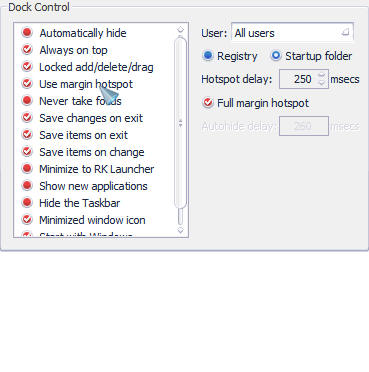
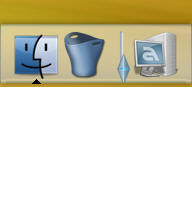
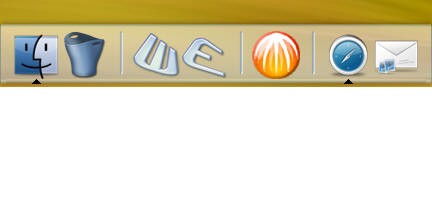
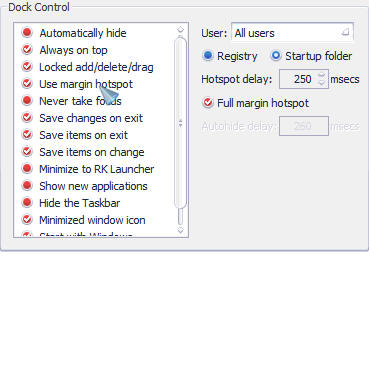
P.S. First pic is finish add new item, second is set lock the drag, third is reopen after exit.

post-54253-1159721120_thumb.jpg

post-81-1159721120_thumb.jpg

post-81-1159721121_thumb.jpg

snap045.jpg
snap045.jpg
snap047.jpg
snap047.jpg
snap049.jpg
snap049.jpg

#421837

Its working perfectly except just some minor things.

- Every now and then (around 1-2% of all clicks), when I click on a icon, RK launcher just shuts down. and I think windows displayed the "RK launcher has encountered a problem and must shut down.." or maybe it was a different error.

- Docklet settings didn't save when restarting windows. I found out later that I just had to exit out of RK launcher manually if I wanted it to save. (of course, I didn't figure out for a while because I never had a reason to manually exit out of RK launcher, until I did it accidentaly)

- Various minor flaws with windows that minimize to the system tray.

Other than that, it works perfectly.

The only other thing I can think of for improving it is a built in setting option for a window resizer.

and like any program, minimal memory/cpu usage. (my cpu peaks at 100% everytime I run my cursor over the dock)

v. .41 nightly build

home SP2

Pentium 4 at 2.00

256mb of DDR RAM

Geforce 4 MX 420

(slow I know... but it still runs fastr than a lot of other computers I know with much better specs)

running in the background- parts of flyakite, avg antivirus, trillian, resizer, wacomtablet (tabuserW.exe).

#422003

...256mb of DDR RAM ...

just a bit more ram might solve some of the issues u have above :-)

cheers ...

#422004

just a bit more ram might solve some of the issues u have above :-)

cheers ...

yeah... I know. but um... no

same problem presents itself on my vaio sz i just recieved. 1 gb ram this time. =D

#422875

-> jlee

the only thing i can suggest is a n tallation of RKLauncher or review the installatio notes at

http://www.aqua-soft.org/board/showthread.php?t=24982

just scroll down a few posts to see all instruction that comes with the build

regarding "Various minor flaws with windows that minimize to the system tray" , try to check the option "never take focus" in the behavior setting tab and see if it improves

vaio sz - cool

cheers ...

#423062

Uhm, this is per-application, but what the heck..

RK Launcher seems to have problems running with Steam games. Whenever you alt+tab out of a steam game (say, Condition Zero), and try to go back, it goes into a black screen. When you alt+tab out again you'll see that in the RKDock there are about 10 instances of Condition zero already.

I have to end hl.exe process and click all those instances before I can run condition zero again.

Wonder why? :-

#423216

have u tried to add this game in the exclusions tab of RKLauncher settings?

cheers ...

#423479

Hi all,

I'm rather new here but have been using RK Launcher for a while and really like it. There one 'but', with some programs I get new windows that aren't there without RK Launcher. E.g. Yahoo Messenger; if I open this after I opened RK Laucher I get an extra window in the dock i.e. in the taskbar (called RVSELECT01425etc.). Similarly, when I open the disc defragmenter and select one drive to analyse I get an extra window (called DfrgNtfs). Neither can I exclude them from the dock nor close them. It occured with all builds I tried (246, 258, 265, 275).

Another thing is that an extra empty toolbar appears in firefox and I haven't found a correlation between the occurance and the time RK Launcher runs or or anything else that could cause this.

Any thoughts on either? Thanks!

Mathein

System:

Windows XP SP 2

RK launcher build 275

FlyakiteOSX

1 GB RAM

Intel Pentium M 1.73 GHz

#423679

..if I open this after I opened RK Laucher I get an extra window in the dock i.e. in the taskbar (called RVSELECT01425etc.). Similarly, when I open the disc defragmenter and select one drive to analyse I get an extra window (called DfrgNtfs). ..

ditto, on vista as well

cheers ...

#423687

ditto, on vista as well

cheers ...

same here guys...

it doesn't happen with Yahoo messenger 7.5 though..but you'll have to give up the feature of speaking to MSN ppl if u do that..

#423688

same here guys...

it doesn't happen with Yahoo messenger 7.5 though..but you'll have to give up the feature of speaking to MSN ppl if u do that..

thx for the head-up with the version number. since i do not use msn, i reverted back to 7.5 - no more issue with the "rvselect*"

now, how do we go about with the defrag?

cheers ...

#423703

thx for the head-up with the version number. since i do not use msn, i reverted back to 7.5 - no more issue with the "rvselect*"

now, how do we go about with the defrag?

cheers ...

Thanks for the reply, quite a bummer since I do have MSN contacts in my Yahoo Msg...

I do have listed Yahoo Msg in the exclusion list, which kind of solves the first problem.

Cheers Mathein

#423714

update,

well, it did not work with 7.5 - still have that rvselect* floating around

back to square one

cheers ...

#423764

update,

well, it did not work with 7.5 - still have that rvselect* floating around

back to square one

cheers ...

really? hmm, when did u start getting this problem?

in my case when i had just recently installed YM8 it didn't appear yet, but about 2 days before you posted this problem i also started to get it. I just didn't mind it, but seems to be that it's a new problem with YM8 and RK Launcher?

#423937

i do not mind it either.

well, rklau worked fine before, i believe that this has something to do with ym, hard to pinpoint what version was there that the issue started

cheers ...

#423949

Very old bug:

RK Launcher breaks itemlist.conf file if some parameter of item have russian character.

After restarting RK Launcher we have no items after first with russian characters and have broken itemlist.conf.

#424445

Firefox 1.5 and above minimizes to RKL nightly build but now I see a new problem. When Microsoft Outlook is launched, a separate icon appears on RKL (Note: this does not happen with version .4). This icon stays on launcher regardless of Outlook position i.e. minimized or maximized. If I click on this other icon, it appears on the windows taskbar and never goes away (until RKL is exited).

Any suggestions to get rid of it?

Thanks.

#425468

Does anyone have the problem that when they close iTunes (with multi-plugin) a minimized window appears in RK Launcher nevertheless? Just to be clear: when iTunes is running and it is minimized it goes to the dock. That's fine and as it should be. But when iTunes is closed it also appears in the dock as a minimized app, although it is no longer running. Thanks.

#425545

Does anyone have the problem that when they close iTunes (with multi-plugin) a minimized window appears in RK Launcher nevertheless? Just to be clear: when iTunes is running and it is minimized it goes to the dock. That's fine and as it should be. But when iTunes is closed it also appears in the dock as a minimized app, although it is no longer running. Thanks.

did it go away when u click on it? if yes, it seems like a "bug" like in many other apps that left the "minimize trail" after the app is being closed

cheers ...

#425552

Yeah that's the one. No solution as yet then, eh?

#425565

not support chinese

#425850

Firefox 2.0 does not minimize into dock.

This is old problem so I hope that solution will be quick.

#426001

I'm using Rk Launcher v0.4, with the RealDock upgrade. However, my problem is that Firefox v1.8 and Thunderbird v1.8 will not minimize to the dock, they still go to the taskbar. Everything else will minimize to the dock.

Does anyone have a good reason for this or possibly the cure.

Thanks..

#426190