[release] Firefox Pinstripe Theme

Ash,

First of all, man nice work on this theme, as I have started to update a few of Lynch's themes to 0.8 Firefox, and the .jars do get very involved...

My only question is a 'minor one' as even with 'View' ----->Customize enabled, I can not get the large space between the Back & Forward icons to diminish...

There is also another large space between the Forward icon and my Refresh icon...there is a 'Flexible space' icon in the Customize area, but I can not get it work...so that my (5) toolbar icons that I use (Back, Forward, Refresh, Stop, and Home) look properly 'spaced' with no large gaps (that I presently have)...like in your screen shots...

Probably something very simple that I am not doing correctly...

:blink:

P.S. The default firefox 'classic.jar' the toolbar icons are properly (spaced) together, when first starting up the browser, (both small & large icon states) however when replacing this theme, with your 'classic.jar' and starting up the browser, the toolbar icons have spaces between them, which I can't seem to correct, as I'm sure it has to do with 'Flexible Space' ....

#113354

Originally posted by thefunky_monkey@Feb 12 2004, 09:04 PM

- ChiLam, I don't have that bug

- magbi9, sure, glad to help

does everyone find that mouseover-ing the close button (tbe option), when it is in the tab, makes a white box appear around it, in every theme?

Il show a screen if others don't know what I mean.

try open up 4 tabs n click on the 3rd.

thats how i found out ;)

#113357

Originally posted by Ash@Feb 12 2004, 12:25 PM

Just a update, We now have stripes

I'll stick with your 1st version then. -_-

#113358

Originally posted by PlaysK@Feb 12 2004, 10:50 AM

I found in TBE in the Misc category the way to have the tabs set correctly when TBE enabled :

TBE options / Misc / "Use another Appearance for Firefox on MACOSX !

Checked ! and it's nice now  (Y)

what ??!! an option for MACOSX that affects my windows XP ???  :P

Funny...My tabs are 'broken' as well, but I don't have that option in TBE settings.

EDIT:

Nevermind. That was wierd. My TBE prefs didn't have the option for 'Use another appearance for Firefox on Mac OSX'. So I figured I'd live with bad tabs until someone came up with another solution. Then for something completely different, I replaced the classic.jar again (even though I had already replaced it once), and suddenly I have that option in TBE now. Wierd.

#113363

Yeah I'm such a stupid asshole (sorry if it's bad spaeking)

He explain what I've done so much better than me....Thanks funky_monkey for explaining simply how to remove that stupid " - "

>.<

#113365

The skin is almost perfect now! Question tho, how can I change the download manager's background??

#113366

My TBE tabs don´t show that option too... i will try reinstalling classic.jar again e see what´s happen.

BTW. XP2003 - thanks for the icon.

#113372

No... i´ve tried replacing classic again, but i can´t see any new option on my MISC tab on TBE. Sad... i would like to use TBE with pinstripe.

BTW... how do i edit a previous post??

Howaaa... i learned. Thanks. :)

#113376

to get that option, you have to manualy uninstall tbe (on website), then install the latest version.

site

#113377

Originally posted by ronin@Feb 12 2004, 10:00 PM

BTW... how do i edit a previous post??

Click on the p_edit.gif on the left of your post!!

#113379

i tried to apply this skin, but it didnt do anything, i have the version that is currently available for download from mozilla.org.

please help

edit: nevermind, i didnt read the tutorial, because i'm an idiot

#113381

Originally posted by XP_2003@Feb 12 2004, 09:40 PM

The skin is almost perfect now! Question tho, how can I change the download manager's background??

I'm going to start work on the download manager soon, the resources included in the original jar are amazing, it even includes the aminated download progress bar (as attached)

#113387

Originally posted by Ash@Feb 12 2004, 10:24 PM

I'm going to start work on the download manager soon, the resources included in the original jar are amazing, it even includes the aminated download progress bar (as attached)

wow you can really put that animated bar into the windows version? :bounce:

Oh yeah before I forget, the statusbar and some parts of the sidebar arn't using the background, maybe you should take a look at that ;)

And how can I make Firefox open new pages as tabs?? >.<

#113388

I still Can't remove the " - " even after restarts and everything... What can I do to remove it? <_<

Or is there a way to get back to "- Mozilla Firefox"

#113390

i try to remove the "-" and change brand.dtd but i have a XLM messagge at the restart of firefox and now i don't know how can i leave these two things...

but more important: i have a brushed themes on my windows (Jagaur Brushed)...i have to ask if is possibile that the background is all brushed and not of the white color...

another themes don't change the color background..

so difficoult?

or if is possibile tho change give me the tricks that i change this only for me!

thx for this great themes

#113393

Originally posted by XP_2003@Feb 12 2004, 10:28 PM

And how can I make Firefox open new pages as tabs?? >.<

I think you need the TBE to be able to do that.

Use the link up the page by the_funkymonkey to do it. ;)

This is indeed very good work! :rule:

#113394

Okay, now it sundently works. The " - " Disappeared after a few start and close of Firefox... :D

Oh btw, REALLY SWEET THEME!

#113397

Originally posted by Spike Morris@Feb 12 2004, 10:42 PM

but more important: i have a brushed themes on my windows (Jagaur Brushed)...i have to ask if is possibile that the background is all brushed and not of the white color...

another themes don't change the color background..

so difficoult?

or if is possibile tho change give me the tricks that i change this only for me!

Well, to change the background and use a brushed one

Go the official firefox tips&tricks at this page :

http://texturizer.net/firefox/tips.html#ap...olbarbackground

and copy the lines mentionned to the C:\documents ans settings\"userProfile"\Application Data\Phoenix\Profiles\"PhoenixProfileName"\xxxxxxxx.slt\Chrome\userchrome.css

The file does not exist but edit the userchrome-example.css and rename it to userchrome.css

Add the lines and replace the "background.gif" in

background-image: url("background.gif") !important;

by your own background image (don't forget to copy this image in the same folder where the userchrome.css is located)

#113407

This is literally 'killin me', and I have just installed 'smoke' theme and immediately when applying it with the exact same icon setup that I have with Pinstripe, the Back, Forward, Refresh, Stop, & Home toolbar icons are perfectly spaced (one space between each icon)...

However, when I then apply Pinstripe, I get (2 spaces) between Back & Forward icons, and (2 spaces) between Forward and Refresh icon...

There are no additional spaces that I added...

lol...Help! :blink: I use only Large icons, so 'Use Small icons' is unchecked...

Pinstripe.jpg

#113423

Oooooh, it's a nice theme and almost perfect. The only problems i see was already said: the tabs, the url bar and the "go" button - the Go text is still there. Good work anyway! (Y)

#113451

Originally posted by gahbmwM5@Feb 12 2004, 03:51 PM

when I then apply Pinstripe, I get (2 spaces) between Back & Forward icons, and (2 spaces) between Forward and Refresh icon...

i have the same exact problem, except that i use small icons. anyone have any ideas?

#113452

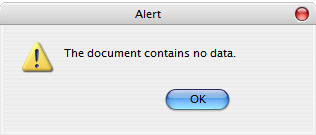
i dont think this has been mentioned, i found a small bug. the ok and cancel buttons on dialog boxes come up off center. here is an example.

post-9136-1076633845_thumb.jpg

Untitled_1.jpg
Untitled_1.jpg

#113493

[edit]nm[/edit]

#113501

for the life of me I'm trying to get rid of the " - " and still no luck on it. Followed all the different steps in the En-US.jar file and still no luck also the options menu under tools has the wrong display picture for Gen, Pref, Web Feat., Themes, Advanced. Any tips on these would be helpful, since some others managed to get these features to work properly. Great theme at any rate.

#113569