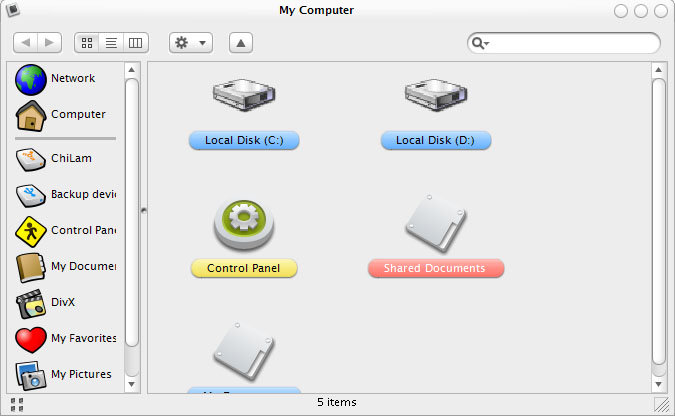
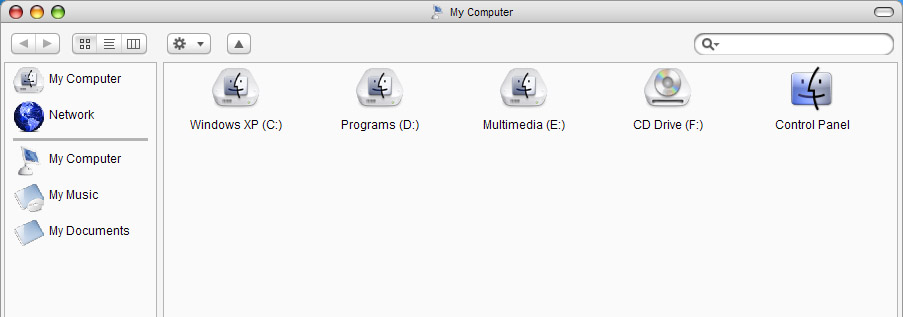
[release] Nexplorer 1.7 Public Beta

vneumann -

I take my post on the other page back. I just got the same tooltip bug again.

If I mouseover a file and hover there for like 2/3 seconds, a tooltip appears (like normally happens in Windows), but I guess you are suppressing them, so it starts to appear, stops, disappears, but the icon of the file disappears along with it. This happens for both files and folders.

#157970

the font on the status bar is not identical with the font i choose :blink:

post-304-1083895004_thumb.jpg

nexplorer.jpg
nexplorer.jpg

#157982

With the new version I cant pick Opentype or Type 1 fonts, just Truetype, or the text wont show up on labels.*

*n/m I see you already know about this

Also I have this wierd text bug with the preview in the column view:

cvpbug.jpg

And I still cant select files or scroll near the bottom of a large folder it's jusy way too laggy :(

Chris

#157994

I have to say.. this seems to run much slower than the last version on my system. Maybe it is an installer problem? I notice that switching view seems much slower. Strange. I will keep checkin it out.

By the way... I am fixing the alpha issues of my tiskin buttons as well as some issues with the panther skin. I will post them after I fix them.

#157995

where should i put the update version? :blink:

#158001

replace the old NeXplorer.exe with the updated one

#158004

Well I have to say I am impressed with this program, and I think the only really thing I can ask would be to make it faster overall. I'm running a 2.8ghz, w/512 RAM and it is noticibly slow.

Only bug I have found so far is that when you hit alt+tab and bring up something like a trillian chatbox, then switch back to Nexplorer it had a big box where the chatbox used to be for a little bit. The box is filled in with the skin you used as the top bar.

I really like how far this program has come. Basically if you can just speed it up now I think this would be the ideal explorer replacement.

All in all I am definitely impressed with this, please keep up the work and thanks for making the beta public.

#158020

I anyone else having a problem with my milk skin? When I click to change to the second or third views the buttons enlarge. It worked perfectly on the previous version.

Let me know so I can try to fix it.

bzeitler

#158022

yeah, i got it too, just those 3 buttons get bigger

#158025

Bah, I forgot to add, and I don't know who's fault this is, but nexplorer does not appear in my taskbar of objectdock, there's no space for it no icon, nothing. IDK if this can be fixed or not, but I just thought I'd bring it up.

#158028

Originally posted by bzeitler@May 7 2004, 03:47 AM

I anyone else having a problem with my milk skin?  When I click to change to the second or third views the buttons enlarge.  It worked perfectly on the previous version. 

Let me know so I can try to fix it.

bzeitler

I'll try to fix it

#158029

FANTSTIC app. Congratulations on your great work

I have a bug, when i''m using the colums view, it don''t show the text under the icon. just the icon.... Do u know how to fix this?

#158032

1st off, great program. It's memory useage is so low I am actually going to use it as an explorer replacement.

1 problem though....does anyelse have the problem of not being able to have high quality icons on the left pane.

On the right pane the icons are great.

Is this a bug in my system or a bug still in the program?

I have included a screenshot to show what I mean:

post-8357-1083906581_thumb.jpg

nex.jpg
nex.jpg

#158041

Originally posted by AthleticTrainer1981@May 7 2004, 12:09 AM

1st off, great program.  It's memory useage is so low I am actually going to use it as an explorer replacement. 

1 problem though....does anyelse have the problem of not being able to have high quality icons on the left pane.

On the right pane the icons are great.

Is this a bug in my system or a bug still in the program?

I have included a screenshot to show what I mean:

use png's

They will look great.

#158043

hey guys i have a question. since "windows" is not on C: [ i dont have C:, long story] can you make something to where it automatically finds the default drive? most apps now do, but maybe you have never had this request. so here it is. i dont want to sound like a dic* but it would really make a difference. most apps you can configure where the files are located, but you cant with this.

-bunkka :canadian:

#158047

Another bug - cut and paste doesn't seem to work, at least from a zip file to a normal folder...great feature, though, adding .zip support!

#158048

Originally posted by BigDaddy5@May 7 2004, 05:34 AM

Another bug - cut and paste doesn't seem to work, at least from a zip file to a normal folder...great feature, though, adding .zip support!

you can only "drag" n "drop" in zip file.

#158055

I thought you'd be able to extract from a zip file, though, through copy and paste...which would have been nice. Oh, well.

#158056

Thanks man,

Except the blinking and resizing when open NeXplorer, I have no bug to report.

You ROCK. From now, is my default Finder.

Thanks and keep working

#158060

Originally posted by TheBigB@May 6 2004, 10:07 PM

anybody got some windowblinds themes for this? the closest match i found was the powerdvd skin.

If you downloaded the ultimate looca version, you find there a WB skin. Unfortunately, this skin has some small problems:

1 the progress bar is orange > purple. I changed in transparent blue.

2 is some small distance between the bottom margin and WindowFX shadow.

If somebody has another skin, I am verry interested.

#158063

Hi. Thanks Vneumann! I installed NeX and it runs so slowly. I went to the Task Manager to check the resources and just by dragging the scrollbar left/right or up/down, it adds like 100Kb but it doesn't go down, it just keeps adding to the total whenever I drag the application window or switch views. My comp is 1Ghz & I'm only running ObjectDock & ObjectBar when I use NeX.

With all due respect, I vote for a stream-lined version.

Thanks for the great app, though!

-Nando

#158067

Loving it mn, when I first opened it, Nexplorer was very slow, then I clossed it and opened it again, very fast and very smooth. Lovin it, just simply lovin it!

Very good work man

#158075

Originally posted by Aladdin610@May 7 2004, 06:57 AM

Hi.  Thanks Vneumann!  I installed NeX and it runs so slowly.  I went to the Task Manager to check the resources and just by dragging the scrollbar left/right or up/down, it adds like 100Kb but it doesn't go down, it just keeps adding to the total whenever I drag the application window or switch views. My comp is 1Ghz & I'm only running ObjectDock & ObjectBar when I use NeX.

With all due respect, I vote for a stream-lined version.

Thanks for the great app, though!

-Nando

You try to close it and open it again, it only uses 6MB total for me no matter what I do, drag, drop, it flucuates, but it goes back down to 6347KB for me

#158083

This app is great, I'm already using it as an explorer replacement. It's really easy to do. In case if someone doesn't know here's a short tutorial:

Go to Control Panel > Folder Options > 3rd tab (filetypes)

Three first items on the list should be disk, folder and file folder. Open their properties ('advanced' button), then click 'new...'. Name your action whatever you like and in lower field enter something like this: x:\mypathtonexplorer\nexplorer.exe %1. This %1 is damn important. Click OK, then you can set it as default. It should work (well it does work for me ^_^)

Thank you vneumann!

#158084

Originally posted by Pe7er@May 7 2004, 07:59 AM

This app is great, I'm already using it as an explorer replacement. It's really easy to do. In case if someone doesn't know here's a short tutorial:

Go to Control Panel > Folder Options > 3rd tab (filetypes)

Three first items on the list should be disk, folder and file folder. Open their properties ('advanced' button), then click 'new...'. Name your action whatever you like and in lower field enter something like this: x:\mypathtonexplorer\nexplorer.exe %1. This %1 is damn important. Click OK, then you can set it as default. It should work (well it does work for me ^_^)

Thank you vneumann!

I used the x:\mypathonexplorer\nexplorer.exe and it didn't work :6 haha

Thanks for the info

#158090