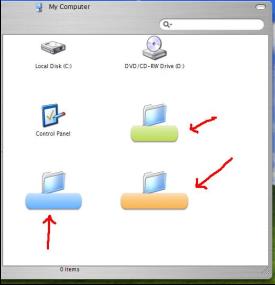
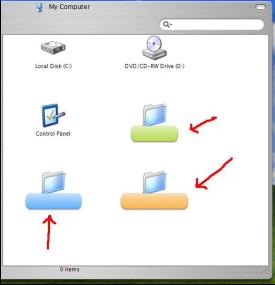
[release] Nexplorer 1.7 Public Beta

a lot of improvement :woot: very cool :woot: :woot:

especially the browsing speed ;) great

a little suggestion~~

1、(like looca )when the search bar isn't empty, place a "X" button to clear the search bar.

2、most of the control panel items doesn't seem to work on double click(have to right click and select "open")

3、 "ctrl+A" to select all item

and another thing..is it possible to set the icon from the right click on the sidebar shortcut??

thanks for such a great app~ :woot:

#161829

Originally posted by ToNeR@May 14 2004, 12:17 PM

I've searched for any key witch has to do with NeXplorer. I've removed all the entries.. 3 times! Doesn't work!

I've tried it with reinstalling nex. 1.7 ...doesn't work.

I've tried it with upgrading nex 1.7 ...doesn't work

after uninstall nexplorer 1.7 and search+delate all entries

i've tried it with installing 1.8 alone ...doesn't work!

I've no idea what i shoud try next.. and ideas out there??

Perhaps a ziped version without installer?!  :rolleyes:

..THANKS

ToNeR

did you try clicking on intsall again after it was already installed.. I did this and it asked to repair the install.. I did this and it worked.

#161830

Originally posted by thy@May 14 2004, 01:56 PM

a lot of improvement :woot: very cool :woot:  :woot:

a little suggestion~~

1、(like looca )when the search bar isn't empty, place a "X" button to clear the search bar.

2、most of the control panel items doesn't seem to work on double click(have to right click and select "open")

and another thing..is it possible to set the icon from the right click on the sidebar shortcut??

thanks for such a great app~ :woot:

you dont need to right click.. just drop the icon you want onto the shortcut and the shortcut will use that icon.

#161832

Originally posted by bzeitler@May 15 2004, 02:58 AM

you dont need to right click.. just drop the icon you want onto the shortcut and the shortcut will use that icon.

wow :cry: :cry:

better then I expect :cry: :cry: :cry:

thanks!! guys~ :cry:

#161839

Does anyoen else have slow startup problem as me? everytime it takes for evvvverr to load, but after it loads its fine

im on a P4 2.2ghz with 512megs of ram

-bolero

#161898

mine start 5 secends after click. it fast ok for me. :)

#161929

How you edit? My cpu spec. Pentium 3 800mh. 384meg memory

#161931

i searched the forums but couldnt find anything about this, my labels are all messed up when i use them. please help.

post-16029-1084571750_thumb.jpg

untitledx.JPG
untitledx.JPG

#161939

i suggest you to use lucida font for your label problem

#161979

Originally posted by mntnbkr1065@May 14 2004, 05:55 PM

i searched the forums but couldnt find anything about this, my labels are all messed up when i use them. please help.

Any non TrueType fonts won't display over the labels. This is a known bug.

#161988

Originally posted by bolero@May 14 2004, 05:02 PM

Does anyoen else have slow startup problem as me? everytime it takes for evvvverr to load, but after it loads its fine

im on a P4 2.2ghz with 512megs of ram

-bolero

Nope, no slow startup for me and also no memory usage problems either.

#161989

hmm i wounder why it does it for me then.

-bo|ero

#162003

Originally posted by sMACkingMACs@May 14 2004, 09:45 PM

How you edit? My cpu spec. Pentium 3 800mh. 384meg memory

wow, same specs. ans same time to load....but version 1.7...... -_-

#162034

vneuman, dude can you add (as an option) change icon`s size ? please. and maybe that could fix the fonts and labels problem....

so we can have them from 16X16 to 128X128 ....... That gonna be Sweet too ! :)

what do you hink ? :woot:

#162059

Cant you just change it in windows? That would be kind of useful though...

#162062

okay i noticed when i start Nexplorer up, nothing shows except the bottom border of the skin engine, my harddrive goes nuts, and the memory usage in the task manager rises to about 140megs, once it reaches that, it finaly loads the rest of the program, drops back down to 5megs, and it takes atleast a minute or 40 seconds to do all this

-bolero

#162074

i try to change icon size in window but it's doesn't change any thing to the label and font problem of desapearition :(

#162092

Originally posted by bzeitler@May 14 2004, 07:57 PM

did you try clicking on intsall again after it was already installed.. I did this and it asked to repair the install.. I did this and it worked.

The message comes before the InstallShield is loaded! ..I can install/uninstall/repair the 1.7 version several times! But every time i start the installer, before loading InstallShield, it display the message.

..Anyway, i've installed NeXplorer 1.8 on an other PC and copied the files!

And there were no problems while installing this powerful app! ;)

Works great with the known buges.

The font problem with the LucidaGrande Bold&Color Labels is already reported?!

It works fine with exactly the same font in the last version..

THANKS for working so hard (?!) to bring up such an app.

Cheers

°°°ToNeR°°°

#162094

Originally posted by bolero@May 15 2004, 04:38 AM

okay i noticed when i start Nexplorer up, nothing shows except the bottom border of the skin engine, my harddrive goes nuts, and the memory usage in the task manager rises to about 140megs, once it reaches that, it finaly loads the rest of the program, drops back down to 5megs, and it takes atleast a minute or 40 seconds to do all this

-bolero

same here... never had this problem with previous versions so maybe it's some kind of bug with the skining engine

#162115

Hi,

I made a fix on the brushed skin for NeX 1.8 and I thought I'd like share this with you.

Just download the following zip file and extract the files to the "Panther" folder or place it under the "Skins" folder if you don't want to replace the original files.

Click here to download

Thanks Vneumann! Great release!!

Nando

#162135

Does anybody know how to fix my Searchbar?? Its grey instead of white, only the corners and the edges stay white

#162144

Hi,

Do you have any plan to support Windows2000?

This application is great!!!

I wanna use this!! But I do not have XP OS...

Pls consider to support 2000!! ;)

#162151

:cry: thanks for this cool application! :cry:

#162181

Originally posted by Aladdin610@May 15 2004, 10:54 AM

Hi,

I made a fix on the brushed skin for NeX 1.8 and I thought I'd like share this with you.

Just download the following zip file and extract the files to the "Panther" folder or place it under the "Skins" folder if you don't want to replace the original files.

Click here to download

Thanks Vneumann!  Great release!!

Nando

very nice, but the buttons are to high, I mean the glimphs....

this version shows the icon in the titlebar???? great!!!!!!!! :woot:

never mind, I've noticed that all the skins are the same, that something that should be fixed. As ingeneermind said, the transparency efect when not active is really unnecesary. I've just installed in my other HD and I must say that the speed is incredible better. the browsing is smoother and quicker!!!!

Does anybody noticed the fade out effect when you remove the labels?? is really cool!!!!

the search feature works very good. the maximize button works like the mac. the roll up button is mac-like, but not for the finder, this should be implemented in other apps like avepreview and avetext, that's what the mac does with that button, removes the menu bar.

I'm not quite convinced with the skin, 1.7 looks more real.... but this is FASTER and better!!! :naughty:

thank you vneuman!!!

#162189

hi.vneuman

Thanks for this great apps.

Have a question

How to disable the transparency for this app?It make this app slowly...

#162243