 Aqua-Soft Forums
change the folder.ico in your nexplorer directory. Use any icon you want. Just name it folder.ico
[release] Nexplorer 1.7 Public Beta
Originally posted by bzeitler@May 14 2004, 03:02 AMIts out!!!
Get it here:
http://www.aqua-soft.org/board/index.php?act=ST&f=51&t=16054

Thank Brian , you are really fast!
By the way, I forgot to mention a skinning bug.
You have to restart Nexplorer after skin change.
Originally posted by Acaeris@May 14 2004, 02:57 AMYeah, the registry change was all that was needed. I didn't know that the osx finder hid the toolbar. I thought it did the rollup thing.
However, any idea why one splitter will be the size of normal icon in the shortcut bar and the next will just be the height of the splitter? I want to make them both the height of the splitter?
You're not supposed to have more than one splitter. Only the last one is recognized as a legitimate splitter and has the correct size.
i mean the all the icons...i use iconpackager to change the icons in my windows explorer..but thats not happening with nexplorer..i wanna know how to have icons like in explorer..not just folders..like in the plastic pro skin sreenshots..^^;;
Originally posted by vneumann@May 14 2004, 03:09 AMYou're not supposed to have more than one splitter. Only the last one is recognized as a legitimate splitter and has the correct size.
Ok, nevermind. I'll start work on my Black Panther skin in a minute. (Nice Skin Bzeitler btw).
Originally posted by vneumann@May 14 2004, 01:37 AMYeah, right . As far as I know, that's how a roll button in a real finder works.
mmm, not really......the finder becomes a windows-explorer-like window, I don't know how to explain it, I'm gonna put a SS in a minute.

Originally posted by mephisto@May 14 2004, 03:33 AMmmm, not really......the finder becomes a windows-explorer-like window, I don't know how to explain it, I'm gonna put a SS in a minute.
So no frame other than the caption bar?
Hmm, it will need more coding
ok ok ok ok ok ----------->>>>
[edited]
heheh I LOVE THIS APPPPPPPPPPPP
thanks and really i mean THANKS !!!
this app is just GREAT !!!
Wonderful !
but i had found this bug --->
it is happening to a few Icons `fonts
see this pic -->
Originally posted by vneumann@May 14 2004, 03:50 AM
So no frame other than the caption bar?
Hmm, it will need more coding
yes..... and if you want some other tips just pm me, althought I don't know what is your goal with your project....... are you trying to make a finder as close as possible to the mac one, or do you have other plans? I'm just asking, because in the second scenario, features like the adressed above have no need to exist......
just a thought...
Originally posted by mephisto@May 14 2004, 04:04 AMyes..... and if you want some other tips just pm me, althought I don't know what is your goal with your project....... are you trying to make a finder as close as possible to the mac one, or do you have other plans? I'm just asking, because in the second scenario, features like the adressed above have no need to exist......
just a thought...
Yeah, I realized that the rollup button as it is is just useless .
Since I didn't implement a shortcut key for "back" and "forward", it's almost impossible to browse many folders.
Maybe Windowblinds way of rolling up is just more useful, I guess.
talking about WB..... can WB skin it if I choose to?
I think I'm gonna stick with 1.7 for a while...........
and , look this one ! --->
btw, the roll up Works but too buggy and it does not remember the last position. .... as it does before, but anyway i`m in love with this app !! it looks so beautyful !
Smooth Stripes Gloss Blue and Graphite done

http://www.aqua-soft.org/board/index.php?a...t=0#entry181423
NEXT:
GOT MILK???
Originally posted by IngeneerMind@May 14 2004, 04:22 AMand , look this one ! --->
btw, the roll up Works but too buggy and it does not remember the last position. .... as it does before, but anyway i`m in love with this app !! it looks so beautyful !
Have you tried respacing icons? Maybe the text is cut off by the icon below.
Originally posted by mephisto@May 14 2004, 04:22 AMtalking about WB..... can WB skin it if I choose to?
I think I'm gonna stick with 1.7 for a while...........
No, not really. I hated the fact that people have to use separate skins for the caption bar and the inner window.
Skinning will be like this permanently . It will be improved and be more like AveApps but basic scheme will be the same.
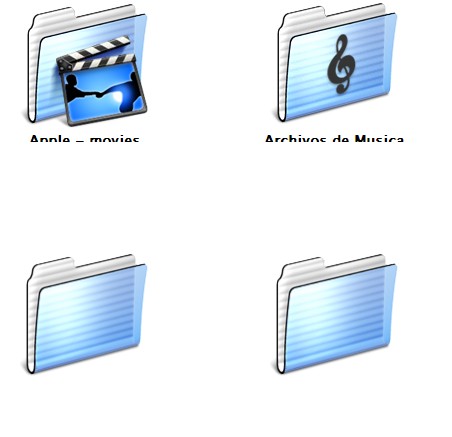
Ingeneer Mind: That's where you still have the old labels assigned. For some reason they don't appear unless you rechoose them.
Originally posted by bzeitler@May 14 2004, 04:53 AMGot MILK?
I do

Dude, you're on a roll!
By the way, make the inner frame width 1 , not 0 so that the browser border and shortcut pane border is visible.
Originally posted by Acaeris@May 14 2004, 04:56 AMIngeneer Mind: That's where you still have the old labels assigned. For some reason they don't appear unless you rechoose them.
Yeah, you have to discard old label.ini and start from scratch cause I changed labeling scheme completely to make it more extensible. You will see that old label.ini had numbers while the new one has label names.
yes veneuman i did what you all said, but when i scroll up and then down again, happens something like this-
don`t know what the problem is ! ?
Originally posted by mephisto@May 14 2004, 04:44 AMmake the skinning guidelines public pls.
(will that make the app faster?)
Yeah, I wiil. It's not that complicated. You just have to know what each key in the skin.ini file means. I doubt that it will speed up the app though :dunno:
I can't believe how good this looks app looks!
Thanks vnuemman!
It looks exactly like the real thing!
Milkman is here:
http://www.aqua-soft.org/board/index.php?s...=0entry181455
Search works awesome also!
Originally posted by IngeneerMind@May 14 2004, 05:07 AMyes veneuman i did what you all said, but when i scroll up and then down again, happens something like this-
don`t know what the problem is ! ?
I have seen it once when I was scrolling very fast in a big folder but disappeared when I scrolled a little more.
It happens when the drawing is too slow to follow the change. I don't know why it happens so frequently to you.