Aqua-Soft Forums
The extra button, I just replaced with the default one..I made my own Panther skin from Real Panther resources. If you can post that icon would be much appreciated.
[release] Nexplorer 1.85 Beta
Originally posted by Danimator@May 20 2004, 05:17 PMIs it possible in the next release, you can have it save your view settings? For example I always use "show hidden files" and the "details" view state. So can ya incorporate a way for it to remember settings? Thanx.
Also, does anyone have better quality icons or png's for these icons in the screenie here? Lemme know k?
I get from Looca. All skin folder have png icons.
vneumann I delete all registry and all nexplorer folder and I try in 2 other computers and still get disapear text when I scroll up after new install. I change font and same problem. Change skin and same problem. 

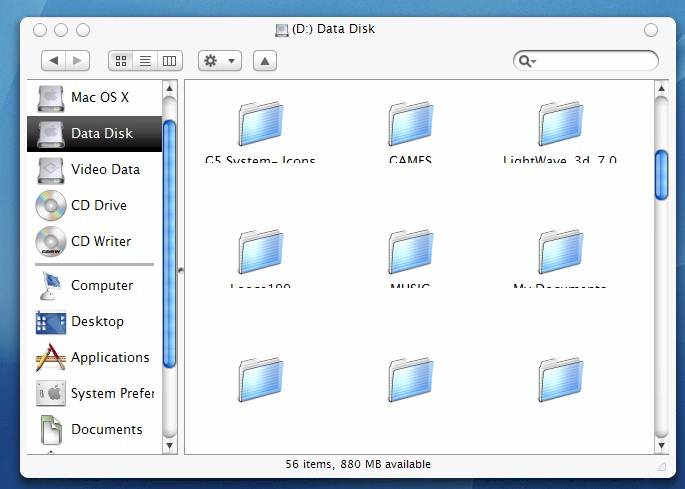
Do you know how the panther finder handles these things? Does it store view settings for each folder? Does anybody know?
If I recall right, Seph said somewhere that finder stores a file with kind of info in every directory.
In Windows, you can use the desktop.ini for this.
Nevermind, I found those icons.
wow what a great app!!
but please add color labels in column style browser mode!! please add this as it is in the original finder, that would be great! :-)
but I really love your app, keep up the great work!
Originally posted by vneumann@May 20 2004, 11:13 AMDo you know how the panther finder handles these things? Does it store view settings for each folder? Does anybody know?
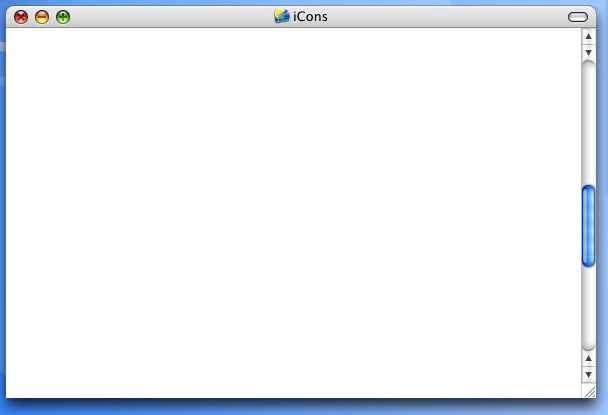
Panther does save settings per folder, like for example the pill on the right turns the folder into minimal mode (just the regular aqua titlebar and scrollbar around the window) which works as a "spatial finder" putting it into a mode where each folder opens in it's own window. But you have to do it individually for any folder you want to pop up in spatial mode.
Hi vneumann, the evolution of your finder app is simply inspirational. I even feel a sense of pride at every release showing off your optimisations and useability improvements...
just wanted to express my enthusiasm for remembered view states for different directories. That would be such a wonderful useability feature if you could implement it 
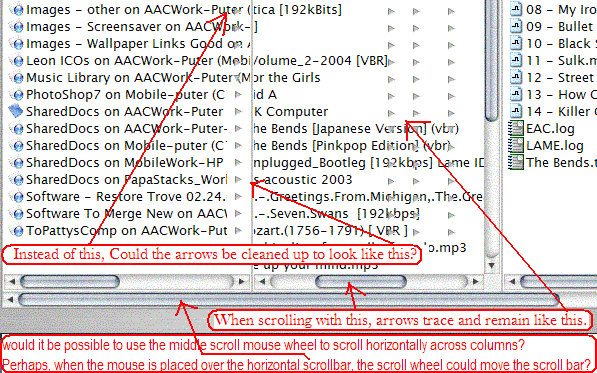
In addition, the attached screenshot shows some issues I've run across using Nexplorer, and a request.
Thanks again,
Firecracker

Would someone PLEASE release a panther skin! I"m stuck with no Nexplorer looking like panther .
For 1.86 Beta please...
Originally posted by IKO8472@May 20 2004, 06:44 PMWould someone PLEASE release a panther skin! I"m stuck with no Nexplorer looking like panther
For 1.86 Beta please...
I believe they have already. bzeitler finished one yesterday
check out the skins forum 
Originally posted by Mac user to the rescue@May 18 2004, 11:51 AMExcellent app!
A few tips from a Mac user:
Pressing the right button (rectangular) on the top right of the title bar, should change the brushed 3 view (new) panther finder, into a plain white old one.
I.e. it becomes just a titlebar with large icons in the window below it. No menu items, (hell no menu bar), no common tasks style left side, just 2 or three large Icons, i.e. Hard disk, applications, etc. Looks kind of nice actually, minimalistic, just a titlebar with a window with 2 or 3 large icons in it.
(perhaps for XP, you could somehow implement the "views" functionality (Large Icons, Small Icons, List Details, Thumbnails, if you know what I mean), on a RIGHT click to the empty window. So windows users could change icon sizes.
Now it would change when you RIGHT click on an icon (not on an empty part of the window), and give you the standard file menu, i.e. "Open, Open with, Rename, delete, properties, etc)
Pressing the right button (rectangular) on the top right of the title bar again, reverts back to the new fancy 3 view brushed Panther finder.
But in a smooth kind of fade.
Launching the finder for the first time it also fades in.
Apart from that it is awesome! Great job.
No-one agrees?
Very good. is speed the instalation is exelent
Ahh....I have no clue what is going on. I think I must have done something wrong. Can someone please help?


hey Vneumann, dude, please
1.- Can you add it the option to have Text under the icons in the toolbar... you know under Search, view... and so on....
and
PLEASE,
2.- What about the option to have MORE icons in the toolbar ??? like this pic --->
3.- and can the search`s box be rezisable, you know .. when you rezise the main window ..... can it do it too ??? ... just wondering..
4.- can this app remember the last view used before close it ?
and Good job ! 
:rock:

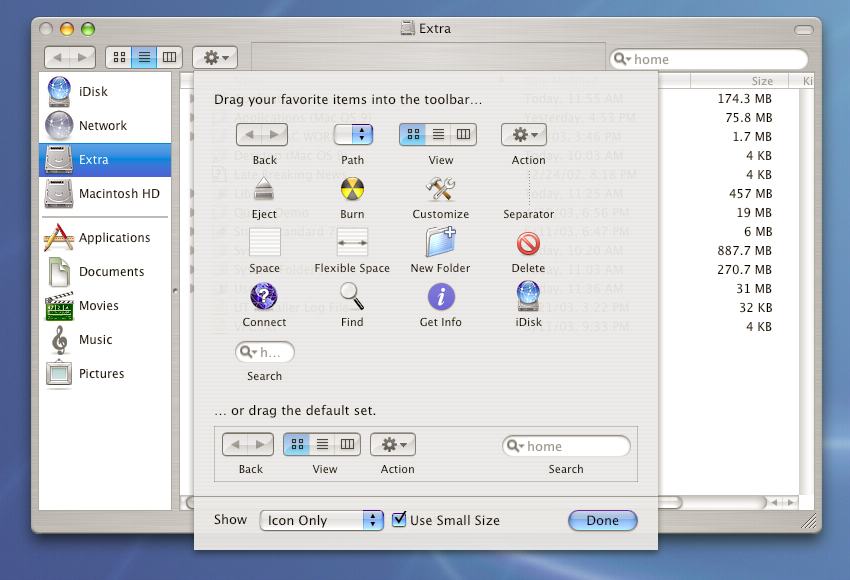
ok I swear i read throughout the whole thread and i could have missed it but i would like to know how can I add shortcuts ABOVE the line in the left pane.?
any help will be much appreciated
I thought you should know I notice something weird- when I'm DLing a file and I view Nexplorer, Nexplorer "blinks" each time a new piece of the file is written. Kind of wierd (yet entertaining) at times. A great app is getting even better.
Originally posted by IngeneerMind@May 21 2004, 03:17 AMhey Vneumann, dude, please can you add it the optio to have Text under the icons in the tool barr... you know under Search, view... and so on....
and PLEASE, What about the option to have MORE icons in the toolbar ??? like this pic --->
why would you like text under the icons? 
tarik
All you do is drag the shortcut (after adding it) up there.
As a side note I forgot (and can't seem to find it) how to edit the preferences so that it opens a certain way, I want it to constantly open in "list" mode instead of icon mode.
Originally posted by mephisto@May 21 2004, 03:26 AMwhy would you like text under the icons?
man, cuz look at this !!!! ------->>
it just look BEAUTYFUL
>-------->>
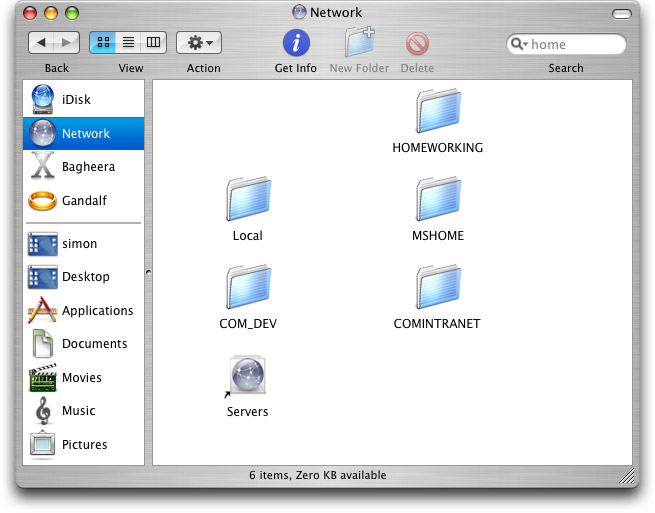

Originally posted by IngeneerMind@May 20 2004, 10:17 PMhey Vneumann, dude, please (insert 1-10,000,000,000 feature requests here)
do you have anything besides feature requests to ask? like say...maybe bug reports? he's got to make the program as stable as possible before we even think about iCandy...
Originally posted by IngeneerMind@May 20 2004, 10:17 PMhey Vneumann, dude, please
1.- Can you add it the option to have Text under the icons in the toolbar... you know under Search, view... and so on....
and
PLEASE,
2.- What about the option to have MORE icons in the toolbar ??? like this pic --->
3.- and can the search`s box be rezisable, you know .. when you rezise the main window ..... can it do it too ??? ... just wondering..
4.- can this app remember the last view used before close it ?
and Good job !
:rock:
you can already have text.. I would have to add it into the skin.. I actually did one like that. But I didnt like how it looked so I never released it.
After playing around with it some more I think it would be nice to be able to specify the folder icon with the skin, is this possible? An icondropper type function would also be good to change icons with to be saved with the seperate options for each folder thing.
I also noticed that the window class is a number which is the same number as miranda Im's message windows, I wanted to make in objectbar as a start to getting it to control it with the desktop menubar a task in the window menu that only shows nexplorer instances but since it doesn't have a unique window class (just a number which other windows also have) it doesn't filter out those other windows. Could you change that windowclass name? The class is: #32770
Also while on the subject of the settigs for each folder there should be a way to be able to set a bg for each folder.
P.S. everything I have asked for so far is in the real finder.
There are 2 other things I almost forgot which should be added sometime, the window zooms in from where it was launched when you start it and an icon zooms and fades away when you launch it..
I just started using NeXplorer cos this version is FAST! Scrolling is so fast it feels faster than XP's original Explorer. Excellent work!
Here's a question: Is it possible for NeXplorer to remember which folder to view the files as thumbnails? I can't find anything on it in this forum...
Ok the titlebar reduce button (button on right of the titlebar) actually does this.
It fades into minimise mode: