 Aqua-Soft Forums
It's not THAT bad for being slow
Should I run tomorrow to the city centre and get osx cds ? :woot: 
getting excited here !! dvq what's your hardware specs ? :naughty:
It's not THAT bad for being slow
Should I run tomorrow to the city centre and get osx cds ? :woot:
getting excited here !! dvq what's your hardware specs ? :naughty:
Originally posted by genuine143@May 13 2004, 12:32 AM
Should I run tomorrow to the city centre and get osx cds ? :woot:
getting excited here !! dvq what's your hardware specs ? :naughty:
Ummm, it's slow enough not to be usable. =) So don't run out just yet kiddo.
I'm running an overclocked xp1800, 11multiplier 185fsb, with 1 gig of ram.
depends on how overclocked your 1800 is... What is its speed? Just a question, but wouldn't OS X run even faster on a 64 bit CPU? If you've got the 64 bit one that G5s run anyway... Wish I had one. I've got a 2800+@ 2.0 GHz.
Originally posted by Jaggedfel@May 13 2004, 08:11 PMdepends on how overclocked your 1800 is... What is its speed? Just a question, but wouldn't OS X run even faster on a 64 bit CPU? If you've got the 64 bit one that G5s run anyway... Wish I had one. I've got a 2800+@ 2.0 GHz.
As i said above, 11mult x 185fsb =), you do the math for clock speed. 64bit won't help any as of now, the emulator itself would have to take use of 64 bit processing.
ah... hmm, I wonder if there is any programmer out there that would like to take on that challenge? That might make it actually runnable, but most of us don't have 64 bit CPUs yet... I'm personally waiting on Socket 939 to come out before I upgrade, or at least until they get to 4-5 GHz (Intel wise) and make an upgrade worthwile...
why must you call my threads "apocolyptic"? :cry: well... i want to know. is this supposed to happen:jesus, the newoin thread is more polluted and offtopic than the most apocolyptic thread begun by TheBigB.
EDIT: Please Use Thumbnails
Originally posted by TheBigB@May 15 2004, 01:39 AMwhy must you call my threads "apocolyptic"? :cry: well... i want to know. is this supposed to happen:
I think your gonna need to give more information 
oh and please link your images or provide thumbnails...
first of all i am installing panther. it boots off disc 1 and after the beutiful (and gray) apple it comes here. all of the text appears slowly and here i am. waiting. for an hour or so.
Originally posted by TheBigB@May 15 2004, 01:59 AMfirst of all i am installing panther. it boots off disc 1 and after the beutiful (and gray) apple it comes here. all of the text appears slowly and here i am. waiting. for an hour or so.
Have you partitioned with Darwin?
are you using the JITC version?
what speeds you machine?
1 no
2 yes but the generic one goes to the same screen (i lost patience before it showed all that i have now)
3 an AMD Athlon 32-Bit k7 950 Mhz (custom built pc with an ATI All-In-Wonder Graphics card, a tyan s2380 m/b etc)
btw i just switched to the generic version.
Stay with the JITC version it has a speed about 15-20 times slower than the host while the non-JITC version is around 500 times slower.
Just make sure your config file is correctly setup and try partitioning the HD with Darwin first. - http://opensource.apple.com/
it worked. i went to sleep with it at the great big apple (after taking a screenie of it at 1024x768, cropping it, and using the apple as wallpaper) but it crashed at the 'choose a language' screen.
I'm currently using 0.1.1 (JIT) and am installing Darwin as we speak - I currently have the grey apple screen..... waiting waiting...
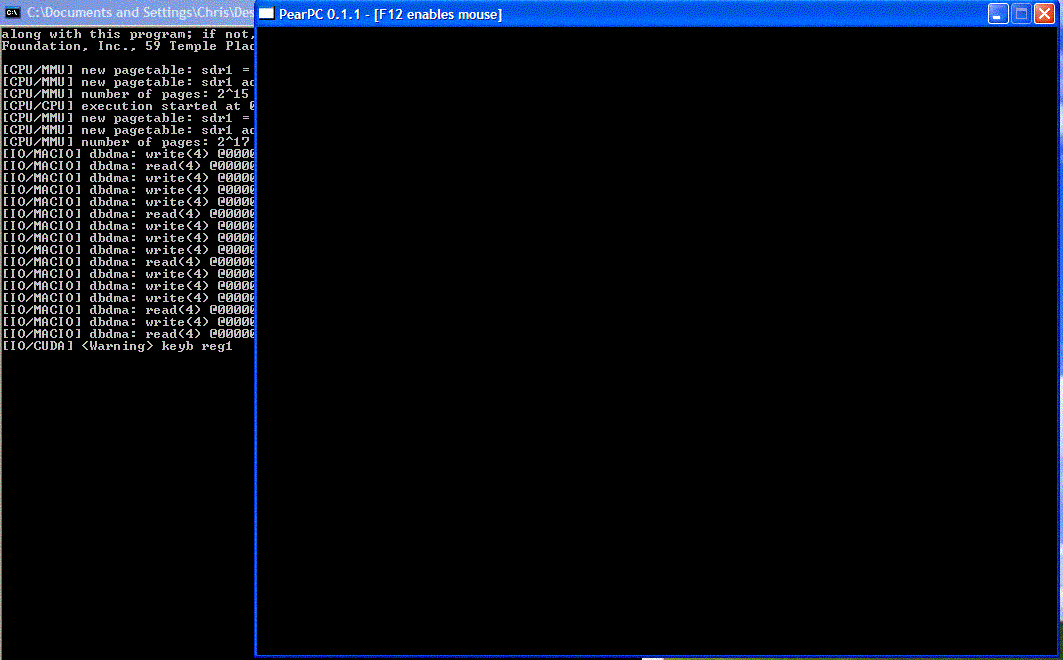
im trying to install darwin, i get what seems to be an error about a minute after i start, is says - " keyb reg1" did you guys get that?
Can someone please please write a detailed guide on how we install this so we (****s to this kinda stuffs) get minimal screw-ups 
By the way, is this thread at the right board? It should not be Linux and Mac only... Maybe a new board (or sticky thread on a more suitable board) should be opened for this, there seem to be much to develop, don't you guys agree?
Originally posted by cjaypaddock@May 15 2004, 01:34 PMim trying to install darwin, i get what seems to be an error about a minute after i start, is says - " keyb reg1" did you guys get that?
I've just turned my monitor on and got that error message (I'm guessing around 30mins -1hr into install) - but it seems to be still installing...
They need to add some sort of display to tell you it is still installing... I'm not sure whether its crashed and burned/ frozen or working fine :S
taking hours though >.<
thanks man
Ok Darwin will still install even with that error message - so dont panic - its finally finished - now onto the next stage....
I just tried - http://translate.google.com/translate?hl=e...DUTF-8%26sa%3DG
Translates the guide to english from German though I seriously doubt the reliability... Can any German-reading people verify how accurate this is? I don't want blunders due to wrong translation -.- Thanks... 
Originally posted by DoubleD@May 15 2004, 08:59 AMI've just turned my monitor on and got that error message (I'm guessing around 30mins -1hr into install) - but it seems to be still installing...
They need to add some sort of display to tell you it is still installing... I'm not sure whether its crashed and burned/ frozen or working fine :S
taking hours though >.<
Still stuck there :rant: , see attachment :cry:

Before any of you start doing anything with PearPC, go visit Emaculation's PearPC forums where there are pre-prepped disk images and full guides to installing for every version of OS X.
Originally posted by TheBigB@May 15 2004, 12:32 PMit worked. i went to sleep with it at the great big apple (after taking a screenie of it at 1024x768, cropping it, and using the apple as wallpaper) but it crashed at the 'choose a language' screen.
Dont Use 1024x768 it causes more problems stick with the default till the bugs are sorted