CheckMail Docklet for ObjectDock

I'm not sure, I do not have chromium installed... is this Chrome from google? Could you post the settings of your shortcut?

Chromium is the open-source version of Chrome, yes. However, the application is not important - I could (and have) configure the path to notepad.exe and still nothing would load.

As I suggested previously, I believe this is an incompatibility with RocketDock. While I understand that this is an ObjectDock forum, I would kindly request that you test your docklets on other dock programmes.

On a separate point, I would prefer the docklet to be able to launch the mail application regardless of whether new mails have been received or not.

Many thanks,

James

x

#511746

No this is something I was asking a few posts ago, currently the docklet will let you launch the configured application(s) when there are any mails reported.... if no mails are found the application will not launch... I was waiting for some of you to send me your feedback on this.

Hey man, i totally oversaw that for sure, cuz i havent been following the threat to closely.

Anyways, if this is the way you wanted to work then it is working perfect :)

I will, nevertheless, ask if you can put the option to run the application regardless of new mail or not. Is it possible?

Thanks again man.

#511752

Chromium is the open-source version of Chrome, yes. However, the application is not important - I could (and have) configure the path to notepad.exe and still nothing would load.

As I suggested previously, I believe this is an incompatibility with RocketDock. While I understand that this is an ObjectDock forum, I would kindly request that you test your docklets on other dock programmes.

On a separate point, I would prefer the docklet to be able to launch the mail application regardless of whether new mails have been received or not.

Many thanks,

James

x
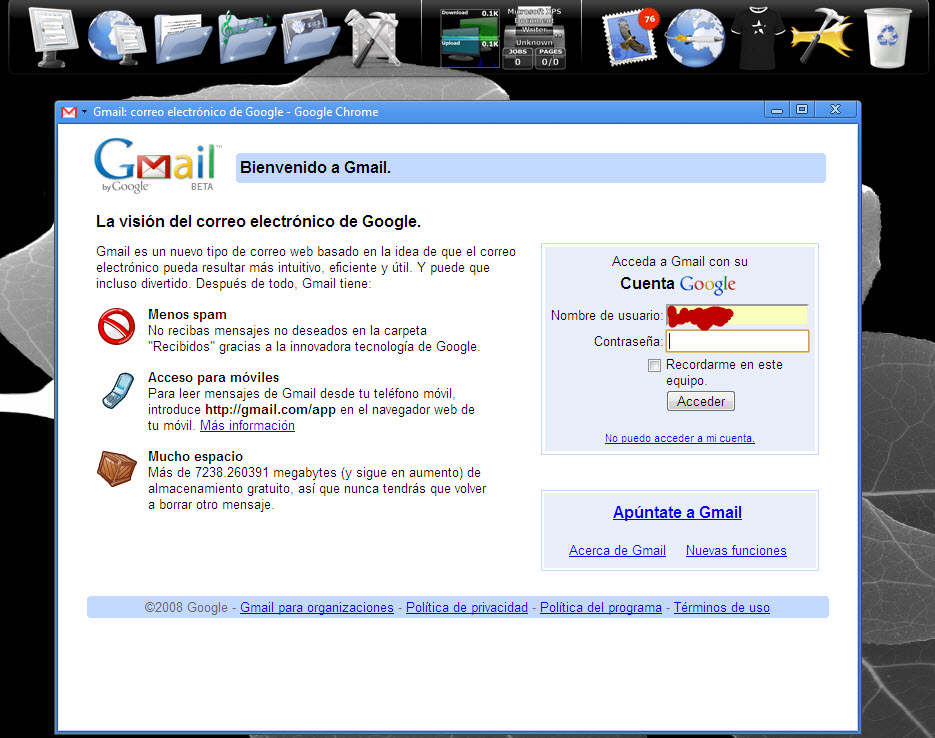
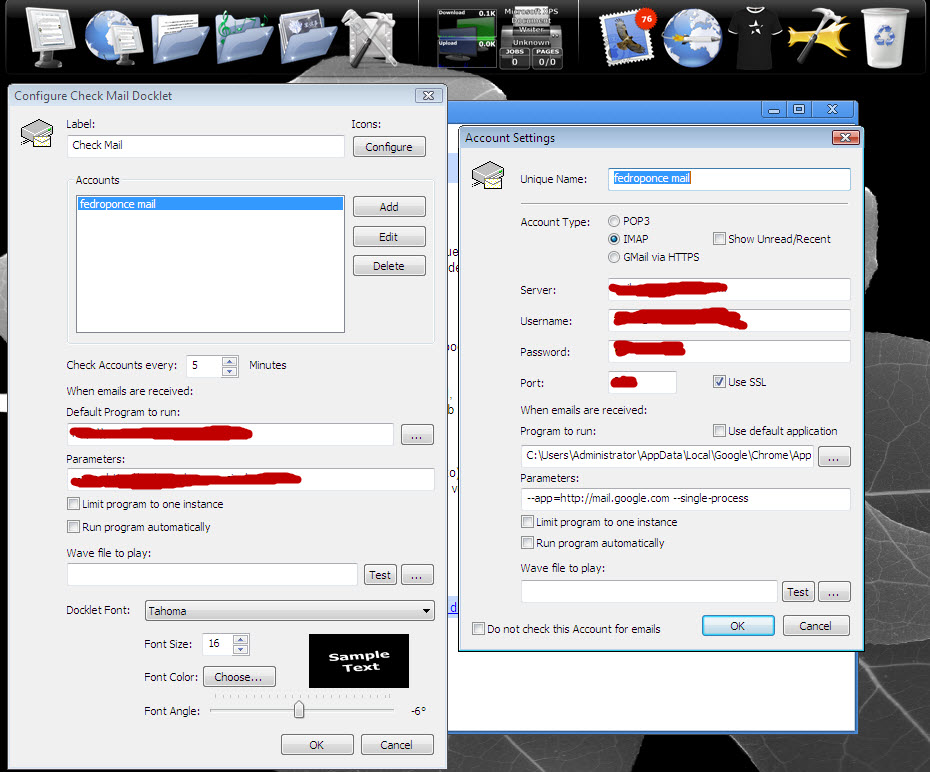
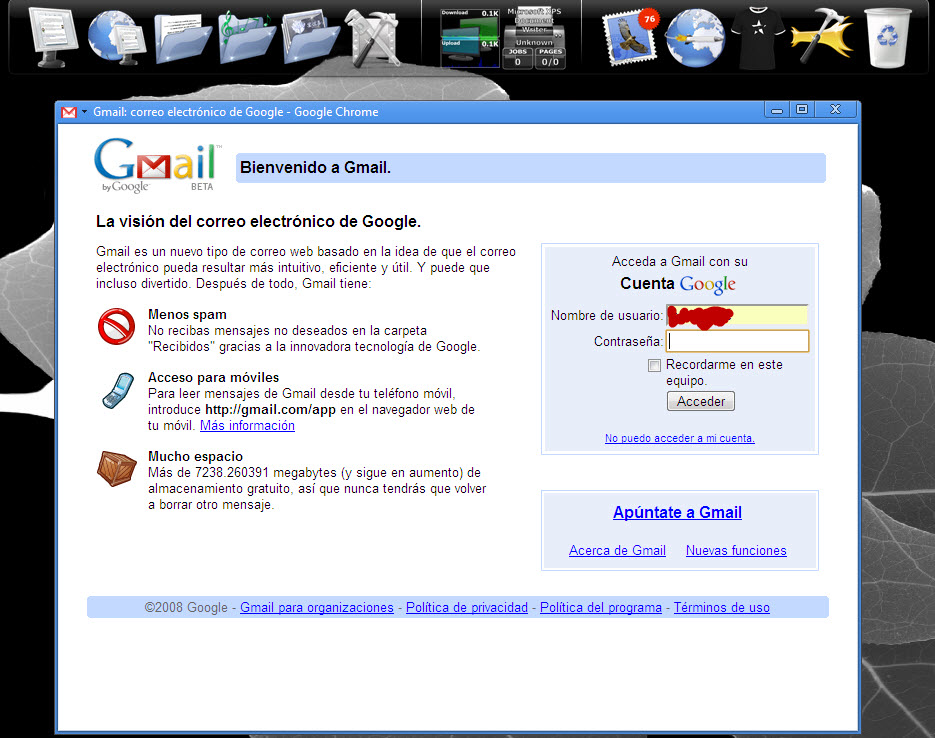
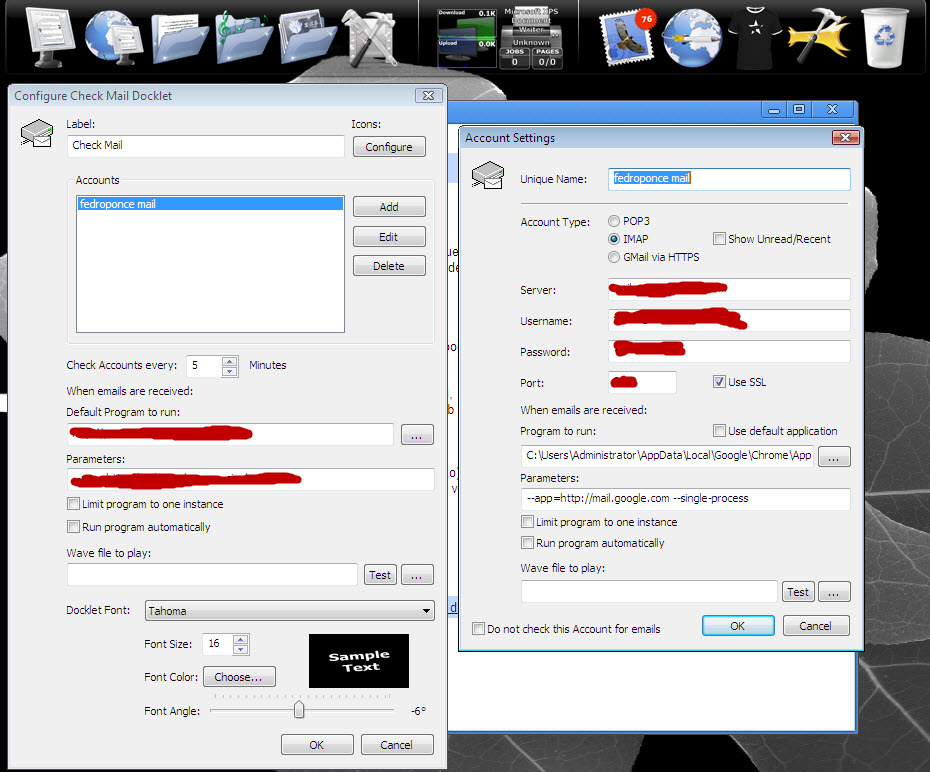
I have tested this on Rocket Dock this is what I use to go to my gmail account using firefox.

https://www.google.com/accounts/ServiceLoginAuth?service=mail&Email=user_name&Passwd=password&continue=https://gmail.google.com/gmail

user_name= your user name minus the @gmail.com

password= your password

this works in Rocket dock so if it wont work for you then maybe it is a Chromium problem. I sugest you test it with several browser before you complain that it is the docklet.

#511755

Well I took the time to try to reproduce your environment as close as I could...

I installed Chrome & tested with rocketdock... both worked just fine... see the attached images... I even borrowed your configuration parameters since I had no idea on how to made chrome to open a particular page...

I even tested by setting up an erroneous application... the docklet complained with a dialog from windows stating that the app could not be found.

So, maybe is a problem related to permissions.

As I suggested previously, I believe this is an incompatibility with RocketDock. While I understand that this is an ObjectDock forum, I would kindly request that you test your docklets on other dock programmes.

post-79521-1224090289_thumb.jpg

post-25-1224090289_thumb.jpg

rocketdock-capture1.jpg
rocketdock-capture2.jpg

#511769

So long...

2 for opening the app even when there are no mails vs. 0 to prevent it (well 1 if I count).

#511770

Yesterday I tried to add MP3 play support to the docklet... my results were mixed...

For one part when I used the MCI (Microsoft way of doing it) library to play the file I got problems with some systemd (I tested with my two computers and a few from work). When it did not work, the dock would crash...

On the other hand, I tried with a third party library, Zoran Cindori's WMp3 C++ class based on the LIBMAD 0.15.1b mp3 decoder... it worked on all systems... but it adds around 200K to the docklet. I do not know if there are any other open source MP3 C++ libraries out there... but I believe this will be the same... adding support for MP3 will result a larger docklet.

What do you think... should I continue and integrate this code?

#511771

I think it would be easier to just use a wav file, you have done a fantastic job on this docklet already.

#511777

I have updated the docklet again, this time I have added the option to lauch the configured program even if there are no mails available. As the other account configuration you may configure it globally at the "general settings dialog" and may be overriden by configuring a particular behaviour at the account level (via de account configuration dialog).

This way you may configure to lauch the application when no mails are reported, by selecting the account (click-cycling through the configured accounts at the star) and left-clicking on the docklet or by displaying the context account menu (by right-clicking on the star). Disabled elements in the context menu are those for which there are no mails and the option to run the application even when there are no mails is not set.

I also fixed some bugs with the labels... under some circunstances it would not show the expected label (accordingly to the current state of the selected account)

Finally I added the icon sets provided by schmrom & Ghostwalker!

#511781

this works in Rocket dock so if it wont work for you then maybe it is a Chromium problem. I sugest you test it with several browser before you complain that it is the docklet.

As noted previously, I do not believe this issue is related to the browser. I have tried C:WINDOWSNOTEPAD.EXE as the application path yet still nothing opens. I too have entered a non-existent programme, however an error dialogue does not appear.

So, maybe is a problem related to permissions.

I have administrator privileges on the current account, yet even after logging-in as administrator, the programmes still do not launch from the docklet.

I am beginning to wonder if this issue is related to the Japanese version of Windows currently installed - I shall have to test the docklet on my home computer.

Many thanks for all your suggestions.

Cheers,

James

x

#511794

Well... I don't know... certainly I do not have a Japanese Windows version handy... I programmed it to support Unicode Character Sets... but there is no way for me to test it out in anything but spanish, english & portuguese (brasil) windows versions. Sorry if I can not be more specific.

Does anyone from other countries experiment such problems?

I am beginning to wonder if this issue is related to the Japanese version of Windows currently installed - I shall have to test the docklet on my home computer.

#511808

Hey for anyone using Outlook on the main icon you can use this to open the compose window only.....

Default Program to run:
C:Program FilesMicrosoft OfficeOffice12OUTLOOK.EXE

Parameters:
/c ipm.note

I have the actual accounts(context menu) open different clients Gmail web, and one for Outlook. This way if I just want to compose an email I just click the main icon.

#511825

Well, I just tried the docklet on my home laptop, running an English version of Windows XP, and everything is working correctly.

I shall the software again tomorrow on another office PC (that is also running the Japanese edition of Windows XP) and report my progress.

Kind regards,

James

x

#511827

Hey @ all!

First I want to say hello to everybody and especially thank you, Fedro, for this great Plugin. I have been reading here since several weeks and now the time has come :-)

I'd like to check my mails (IMAP), but without success. The plugin cannot find any (new) mail. I think the problem is, that the folder of the german provider and the default plugin-folder seem to be different. Would there be a way to manually the folder I'd like to check?

Fedro, you wrote about a little script, that can look on my server - could yout pm me a link, please?

And I have another little wish. I completly disabled the task bar and now just use OD. When Outlook is minimized and I click on the CheckMail-Button, Outlook won't return to the foreground - would it be possible to implement this feature?

Thank you so much, Andy

#511915

Hi, I'm here to agree. This is a great docklet. :)

If IMAP isn't working for you, it may be because the docklet doesn't assign the correct ports when selecting IMAP (See this as a bugreport too :P).

Choose IMAP and set the port to 143 (non-SSL) or 993 (SSL), that should make it work.

#511924

If IMAP isn't working for you, it may be because the docklet doesn't assign the correct ports when selecting IMAP (See this as a bugreport too :P).

Choose IMAP and set the port to 143 (non-SSL) or 993 (SSL), that should make it work.

Thanks for your answer :-) Unfortunately there's no effect whether I choose 143 or 993. I think the plugin connects, but the mails are in another folder.

On moseover the term is "You have 0 new messages in your inbox" :-(

#511929

On moseover the term is "You have 0 new messages in your inbox"

That is just the default text not actually what folder it is checking. fedroponce keeps up on his docklets so just keep checking here and I'm sure he will get with you.

#511931

Well the docklet sends a SELECT INBOX command to the IMAP server... where INBOX is the name of... well your INBOX... so if it is not named like that it should fail. I can add a parameter to name the "INBOX" store so you may personalize it... let me do a little work on the test app so you can call it from the command line and I will PM it to you.

I'd like to check my mails (IMAP), but without success. The plugin cannot find any (new) mail. I think the problem is, that the folder of the german provider and the default plugin-folder seem to be different. Would there be a way to manually the folder I'd like to check?

I have been asked to do this by other users... it is something I think I will add, but I need to research on how to do it (as almost 3/4 of what the docklet does... it's been the very first time I do it, so it takes me some time to research, test and integrate to the docklet.

And I have another little wish. I completly disabled the task bar and now just use OD. When Outlook is minimized and I click on the CheckMail-Button, Outlook won't return to the foreground - would it be possible to implement this feature?

#511951

You are quite right it may very well be the ports too!... the docklet does not automatically assing the ports to their well known ports for any but the POP3 protocol (and as such I am not really sure if the numbers I am setting are the real well-known ports)... If anyone knows which are the correct well-known ports I may add them to the docklet...

In the end... not every mail server is configured to use the well-known ports and many of them uses particular ports... you should always check with your mail admin or with de docs for your particular mail service.

Choose IMAP and set the port to 143 (non-SSL) or 993 (SSL), that should make it work.

#511952

Hello again!

Well, it transpired that there was a problem with the RocketDock docklet configuration.

I removed the CheckMail docket, then re-added a new instance to the dock (thus resetting to the default settings), and now the application launches correctly!

Great stuff!

However, I am still experiencing some issues whereby the docklet stops checking new mails after a period of time. The check works fine when RocketDock first runs, but after an hour or so, mails can be received yet will not be picked up. I shall have to investigate further and let you know.

Cheers,

James

x

#511955

Ok, I have updated the console test app... it is named CheckIMAP.exe and it's usage is at follows:

CheckImap.exe [mail-server] [sSL-Port] [username] [password] [mailbox]

I created this app while integrating SSL support, so it only accepts SSL connections, you should use your mail server IMAP SSL port (993 in my case).

Download it from:

http://www.feterspace.com.mx/downloads/CheckIMAP.zip

#511957

Well, it might well do... since I have been updating the docklet almost daily... many config parameters get added every now and then... but we are almost there!

Well, it transpired that there was a problem with the RocketDock docklet configuration.

I have left my docklet running for hours (even while playing Bioshock)... and every now and then I get the "You've got mails" sound... so, at least in ObjectDock I have not perceived any degradation (a couple of times I have left my system on for a couple of days without... but I shut down ObjectDock almost daily (since I keep updating my docklets regularly)... so I am not really sure.

Admiteddly, I haven't tested wirh RK and RocketDock as much as I do with ObjectDock... sorry, I just do not have the time and stamina. I need your help for that!

However, I am still experiencing some issues whereby the docklet stops checking new mails after a period of time. The check works fine when RocketDock first runs, but after an hour or so, mails can be received yet will not be picked up. I shall have to investigate further and let you know.

#511958

Well after reading the MSDN docs for a while I think I found a way to show the minimized application if it was already opened... I uploaded a new revision but I did not have the time to fully test it, but give it a try and post your comments.

#511962

You are quite right it may very well be the ports too!... the docklet does not automatically assing the ports to their well known ports for any but the POP3 protocol (and as such I am not really sure if the numbers I am setting are the real well-known ports)... If anyone knows which are the correct well-known ports I may add them to the docklet...

In the end... not every mail server is configured to use the well-known ports and many of them uses particular ports... you should always check with your mail admin or with de docs for your particular mail service.

imap 143/tcp Internet Message Access Protocol

imap 143/udp Internet Message Access Protocol

imaps 993/tcp imap4 protocol over TLS/SSL

imaps 993/udp imap4 protocol over TLS/SSL

pop3 110/tcp Post Office Protocol - Version 3

pop3 110/udp Post Office Protocol - Version 3

pop3s 995/tcp pop3 protocol over TLS/SSL (was spop3)

pop3s 995/udp pop3 protocol over TLS/SSL (was spop3)

Source: http://www.iana.org/assignments/port-numbers

(I didn't just pull the numbers with a random number generator in my previous post ;) )

#511963

@mikecow: Yes, this should be the ports.

@fedro: Thank a lot again :-) But I have a little problem/question: I start your tool with the command promt, using your parameters (port 993, too). But everytime i hit the enter-button I get

HOST: [imap.1und1.de] PORT: 0

Connecting, standby...Can't reach the host.

Do I have to type the port in a different way?

Muchas Gracias, Andy

EDIT:

I just figured out: If I choose port 995 in the Docklet, I get "Can't connect". When port 993 is selected, everything seems to work fine, except that the plugin cannot find any mail or new mail.

If I add the postbox as pop3, I can see the number of mails which are on the server (but not just the new ones *g*)

#511966

It seems that the problem is the mailbox... it should not be named INBOX in your server... I could add a configuration parameter to customize this...

Anyway I have just ran the CheckIMAP.exe as:

C:CheckImap imap.1und1.de 993 someaccount@imap.1undi.de somepassword INBOX

and got:

HOST: imap.1und1.de PORT: 993

Connecting, standby...

* OK IMAP server ready H mimap0 71106

a001 LOGIN someaccount@imap.1undi.de somepassword

a001 BAD authentication failed.

This is expected since that account does not exists... is this the way you are calling it?

If I add the postbox as pop3, I can see the number of mails which are on the server (but not just the new ones *g*)

#512031