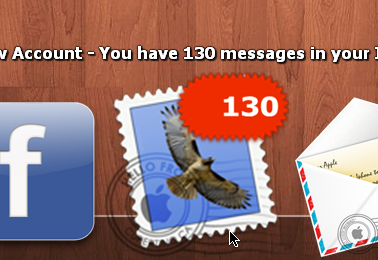
CheckMail Docklet for ObjectDock

First of all,

congratulations to your little peace of masterful programing you've done here.

This is by far the best and most useful docklet ever to be created.

You should try to spread it a little more around, so that people will

take notice of it. Only little remark though: Are you aware of the fact,

that you have not documented the way, a user can change the visibility of

checked accounts currently active (by clicking on the number). This was

very irritating to me and took me ages to find out, just by accident, of

course.

Keep up the good work,

cheers

#524040

@Knecker,

You're right, I think I forgot to mention that, sometimes I do write very crappy documentation. Sorry again for that.

@Ghostwalker,

Take a look at the recently updated docklet. As you sugested, there is an option to setup an image overlay that will be used when three digits numbers (or more) are needed to display the mail count. Additionally I revamped the configuration dialog with a tabbed dialog box and added backup & arrange of account profiles.

I could make the font smaller but it is the size I want it when there are 2 digits, when you have time could you add an option to use a different background for 3 digits? I have already created the new images they are in the zip(pm me if you need the psd).

Large Badge

P.S. This is also the way the mail docklet works on the Macintosh if you have 100 or more.

#524846

Excellent only one problem seems to not check mail now. I'm showing 0 when I have 139. The text above the docklet used to tell you when it was checking so I know it is not checking.

#524850

Well I did not change anything related to the actual checking code... could you double check if the accounts are not set to not to check... maybe you will need to delete and re-add the profiles (In my particular case that was not the case) since the configuration loading/saving code changed a bit.

Excellent only one problem seems to not check mail now. I'm showing 0 when I have 139. The text above the docklet used to tell you when it was checking so I know it is not checking.

#524889

That must have been the problem, I added one of the accounts all over and it is checking now. This is the new problem the first image has the font set at 20. As you can see it is not centered. The second image is at font size 23 and it wraps.I also still have crashing issues will remove one docklet at a time to try and find the culprit (did it after I removed the check mail docklet also).

post-1012-1236602439_thumb.png

post-1012-1236602514_thumb.png

20px.png
20px.png
23px.png
23px.png

#524904

I did not have more than 99 mails so I could not check that... thanks for the images, surely they will be useful.

#524945

I have marked mine unread just for you so I could test this ;)

#524949

I also still have crashing issues will remove one docklet at a time to try and find the culprit (did it after I removed the check mail docklet also).

Try removing Stacks Docklet 1.0 first. It has memory leaks. :rolleyes: (I meant ^^;; but found no smilie for that one)

#524961

Try removing Stacks Docklet 1.0 first. It has memory leaks. rolleyes.gif (I meant ^^;; but found no smilie for that one)

Already using 2.0 but will remove it also.

#524970

I solved this problem... please download latest release. (v0.1.1.0b)

That must have been the problem, I added one of the accounts all over and it is checking now. This is the new problem the first image has the font set at 20. As you can see it is not centered. The second image is at font size 23 and it wraps.I also still have crashing issues will remove one docklet at a time to try and find the culprit (did it after I removed the check mail docklet also).

#524975

Works fine, I just noticed that you changed the count on the badge to indicate the amount of mail for that account instead of a total for all accounts. Could you make it an option? I liked it before when it showed the total mails for all accounts. Also when using the font angle the large badge needs to move the same angle if you are not sure of what I mean let me know and I will add an image of how it should look.

#524976

There was no change at all... the docklet has alwasy shown either the total sum of all mails accounts or the ammount for a particular account. You can change that by clicking over the account badge... repeatedly clicking on it will cycle through each configured account and will finally revert to the total sum for all accounts.

Works fine, I just noticed that you changed the count on the badge to indicate the amount of mail for that account instead of a total for all accounts. Could you make it an option? I liked it before when it showed the total mails for all accounts. Also when using the font angle the large badge needs to move the same angle if you are not sure of what I mean let me know and I will add an image of how it should look.

Edit: I updated the docklet to v0.1.1.0c to properly show the 'N/A' count when an account is set not to be checked.

#524986

That is what I thought I guess when it displays the large badge it is a little harder to find that spot to click. The only spot on the badge is the very bottom edge toward the center.

#525020

If you setup the docklet font to show a squared/roubded frame around the number then the spot will be easier to "see" anything inside that frame will change the account selected, clicking outside the frame will trigger the launch of the configured application for that account (or the "general" application if no particular account is selected).

That is what I thought I guess when it displays the large badge it is a little harder to find that spot to click. The only spot on the badge is the very bottom edge toward the center.

#525244

Made any headway on Yahoo (code)accounts?

#525381

Not yet... I tried to understand the code from the link you sent... but it seems to be more complicated than I thought.

Made any headway on Yahoo (code)accounts?

#525401

Hi!

Where can I find the current version of your docklet? I've looked all over Stardock and WinCustomize and can't find it

Thanks

Randy

#525761

first post

#525774

it has memory leaks.. watch out..

simulation assurance vie

#527772

@singeroi,

Would you mind to explain it further? So I can hunt the leasks?

#527780

@singeroi,

Would you mind to explain it further? So I can hunt the leasks?

I am using this docklet for about three months, and I never experienced

anything alike.

#527797

Good post. I appriciate it :rolleyes:

fiscalite assurance vie

#528002

I have question: is the launching app working? And if I'm not useing any app just gmail on-line how can I configure the docklet to transfer me to gmail site after I double click on it?

#528012

Lita in the preferences

default program to run would be your browser......

C:\Program Files\Mozilla Firefox\firefox.exe and below that the Parameters would be...

https://www.google.com/accounts/ServiceLogi...amp;Email=(Your Email)&Passwd=(Your Password)&continue=https://gmail.google.com/gmail

Replace (Your Email)with your email without the @gmail and (Your Password) with your password if you have more than one gmail account then inter this information in the email accounts section instead.

#528016

thank you :) I understand that I launch the gmail by clicking right click and than gmail, right? Double click is not launching it? I mean it's not a problem at all, I just want to know.

EDIT --> just doing all this I noticed one thing - all settings are reset after a relaunch of dock... and have to configure it all over again - like sound and opening gmail etc... Is it a bug or I'm doing somethin wrong?

#528025