CheckMail Docklet for ObjectDock

Just an Idea... do you have the animation disabled?

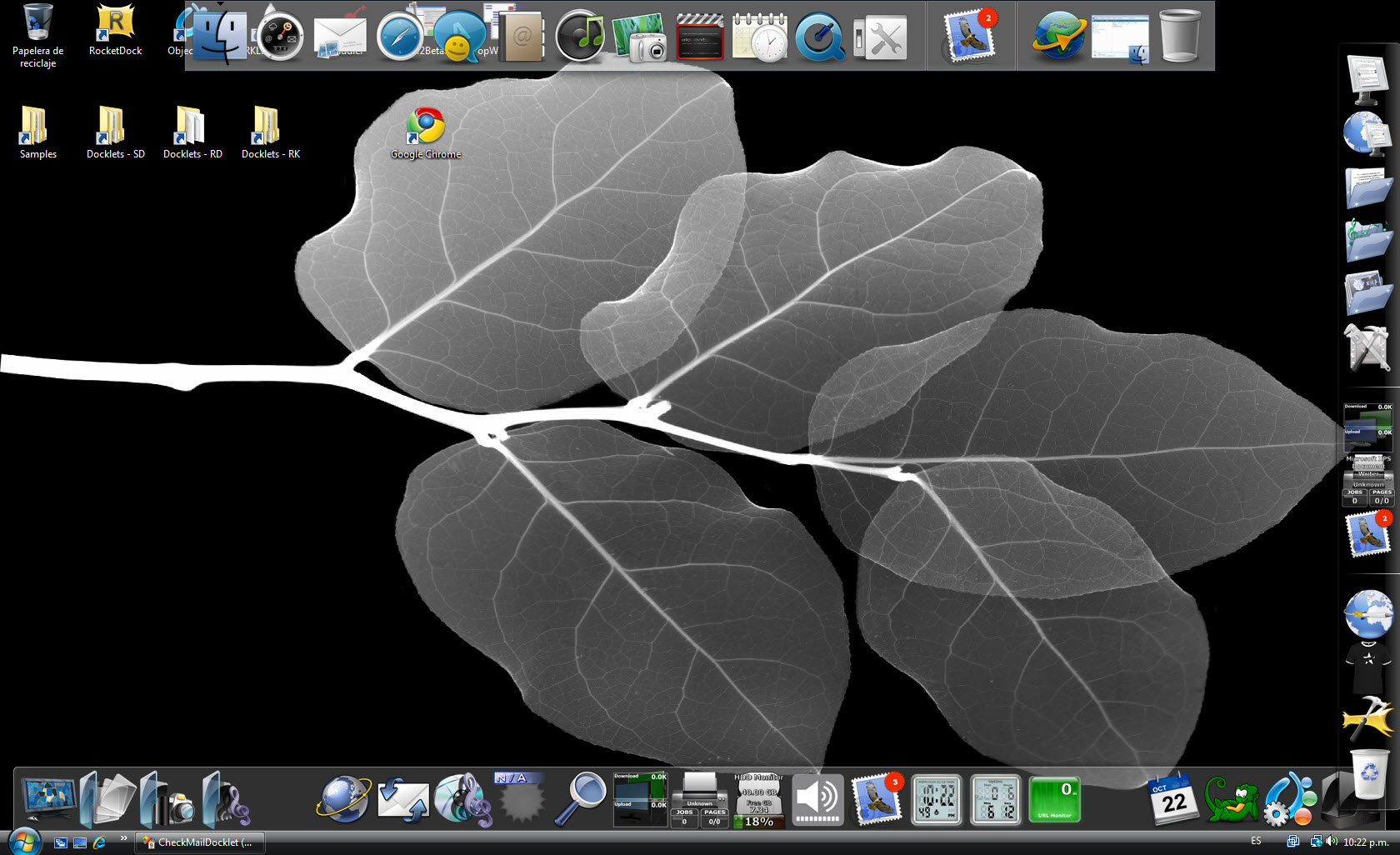
here mine:

While crashes had deacrease A LOT, ive still had but one so far. I would agree with the bandwith limit, but maybe is it also with the number of running applications that the dock is showing?

I remember Firefox was running when RKL crashed, after trying to hover the mouse over RK it went like the image i posted here.

Other than that i dont remember in detail what really lead to the crash. Ill pay more attntion when it comes again, take a ss and maybe catch the info that windows gives of why the crash happend (not always works).

But for a reason, crashes have decreased, yes; you are on the right path :)

#512390

EDIT 2:

Solved :-) Good news this time: When I marked one mail in Outlook as unseen (IMAP, too). Your plugin showed me 10 new mails - every mail I actually have in my inbox. I had to delete this mail in Outlook which I marked before and everything is fine now.

Second thing is that you have a special inbox-view in the plugin (click on the red star if you have new mails) you cannot open your default mail-client by clicking on the desklet. With the standard view (sum of all inboxes) it works fine.

Ohoh - I hope you understand my english ;-)

_________________________________

EDIT:

Too early *g* It seems that there might be a problem with the identification of new/old mails. The plugin just says that there are 10 mails, even if there are no new unseen mails... and I've checked

Damn, and another thing (the plugin still shows all mails in the INBOX)... when I receive a new mail, outlook won't open on click. Doesn't matter if I have this "open Outlook even when there are no new mails" unchecked.

_________________________________

Hey Fedro,

gotta say HUUUUUUGE thanks!!! You newes version works perfectly for me! I'll keep watching this thread and whenever I have a new idea I let you know :-)

Cheers, Andy

#512406

It's good news to know the docklet is working better... but from your post I am not sure if there are any problems at all...

This comment.. I could not understand it quite well... you may PM in spanish if you like with the details... I would update the post so everyone else could understand your problem.

In my setup I have configured the general settings dialog to open outlook when clicking on the docklet icon... I have the following configuration:

Default program to run:

outlook.exe

Parameters:

/recycle

There is no full path to the app... I just copied the info from a shortcut I had on my desktop. Now when I click the docklet it will lauch outlook... even if there are no mails present (having the checkbox selected).

EDIT 2:

Second thing is that you have a special inbox-view in the plugin (click on the red star if you have new mails) you cannot open your default mail-client by clicking on the desklet. With the standard view (sum of all inboxes) it works fine.

#512429

On the crashing... I have setup all RK, OD & RD... all checking my gmail account every two minutes... the only one that has crashed twice is RK... but the I am not really sure if this is really related to my docklet... I understand the latest beta published included support for OD docklets... but it was buggy... and there has been no update ever since.

I would continue to debug it... does anyone else has faced crashes on OD or RD? I have tested it thoroughly... almost 10 hours wthout any crash on them... disabled the network... unplugged it, turned the wifi adapter off, and downloaded a mutli-gigabyte file... still no crashes.

This is my development machine... notice the uptime docklet.... it's been running for 6+ hours... none of the docks has crashed.

post-79521-1224718641_thumb.jpg

snapshot.jpg
snapshot.jpg

#512437

I dont have the animation disabled. In fact, i had another crash with RK, this time was a bit weird. It happend as soon as i logged in, saw RK launching loading the docklets, and the mail docklet got stuck in the animation. I thought maybe it is still loading, or maybe background process are making RK slow and will work again in a minute, but this time it didnt.

I dont know if its RK itself, but i have other OD docklets and they are working well.

Maybe is it a problem between docklets? I am using yzcalendar and RecicleBin from YZ dock, and StackDocklet and WeatherDocklet for OD, just another idea...

Other than that, as i said, your last version has reduced crashes a lot. I will be testing without animation now, lets see if i have crashes at all. Will post later or maybe tomorrow

#512461

ok, so after i posted i disabled the animation for the docklet. The result: no crashes at all the whole day yesterday. So is def. a bug with the animation?

Anyways, thanks for taking all possibilities into account!

#512664

Yep every since I turned off animations no problems

#512675

Yep... I remember having some issues with the animation code in other docklet... I thought they were sorted out... I think I will have to revisit the code once more and debug it thoroughly with all docks... right now I am on vacation but next week I will check the code again thanks for your feedback.

#512715

thanks to you for your work on this. a well deserved break, enjoy it!

I also have one week vacation so ill see you in a week :P

#512733

I was wondering if it is possible to change the color of the number that shows how many new emails are in the inbox? I checked in the icons directory but could not find anything else and was not sure howwhere in the .dll I would have to edit (if that is even the place that requires the editing)

#513551

The last few versions let you change the font face, color & angle of the number shown... those settings are in the General Settings dialog (main configuration) at the bottom, just by the OK/Cancel buttons.

I was wondering if it is possible to change the color of the number that shows how many new emails are in the inbox? I checked in the icons directory but could not find anything else and was not sure howwhere in the .dll I would have to edit (if that is even the place that requires the editing)

#513552

so, back from break. I hope you had a good one!

I must say that I have never had problems anymore since I disabled the animation! I really dont miss it, so Im very happy with the docklet right now, no more crashes on RKL!!!

One question i do have, if you are going to have time to look for the indicator when the selected app is running? Is just a wish, if you implement it great, if not then oh well :)

#513563

Yep... I remember having some issues with the animation code in other docklet... I thought they were sorted out... I think I will have to revisit the code once more and debug it thoroughly with all docks... right now I am on vacation but next week I will check the code again thanks for your feedback.

Been working great with ObjectDock for months now. However, I don't see an animation option for this docklet. Using the latest version --> 0.1.0.7m I believe. Is this an option in a config file?

#513571

Problem is that I was unable to find any information on coding running indicators with the ObjectDock SDK, and there was no response for help at the RK forums.

If I ever found information on how to code that I have no problem to incorporate it... but right now I have no info on the subject.

One question i do have, if you are going to have time to look for the indicator when the selected app is running? Is just a wish, if you implement it great, if not then oh well :)

#513572

The animation is configured via the "Icons" configuration option... look at the first post for a snapshot of it... this is accessed through the very fist button at the top-right corner of the general settings dialog.

You may select the animation or disable it altogether.

Been working great with ObjectDock for months now. However, I don't see an animation option for this docklet. Using the latest version --> 0.1.0.7m I believe. Is this an option in a config file?

#513573

The last few versions let you change the font face, color & angle of the number shown... those settings are in the General Settings dialog (main configuration) at the bottom, just by the OK/Cancel buttons.

Ahh yes, I feel like a complete idiot now :(.

I have another question though, it seems that if (with my computer at least) the internet is disconnected or the computer is put into hibernatesleep when it starts up again the docklet breaks. You have to manually click check mail now and even when you do that the number on the new mail sticker won't change unless you click on it. This can be fixed by restarting the dock but that's the only solution I've found. Does anyone else have this problemknow how to fix it?

Thanks

#513584

Hello fedroponce!

First, great work with the docklet. I have been searching this for a long time now.

But to be honest I got a first request: Is it possible to make the "NewMail"-Sticker disappear after you started the application linked to the docklet? Because I think after you opened your mail application you will most likely read the new mail...after that it isn't a new mail anymore, so the sticker is a bit misleading.

Maybe I got some settings wrong, but the sticker seems to stay on the docklet wether I read the new mail or not. I have to go to settings and change something and confirm it. Then the sticker disappears.

#513660

The mail count changes when the docklet checks your accounts again... in my particular scenario, I just configured it for automatic checking every 60 minutes... so, after reading my mail... I just select "Check Mail now" to update it...

You may configure the docklet to update every 5 minutes or so, I decided not to since I configured it to automatically play a "You've got mail" wav file and I was going crazy with it playing every now and then.

Hello fedroponce!

First, great work with the docklet. I have been searching this for a long time now.

But to be honest I got a first request: Is it possible to make the "NewMail"-Sticker disappear after you started the application linked to the docklet? Because I think after you opened your mail application you will most likely read the new mail...after that it isn't a new mail anymore, so the sticker is a bit misleading.

Maybe I got some settings wrong, but the sticker seems to stay on the docklet wether I read the new mail or not. I have to go to settings and change something and confirm it. Then the sticker disappears.

#513747

I have not noticed such a problem... and I have left the computer on for almost a day... I will have to pay attention to this.

Ahh yes, I feel like a complete idiot now :(.

I have another question though, it seems that if (with my computer at least) the internet is disconnected or the computer is put into hibernatesleep when it starts up again the docklet breaks. You have to manually click check mail now and even when you do that the number on the new mail sticker won't change unless you click on it. This can be fixed by restarting the dock but that's the only solution I've found. Does anyone else have this problemknow how to fix it?

Thanks

#513748

Hello there !

First of all, thanks fedroponce for your excellent docklet !

I'm facing a problem when using CheckMail at work... I need to configure a proxy server to access my gmail account...

After a rapid search on this thread, (and several googles) I didn't find anything that's why I'm reporting here.

Have you plan to support connections through a proxy ?

Or did I miss a configuration somewhere ???

De todos modos, somos muchos en agradecerte tu trabajo !

Hasta pronto !

Juan

#513752

so, after reading my mail... I just select "Check Mail now" to update it...

that's what I do now acutally, but I think it's a bit annoying.

It would be pretty happy if you think of a solution in the next version ;)

So long

#513774

I have not noticed such a problem... and I have left the computer on for almost a day... I will have to pay attention to this.

I should point out that I am using RocketDock to run this docklet, I think that might cause the problem. My friend who is running ObjectDock is currently using it with no problems, but I have been running into this problem.

#513775

Well I could force to do a "Check Mail Now" after launching the assigned mail application, as always this would be great for some of you and other would not like it... I would like to hear from you all, please post your thoughts so I may come to a conclusion on this issue.

that's what I do now acutally, but I think it's a bit annoying.

It would be pretty happy if you think of a solution in the next version ;)

So long

#513817

Well you could add an option to activate/deactivate this in the settings menu.

But I discovered a similar bug to the "suspend-bug". After leaving my computer locked a few hours and returning, the sticker for new mails stays even after manually checking for new mails. Thats strange...

#513832

I have just tested by hibernating/sleeping my dev machine, after resuming the docklet worked just fine (under ObjectDock/OD+), I am not sure about RD/RK but as I have stated before, there is almost no developer support for those two, so I am not sure if I will ever make my docklets work as expected on them.

Well you could add an option to activate/deactivate this in the settings menu.

But I discovered a similar bug to the "suspend-bug". After leaving my computer locked a few hours and returning, the sticker for new mails stays even after manually checking for new mails. Thats strange...

#513873