Aqua-Soft Forums
Fantastic port guys! Pinstripe is one of the cleanest themes I've ever used. Loving the matching look for Firefox and Thunderbird now.
Thanks so much for the work you guys put into it. Well worth it.  :)
:)
Fantastic port guys! Pinstripe is one of the cleanest themes I've ever used. Loving the matching look for Firefox and Thunderbird now.
Thanks so much for the work you guys put into it. Well worth it. :)
I'm having the same trouble that XP2003....
I tried to change the mmstyle but can't fix it.....
Wait annd see 
EDIT : I had a question concerning tje grippies extension.....
What is it for ???? Didn't find any change after install......
Originally posted by zenzen@Apr 27 2004, 07:47 PMI'm having the same trouble that XP2003....
I tried to change the mmstyle but can't fix it.....
Wait annd see
Yeah weird huh?! Do you need Lucida Grande or something?
Edit:
Yup you'll need to have Lucida Grande installed if you want to make the skin work!
yay, awsome dude (Y) , i love pinstripe so much :cry:
Originally posted by XP_2003@Apr 27 2004, 07:48 PMYeah weird huh?! Do you need Lucida Grande or something?
yeah
Great job guys! 
I also had the times-like typeface. I fixed it by going to Menu > Tools > Options > Fonts and there change Proportional from Serif to Sans Serif. Did the trick for me Those of you who have the same problem in Firefox can do the same thing there.
Could someone please PM me the Lucida Grande font please.....
I just format, and don't know where I can find it..... <_<
Originally posted by magbi9@Apr 27 2004, 08:01 PMyeah
Hmmm I don't like Lucida Grande that much on XP, it looks great on my mac. Is there a way to use Tahoma instead of Lucida Grande???
Originally posted by zenzen@Apr 27 2004, 03:47 PMEDIT : I had a question concerning tje grippies extension.....
What is it for ???? Didn't find any change after install......
me too would like to know what is it for 
You guys made the best skin. Thank you sooooo much.
I hate to do this but I have one remark though
the text in the status bar seem to be cut in half
Can this be considered a bug? See screenshot
Brilliant port, easy to follow tutorial, great work! :rock:
try to use the icon for compact menu, and not the menu in letters
Beautiful
try to use the icon for compact menu, and not the menu in letters 
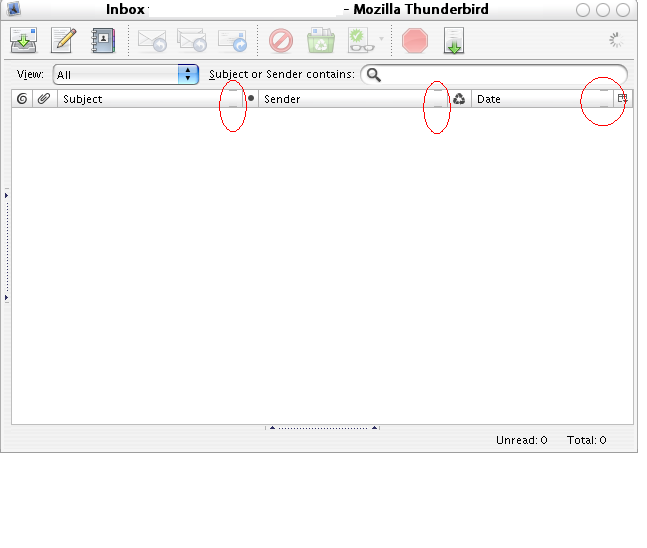
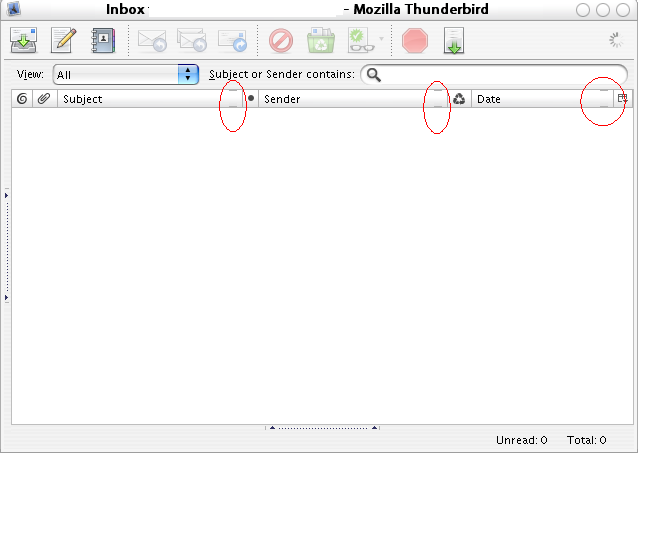
The little arrows that are supposed to be next to the print icons as well as the reply icons are simply not there. I followed the tutorial completely, however, I am using today's (27/IV/04) nightly build. Could that be a problem?
love it installed and runing great
Originally posted by kenzo@Apr 28 2004, 12:28 AMOn milk2 msstyle theme, anyone have this bug like me ?
Yes, I confirm that bug with the Milk 2. But it's a really minor issue, I think.
Originally posted by juno@Apr 27 2004, 05:20 PMThe little arrows that are supposed to be next to the print icons as well as the reply icons are simply not there. I followed the tutorial completely, however, I am using today's (27/IV/04) nightly build. Could that be a problem?
I did a fresh install of version 0.6a (20040421) with a new profile, and I don't have those arrows either, just a large space.
Also, my "options" menu has no "OK" or "cancel" buttons at the bottom.
Lastly, I have no activity indicator available for the main window.
Luckily I backed up all my previous stuff... <_<
I know I am slow but I can't seem to get the File, Edit, blah blah blah text menus to disappear in the compose mail window. 
I am having the same problem as static. I have the words menu but not the icon as well as it should be. Also I would also like to know how to get rid of the file,edit,view menu in the compose window.
To remove the file, edit etc etc, just keep adding spaces until they are all out of the window. That's it.
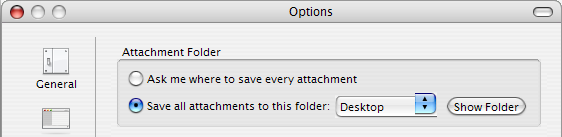
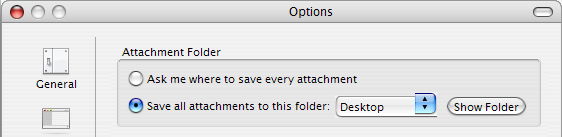
Edit: A bug I found, under the options panel. Check the alignment of the dropbox button.
Great Pinstrip theme. Using now.!!!