 Aqua-Soft Forums
i made a shinobi skin, should i post it here, or make a new thread? i know what pe7er would say.
Xplore 1.0
Originally posted by grim53@Mar 15 2004, 01:07 AMi made a shinobi skin, should i post it here, or make a new thread? i know what pe7er would say.
If you already made it and want to release it, not tease, create new thread. It's worth it 
 or are the icons original?
same icons, just skined the buttons to match shinobis vs,
same icons, just skined the buttons to match shinobis vs,
I did a bit more...I used the Panther Graphite buttons and I used the exact icons & blue highlight color from the original Finder.
:woot: Yes, it works, amazing!! (Y)
Aladdin610...
i noticed u use icon view....on mine its ugly as hell....it thinks its thumbail or somethin
who do i fix this...

Aladdin610...i noticed u use icon view....on mine its ugly as hell....it thinks its thumbail or somethin
who do i fix this...
Yeah, I think you have it set up the view as thumbnails. What I think you can do is go in Explorer, change the view to "Icons" and then go to Tools>>Folder Options>>View tab>>Apply To All Folders
I hope it works. If it doesn't, just right click in Xplore and change the View to Icon.
Bye & take care,
Nando
nope..didnt fix it...explorer works fine but xplore doesnt like icon view
tiles works fine and so does list...every view except iconview works
Sorry, dude.
-------------------------------------
In response to the message below:
Excellent!!
seems to be an icon packager problem...but i cant change it with iconpackager...i gotta change every single damn icon by right clicking it and going to properties...then change icon
anyone know a faster way to do this?...i have ALOT of folders
EDIT
actually it was a problem with Pack's shell32.dll
i fixed it
Originally posted by Cheezemurda@Mar 15 2004, 04:32 AMseems to be an icon packager problem...but i cant change it with iconpackager...i gotta change every single damn icon by right clicking it and going to properties...then change icon
anyone know a faster way to do this?...i have ALOT of folders
EDIT
actually it was a problem with Pack's shell32.dll
i fixed it
How did you do that, i`m still having the same problem
i changed all my regular explorer icons using iconPackager. Afterwards I uninstall Iconpackager, saying no to 'reset your icon settings' Now I have beautiful aquafolders in explorer. No problem, no background app running keeping them. I have the Aqua transformation pack installed by the way which has alternate aqua icons as well in shell32.dll. I only get the yellow folders in browsing windows, using office and other applications when opening or saving files. Explorer is all aqua...
Now where does Xplorer get its folders?? What .dll does it use? Pleazz tell us!
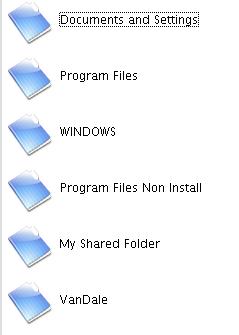
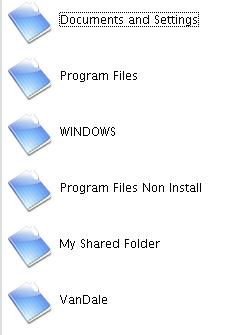
How did you do that, i`m still having the same problem
i had to open the shell32.dll in reshacker and replace the folder with a "good" one
Someone should put up a guide on replacing Explorer with Xplore
Originally posted by JoLeLuv@Mar 14 2004, 11:03 PMyeah changing the region settings did help. Now the warning is gone. But see if u can fix it, TiG4, 'cos I'd recommend ur kickass app to my Chinese friends
some of them might be bothered to change the region, though.
hope this wont bother u...
I repeat~ u rule!!!!! that's a real nice App~~~
That's great!
sh!t hit the fan!
guys could u stick to the topic, it has nothing to do with this app, not at all....
the fact your folders dont get the right icons has nothing to do with Tig4 pimp's Xplore.
Get a good Shell32 like Flyakite or Stefanka's and then you can turn the fan off letting everything dry out.
Aight if there is nothing to talk about lets just let the tight pimp tig4 to lead da way. :rock:
Cheezemurda, man that gangsta in your sig deserves a major clown foot to his lips.
Can you like take him off the image, his face annoys me. He's got a pimple too.
thank you Goku for such a wonderful review of my new and upcoming application. I do also feel as though it deserves pimphoodness and shall be inducted into the pimp hall of fame as master pimp application of all time.
Again thank you to all of my fans that voted for my application to become the most pimpiest application of all .
:rock:
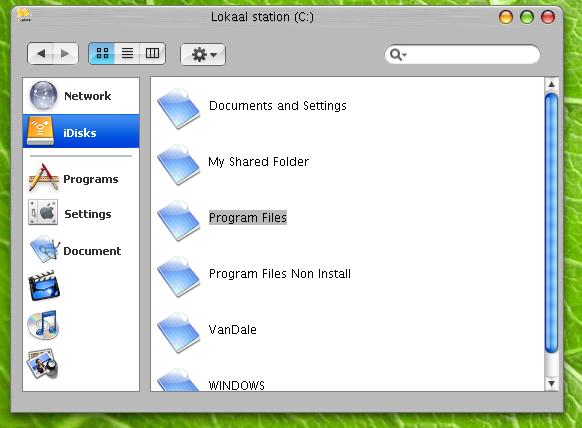
Okay then, the app rocks! Modding the icons belongs somewhere else. For everyone that wishes to know how to change only the folder view in Xplorer, see the image below and visit the latest post on the customizing windows GUI board http://www.aqua-soft.org/board/index.php?act=ST&f=7&t=13533

Want that perfect look?
Perfect Panther

What I did/fixed:
1. all new masking on the upper buttons
2. new back/forward images
3. updated all other top buttons
4. Created all new toolbar images
5. Used resources from Real panther toolbar
6. per pixel alignment of text and icons
7. added real Panther text to images for realism
8. re-aligned buttons
Simply extract the folders, contained in the rar file, into the images directory of Xplore.
Please make sure Xplore is closed first and always make a backup of the originals for your convenience.
Also, delete ALL text in the fields and just leave the shortcut.
The reason i did it this way is both for realism, and because Xplore has yet to add font functionality/changing.
by yours truly
OMG, i didn't think of that...i'm sooo stupid. I could do that with the milk skin and overlays...
Excellent, its looking very much sweeter, thanks Duckie
Originally posted by starforge@Mar 15 2004, 08:37 AMExcellent, its looking very much sweeter, thanks Duckie
you're welcome
glad to keep Aqua realism alive
nice TiG4 and thnx Duckie.
i was just wondering.. are you gonna make it start on the network "tab?" instead of just starting on a blank page..? some 1 might of already said this, but i got bored of reading after 2 pages  so sorry if some 1 did..
also, how can ya get rid of it saying xplore? not a bid deal just wondering 