Aqua-Soft Forums
you can't use the administrator folder, you must use whatever folder that is the same name as your windows log in name. Not only that, you must enable the option to be able to view hidden files.. Since you are viewing the application data folder (it's hidden by default) I assume you thought of this.
[release] Milk Firefox Theme Beta 1.0
Well i thought i was installing this right, when i was finished installing all 3 rar files. and all the other files. and i thought i was doing it right but no my firefox looks like this. Can someone tell me how to install them just to make sure i am doing it right. Looks nothing close to the screenshot 

Originally posted by Kite@Mar 9 2004, 05:04 PMWell i thought i was installing this right, when i was finished installing all 3 rar files. and all the other files. and i thought i was doing it right but no my firefox looks like this. Can someone tell me how to install them just to make sure i am doing it right. Looks nothing close to the screenshot
me too please
Close your browser after replacing the .rar files, and then re-open the browser. Choose "classic" from your themes
Whoo! This is some seriously good skinning. Thanks for all your work! :woot:
BTW, one question: How do you change the font for the address bar?
Mmmm milk! :woot:
EDIT: redundant post. aladinsrl, did you get my PM?
yes i readed.....u are right...i hope to do more change...in the nex release....
Awesome skin, thanks! I think the Go button needs a touch up though. 
This is a nice job...all is displaying properly after following the Read Me file included, and after installing both Tab Pref_0.5 & Tabbrowser Extension (TBE)...Man it has been awhile since I have used TBE...
My only concern is that My Homepage which is set to: www.Aqua-soft.org/board, when it finishes loading:
1. There is the blue globe 'favicon' in the URL box (instead of the Aqua-soft favicon-Green ball/sphere)
2. On the tab, there is No favicon at all
Aqua-soft is loading up just like 'aquaxp' which of course, does not have a 'favicon'...If I load up aquaxp, the URL bar has the 'blue globe' and the tab is blank...this (I think) is the correct behavior that occurs when a website does not have a 'designed favicon', but Aqua-soft has one...
All other websites display the proper favicon in both the URL box and the loading tab...
Is there a setting in TBE or Tab Pref that needs to be checked?
Also, hopefully on your next release, I concur with other member replies, that packing the 'classic.jar' back into Milk.jar can be achieved...Much more convient...
Wonderful....
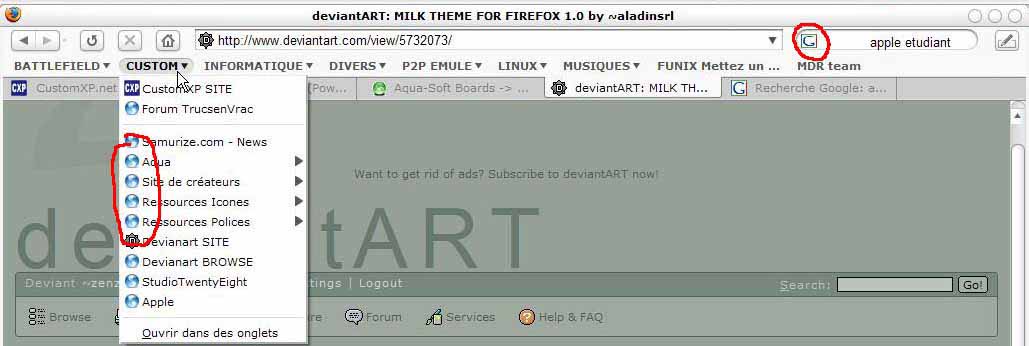
I'm a big milk fan and I changed my pinstripe theme to milk.....
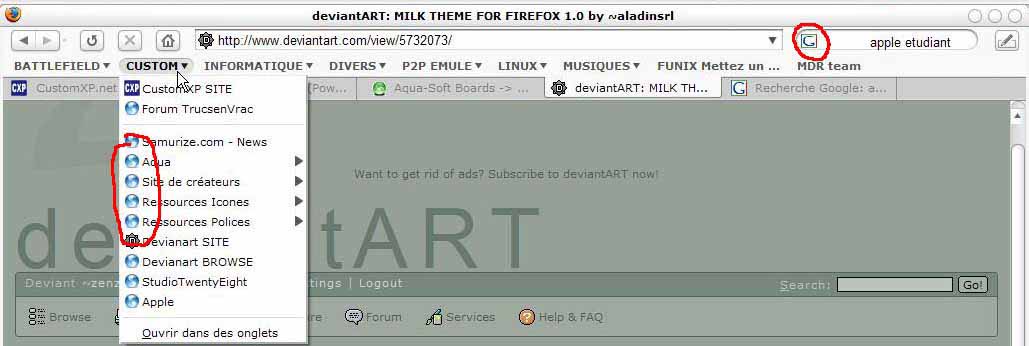
But I got a few little things which are bugging me....
I show you what are the things....
I have look in my classic.jar and the folder.png is the good one.... I had this bug too with the pinstripe theme....
Then Is there anyway to modify the way the search bar is show.... I'd like just to have an icon 16*16
Maybe here is the problem I'm using a french version of firefox.....
if a french guy can tell me if any of firefox' theme works for them that would be fine....
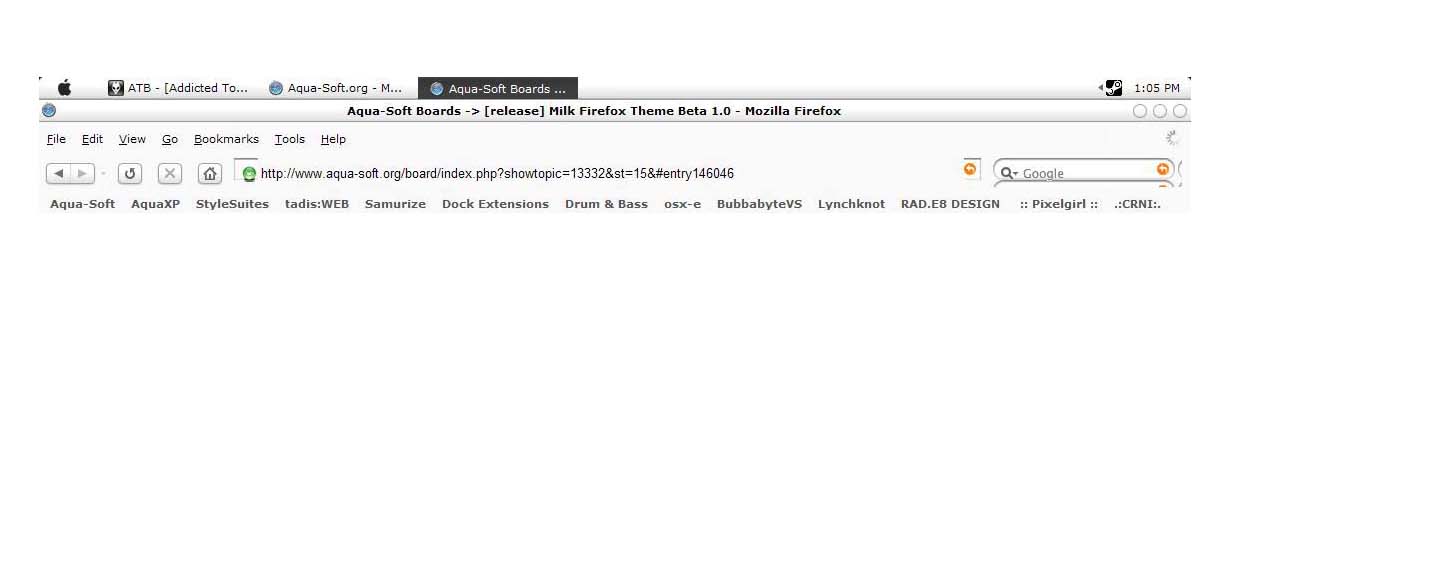
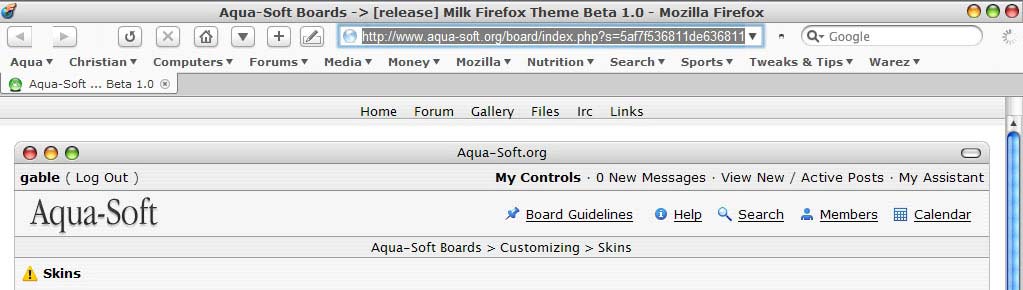
any idea why i can't get the back/forward buttons together
is it cuz i'm using a nightly build from March 8, 2004 perhaps?
see attached pic if u have any suggestions
great F'ning skin bro - we all have been waiting for something like this
gablet

Why not make it a regular Jar file without having to do all the steps... 
Originally posted by gable@Mar 9 2004, 05:29 PMany idea why i can't get the back/forward buttons together
is it cuz i'm using a nightly build from March 8, 2004 perhaps?
see attached pic if u have any suggestions
great F'ning skin bro - we all have been waiting for something like this
gablet
right click ont he bar and go to custmize and remove any spacer between the 2 icons
Gable,
I am pretty sure that the 'abnormal spacing that you are getting for the Toolbar icons is due to the fact of the 'nightly' that you are using...In fact this 'abnormal spacing' of Toolbar icons has occured on a lot of Nightlies...not just your build date...
I found this code & quote from Sailfish, one of Firefox themers to solve this rather strange behavior:
Dan Kies, all I did was add the following statement to my global\toolbarbutton.css stylesheet and it seemed to fix both cases of dropped dropmarkers?
Code:
.toolbarbutton-menubutton-dropmarker,
.toolbarbutton-menu-dropmarker {
-moz-image-region: auto; /* cut off inheritance */
}
This goes into \global\toolbarbutton.css
Great job on the skin!! I love Milk!
I was wondering if it's just me, but on the back button there is no mini drop-down arrow when you want to go back more then one page at a time, but there is a mini drop-down arrow on the forward button. Is there a way to fix this? And maybe if I can get rid of the blue border when you click in the url bar or the google bar?
well official release 0.8 works fine so yes it is a nightly thing
ill try above fix and see if that works
thanks all
gable
update - the above fix does fix the latest nightly builds so keep that code handy 
pure_ice, if you want to see a drop down list of sites you've already visited, just right click the back button. If you want a Milk skin skin without the highlighted URL and search bar, try using magbi9 and Bicet's skin for now. It doesn't work with TBE though, so you'll have to settle for tab preferences.
gahbmwM5, does that code get rid of the dropdown arrow beside the forward button?
First, very nice theme. Thanks!
Second, I have a question about some buttons on the Nav. bar.
What are these buttons with the arrows pointing to them? One looks like some sort of compose button, the other three some king of icons???
This is from a screenshot earlier in this thread posted by oc-athlonxp.com.Thanks for the help.


Originally posted by pure_ice@Mar 9 2004, 05:49 PMGreat job on the skin!! I love Milk!
I was wondering if it's just me, but on the back button there is no mini drop-down arrow when you want to go back more then one page at a time, but there is a mini drop-down arrow on the forward button. Is there a way to fix this? And maybe if I can get rid of the blue border when you click in the url bar or the google bar?
Just right click the back button to get the menu.
}
.textbox-input-box {
border-top: 0px solid;
-moz-border-top-colors: #7C7C7C #C3C3C3;
border-bottom: 0px solid;
-moz-border-bottom-colors: transparent #DDDDDD;
background-color: transparent;
margin: 3px 0px -1px 5px;
padding: 0px 0px 0px 0px;
font-family: sans-serif, lucida sans unicode, lucida sans unicode !important;
font-weight: normal !important;
font-size: 1.1em !important;
}
I wanted to make my URL Box 'text size' to look at the same/similar size that I have in my Pinstripe.jar, so here is the code within the browser.css--->Firefox\Chrome\classic.jar\skin\classic\browser
The 'font-size': was 1.2em, so I edited it to the above 1.1em size, leaving all else the same...
Results: URL Box 'text size' is now more to my liking...The tab text size is fine for me, so I left it alone...Now both Pinstripe & Classic.jar (hopefully soon a Milk.jar-lol) look very similar regarding text sizes...
Hi,
I just installed and its great
Id like to ask one thing, how can I change the blue highlighted in the adress bar and in the google search to grey ?
Thanks.
Bye.
Originally posted by tigbus@Mar 10 2004, 12:19 AMFirst, very nice theme. Thanks!
Second, I have a question about some buttons on the Nav. bar.
What are these buttons with the arrows pointing to them? One looks like some sort of compose button, the other three some king of icons???
This is from a screenshot earlier in this thread posted by oc-athlonxp.com.Thanks for the help.
Well the first icon on the left is the compact menu icon. The middle one out of the three on the right looks like a trillian icon. not sure what the other two are.
Tigbus, The three colored icons are for my webcam, Trillian, and to launch my e-mail client. These three icons are not part of the theme. It is an extension I an using. It's called "external application buttons."
very sweet and great tip on the external application buttons
compact button is slightly too high though
fix in next update?
thank u so much