 Aqua-Soft Forums
[release] Cdcovers
Originally posted by p0ptart@Feb 21 2004, 12:55 PM
that was the problem. thanks much. i'm feeling pretty dumb right about now.

Dont worry. you are not the only one
Originally posted by tarik@Feb 21 2004, 05:01 PMDont worry. you are not the only one
 that makes me feel slightly better.
Did anybody get the Art Album feature to work with internet streams?
I tried what was said in the advancedmediaplayer.opt but no luck
yep it's working pretty well when the track have good idtags
(almost 40 covers found on the net automatically since upgrade 1.25 )
Originally posted by derek@Feb 21 2004, 02:39 PMyep it's working pretty well when the track have good idtags
(almost 40 covers found on the net automatically since upgrade 1.25
what site do u use to listen ?
IMPORTANT
~~~~~~~
There is a bug with image downloader that will freeze comp for 90 sec if no internet connection is established. ( some of us still use dialup connection )
Plugin keeps trying to search for image but since no connection is active it's stuck in the loop (proc usage goes sky high - 100% - and comp freezes). GOOD thing is that proces is terminated after 90sec. and everything is back to normal - until next song...
I just got confirmation from plugin author and he is working to fix this.
So you either make sure you're connected when playing song for the first time
or get all covers you can get and disable internet search in the 'opt' file located in '~\samurize\plugins\' folder .
To disable search for covers on amazon.com change this :
autodownload_byalbum = 1
autodownload_bytitle = 1
to this :
autodownload_byalbum = 0
autodownload_bytitle = 0
Originally posted by tarik@Feb 21 2004, 06:47 PMwhat site do u use to listen ?
i have the original AdvancedMediaPlayerInfo.opt so it must be amazon.com
Originally posted by derek@Feb 21 2004, 03:05 PMi have the original AdvancedMediaPlayerInfo.opt so it must be amazon.com
Sorry for the misunderstanding >.< I meant what internet links you are using to listen to streaming music or radio?
oh ok
the cd covers refers to the track name to search covers so with the radio name it'll not found
Ok I read the readme and everything and I actually just now realized that you had to copy over the one file advancedmedia.opt or whatever and now that that is copied over everytime a song changes my trillian connection manager opens up. Any suggestion on why my trillian conectin magager is opening up instead of having it download a cover from amazon.com.
I finally got around to testing this out, and all I can say is that it is nothing short of AMAZING!
I added a 3rd line to display the album name, and it is awesome.
Thanks for realeasing this!
Now if only it autoupdated the id3 tags in iTunes when it finds missing artwork...
At least it saves the files in one place, so I don't have to do too much to do this.
No more time wasted searching.
Once again, great job man!
Maybe something I didn't unserstand very well....
But does CDcovers can display .jpg covers ???? Cause it doesn't work at all, When I put my .jpg with the folder.jpg name it search on the net... 
And if I use a png file it work perfectly....
???? What should I know that I don't know....; >.<
ok I got the trillian bug fixed but now it doesn't seem like its searching for any albums cause I have manually searched amazon and then put the exact album title in the id tag and played the song and it keeps showing up with no album art found.
Also when using the box config when no album art is found it switches to the spectrum config but then when a song that has an album art plays it doesn't switch back any way to fix this?
you have to change the key shortcut for the trillian connection manager because its default is ctrl-alt-c and theat is whats used to reload the config.
Sorry buddyd16 for boring you agian but how do I change the trillian conection manager shortcut ? I didn't find it
prefences - events - advanced - and look for hotkey: ctrl-alt-c right click or click on it then choice edit.
Thanks buddyd16, done 
Does this work with Proxy ?
This is Awesome Thx CRNI, but I'm having a little problem, When I'm runing Sinergy Config, and it doesn't find a cover it colaps to the small form, but then when it finds a cover again it doesn't grow, it stays like in the atachment, it just loads the art in the place of the litle stars
The same hapens when I choose SinergyLong or the Vis config, in this last case the album cover loads very very smal in the center of the cd.
How can I solve this ?
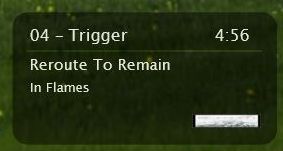
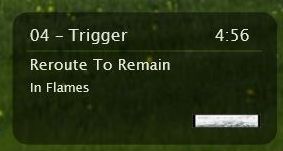
Does BOX style switch properly ?
If not then make sure you have all the files in the right places .
Synergy and BOX styles uses autoswitch script based on result from 'getAlbumCover' function .If equals 'C:\Program Files\Samurize\Skins\CDCovers\NOcover.png' then it switches to nocover config and if it's different then that script switch to display cover config.
Locate line :
not_available = C:\Program Files\Samurize\Skins\CDCovers\NOcover.png
in 'AdvancedMediaPlayerInfo.opt' located in plugins folder , and make sure that is exactly like that.
Also you MUST run 'CDCovers' instance or scripts wont work ...
The Box style has the same problem (check the new screenshot) and I have all the files in the right place, I unziped to samurize dir, I'm also runing CDCovers Instance (seen on screenshot also).
I located that line you say and mine is slightly diferent:
not_available = d:\Program Files\Samurize\Skins\CDCovers\NOcover.png
the diference is because my main disk is d and not c, I also did a find replace in all the files in CDCovers and replaced all the "c:\" for "d:\" I think that should have make it work, but nop, it has this bug.


omg.. i must be a complete moron.. but i'm so sick of not being able to figure this **** out...
i've read the instructions for this... how do i ...
2.Run 'C:\Program Files\Samurize\Client.exe CDCovers'
That will create 'CDCovers'instance.
how do i RUN that... i can run client.exe but how the hell or what the hell do i do to run this "instance"... i dont get it at all.
how do i RUN that... i can run client.exe but how the hell or what the hell do i do to run this "instance"... i dont get it at all.
Create a shortcut to client.exe and append it to look like:
Samurize_Install_Dir\Client.exe "CDCovers"
This will run Samurize with the instance CDCovers.