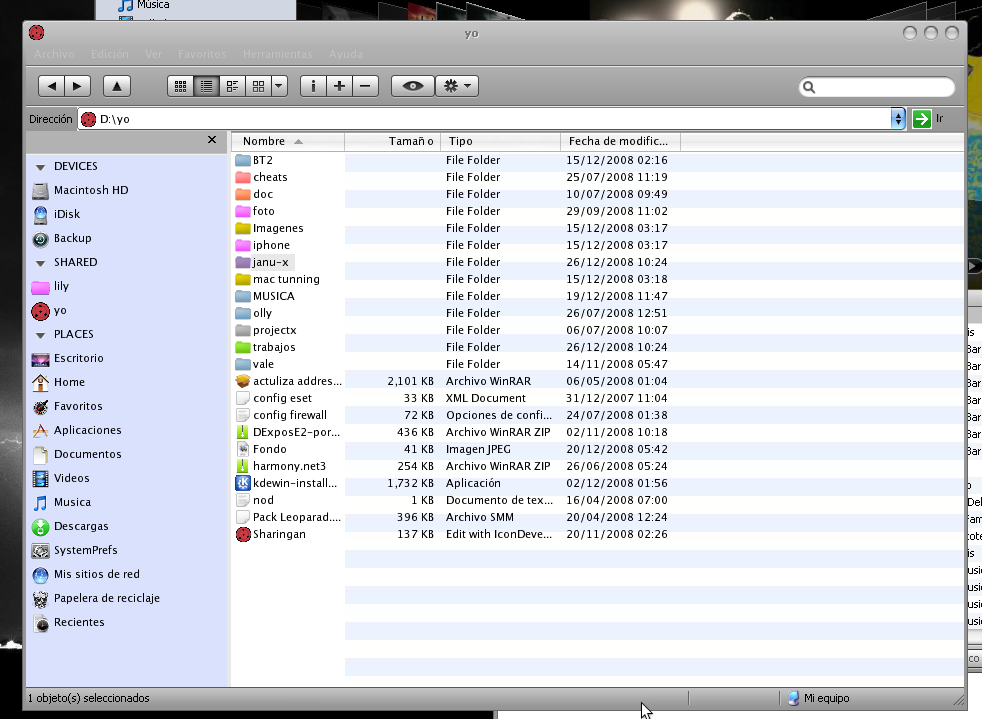
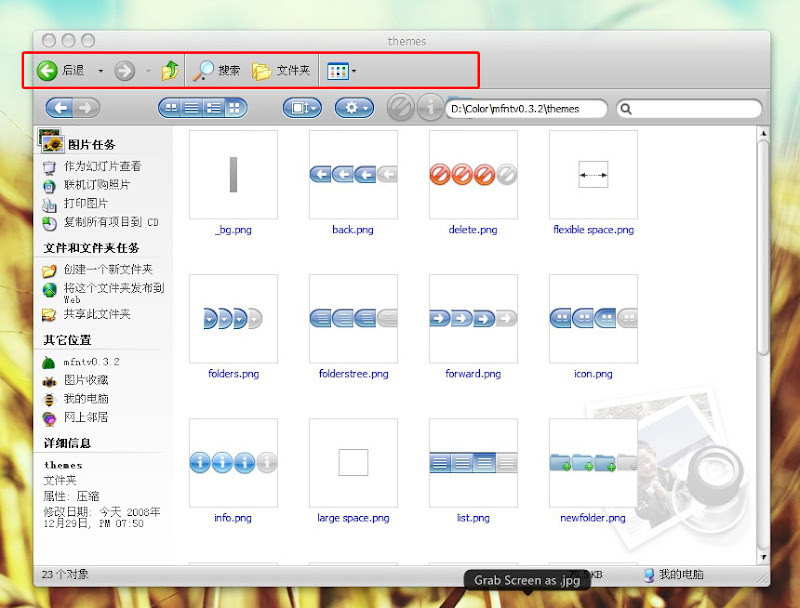
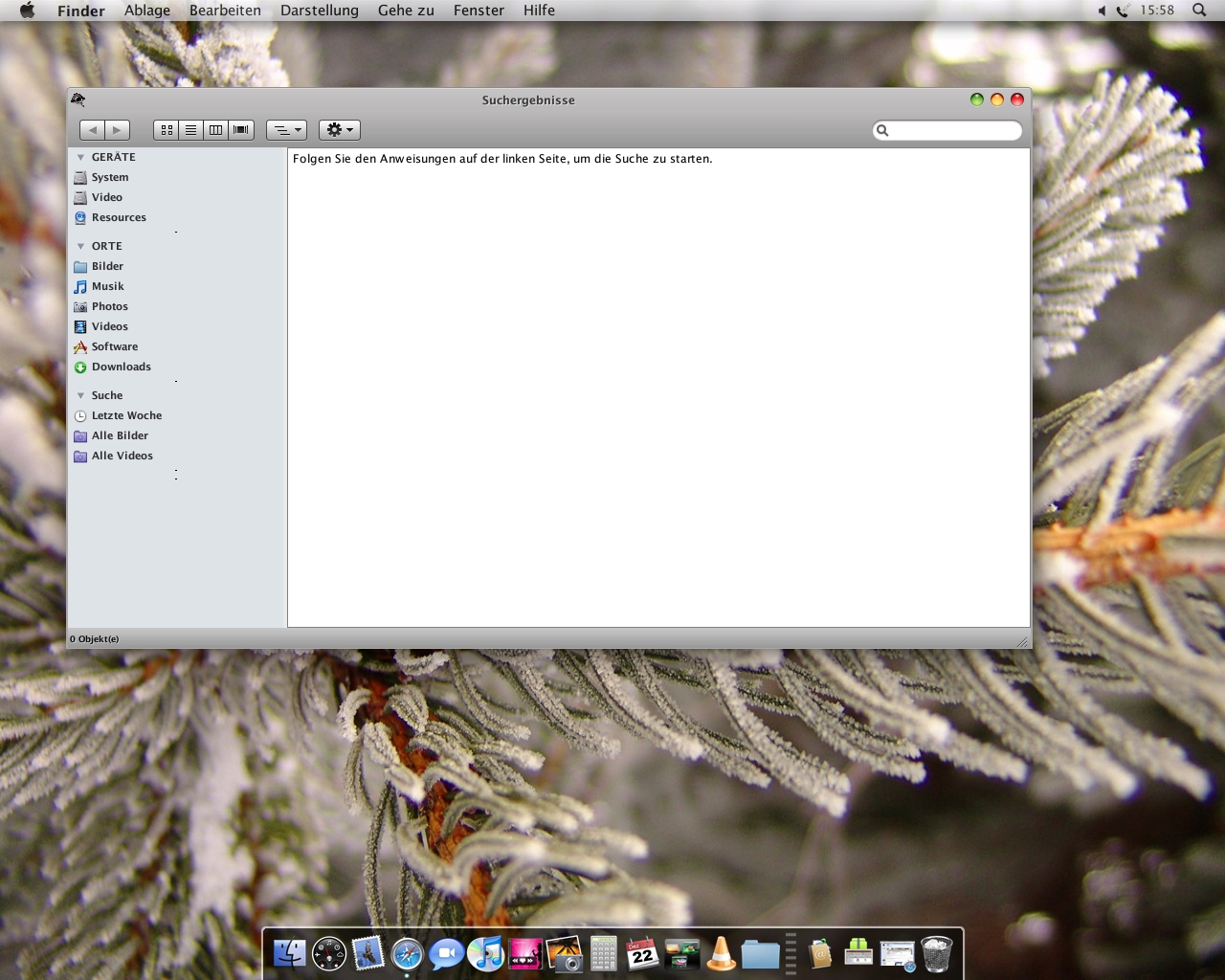
Mac Finder Navigation Toolbar for Windows

Hi Guys

@KSoft: Amazing app dude, please keep working & updating it.

@RocknGothAlien: Superb skin (Proto style).

Ok, lets begin with the complains :P

1) Found an strange bug with the "path" bar...it won't resize :( , it just stays freezed at a fixed size and unfortunately occupies 1 / 3 of the screen. That's the way it supposed to works or I'm doing something wrong?

2) Related to the first, the search bar overlaps with the pathbar when i shrink the window...

I hope I have been clear enough, if not i'll try to put some screenshots then.

Thanks for your time, greetings :)

#518066

Thanks :)

firecracker6,

The addressfield don´t have a "breadcrumb" feature. Only the "folders" button.

Breadcrumbs:

...I think it should be done not as part of this toolbar but as separate application (it's needed to place one more bar), not in this project....

Xpect0r,

The Toolbar don´t have a resize feature at the moment, so you must change the size in the theme.ini under [path] w=300 (WinLeopard & Proto standard^^)

#518070

@firecracker6,

No breadcrumb yet. It's needed to write a separate breadcrumb component, integrate it in toolbar, skin it etc. So it's maybe in feature. And it would be good to renew some other projects (like SmartUp menu).

On toolbar at bottom of window (like in Tiger) on Timan's screenshot I meant that this should be a separate one more toolbar. In leopard is a folders button instead of bottom bar (afaik). But bredcrumb is a good think, I used it in Vista :)

@RocknGothAlien,

Thanks for answers and new great theme! :)

Maybe it will be helpfull, I've added RightMargin for boxes (there are was this parameter but it was not used before). So if you want to place button after box but on it's background you should use RightMargin. If this value <>0 then button after box will be placed on box (EditMargins=12,8,24,6 - here edit box control should be a bit shorter, right edit margin wider).

Something like this:

box1.jpg

@Xpect0r, Thanks! :)

Yes, there are no sizable boxes while.

Please download a new version. There are some important things:

correct theme.ini with RightMargin = 0 and new DLL. Other files for capability with first time toolbar users ;)

#518074

Nice, thanks :) (and next version LeftMargin?^^)

Now i go play with RightMargin ;)

#518078

I tried to install this on Vista 64 and nothing happens; it says it installs successfully but then I can't find where to make it show up. Any tips?

#518114

tibil,

I've not tried in Vista but JBar2000 wrote:

"I tried it out on Vista already. (check first page) For me it works decently." on second page.

Maybe try to look in View menu of Explorer's window?

#518117

I tried to install this on Vista 64 and nothing happens; it says it installs successfully but then I can't find where to make it show up. Any tips?

did you open a explorer window(my computer, etc)?

if you did, then go to layout, and click the menu thing.(this should be right under your address bar)

then once you click the menu button, the menu bar(file, etc) comes up. Then right click that strip and youll get a bunch of stuff. go to freestyler toolbar, and then its all there.

then go to settings on toolbar and click menu bar, to make menu disappear, you can try to make address disappear, but on my vista(home premium) it doesnt stay disappeared.

#518130

Thanks :)

Xpect0r,

The Toolbar don´t have a resize feature at the moment, so you must change the size in the theme.ini under [path] w=300 (WinLeopard & Proto standard^^)

@Xpect0r, Thanks! :)

Yes, there are no sizable boxes while.

Please download a new version. There are some important things:

correct theme.ini with RightMargin = 0 and new DLL. Other files for capability with first time toolbar users ;)

Thanks for the reply guys! well I'll be checking this thread for future updates, cya. ;)

#518132

@RocknGoth

Why does that button cut out like that? Even if I remove the last button always gets cut out.

72t79f.png

#518133

Yes, i set some Buttons together:

If you want to set a other "Begin", "Middle" or "End" Button, you must it edit by self...

Or KSoft add for every Button a "Begin", "Middle" and "End" State. Then i could a advanced the Buttons^^

I could only transform every Button to a single Button, at the moment...

#518145

Hey Ksoft, a little suggestion ;)

-A button like "Personal Menu" (Firefox Addon),to see classic menu bar

post-74758-1230151449_thumb.png

Pmenu.png
Pmenu.png

#518159

Or KSoft add for every Button a "Begin", "Middle" and "End" State. Then i could a advanced the Buttons^^

I could only transform every Button to a single Button, at the moment...

Now that is what I'm talking bout.

#518174

@magnus87,

It's a good idea but we have option to show/hide menu and there are some programming things... I'll thinking more on it :)

@RocknGothAlien and @Ghostwalker,

I've planned this toolbar not as Styler but more universal and customizable, so you can add or remove buttons by drag'n'drop (btw, there are minus like only one line for buttons etc). Structure with all this 3 parts of each button will make it certainly prettier but much more complex. Look: you should create all buttons in 4 states and also create left, middle and right parts in all this states also. Then it's maybe better to have just one more button variant for last button in skin to use it instead of standard one?

#518212

Thanks for the help everyone, but I have no idea what I'm doing wrong. I've uninstalled and reinstalled it several times, but I still get nothing. I looked in all the places you recommended before I posted my problem. I think I'll just wait for the Vista version (crosses fingers).

#518245

good work Ksoft

...

change background

----------------------

[Autorun]

label= YO

[{BE098140-A513-11D0-A3A4-00C04FD706EC}]

IconArea_Image=D:yobackground.jpg

IconArea_Text=0

[.ShellClassInfo]

IconFile=D:yoSharingan.ico

IconIndex=0

ConfirmFileOp=0

----------------------

save as: Desktop.ini

post-77028-1230306212_thumb.png

background-ico.zip

Screenshot.png
Screenshot.png

Attachment: background-ico.zip

#518281

good work Ksoft

...

change background

...

Thanks!

At first I've thought that it's any secret hidden options of my toolbar ;)

#518320

I have some problems after the installation:

the window doesn't remember sizing and positioning

standard butons apear even if I close it

WOW! it must be my worse english ever, I hope you understand my problem

#518332

I have some problems after the installation:

the window doesn't remember sizing and positioning

standard butons apear even if I close it

WOW! it must be my worse english ever, I hope you understand my problem

Your english is good, really :)

You can try this: hide standard buttons before installation. Or maybe it should works right if window (after toolbar hidding) will be closed and explorer.exe will be reloaded from Taskmanager.

On size and position, yes, but not sure why :(

#518336

thanks for the feedback, now standard butons dissapeared :D

about sizing and positioning... not a big deal, I can live with it (for now :P)

Congratulations KSoft, you're really doing something that makes Styler looks like sh*t. keep up the good work mate.

P.S. now you just need a catchy name for the app, but I can't help you whit that:confused:.

#518344

Wow, this looks great. I've been using QTToolbar which has similar features, but one thing it didn't have with the search, was the ability to search subfolders. Is it possible with this, and if not, are you thinking of implementing it (as a toggleable option). Thanks!

#518362

@zequihumano,

I've noticed that such strange things happens if I hide menu. Will working on it.

Yes, this is a working name and it should be better :) (I've called it FreeStyler at first (it was many time ago)).

@dutchMasta,

It's possible to search in subfolders like you press Ctrl+F, write a key word and press Search.

So, in XP, it's a standard search. On filter files in list, like currently in QT, I like it but I don't know how can I organize it in my application. If someone know how then it would be great :)

#518377

Thanks,Great!!

Why I canceled the standard buttons,But every time to re-open the window will appear??

and,search and new file name can not be encoded Chinese? Screenshot-20081229-1%E5%89%AF%E6%9C%AC.jpg

#518654

@dutchMasta,

It's possible to search in subfolders like you press Ctrl+F, write a key word and press Search.

So, in XP, it's a standard search. On filter files in list, like currently in QT, I like it but I don't know how can I organize it in my application. If someone know how then it would be great :)

Oh right. Yeah, I just started using your app, pretty neat. I'm also hoping for that "filter files in list" type search, hopefully someone can help you with that, I have no idea unfortunately!

#518744

I don´t get the error message with AddFolder.

I must admid I just realized I didn´t use TT 0.9.4.

Works well with this one. Sorry.

Maybe this went down in my post:

-could the search field made strechable, so that in case of vaery small windows it doesn´t overlap the icons?

-I´m really missing the list view.

-Cannot access to my search window from the start menu. Looks like this:

//Image removed. -NC

how did u move search bar to end,i cannot do it, it is stuck in middle

[[ Edit: ]]

sorry got it, thanx

#519097

RocknGoth, I replaced all the files but I can't seem to get your up button... care to share how you get it?

#519323