Aqua-Soft Forums
My problem is the exsculstion list doesn't work. I tried everything from setting the window to setting the app name. I am using 32 bit vista premium.
I also changed method to using exclution list 
My problem is the exsculstion list doesn't work. I tried everything from setting the window to setting the app name. I am using 32 bit vista premium.
I also changed method to using exclution list
I'm having trouble when i start windows, the dock loads weird, anyone having the same trouble ? (Attatched Image) [just in windows starts, when i open it from C:Program FilesXWindows Dock there's no problem]
The other bug trouble i'm having it's that when i click a icon, sometimes it freezes for about 7seconds
i know it's because of the program, because i can just open calculator and it freezes anyway, but just about 7 seconds :B


I'm having trouble when i start windows, the dock loads weird, anyone having the same trouble ? (Attatched Image) [just in windows starts, when i open it from C:Program FilesXWindows Dock there's no problem]:B
I got the same problem. after reboot is looks messed up as you pictured. I'm using vista ultimate 32bit
EDIT: Added pic


*My New Bugs*
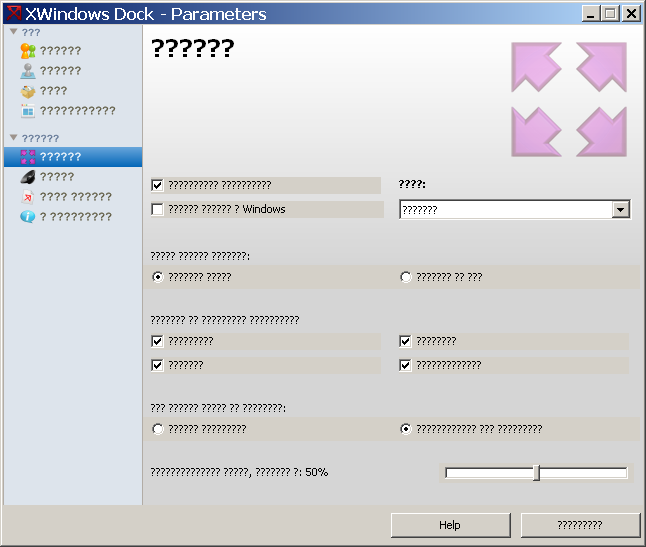
Now i have a bug with Spanish language, nothing in the button.
*FIXED* Minimization looks like frame by frame (it worked fine 'til now) *FIXED* (too many Safari windows working  )
)
D:
*Language bug Attatched Picutre*
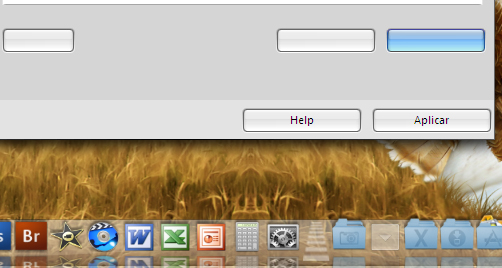
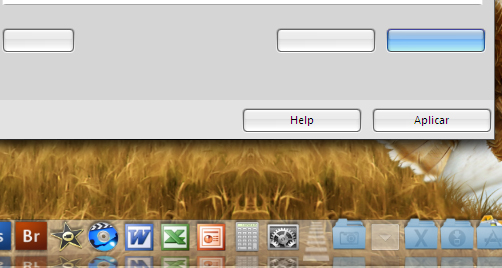
Make sure you have the latest Spanish lang. file and also that it's for the current XWD version.*My New Bugs*Now i have a bug with Spanish language, nothing in the button.
*FIXED* Minimization looks like frame by frame (it worked fine 'til now) *FIXED* (too many Safari windows working
D:
*Language bug Attatched Picutre*
I got the same problem. after reboot is looks messed up as you pictured. I'm using vista ultimate 32bitEDIT: Added pic
I'll start fixing it very soon, when I'll finished working at the stack-gallery.
Make sure you have the latest Spanish lang. file and also that it's for the current XWD version.
but i downloaded it yesterday x) because my laptop screwed up u.u so i start all over again xd
but i downloaded it yesterday x) because my laptop screwed up u.u so i start all over again xd
Aquí tienes el idioma español para la versión actual
http://www.aqua-soft.org/board/showthread.php?t=50543&page=5
I'll start fixing it very soon, when I'll finished working at the stack-gallery.
Awesome! Looking forward to it;)
Unicode issue.
Windows(en) XP Pro sp2
Russian, Chinese.. can not be displayed correctly.
This is a quite old problem.
I remember that Matonga had similar problem with his winepose and he had resolved it successfully.
So he may has some suggestions
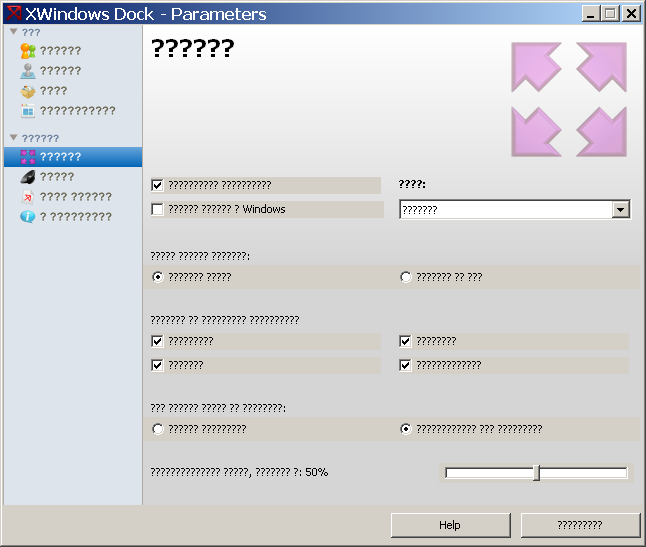
another issue is magnification.
see attachment.
while moving mouse fast over dock, it shows up


Aquí tienes el idioma español para la versión actualhttp://www.aqua-soft.org/board/showthread.php?t=50543&page=5
Gracias :B
****Another Bug****
like the above post, but it shows like this:
Unicode issue.Windows(en) XP Pro sp2
Russian, Chinese.. can not be displayed correctly.
This is a quite old problem.
I remember that Matonga had similar problem with his winepose and he had resolved it successfully.
So he may has some suggestions
What I did was to use the TFont.Charset property.
This does not exactly correspond with Unicode strings. Maybe a function can be written to convert Unicode to multi-byte strings + the most applicable charset.
another issue is magnification.see attachment.
while moving mouse fast over dock, it shows up
that's the first thing i actually consider.
the speed of magnification is somewhat slower or has late reaction to the hovering of mouse.
i hope this would be fix soon..
but generally, xwindows dock is really great and easy to use.
I said, that I have already fixed and made magnification smoother, faster and now you can change items cont which will be used in magnification, like 1,3,5,7,9,11,13 items...
@tengshj: I don't know how show unicode correctly... I can't know everything...
Also, several minutes ago I finished coding "Stack-Gallery"... look at the screenshot (on XWindows Dock thread) But you can only use gallery for "stack from explorer"
So now I'm going to fix a lot of old and new bugs  and then, may be, I'll publish the version 5.4.
Thanks all.
I said, that I have already fixed and made magnification smoother, faster and now you can change items cont which will be used in magnification, like 1,3,5,7,9,11,13 items...@tengshj: I don't know how show unicode correctly... I can't know everything...
Also, several minutes ago I finished coding "Stack-Gallery"... look at the screenshot (on XWindows Dock thread) But you can only use gallery for "stack from explorer"
So now I'm going to fix a lot of old and new bugs
Thanks all.
Hi Bobah, i probably found another bug on the Docklet-API. The OnTimer-Event seems to not work correct (it seems to be triggered multiple times, if the dock looses the focus). I know you are currently working on a lot of fixes, so just send me a note, when I can come to you with my problems again or if I shall do some testing
i noticed that xwd doesn't recognize change in screen size. I use a docking station at work and when I disconnect from the dock, the dock does not readjust to my new screen size. Same when I connect to dock. I guess you could reproduce this by changing screen resolution.
XWD follows both your settings at its 'Preferences' window and the settings of the skin you're using (just open it with XWD Skin Editor and you'll see them), so no, it won't adjust itself due to resolution changes, at least up to now. It's not a bug, it's a characteristic of its inception by bobah.i noticed that xwd doesn't recognize change in screen size. I use a docking station at work and when I disconnect from the dock, the dock does not readjust to my new screen size. Same when I connect to dock. I guess you could reproduce this by changing screen resolution.
First of all thanks for xwindows dock.
This is my first post.
I came across few bugs which i can bypass,my post is more about behaving of the dock when i want to minimize windows,animation is to slow to use it(at least on my machine),is there any way not to use animation when minimizing windows.
thanks and sorry for my English.
No, I'm afraid there's no way at the moment. Sorry.
mr bobah.. xwindowdock new version realease when?
mr bobah.. xwindowdock new version realease when?
hm do you want to get new realese with a lot of bugs now or wait several days and get it ?
I will have to fix bugs about docklets... so then I think it'll be able to published...
I have a problem with the 5.2.3 version, the dock isn't hide, i check the option to hide it.
By Panta: moved! please post bugs at this thread. :slant:
I have a problem with the 5.2.3 version, the dock isn't hide, i check the option to hide it.By Panta: moved! please post bugs at this thread. :slant:
That doesn't help Bobah very much. SInce it's working on most computers, it's your computer that is the problem. You therefore have to tell us what you have on your computer that makes it different from other computers (hardware specs, os, other software, etc.) or you can't expect anyone to fix it.
I have a problem with the 5.2.3 version, the dock isn't hide, i check the option to hide it.By Panta: moved! please post bugs at this thread. :slant:
Victorsonda, can you please post a screenshot of your Panel-Settings? This might help... Also Windows-Version is always a good idea...