Aqua-Soft Forums
ya I got exactly problem like you show there,any the really bad problem is that both version(blue and grey) can't display the customed title
OK I figured it out. to have the graphite skin work you have to make it a parent of the normal aqua skin. 
ya I got exactly problem like you show there,any the really bad problem is that both version(blue and grey) can't display the customed title
OK I figured it out. to have the graphite skin work you have to make it a parent of the normal aqua skin.
Duckie, I sent the skin out to the email address used sending the donation. If you want me to send it to another, send me a pm with another address.
I'd love to see a simple enhancement where instead of saying "Status: Online" or "Status: Offline" in postbit (or postbit_legacy) that it uses an icon to express status instead.
Maybe like a lightbulb (on or off) or a green light/red light.
Login to your admincp, and edit postbit_onlinestatus template, you can revert em to the default templates which is an image like you suggested.
HI timan, i was wondering is there a VB portal mod that is compatible with this skin?thanx
Skin has been updated and works on vB 3.5.4, I'll be sending it out either tonight or tomorrow. In the mean time you can still upgrade your forums, nothing has been changed that will effect the usage of the forums with this skin.
Tim, check ur pm pls. its abt the update version of the skin...
cant wait for the new skin  :P
:P
Just upgraded to 3.5.4, of course there were the token warnings about the templates that MIGHT need to be reverted.
Has anyone audited the new .4 templates to see if in fact the AS2 templates could be broken in any way on the new version?
They're not, and I've sent out the latest version of the skin out to you guys a day ago.
You can use your skin that you've been using and not update the templates and it will work perfectly fine. Nothing that will break your forums or lose functionality.
Might be out of the question but is there any way this skin could be converted to phpBB 2.x? I'm just wondering because I know VB costs money and some people may not be able to afford to buy a license and to use the skin.
I have a VB license but as I say just curious/
Login to your admincp, and edit postbit_onlinestatus template, you can revert em to the default templates which is an image like you suggested.
Worked perfectly! I like this look much better. Thank you very much.
Timan, I have just upgraded. Great job.
Just one comment: it seems the new "forum_new.gif" logo is a bit too similar to the no new post graphics? I find it much harder to see which forums have new posts than before.
Any time I add a plug-in or product to the "What's Going On" portion of the FORUMHOME template, it doesn't extend 100% to the right in Aqua-Soft:

(Tested in a few browsers, same results in each.)
They appear perfectly in the default vBulletin skin, however.
These are the three separate add-ons I am referring to:
http://www.vbulletin.org/forum/showthread.php?t=82769
http://www.vbulletin.org/forum/showthread.php?t=83028
http://www.vbulletin.org/forum/showthread.php?t=97500
What do I need to tweak (in FORUMHOME?) to make these table elements extend all the way to the right? Thanks for any tips, much appreciated.
You have to change the table cell's colspan to this.
<td class="alt2" colspan="<if condition="$vboptions['showmoderatorcolumn']">5<else />4</if>">
This skin is really nice, good job!
hello how much is the minimum amount to get the template? i'm poor =/
Here's a funky and elegant addition that fits in well with Aqua-Soft...
It puts a nice animation underneath as a "progress" bar after you submit a Quick Reply. Wanting to match with the Aqua-Soft 2 skin, I am currently using this: 
I (and my users) love it! Now, the above might be fine for Graphite but I'd prefer it to be blue. It sort of clashes with the standard Aqua-Soft colors.
Then I found  in the images/as2 directory, and it's perfect... but too short. What's the best way to lengthen it... say... six times?
(I am faking it here with six images side-by-side and would like to know how to merge this as one animated GIF file.)
Regardless of my tech question though, I thought other Aqua-Soft skin users would like to see a cool and fun way to enhance their QuickReply interface. Enjoy!
What I did was use a div, with a specific width, and used it as the background image, so it animates perfectly.
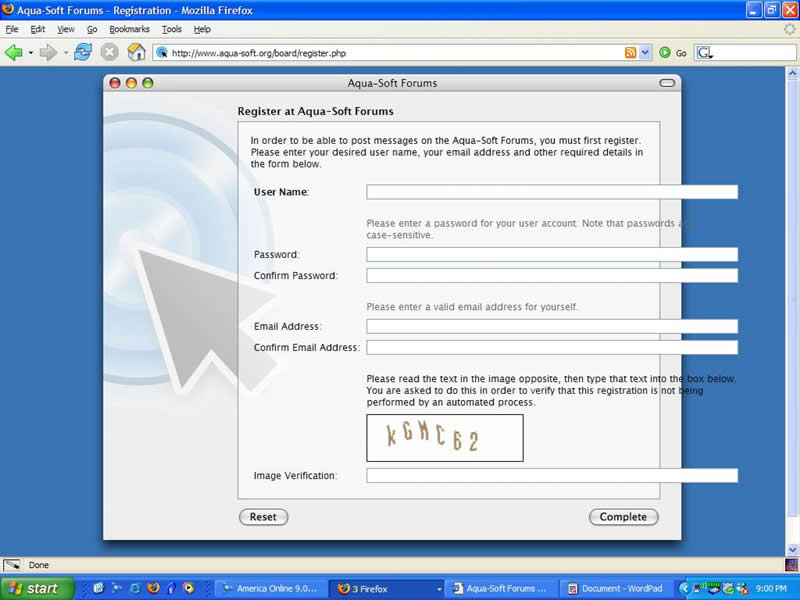
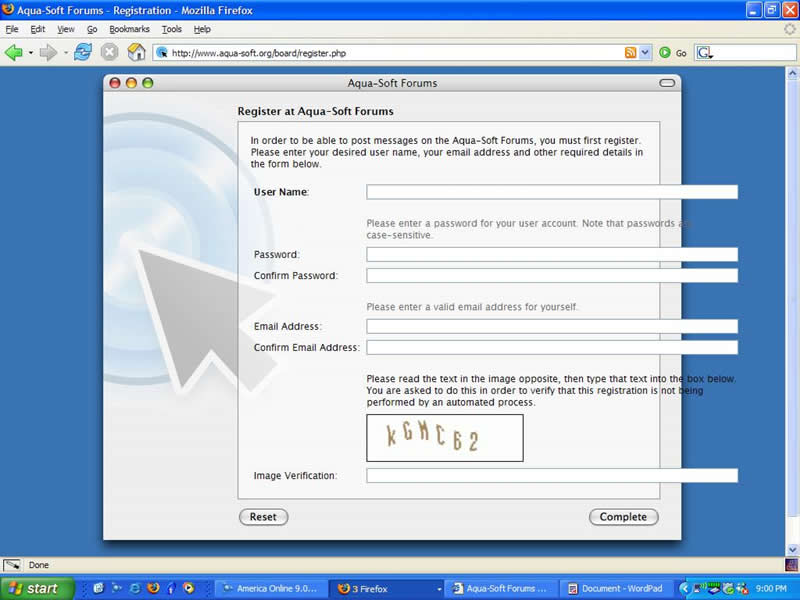
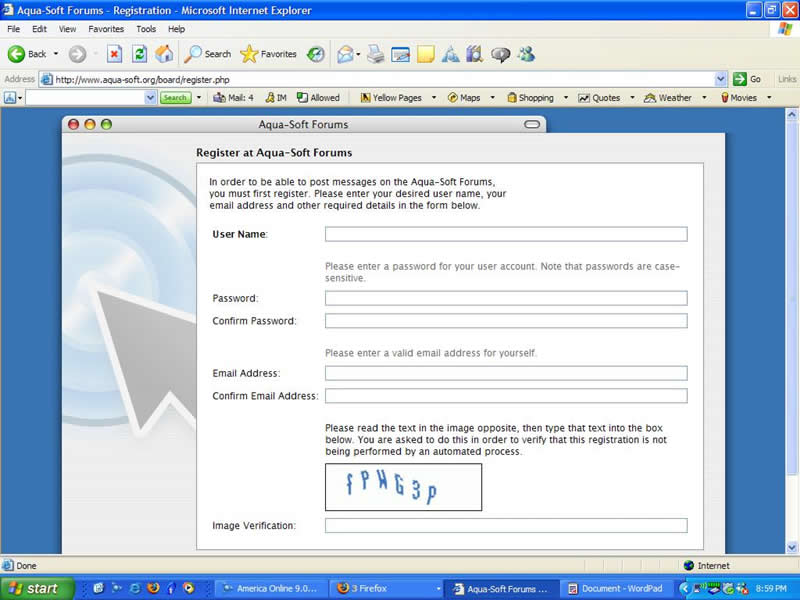
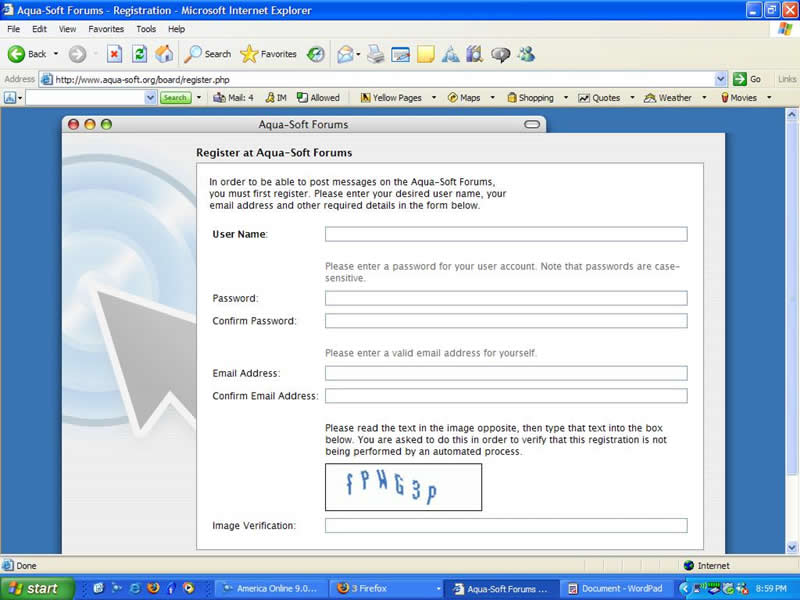
I noticed using Firefox/IE that when you go to register that the form bleeds outside the margin.
http://www.aqua-soft.org/board/register.php
You have a way to fix or contain this so it wraps?
Can you please post a screenshot?
Timan,
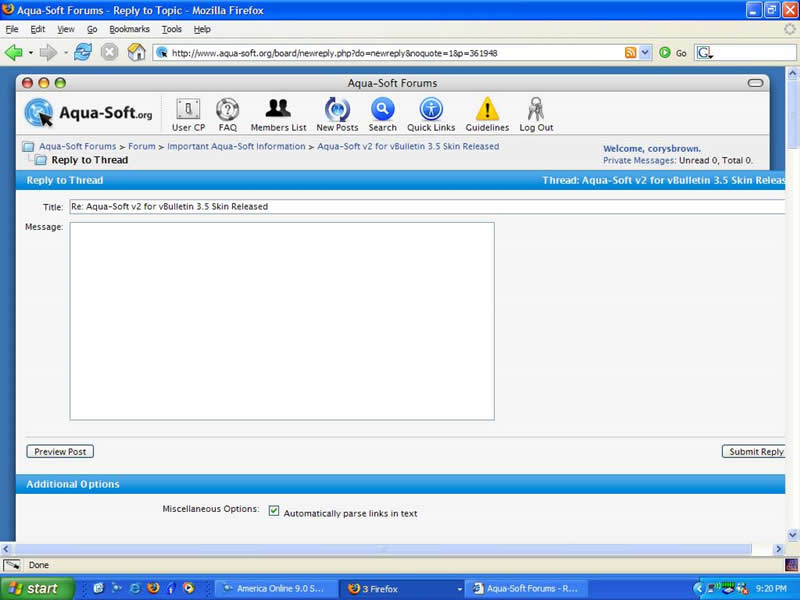
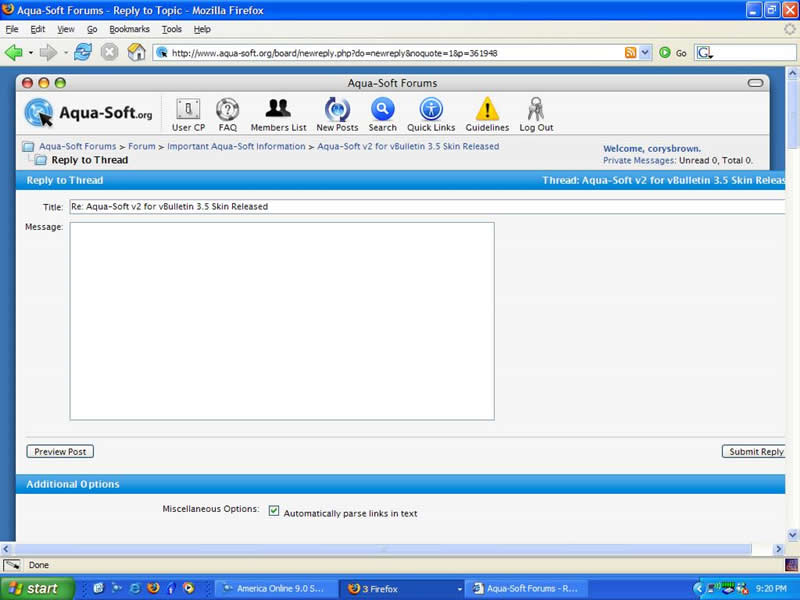
Why you are at it I found another bug in 1024x768 resolution. When you click the New Reply button you get this also. I have been able to duplicate on my board as well. Just doing a lot of testing before I go live. Thanks for any help you can provide.