 Aqua-Soft Forums
Same here, no background image...why? 
[link/release] Dashboard Weather Widget
Your locale probably doesn't use the AM / PM modifiers, you can set this in the date/time-specific settings. Though I'm trying to get the AM/PM information out of the weather.com's XML feed with the use of XPath right now.
to me avedesk always crash
This script can be used instead of the Time meter in all the Background* overlays:
Dim isDay 'as Boolean

isDay = false


function parseTimeToLong(strTime)

	Dim hours	  'As Int

	Dim minutes   'As Int

	Dim amPM	  'As String

	Dim colonPos  'As Int

	Dim spacePos  'As Int

	Dim totalTime 'As Int


	colonPos =  InStrRev(strTime, ":")

	spacePos =  InStrRev(strTime, " ")


	hours   = Left(strTime, colonPos - 1) ' 1-based string

	minutes = Mid(strTime, colonPos + 1, 2) 'minutes are always 2 characters long

	amPM	= Right(strTime, 2) 'AM or PM is always 2 characters long


	totalTime = cint(hours) * 100 + cint(minutes)


	amPM = UCase(amPM) 'uppercase it for comparison


	if amPM = "PM" then

		totalTime = totalTime + 12 * 100

	end if


	parseTimeToLong = totalTime


end function


function ScriptMeter_Update()

	Dim sunRise 'As String

	Dim sunSet  'As String

	Dim curTime 'As String


	sunRise = SysStatsModel.Meters("Weather").GetAsString("%s", "//sunr")

	sunSet  = SysStatsModel.Meters("Weather").GetAsString("%s", "//suns")

	curTime = SysStatsModel.Meters("Weather").GetAsString("%s", "//tm")


	Dim oldValue 'As Boolean

	oldValue = isDay


	Dim curTimeAsLong 'As Long

	Dim sunSetAsLong  'As Long

	Dim sunRiseAsLong 'As Long

	curTimeAsLong = parseTimeToLong(curTime)

	sunSetAsLong  = parseTimeToLong(sunSet)

	sunRiseAsLong = parseTimeTOLong(sunRise)


	isDay = (curTimeAsLong >= sunRiseAsLong) and (curTimeAsLong < sunSetAsLong)


	ScriptMeter_Update = oldValue <> isDay


end function


function ScriptMeter_GetValue(selector)

	Dim pmOrAM 'as String


	if isDay then

		pmOrAM = "PM"

	else

		pmOrAM = "AM"

	end if


	ScriptMeter_GetValue = pmOrAM


end function


function ScriptMeter_PutValue(value)


end function
Too bad a XPath function was too long for MSXML
I packed my version, modded the script a little bit:
 http://mpj.tomaatnet.nl/DashboardWeather(Ave).aveinst
This version will correctly update the background with sunset/sunrise. Sunset and Sunrise are taken from the XML feed.
You'll also need http://www.aqua-soft.org/board/showthread.php?t=25382 extract in in SysStats/Icons .
Downloaded both versions, and couldn't change the location for either one of them (I copy and pasted the location code straight from the weathernetwork...
You'll need to click on the city name (in the sunrise/set version it says Rotterdam).
Yup, that's what I did, and after inputting the new values, one dialogue came up and told me to "give it a second or two...", then after waiting for a while, I clicked "OK", and then it told me that it "Failed to retrieve location ID"... My values for the location is: CAXX0504, which leads to Toronto, Canada...
What do you enter for the Location ID then?
Hey, I found some sort of a work-around for my problem... instead of using the location code, I just changed it to "toronto,canada", and it worked,  Thanks for your help nontheless, Andre, this widget rocks! Hope you'll still have time developing Ave.1.3,
bleh, there's a subtile error in it  gimme a minute
ust downloaded your script and it seems like the sense of isDay and AM/PM are incorrect.
Yeah, just figured that out ... OOPS... Guess Non-islanders are not made for this PM/AM thing
I just modded your package, and for me, they weren't included. Weird stuff.Also, why does anyone need to download the icons separately? They're included in your package!
The problem still is that the background Meter will update before the Weather meter, and thus it will get old values. Any way I can fix this?
good to see my request got checked out!
i get the same problems as the above people however. i'll wait for a stable release.
but: is there any way to toggle the widget transparancy?????
- Change the timezone of the Time meter to your timezone - 6 hours for better day/night background switching.
- Change the alpha of the three background images (Background top, Background Bottom and Middle) if you want a semi-transparent look.
].
Are you saying "change timzeone to:
Timezone MINUS 6 hours? So if I have GMT (-06:00) Central time, you want me to set it to (00:00) ? There is no (00:00) choosable.
what is the alpha level for opaque? 255? i have no "middle" to toggle
screenshot: see how you can see the background through the widget? I don't want that
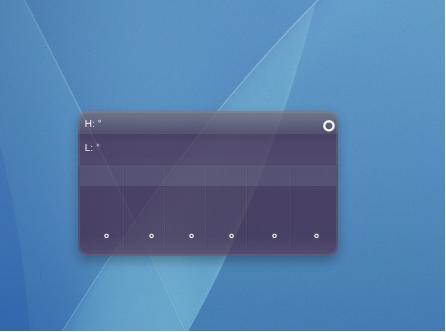
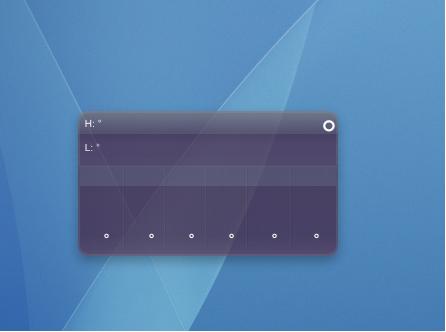
hmm, i just noticed that the hi, and the low, are the same temp. which where i am right now, is impossible :-P *is changing it in the script* just wondered if it was just me, or everyone.
its me also
Same here....
same not here :s
Hello, great job, I download and works fine. Thanks. One questions, is possible day of week in spanish?. Thanks so much.
may i get an answer to my timezone question?
and which version should we download, yours or ave's?
how about that timezone thing, you said timezone - 6... what does that mean?
weird, i just installed ave's, but didn't have to install any icons... it made the icons/msfw folder with all icons itself
for those that aren't seeing background images, you need to re-download the icons folder from judge's latest release (when he used the official tiger graphics, making the background slimmer, etc.) because they contain NEW images (i.e. the slimmer background). if you don't have these images, you won't have any background because the config links to these new ones.
may i get an answer to my timezone question?
Regarding the timezone: e.g. if you are in Germany/Spain/Netherlands/... your time zone is GMT+2.
To adjust Dashboard weather you´ll have to set it to GMT -4. Which are -6 timezones.
Same same with every other timezone you could be living in.
I think you mentioned something having a timezone of GMT(-6),so that would be GMT(-12).
If you guys are living in India, I think you´re allowed to set it back 5:30h(India:GMT+5:30).
