Mac OS X Tiger

This thread never dies :) ..not a bad thing though :P

As far as smooth corners goes, I don't think I will be adding it anytime soon. The main reason behind that is I will lose the function to roll up windows as well as linking buttons to highlight together. I feel the last one is significant enough as it makes the OSX feel as close as possible.

I'm a bit confused here, Steve. Rainbow200, duyvan82, Judge, and Astayanax have all released Mac OS X-emulation themes for WB5 that have the linked-button-highlight feature you're talking about. The older WB5 betas did not have the ability, but certainly the final WB5 release does. Check out OS XP NG (updated version) by Judge, and Pulsar Gold/Silver by Rainbow2000 to see the all-three-buttons-highlight-together thing.

Edit: Sorry bout that, Dragon doesn't use per-pixel windows, but the other themes do.

I totally support your choice in putting school/life/etc before theming, but if the only thing that's stopping you is not being able to do rollup window and simultaneous highlights, then there's no need! Both of those can be done.
#363471

You can make buttons highlight upon hover.. as for rollup you can always use the right click ability :)

Adding this to the uis file will make buttons hover:

[WindowFrame.PerPixel]

MouseOverOnAllButtons=1

#363475

Thanks guys, you learn something new everyday, I wasn't sure if they had added that ability yet, now only if they had the rollup opition, I don't want to drop that from the theme, its very significant in remaking the mac experience.

#365970

I don't know if this is any help to you, but my wireless optionspanel are messed up (see: http://webzone.k3.mah.se/kmv04016/wlan.jpg )

My specs:

xp sp2

wb 5

#372471

Very nice, but unfortunatly I don't like Wincustomize....

NC....

#372497

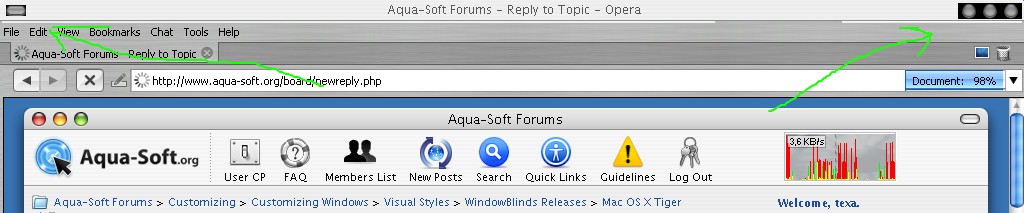
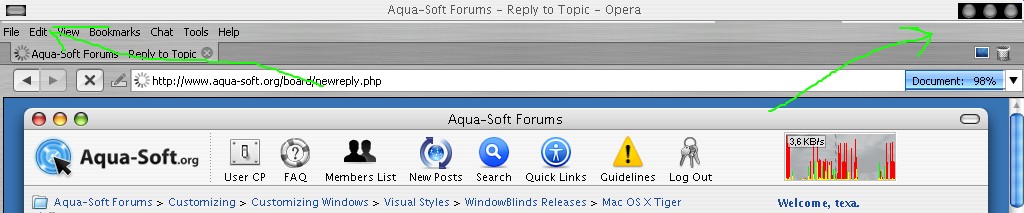
on my Windows 2000 SP4, this style look like this

what can do?

post-28785-1143266226_thumb.jpg

Untitled.jpg
Untitled.jpg

#372629

I'm not sure if thats the WB causing your problem with the Wireless connections. I use a wireless network on one of my other computers, it was running Thallos and it seemed to be fine. I will double check with my blind when I get a chance.

Unfortantly I don't believe this theme will run properly on anything other than XP. Windows 2000 doesn't support the graphical feats XP does.

As far as not liking Wincustomize, how come? I've always liked the site, fast, easy, organized.

#373359

Hello, are you updating your theme to WB5? please do.

#373401

Not to be off topic, but when is Ice V2 coming out?

#373421

Unfortantly I don't believe this theme will run properly on anything other than XP. Windows 2000 doesn't support the graphical feats XP does.

I think win2k supports most of the things, (not wb5 unfiortunately) but if such tga/png glyphs have transparent part, it will be shown in black on win2k.

If themers would create a subtheme, where those parts around the glyphs won't be transparent, but would have the opaque background from the titlebar, there won't be any problem.

Any chance that you could try this and release such a version? Finally I'd be able to use mac skin on my office win2k.

t.i.a.

#374825

The only problem with having to create a special version for Windows 2000 is I'd have to create many variations. WB5, WB4, WB4+Win2k. Its just a lot of work where there isn't much of a benefit, hence why most authors haven't/don't do it. Its like game makers making their new games compatiable with older hardware. At some point you gotta draw the line unfortantly. I don't think a Win 2000 version will be in the works.

It was only a matter of time before everyone started asking about Ice. I feel terrible for the delays I wished I could have had this theme out this time last year. I've had a lot of crap to deal with in the past year, not to mention the lack of time having a fulltime job. I'm going to work on it as best I can to get it out, but at the same time I don't want to release something I'm not proud of, and at the moment I'm not to keen on the direction Ice 2 was heading. I'm thinking I might rework some of it hopefully not all of it, and get something I can be proud of. I still plan on having 3 different versions of the theme. 2 verisons for Windowblinds, one a Mac clone similar to Tiger, although using an updated base fixing many bugs Tiger had. The other version will be to match the Windows GUI, more square basically. The last version will be for Mac OS X. All 3 versions will be created from scratch, none will be ports. I want to make sure everything is made perfectly for what its going to be used on.

I don't have an expected release date for Ice, but I'm going to aim for something before Vista launches, hopefully late summer, but it might slip into the holiday season. I've got a lot of my plate right now, as well as starting my own company which I will officially announce later. I'm glad you all like my work, and I will try to get more out as soon as I can.

#375592

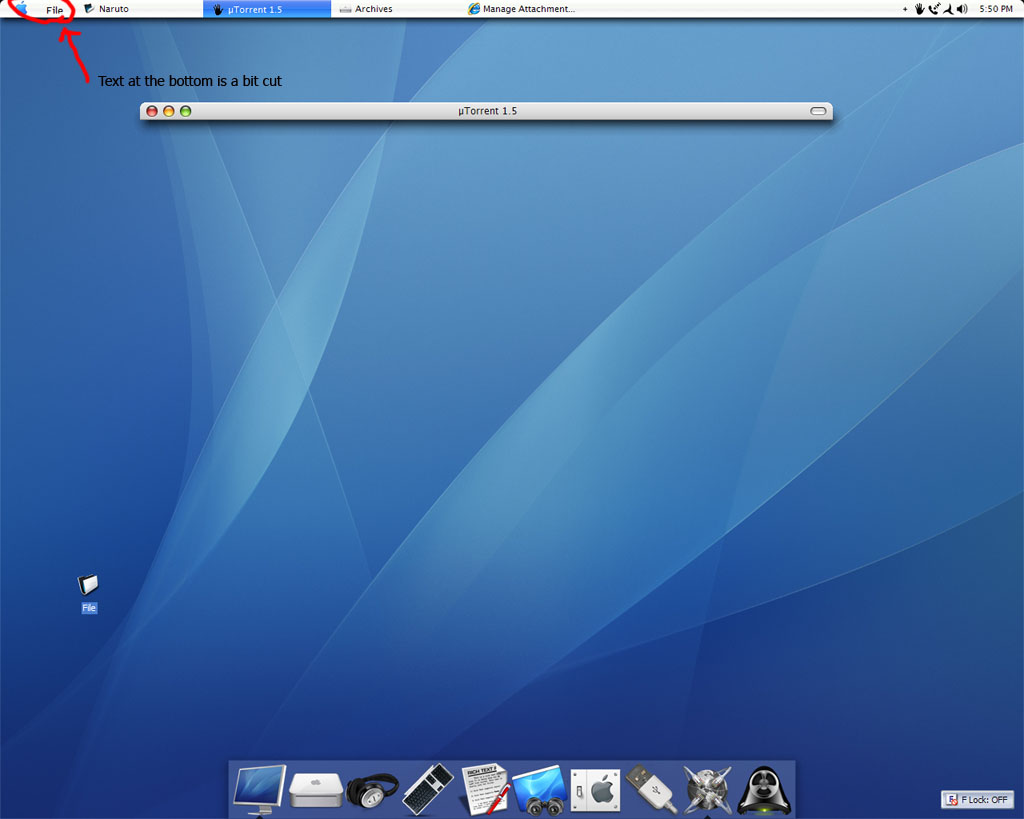
hey steve,

love your skin man....but I was wondering if you could help us out with something.

If you look at my current toolbar below, when I create a new toolbar of a folder where the quicklaunch toolbar is located, the writing gets cut at the bottom.

Is there anyway to fix this problem? Or am I doing something wrong?

Any suggestions from others is greatly appreciated....

post-46100-1146198141_thumb.jpg

desktop.jpg
desktop.jpg

#383984

Oh,cool. Best skin for windowblinds .

#383988

You, dear Steve, are my new God. I used to be an atheïst, but no more! ^^

Anyway, I've got the same wireless glitch.

And I would LOVE you even MORE if you could make an objectbar skin :P, which would be easy peasy, for someone who made this big of a skin... Brilliant job!

#385366

There are a lot of tiger ob themes, just search around here ;)

#385374

You know, I wanted to make an objectbar theme for this all along, but the actual objectbar software has been going over a remake for a new version and I didn't want to start anything in the middle of a beta. Its nearing completion so if I can get the time together there might be a new one in the near future.

#386969

this is just cool!! nice one!!

downloading them^^ :)

#389472

Hello!

I am a ****ie to WB. I recently downloaded this splendid Tiger theme. There's one problem I don't know if some one else had addressed it in the past. Please take a look at this image:

http://www.users.qwest.net/~kentshih/Tiger.JPG

Basically those + and - in Windows Explorer turned black boxes. I don't think this was the intent of the creator. Is it a configuration issue that I missed?

Here's what I am running:

WinXP SP2

WindowBlinds 5.01 (build 62 x86)

Thank you.

#406540

great job~thanks

#423107

Hello,

I'm using Windowblinds 5.1 with this theme: Mac OS X Tiger

My operating system is Windows XP SP1.

If I start any application e. g. Firefox (which starts in maximized mode) some kind of bottom margin is created an the windows goes behinde the taskbar. I tried already to fix this with HIS but it donts works.

I'll give you a SS for better understanding.

This WB Skin is the beste I'd ever seen, but I'm nearly going crazy with this bug.

http://img164.imageshack.us/img164/4108/bugscreenea2.jpg

#448780

O my ****ing god its amazin thank for this theme man , i love it !!! Thanks again form argentina Steve.

#506607

Hello,

I'm using Windowblinds 5.1 with this theme: Mac OS X Tiger

My operating system is Windows XP SP1.

If I start any application e. g. Firefox (which starts in maximized mode) some kind of bottom margin is created an the windows goes behinde the taskbar. I tried already to fix this with HIS but it donts works.

I'll give you a SS for better understanding.

This WB Skin is the beste I'd ever seen, but I'm nearly going crazy with this bug.

http://img164.imageshack.us/img164/4108/bugscreenea2.jpg

I also wanna know why it happens... This theme was the only one that I used to use in WB... but since this bug I decided to quit WB... but, so far, this is the best Mac theme for WB.

#506640

hmm, strange.

this is the first theme i used when i started the 'mac' look, even before trying out flyakite. never had a problem with it, or any WB themes for that matter. I'm quite sure it is not an issue with WB or Steve Grenier's theme...

there were several threads about this issue --reserved space at the bottom even when windows are maximized-- sometime back but i can't seem to remember the solution...

#506649

I tried to look for this bug, here and in google... but I didn't find... I tested with WB 4.6 and up... but got the same bug...

#506658

Can you make one for leopard and on vista !? -.- :o

#509492