 Aqua-Soft Forums
Thats really odd because it works fine on both of my computers, work and home. I think you PC doesn't like you using my sexy theme. Its the only logical explanation.
Mac OS X Tiger
 Thanks for your time anyway !
Anytime  Sorry we couldn't solve the problem
By the way Steve, I got a fix for you. It's about the background color and the font color which has a same color (unreadable)
In the SkinStudio, goto your Miscellaneous tree and click Colors. At the very right, find the Menu - Hilighted background (XP Only). Change the color. I can't remember if it's actually this one because I'm currently using Windows Shell Style.
Realmente fascinante
So sweet! looks great! good work Steve!
I'd like you to change the font, like Danimator's one. Please and thank you.
Dan is making his own version of this theme, you can just get that. Btw, I updated the logons, they now use the new Tiger wallpaper.
Where can i get that?
He meant Dan's version of the theme. That's not yet completed.
>sithan...I'm gonna be including my version in the Tigermail skin when we release it (probably a week or 2) so you can get it then
tks for the cursor 
YES! The one and only - I can't imagine my computer without this skin! Or I'd have to by an apple.
I am using the tiger style and for some reason my scrollbars aren't the blue ones like on a mac. Any way I can fix this?
Update your wb version.

No more updated unfortantly. Although, I just wanted to thank everybody for downloading this theme. It has hit over 100,000 downloads in the past few days and that is a major milestone for any themer. So thanks to everyone who downloaded.
I got a problem, and you can see the problem in the image I attached below - it's blank.
I tried installing this skin several times and that happens. If I do apply the skin, it goes to the default windows skin or WinXP will crash. I've tried reinstalling several times the skin and WindowBlinds as well, but it's still like this. I'm using WB 4.5.1 and I've never encountered a problem like this before.
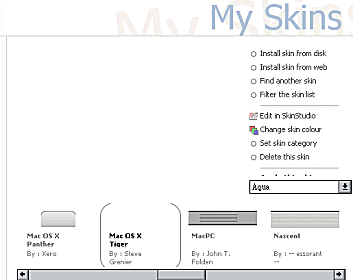
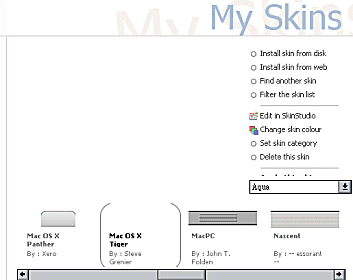
Thats really odd. Try opening whichever file you download with WinRAR, or WinZIP and then extract the folder to your Windowblinds directory manually. I think there is a problem with the file you are getting.
^ Oh it's fixed now for some reason. Thanks it's great! I'm using Brushed Aqua left.
Steve,
I'm going through windowblinds skins withdrawals; I need more of your skins .. it is sick; this disease, please help 
Do you have the "ICE" theme coming ... they may be carrying me away soon.
PS: Thank "you" for allowing me to be one of your 100,000 downloads
Yes, the rumors are true. Ice is coming and it's been totally redesigned. Much cleaner and professional look. A teaser will be coming in the next few weeks.
guys, i need help with something...
i downloaded all the free trial versions to the stardock programs and now i want to convert them to enhanced version but i cant find a place to enter the serial no. for activation...cud someone tell me where to enter the serial number to activate the enhanced versions?
oh and steve, your talent is obvious..u opened my eyes...keep it up!!! :cool: