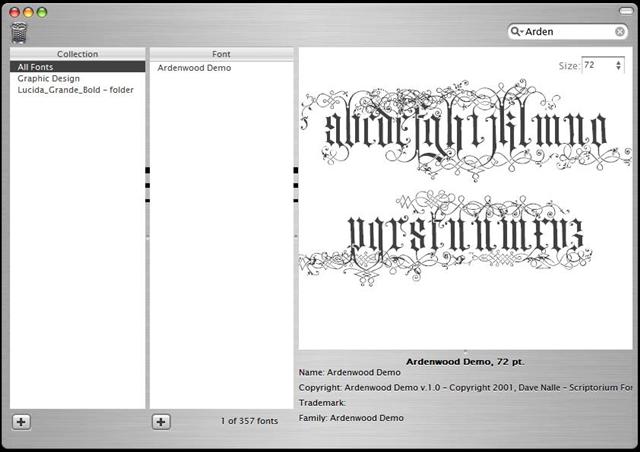
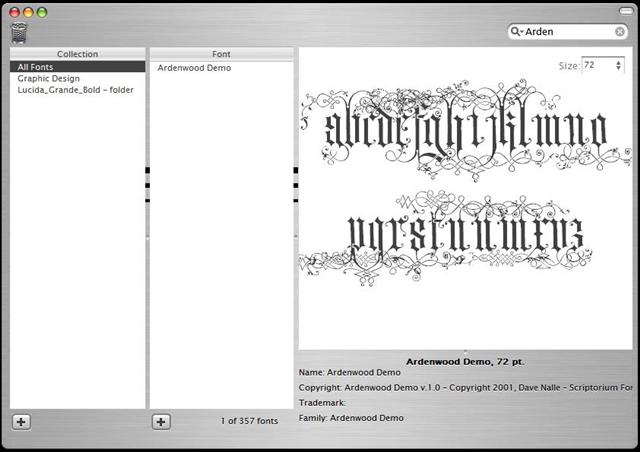
[release] Avefontbook

UPDATE

  • Fixed drag-'n-drop bug
  • added remove to trash option, simply drag the collection/font to the trash icon
  • fixed other weird bugs

download

http://mpj.tomaatnet.nl/Fontbook.zip (same link)

Note

If you like this and use it on a regular basis, you can donate some money to my paypal-account. ( http://home.hccnet.nl/averhoev.2/support.html ).

I know what you think: why donate?

Well, this application is free, but there are similiar applications out there (e.g. ATM, some others) that are not free. I could easily make this payware, but, the nice guy I am, I decided to let you download it on a donationware basis.

@bolero: ****ing nice skin, thanks!!!

#162917

First to Post! Great App, especially the newest version.

-nightcrawler1089

#162918

thanks very much for this, it works very good. The only thing I don't like is the trash can over there :P this is just great news for us graphic designers.

will you implement the bar at the rigth to increase/decrease size?

fontbook10082003.jpg

I want to change the font of the title bar.

Beautiful icon Lou!! :kudos:

I can't see text in the search bar :blink:

#162924

The only thing I don't like is the trash can over there

Have a better idea?

this is just great news for us graphic designers.

*caugh* http://home.hccnet.nl/averhoev.2/support.html *caugh* ;)

will you implement the bar at the rigth to increase/decrease size?

Maybe, need a good reason for it to implement it.

I want to change the font of the title bar

Check the skin.ini in the skin\brushed\ folder.

I can't see text in the search bar

Fixed it, just redownload :rolleyes:

#162935

darn! :blink:

#162938

Originally posted by mephisto@May 16 2004, 11:48 PM

darn! :blink:

Something's wrong?

#162939

Have a better idea?

one button like the others, or no button at all just click delete (maybe not so good idea LOL)

I'm changing the cursors with the panthe ones, and I'm trying to fix the brushed skin, but when I decrease this

[bottom]

ResizeBorder1=20

ResizeBorder2=23

Height=46

the other parts does not strech as well.

nothing is wrong! just amazed by the fast answer. :D

#162940

yay, very cool dude

great job (Y)

#162948

ir rulez! the best one i have seen in ma life :woot:

#162954

Instead of the large trash can in the top right you might add a 'minus' button or a similarly small-sized trash between 'plus' and 'disable' on the bottom row, no?

Fantastic-looking work, Ave.

#162963

Originally posted by ji eun@May 17 2004, 10:36 AM

Instead of the large trash can in the top right you might add a 'minus' button or a similarly small-sized trash between 'plus' and 'disable' on the bottom row, no? 

Fantastic-looking work, Ave.

The trash does look a little out of place, but that's just me :lol:

I like ji eun's suggestion

#162966

after 3 pages of comments, how can i be the first to see this... in the default skin, there are no buttons at the bottom?... + button, disable. and the trash can doesn't appear in default skin

also, is there a way to add word wrap to the font descriptions (copyright, trademark area)... they're getting cut off on the sides.

good work on this.

oh, and the suggestion about the minus button seems to be the most appropriate... you have a plus, you need a minus... yin-yang

#162976

Like I said before, AndreasV is a machine.

This only works for TrueType fonts right?

#162987

Originally posted by wookietv@May 17 2004, 01:44 AM

after 3 pages of comments, how can i be the first to see this...  in the default skin, there are no buttons at the bottom?... + button, disable.  and the trash can doesn't appear in default skin

also, is there a way to add word wrap to the font descriptions (copyright, trademark area)...  they're getting cut off on the sides.

good work on this.

oh, and the suggestion about the minus button seems to be the most appropriate... you have a plus, you need a minus...  yin-yang

I did noticed that, I just don't want to bother ave............more.

I would also like to remove the scroll button, and make the title bar font in the brushed skin black. if anybody know how to , I'll appreciate it.

#162995

oh, one more thing... clicking the maximize button brings it to a smaller size, and then clicking again does nothing.

#163004

simply amazing...u are da man :rock:

#163008

Simply put, Fontbook effin rocks. Thank you Andreas. =]

#163014

Ave... I will apply for credit card soon because of you!! Great job.

(I definately pay for Avedesk when you start asking) ;)

#163025

When I start it there are some wierd artifacts that show up...maybe its just the skin?

I attached a screen. They are the black lines on the seperators.

post-2937-1084767869_thumb.jpg

a__Small_.JPG
a__Small_.JPG

#163026

Thanks for the update :)

#163046

Originally posted by nightcrawler1089@May 17 2004, 09:00 AM

Yeah Ave, the remove/rename option would be great. Instead of, or with, the trash icon, you could have a right click menu with remove/rename. However, regarding the trash icon, I suggest you place it in the lower right corner instead of the upper left. Either lower right or lower left.

-nightcrawler1089

WOW!! This apps is awesome dude!

I do agree with nightcrawler on the position of the trash icon on the bottom right since there's more "free space" there. And if memory serves me, some Mac applications also has the trash icon on the bottom right too (sorry, can't remember which app). It just look at little too cramped on the top left...

A couple of observations too:

- the rollup seems to be really choppy compared to your other apps eg AvePreview an AveText... and I'm runnning at 3Ghz and with a ATI 9600XT.

- can the apps start up to select "All Fonts" on default instead of not selection any collections?

Once again, great apps nevertheless!! :rock:

#163050

Great app!

Apart from looking good, it's a very helpful font manager. Very good work, AndreasV!

I'd like to mention a few things that would make this even more perfect :rolleyes:

. When dragging a font to a collection, keep the current collection visible instead of the target one.

. Multi-select fonts for Enabling/Disabling, moving to collections or deleting (viewing, too?)

. Ability to rename collections.

. Add a minus button instead of the recycle bin

. Title bar shouldn't go transparent for the brushed skin (a per-skin option maybe?)

. Drag the window not only by titlebar.

. Add icons to "collections" list items (useless, eye-candy request)

Have a nice day!

Ken

#163054

Great Job~!!

Why not make a .cpl file for this fontbook? If so, we can access it in Control panel instead of using the default fontbook(Perhaps, we can't call it as "Fontbook") from windows.

#163057

can the apps start up to select "All Fonts" on default instead of not selection any collections?

I think this would slow the start up time a lot.

. Title bar shouldn't go transparent for the brushed skin (a per-skin option maybe?)

you can edit the ini file inside the skin folder, or even better, go HERE and download the humble mods I've made....

Why not make a .cpl file for this fontbook?
That would be sooo cool, but, how? :blink:

#163061

*Simon gets here just in time*

What?! Another App?

HE'S LIKE A MACHINE!! :blink:

#163068