[release] Sk Englishfiles Final

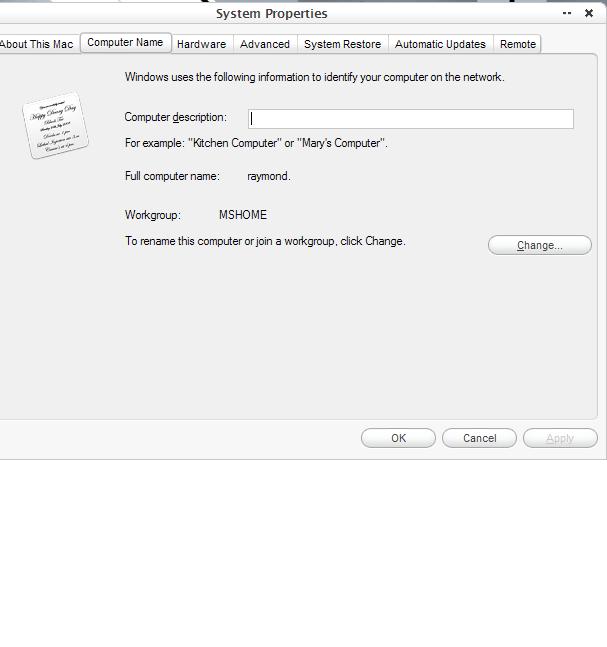
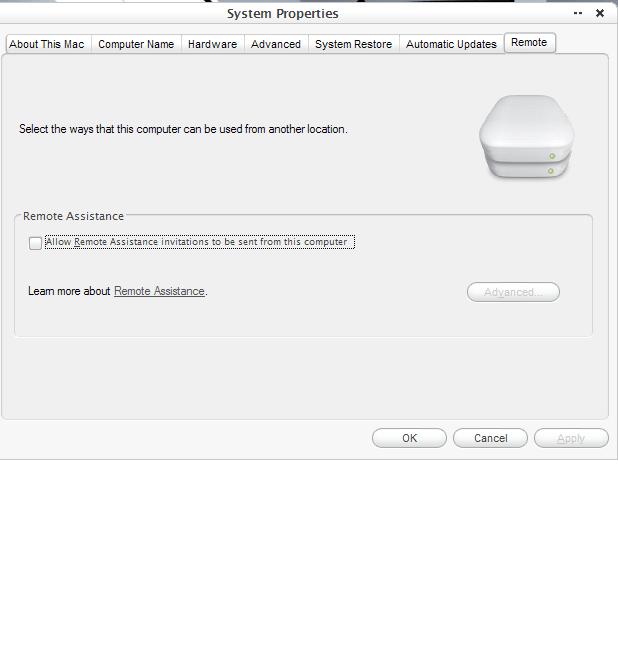
I don't know If i am the only person who had ever noticed this but there is a difference in looks between XP home and xp pro. Because I just installed them on my comp and i have pro and my friend just installed it on his and he has home. Now noitce in the screens in pro under computer name it has the tab network id and under remote tab there is remote desktop. I think it is crunches the bitmaps or not showing them at all because of the extra things in the dialougs. And in home it displays them normally.

I want mine to look like his too but I don't want to switch to Home.

Can this be fixed?

Edit: I also notice this for other dialouges like the power controls. Should I reinstall or are their other ppl with this problem.
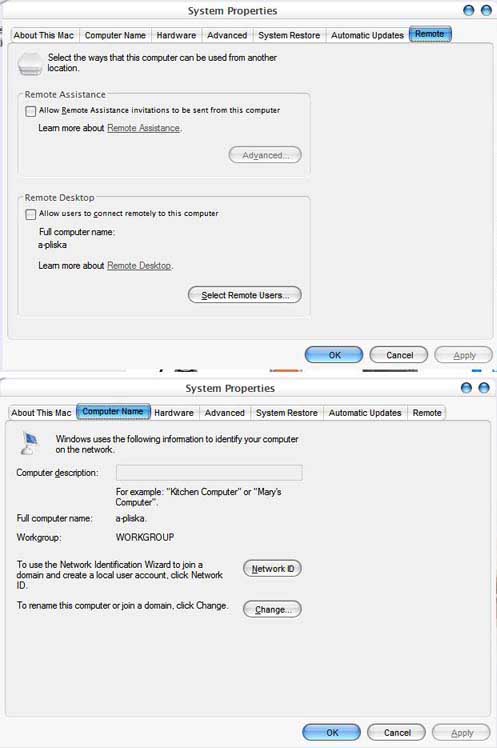
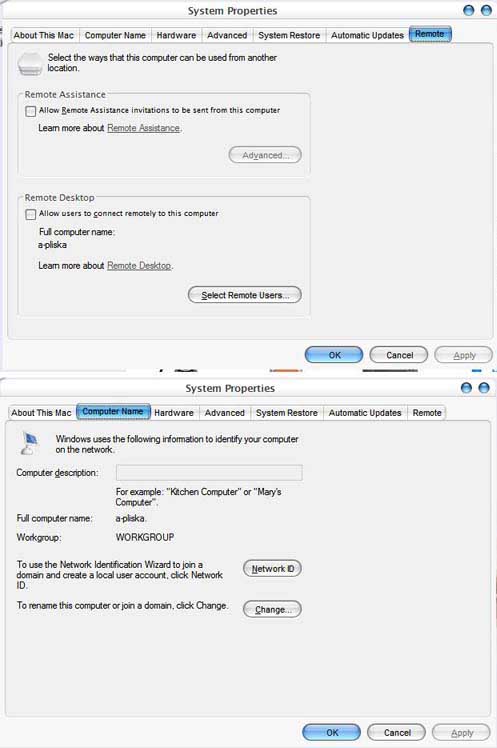
post-9230-1080619433_thumb.jpg

mad.JPG
mad.JPG

#137056

And now for the home screens

post-9230-1080619483_thumb.jpg

look2.JPG
look2.JPG

#137057

the other screen

post-9230-1080619536_thumb.jpg

untitled.JPG
untitled.JPG

#137058

i don't think it's a difference between pro and home, but just between the one who modded the home files and the pro files

#137125

can we hope a french version? :rolleyes:

#137129

Originally posted by LeMoi@Mar 30 2004, 11:10 AM

i don't think it's a difference between pro and home, but just between the one who modded the home files and the pro files

What do you mean?

#137323

Originally posted by derek@Mar 30 2004, 11:21 AM

can we hope a french version?  :rolleyes:

LeMoi made a french version. http://www.aqua-soft.org/board/index.php?showtopic=12696

#137381

http://www.deviantart.com/deviation/4560044/

i could not find download on this theme

who could help me

#139661

Originally posted by BlackIce@Mar 31 2004, 03:07 AM

What do you mean?

I mean that the one who made the Pro version of the files didn't change them, while the one who modded the Home version changed thme, but i dunno if they are the same man :P

#139672

OK people, StyleSuites is back up and the link has changed to this: http://www.stylesuites.com/modules.php?mod...tion=show&id=43. Enjoy!

@stafanka, could you change the link in your original post? It would save a lot of confusion and questions, etc. Thanks :)

#139921

My new Systemfiles:

It comes with SP2

Dialogs with Toolbar, real Mac Imagepreview and Lucida Grande Global.

No more Pushbuttons bug with Lucida Grande.

thumb-12857.jpg

1280x1024

http://screenshots.haque.net/screenshots/v...nshot-12857.jpg

#140957

when will it be released???

looks like great work as usual stefanka!

#140965

Originally posted by StefanKa@Apr 7 2004, 12:41 PM

My new Systemfiles:

It comes with SP2

Dialogs with Toolbar, real Mac Imagepreview and Lucida Grande Global.

No more Pushbuttons bug with Lucida Grande.

thumb-12857.jpg

1280x1024

http://screenshots.haque.net/screenshots/v...nshot-12857.jpg

looks great as usual, will it be released ?

#140975

Originally posted by LeMoi@Apr 7 2004, 12:46 PM

looks great as usual, will it be released ?

yes LeMoi it could be great if you translate this to french as the last one (Y)

#140980

im sure this has been asked before but has this been updated to Sp1 for pro users :( sorry if its been asked before

#141160

:woot: is it me or do the updates for sp2 look more georgous over the last version for sp1

#141190

This is a little preview of my next Systemfiles. I will relase it with the alpha Service Pack 2 for XP.

@Dark Vegeta

The files are only for XP Home-unfortunally. But many People are use it with XP pro, and they say it works good.

#141251

Originally posted by StefanKa@Apr 7 2004, 04:18 PM

This is a little preview of my next Systemfiles. I will relase it with the alpha Service Pack 2 for XP.

@Dark Vegeta

The files are only for XP Home-unfortunally. But many People are use it with XP pro, and they say it works good.

:cry: :cry: :cry:

sorry dont want to take that chance :(

#141303

hey i dont suppose you guys can help me with this?? when i drag the replacer.txt file onto the replacer.cmd file to do the auto replace for stefanka's files the command box flashes up and then disappears. anyone got any idea how i can fix this?? its worked before but it doesnt now :( ive redownloaded replacer and everything but to no avail. ive tried it without my av too in case it was blocking the script from executing so im clueless

any help is much appreciated thanks,

#141321

I want to know if I need 32 bit deph for this..........

#141337

Originally posted by drupy383@Apr 7 2004, 11:49 PM

when i drag the replacer.txt file onto the replacer.cmd file to do the auto replace for stefanka's files the command box flashes up and then disappears.

You can also run Replacer, then drag in the script when it prompts for the system file. If it still doesn't work, drop me an email and I'll see what I can do.

#141407

Originally posted by DarkVageta@Apr 7 2004, 01:22 PM

im sure this  has been asked before but  has this been  updated to Sp1  for pro users :(  sorry if its been  asked before

would have liked to see this too...your fonts are nearly perfect...I love them (ps: what font do you use to get them like that stefanka? lucidia grande?)

oh well

#141463

hello? anyboby?

#141718

Originally posted by mephisto@Apr 8 2004, 02:18 PM

hello? anyboby?

Most likely yes, you should of needed 32 bit depth with everyones files because their all 32bit color bitmaps with transperecy.

#141721