 Aqua-Soft Forums
[release] Sk Englishfiles Final
Don't be sad, just save up a little and buy a new video card. I find it very odd that your video card doesn't support 32bit color. You can buy geforce fx 5200 for like 60 bucks or whatever which can do whatever you need and is decent for gaming.
Hi stefanKa,
As I'm sure that you are aware with the recent Windows XP SP1 'Critical hotfixes' by MS being released yesterday, when these are installed can/could cause some of your wonderful sysfiles to be replaced...
After installing all of them, (5) in total, and one was releated to OE 6 SP1, and the other relating to a IE6 SP1 issue, it left (3) actual WinXP Security updates...
After rebooting, I found only my 'log off' screen to be back to its default WinXP style, and after doing much research, I explored into Shell.32.dll, where according to Virtual Plastics Hack List:
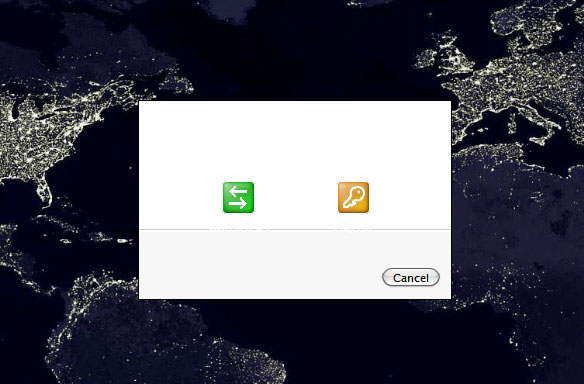
Bitmap# 14351-14356 contain several bitmaps used for the WindowsXP "Logoff dialog"
I opened up your shell32.dll in ResHacker and these bitmaps (4 of them are blank), as I know that you made a custome Logoff dialog screen...I see that bitmap# 400--->has the logoff circle & AVI's have a bunch of the animated graphite coloured candy bars...
Do you have any suggestions of how I could possibly get your great 'Logoff dialog' w/candy bar AVI back? Maybe I'm looking in the wrong place...
Thanks...
:cry: it looks very nice stef, but it didn't work for me, so I had to format :cry:
now I've lost all my files, but I'm not blaming you stef, I must have done something wrong!  thx for the sys. files!
stefanka, the system files look great! i mean seriously stylish!
i was havin a problem with the size of things, but im very sure it is just my system, cos im havin the same deal with the flyakite system files.
by the way, im definately a fan of your work, you are one of the few people i know of that can manage such damned stylish and elegant visuals. 
Originally posted by pojo@Apr 16 2004, 11:47 AM:cry: it looks very nice stef, but it didn't work for me, so I had to format :cry:
now I've lost all my files, but I'm not blaming you stef, I must have done something wrong!
You could've tried restoring your system files first 
well, the thing is that I couldn't! I could not get in to windows, not even in safe modus!
whenever I started my comp, it would restart every time I was just about to get into windows! so thats why I had to "c:/format"
QUOTE (schaggo @ Apr 19 2004, 07:50 AM)
msgina.dll
bitmap 20140 blue dialog background
bitmap 20141 top windows flag
bitmap 20142 blue dialog background #2
bitmap 20143 top windows flag #2
bitmap 20150 shutdown dialog buttons (Shutdown, Standby, Restart, ...)
shell32.dll
bitmap 14351 blue dialog background
bitmap 14353 top windows flag
bitmap 14354 blue dialog background #2
bitmap 14355 top windows flag
bitmap 14356 logoff dialog buttons (Log off, Change user)
actually I don't know, why they have to waste precious harddisk space by using exactly the same bitmaps 4 different times, and even twice IN THE SAME DLL... I have no idea...
but as far as I know, one blue background is for the theme switch, one for the shutdown and logoff dialog, the others I don't know. you may check this yourself.
Edit > after seeing what you are asking for: the very specific logoff dialog resources can be found in shell32.dll then.
schaggo,
Good find on the msgina bitmaps #, as I already had the shell32.dll bitmap #s researching the Virtual Plastics Hack List...
Now I just have to put all the pieces together, and see if I can indeed get stefanka's 'Logoff dialog/bitmaps' back to where it was, prior to the recent WindowXP Critical patches...
If not, no biggie, will just keep using Beric's nice iShut v2.1 app...

Edit***
I gave it my best shot, even adding the Graphite Candy Bar AVI to the msgina.dll, and it tuned out kinda b0rked...lol So stefanKa must have modded other parts of the msgina.dll that my resource replacing did not touch...
Back to Beric's iShut for me... :woot:
Hey, i had more of a request and to all the detailed community people i hope i've found the right place to put this. In regards to the WMP skin that stefanka so wonderfully made, did anybody (this might be me) fix the minimized mode of this skin. The close, maximize, and minimize buttons change around everytime i roll my mouse over them. Anyone figure this out or have it happen to them? If so can you post a resolution to this problem. Thanks <_
just to clear things up...
there are 2 modes 16bpp and 24bpp
windows adds 8 bits of alpha and calls it 32bpp (which is incorrect in my opinion)
so does your card need to support this "8 bits of alpha?"
or is it just that your card drivers update the "Colour quality" list box to 24bit from 32 bit? <_<
just a thought....
Just reinstalled XP and noticed that StyleSuites has stopped all downloads, anyone can provide a link?
Anybody know if SK released a new set of modded Systemfiles with Snow\Milk Icons? or is there somebody modding them for a new release?
can i use this system files in XP Pro SP1 ?
@hax0r_foX. StyleSuites has stopped all downloads until the end of the month, due to bandwidth problems. The restrictions will be lifted at the begining of next month
site says its lifted but I still cant download anything (and yes I was logged in).
Downloads work fine for me.
Iam using IE and have been trying since the 1st just tried before Icame here it wont display the download just says I need to be logged in and I am logged in.
Hmm, this is strange. I've checked everything - the link appears for me, and downloads fine. I've checked all the permission, and you should be able to download it. Weird
working fine for me now Iam afraid it might have been on my end.
OK, not a problem. Glad it's working for your now
I wondered... is it possible to use this system file replacements in a Windows XP SP1 Pro Edition ?
Yes it is possible.
Stefanka thanks for the great files  !
!
I do have a problem though, and was wondering if it is supposed to be this way or not.
I do not have a program to take a picture of my desktop, but I will describe my problem as best I can and hope someone can help me out or give me some info.
The display properties (when you right-click on the desktop and click properties, or go to control panel and click display) does not look different from xp in any way--no changed pictures or anything. 
I had installed flyakites system files, but I looked at yours and said "beautiful!" (no offense flyakite, you have great files too!)
Perhaps someone could tell me how to get the desktop properties menu to look like the screenshot.
Any help is appreciated!!
Thanks :moon:
Please forgive my ignorance-- I've had it for years but just can't get rid of it!!
Stefanka
Great work! I love everything about this and how deep you've modded everything. Its a brand new OS
I can't seem to get logoff to work and i have all latest security/service packs installed as of today.
also is there any login replacement i can use with this instead of the XP screen?
any help would be great - thanks so much for your dedication to this project - newer version looks amazing and i can't wait

Cool Nice icons