 Aqua-Soft Forums
I have it installed to C:\Program Files I did everything right its just not showing up...could any windows settings or mess it up
Unpod For Itunes
Originally posted by puckchump@Jan 24 2004, 04:49 PMI need some help...I did everything in the read me and it does not show up. When I have the config loaded nothing happens then when I load another config the ipod flashes on the screen then the new config loads please help
since i'm having problems too, it might be the blind leading the deaf, but i'll try to help. i'll first assume that you put every file in it's correct location.
e.g. you put unpod.ini in the configs folder under your samurize folder. skin folder for unpod in the samurize folder, etc.
one thing that unbeliever said was that it required samurize version 1.15 or 1.16. do you have one of those?
another thing that was a problem for me was that i had samurize installed, then i installed itunes. none of the readouts showed up for me. try uninstalling samurize and then reinstalling with the latest version, which is 1.16. this will put the itunes plugin for samurize into the itunes folder.
perhaps it's just off your screen and you can't see it? i know there was recently a topic that mentioned this. try searching around for that...
good luck to you
Originally posted by Pe7er@Jan 24 2004, 05:06 PM@wookietv: auch, I think that it has something to do with your sound card, not with samurize. You have it installed in c:\program files, right?
yeah, everything else is working, if it can be figured out, great, otherwise, i can deal without it.
as far as the sound card, wouldn't it then assume that i wouldn't get any sound? i can play music and listen fine...
It was off the screen haha I fell stupid. Thanks Pe7er and wookietv for your help and to Unbeliever for makin it
/edit: Oh, nevermind. Glad to see that it's working 
thanks for the scroll fix it worked now I got to redownlaod it cause I adjusted alot of things LOL
Thanks 
Originally posted by wookietv@Jan 25 2004, 12:21 AMyeah, everything else is working, if it can be figured out, great, otherwise, i can deal without it.
as far as the sound card, wouldn't it then assume that i wouldn't get any sound? i can play music and listen fine...
Hmm....what sound card do you have? I think it has something to do with card controllers, not the card itself. Hmm....try to download & install newest drivers, newset directx...:dunno:
thanks for the text fix pe7er, helped me with somethin.
i've got the volume issue too, but don't care, as i won't use it.
nice manson avatar btw, very soothing :canadian:
nice sam setup unbeliever.
Originally posted by Pe7er@Jan 24 2004, 05:30 PMHmm....what sound card do you have? I think it has something to do with card controllers, not the card itself. Hmm....try to download & install newest drivers, newset directx...:dunno:
it's a diamond mutlimedia brand card... it now shows up in my hardware list as ESS Allegro PCI, i think that's because ESS bought out diamond last year. i am using the default xp driver... i never had a problem with it, so i never went out and got one from their website (which when i just tried, there wasn't anything because ESS stopped supporting diamond cards) 
i have the most recent version directx on my computer already...
i'm going to look around further for one, this does seem like the only reasonable explanation except for my cat has been screwing with my gateway while i sleep
Originally posted by realitybath@Jan 25 2004, 12:43 AMthanks for the text fix pe7er, helped me with somethin.
i've got the volume issue too, but don't care, as i won't use it.
nice manson avatar btw, very soothing :canadian:
Thank you :bow:
@wookietv: I'm afraid I can't help you anymore >.<
thanks though... i did find a driver and installed, still won't work. now that i just read someone else is having the same problem, perhaps it's a bug with some hardware? no big deal... my keyboard has volume control, i just use that.

I can't get it to work either...
I followed all of the steps.
the media scroller thing works, but the pod never shows up.
I'll select it, and there is nothing on the screen, and when I go to edit the config, there is nothing there (even scrolling over the entire grid)
does anyone know what I should do?
when I select the advmedia config, the ipod image flashes and the scroller pops back up (that config works, and I can edit it).
edit*
oh, i have samurize 1.16 (downloaded it today)
paths are:
c:\program files\iTunes
c:\program files\samurize
go into your config editor and change the view to 50%... you'll see it then. highlight everything and drag it to the upper left, then you can change it back to 100% and see it.
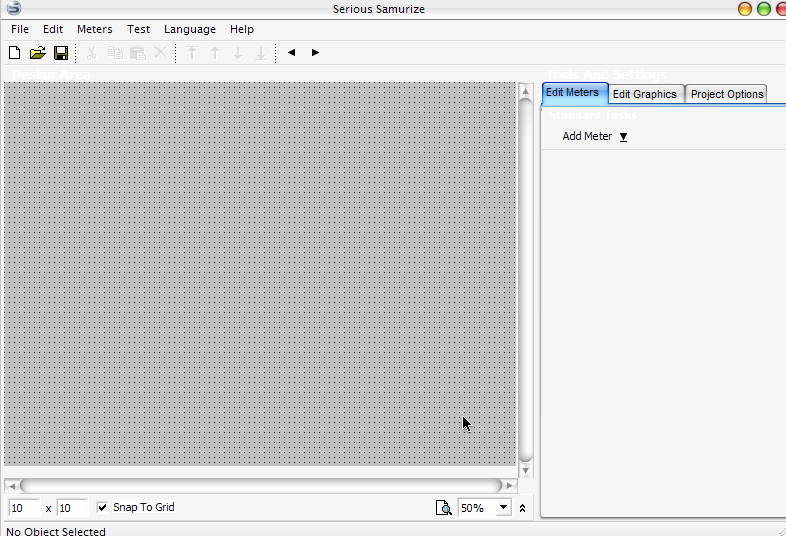
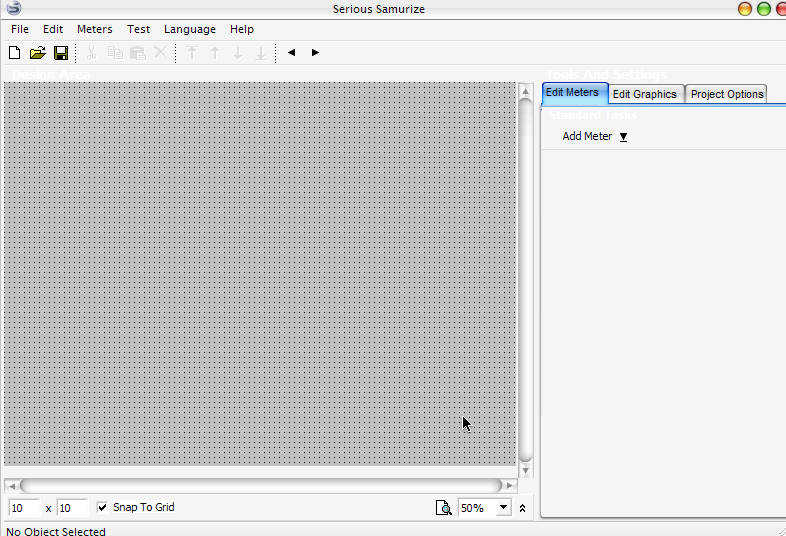
here's a shot of the advmedia config in action...
what could I be doing wrong as far as the unpod config?


nevermind...
it was further off the design area than I had visible (even at 50%)
for anyone else with this problem, this is what you're looking for.
thanks for the help wookie
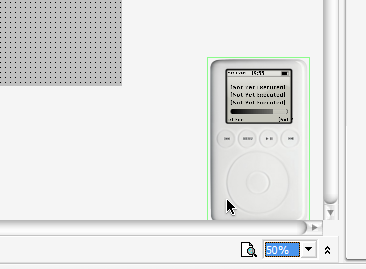
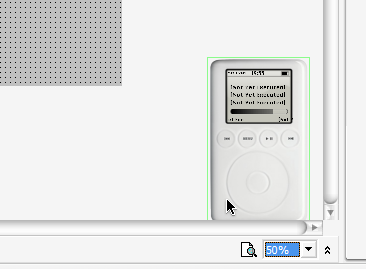
lol, this is awesome
That's so cool! (Y)
Another mirror Here
It displays the song info for Winamp5 if thats running and iTunes isnt as well, which is cool, but the buttons don't work (yet )
P.S. - the config in my zip is slightly modified so its all in the top left of the screen, so it isn't hidden when you first load it up 
I would like it except I only have iTunes 4.0. But the play/pause, next, last work, no the text though.
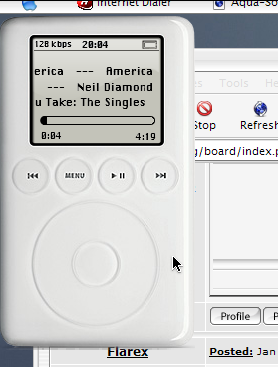
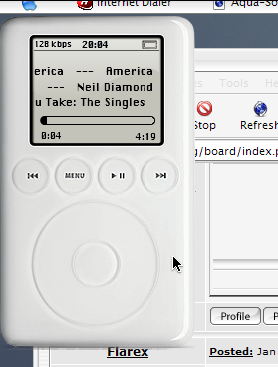
I don't think it's been mentioned yet, but if you click the black bar in the battery display (top right of the pod LCD) it's a CPU usage metre, which is cool, I changed that to look for my pc name, not RAMIEL as it is in the config, and it loaded up sooo much quicker!
It was pretty obvious i guess, but just incase anyone hadn't noticed that yet
Originally posted by wookietv@Jan 25 2004, 01:09 AMthanks though... i did find a driver and installed, still won't work. now that i just read someone else is having the same problem, perhaps it's a bug with some hardware? no big deal... my keyboard has volume control, i just use that.
you're having a problem with your volume control because my volume script (which was included by Unbeliever) uses the setvol.exe file to change the volume. It isn't included in the zip, and that is why the script executes fine (hence the click to show its execution) but the volume doesn't change.
PM me your email address and i'll send it pronto.

unbeliever it would be cool if you could make it so when you put the mouse over the buttons they light up red like the real one does. Just an idea either way its great I love it thanks
Originally posted by puckchump@Jan 25 2004, 06:38 AMunbeliever it would be cool if you could make it so when you put the mouse over the buttons they light up red like the real one does. Just an idea either way its great I love it thanks
It's impossible for today but who knows..... :naughty:
Hey Unbeliever! Time to wake up! Get yourself some water for your hangover and come here!