Help Center - Ask for help ONLY here!

El primer error es un bug de XWD que ya ha sido posteado por atreiu y otros

y es debido a que la magnificación de dock comienza cuando el puntero se acerca al límite del tamaño máximo establecido ( en tu caso 70 pixel por encima del tamaño del icono). Cuando el puntero entra o sale de esa zona la pila y todos los demás iconos cambian de tamaño, lo que hace difícil pulsar el primer icono.

OK ... ya entendi, ojala pronto lo resuelban

Para solucionar el segundo problema debes crear una pila (NO una pila desde el explorador) y añadirle, arrastrando y soltando, los ejecutables de los programas que desees (secrearán accesos directos en la pila). Si creas un acceso directo en la pila enlazado a otro acceso directo (incluido en una carpeta situada en otro lugar, como es tu caso) no funcionara el de la pila ( no abre o ejecuta el programa o carpeta al que se enlace el segundo acceso direto. Cuando haces lo de crear una carpeta con accesos directos y agregarla al dock estás creando una pila desde el explorador que no enlaza con los programas que te interesan sino que crea un acceso directo a otro acceso directo, y eso no funciona en este dock.

Espero haberte ayudado.

Pero esto ultimo no me quedo claro ... todas mis pilas son tomadas de carpetas con accesos directos, es decir para la pila donde ves los navegadores que tengo instalados en mi lap, es una carpeta con accesos directos de los programas y funciona sin problemas. Y las tengo asi porque utilizo Object dock con el docklet de pilas.

Los que no funcionan son los de accesos a programas de windows, como es el panel de control, el acceso a impresoras y/o agregar o quitar programas ... eso son los que no funcionan.

Como haria para poner en una pila estos ultimos ? ... como agrego el panel + impresoras + agregar o quitar programas ?

Gracias por tu ayuda nuevamente y perdon pero no sabia que por fuerza se tenga que postear en ingles ... que complicados somo los humanos

#520024

OK ... ya entendi, ojala pronto lo resuelban

Pero esto ultimo no me quedo claro ... todas mis pilas son tomadas de carpetas con accesos directos, es decir para la pila donde ves los navegadores que tengo instalados en mi lap, es una carpeta con accesos directos de los programas y funciona sin problemas. Y las tengo asi porque utilizo Object dock con el docklet de pilas.

Los que no funcionan son los de accesos a programas de windows, como es el panel de control, el acceso a impresoras y/o agregar o quitar programas ... eso son los que no funcionan.

Como haria para poner en una pila estos ultimos ? ... como agrego el panel + impresoras + agregar o quitar programas ?

Gracias por tu ayuda nuevamente y perdon pero no sabia que por fuerza se tenga que postear en ingles ... que complicados somo los humanos

Link to C:WindowsSystem32control.exe or add Control panel from the dock menu

#520028

Can somebody help me?

I downloaded "Duck Dock", extracted the files to ...XWindowsDockSkins,

went to Dock preferences > Dock > Refresh, but it still doesn't appear.

I tried redownloading and all those, but it still won't work.

Please help :)

#520098

Please help!

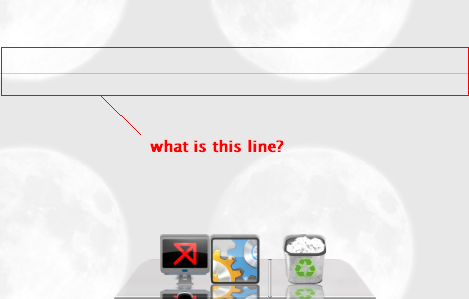
what.bmp

Attachment: what.bmp

#520103

Much easier...Use Matonga new XWindowsSDock Skin Editor...load your .smxd in it..and then...save the icon(s)

:)

#520191

[offtopic]

Why is this sticky? Just askin :whistle:

Much easier...Use Matonga new XWindowsSDock Skin Editor...load your .smxd in it..and then...save the icon(s)

:)

actually, that's a bit harder I think, as you'd have to go through all the icons... When you go into XWD and change the skin, you get all the icons in one fell swoop ;)

Posts merged by Panta: Please avoid double posting.

#520212

The thinking behind the stickie, was all help questions could be posted here, keeping the main relase thread free.

#520215

Thank you Timan & MPS69 :)

#520218

Old XWindows Dock Help Stack merged here. Reason: keep all help requests at one thread.

Old SMXD (Xwindows Dock) merged here. Reason: keep all help requests at one thread.

#520228

I have a shortcut to XAMPP on my dock but I'm on Vista so I get errors with XAMPP when trying to start a service. In order for XAMPP to work I need to run the program as "Adminstrator" by left clicking the icon. However, I can't do that in the dock, is there a way that I can add a command or something to run XAMPP under "Admin"?

#520241

@Estrahon:

U can try this method

If all works well when the program is run as administrator, you can opt to always run the program as administrator. In addition, you might want to run the program in compatibility mode for an older version of Windows.

How to set a program to always run as administrator:

1. Locate the program you want to launch with admin rights

2. Right click the program icon and choose the properties option

3. Select the compatibility tab from the window that appears

4. At the bottom of the window, under privilege level, check the box to run this program as administrator

Note: you may also want to run this run this program in compatibility mode if it was originally created for another version of Windows such as Windows XP. To do this simply check the box to run this program in compatibility mode for: and then select the compatible Windows environment from the drop down menu.

5. Once finished setting your options, click Apply to accept the changes

Always run as admin compatible

Enjoy!

#520243

Thanks Elevati0n! That was extremely helpful, I didn't know that you could do that through Properties. I applied that to a couple of other programs of mine as well.

#520247

@Elevati0n: I think this is a good tip for a "How To..." tutorial thread I want to create! Would you like to reproduce it there, in the form of a tutorial, once I create the thread?

#520249

Estrahon: No problem..Good to know that I could helped u ;)

Panta: Not a bad idea...Do that thread ;) and I'm in...with my knowledge

#520280

How can I raise the positions of icons?

Are there any settings I can play with?

#520323

Panta: Not a bad idea...Do that thread ;) and I'm in...with my knowledge
Great! As soon as you see it created feel free to post; remember, it'll be in the form of a tutorial so, the most detailed the better! :D

#520324

How can I raise the positions of icons?

Are there any settings I can play with?

Not in the Settings, no. But the position of the Icons can be changed in the Skin-File (sxmd), so if you want to change it for a specific skin, i would suggest to take a look at Matongas Skin-Editor.

#520391

Not in the Settings, no. But the position of the Icons can be changed in the Skin-File (sxmd), so if you want to change it for a specific skin, i would suggest to take a look at Matongas Skin-Editor.
I may be wrong but I'm afraid you can't do this there either...

#520393

I may be wrong but I'm afraid you can't do this there either...

Dang! Your absolutely right, Panta. It seems to be impossible, right now. I think i got confused with reflections offset...

#520394

Not in the Settings, no. But the position of the Icons can be changed in the Skin-File (sxmd), so if you want to change it for a specific skin, i would suggest to take a look at Matongas Skin-Editor.

I dont mean changing the height of a panel, I mean changing the position of icons on the dock.

I have ported some skins and made them like their original counterpart, without resizing them to an specific height that XWD requires.

Once I modify the panel to what XWD likes then the position of the icons on my dock are fine but the panel looks bad compared to the original.

Example

Port 1 - No modifications to the panel (icons too low)

Port 2 - Panel modified to a height of 44 pixels (icons fine)

post-76798-1231992815_thumb.jpg

post-89-1231992815_thumb.jpg

1.jpg
1.jpg
2.jpg
2.jpg

#520397

I dont mean changing the height of a panel, I mean changing the position of icons on the dock.

I have ported some skins and made them like their original counterpart, without resizing them to an specific height that XWD requires.

Once I modify the panel to what XWD likes then the position of the icons on my dock are fine but the panel looks bad compared to the original.

Example

Port 1 - No modifications to the panel (icons too low)

Port 2 - Panel modified to a height of 44 pixels (icons fine)

We understand you correct in the first time, Suzumushi. I thought it would be possible through the skins, but it's not. So there is no way to chance what you want, at the moment. Maybe you should leave a note in the Feature-Requests - Thread?

#520400

That'd be a good addition to the Icon preferences: Icon offset (from bottom of dock).

#520401

If people agree to the idea of being able to change position of icons, then I'll request it, otherwise it might seem a little selfish. Anyways it would be good to have that feat, I don't like how the height the panel determines icon position.

If its taken into consideration then dock ports from Mac would look exactly like they do running on a Mac in XWD and a little easier to port :)

#520404

If people agree to the idea of being able to change position of icons, then I'll request it, otherwise it might seem a little selfish. Anyways it would be good to have that feat, I don't like how the height the panel determines icon position.

If its taken into consideration then dock ports from Mac would look exactly like they do running on a Mac in XWD and a little easier to port :)

It's a good idea, really! Request it! I can remember other people asking for this option in the past, too. If and when it will be implemented, thats bobahs decision. But a request i really justified :)

#520408

If people agree to the idea of being able to change position of icons, then I'll request it, otherwise it might seem a little selfish. Anyways it would be good to have that feat, I don't like how the height the panel determines icon position.

If its taken into consideration then dock ports from Mac would look exactly like they do running on a Mac in XWD and a little easier to port :)

Go for it mate! You'll have lots of supporters I'm sure! :D

#520410