 Aqua-Soft Forums
Some other things: The dropdownmenus in the widows with the square OK buttons are sqare, too.
You can see the white dot at the edges, doesn´t happen on i.e. startmenuoptions.


Some other things: The dropdownmenus in the widows with the square OK buttons are sqare, too.
You can see the white dot at the edges, doesn´t happen on i.e. startmenuoptions.
Hi,Yes, latest version. The about boxes on all application (I tested so far) are working right.
It´s just the apps under Systempreferences, apart fron "Folderoptions", "Taskbar and startmenuoptions" and "Status of LAN and Firewire" that aren´t working right.
I have WB6 installed, but not using it ATM (so it´s not running, but on the system.
Great work. Keep it up...
Thanks,
Björn
You mean the System Preferences app for Windows, which emulates the one in Mac OS X?
Maybe it uses it's own skinning system. Don't know if I can help with that. Where can I download the same exact version you're using (System Preferences app)?
Edit:
Not sure on that one, doesn't happen to me. This is probably a problem with the "manifest file" detection. Try enabling the "Apply theme to legacy apps" option, if it solves the problem then I need to review "manifest" detection stuff (I need the "manifest" to know if the app has visual style applied by Windows, and in turn if Windows will render themed buttons or old Windows-9x-like square buttons).
Great job Matius.... and it works on vista  (I dont try with aero) but I have some problems when I try to sort the icons by name or date....
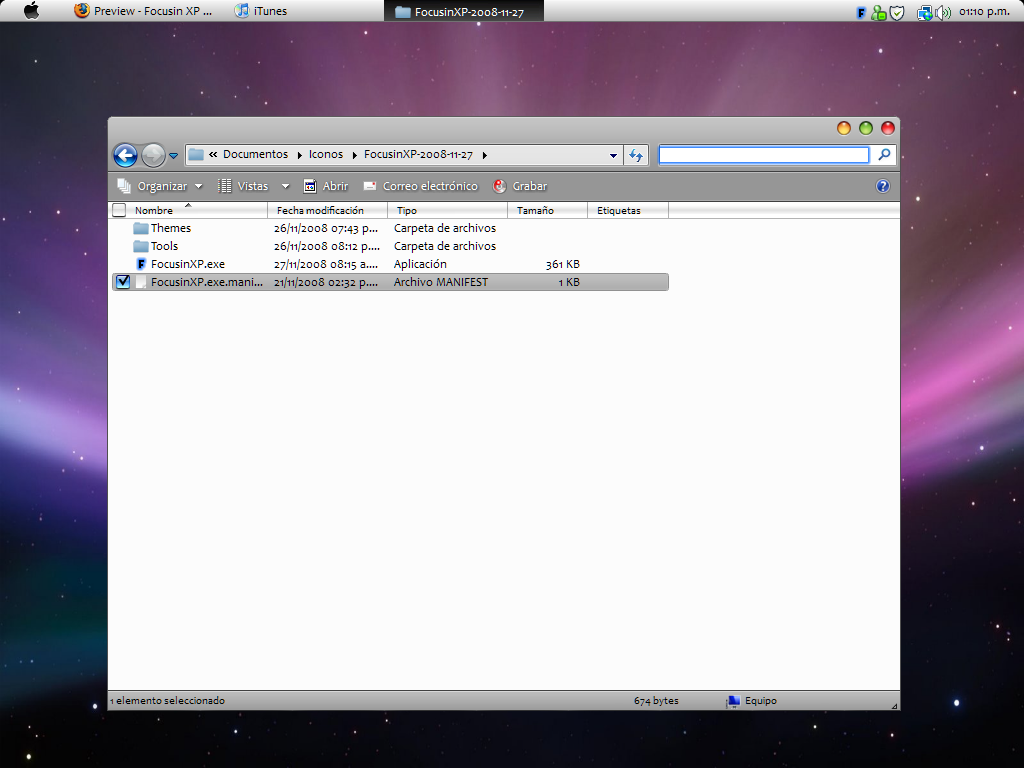

Seems to work pretty OK in vista sp1, a few issues like highlighting the inside of explorer windows, but still good
I am not sure if my version is working -I know that the application is supposed to work on the buttons and active text box on window explorer windows but I dont see any indicaton that it is working except for the tray icon and I even check the setting but nothing seems to be happening. Am I doing some thing wrong?
Ok, another highlighting issue:

p.s.: Te escribiria todo en español, pero de todas maneras tendria que traducirlo 
With the new Beta, the border under the objectbar is gone!
However, I noticed that the application has some issue with registering at startup. It loads with the other programs, but the borders don't show unless I restart the program..
Ok, another highlighting issue:p.s.: Te escribiria todo en español, pero de todas maneras tendria que traducirlo
ah, was just about to post that.
Yeah and I also have the problem as fortyfeet, if you select Start with Windows, the next time you start only some stuff get highlighted. When I booted, the problem with the above start menu was gone, but then some things like going Start -> Search, when you typed something there there was no blue bar around the text area.
It only worked again when I quit it, and started it up manually again. 
Hi Matonga,
I'm really liking this app
I hope you'll continue to release improvements and updates to this
A little report: there are a few areas which are given a fucusin halo which probably shouldn't, for instance, notepad gets a halo as follows:

also,
there is a black border line that appears (in addition to the blue halo) when renaming files in explorer, as follows:

EDIT: maybe the above has to do with the theme being used?
EDIT2: I'm using WindowBlinds6.x XP SP3 Nvidia Quadro FX 1600M
I only mention this because it isn't consistent with other fields which get a focusin halo, as follows:

..and I do not remember VAnimator placing a black border around the rename file name field. (I haven't the app on my computer right now so I can't test this out currently.) But aesthetically, it would be nice if we could get the file Rename field to look consistant with the other fields.
Anyways, I hope this helps, and thanks again Matonga.
EDIT 2: Maybe the black border line can be modified somewhere in Windows Settings such as here? (below) If you have any advice or suggestions, please let me know

i think it's a wb problem. i'm not using wb so i don't have these bugs 
oops, forgot to mention I'm using wb6; thanks ArchDevil. I'll include it back in my original post as well.
will test this out on a laptop that sticks with visual styles and report back.
[[Edit: ]]
Hi Matonga,
I installed and have tested Focusin on the following 2 additional computers:
PC 1: Dell Laptop with Nvidia Quadro FX 1600M, Windows XP SP2, WindowBlinds v6.3.
PC 2: Acer One Netbook, Intel Atom 1.6Ghz & Integrated Graphics, Windows XP SP3, Visual Styles, 1Gb RAM.
PC 3: HP Touch Desktop, Intel QuadCore, Vista Home Premium SP1, Nvidia, unmodified Aero visual style, 4Gb.
On each of the above installs, I experienced the following:
~ Notepad & start menu received a halo border around window frame. (Per screenshot)
~ When Renaming a file in Explorer, there is still a dark border line (per screenshot) in addition to the Focusin Halo effect.
Regarding the above, I noticed that depending on the Visual Style, the color of the "Rename File" Border is different. I suspect that this is a user controllable value (although I do not know where, maybe the advanced properties of the System Preferences?,) I suspect that the visual style can determine the color as well.
Matonga, could you possibly detect the color of the 'rename file' border and change it to be a color that is barely noticeable, like a light light grey, when your app is activated, and return to the Visual Style's color scheme, when exiting the app? Something like this?
@firecracker:
The problem when renaming files is difficult for me because I don't have such problem 
About Notepad border, I do like it, though it is not Mac-like, so I promise I'll remove it.
About Start menu, same than explorer problem: don't have such problem... though I have a custom Visual Style.
I'll try in other computers to see if I can reproduce the error. A friend of mine has Windows Vista, I'll try there if I can (probably only Vista and XP SP 3 have the problems you mentioned, and maybe also with WindowBlinds per pixel skins...?)
The halo color is not dependant on O.S. visual style, color settings, etc... it is completely independent of that.
If you go to ThemesLeopardXP, there you'll find all pieces used to produce the halo effect.
You can use any batch image processing app to change the halo color and transparency to anything suiting your needs. Once you're done, please zip it and publish it here so anyone can use your theme (you can call it FirecrackerLeopard, FireLeopard, LeopardCracker, BetterHalo or whatever you want )
Edit
Done with Notepad. Other ones will have to wait until I can reproduce the error in some machine.
@Matonga,
I rather liked the notepad effect as well to tell you the truth, it's more the start menu frames that would flicker in and out of focus that led me to begin to associate the two effects as a 'glitch' rather than a funtion.
@firecracker:The halo color is not dependant on O.S. visual style, color settings, etc... it is completely independent of that.
I must not have been clear.. I'm with you on the halo (your theme)'s images characteristics and the theme folder. (when I have time, I'd love to create a skin for it , What I mean is: When Focusin is enabled, only your halo effect would be visible when renaming a file, (with NO black border line between the text box and the blue halo (matonga's theme.)
So instead of this:
it would look like this:

I Believe certain visual styles have dark/black text box borders while other visual styles give you light text box borders. You say your skin does not have the 'problem' I'm having. Would you consider pm'ing your visual style and I can try it out? And I'll find you the visual style I'm experiencing this with and and get that to you?
@firecracker:
My visual style also has black text border. Indeed this is probably the textbox itself and not the visual style
I thought you meant the cursosr, which displays such huge black stuff just at the right of the word "Disk" in your screenshots (d'oh )
Making Windows into not showing the black border means writing a .dll to inject all running apps. It is a bit more complicated... but I'll see if I can come with something. Edit (because I also want to remove the focus rect thing from buttons, looks horrible when both the Windows default focus rect and Focusin's halo effect are drawn around buttons).
@firecracker:My visual style also has black text border. Indeed this is probably the textbox itself and not the visual style
I thought you meant the cursosr, which displays such huge black stuff just at the right of the word "Disk" in your screenshots (d'oh
Making Windows into not showing the black border means writing a .dll to inject all running apps. It is a bit more complicated...
Matonga
I have the product and I am not seeing the halo effect at all on any of my explorer windows
Is there a certain type of application that would cancel the effects of Focusin Xp that I might have on my computer? I am perplexed as to why my app is not working
@kftrainer:
Focusin only works with standard buttons, edit boxes, etc...and Borland's ones (Delphi and probably Builder).
It also recognizes some common controls.
It doesn't recognize Firefox and Internet Explorer custom controls.
But it should work in Explorer, so it's strange. And about your app, no idea sincerely. What programming language are you using? (I haven't tested with .NET apps... it won't work for sure with GTK and Java apps).
I am not sure what programming language but do have Microsoft .Net 3.5 on my compuater and java is installed on my computer to run some applications
Hey Matonga, while I was working on a skin release for FocusinXP, I had a few observations as follows:
1. The Theme selection does not save between sessions. For instance, when restarting FocusinXP, the theme reverts back to the default one.
2. I cannot find an example of a Listbox to confirm the listbox images. Could you please direct me to an example of one in XP?
3. It would seem that some dialogs/windows use the square_images on the buttons, rather than the button_images. Is this due to FocusinXP? Or the Application window? For instance, if you go into your control panel, and open Mouse Settings, many of the buttons there seem to do as described above. See the below screenshot.

Also, I have one request. Is it possible for textboxes (for instance the rename file/folder text box, to have the square_images.png overlap the border line (1px) as shown in the below screenshot? This would allow me to overlay Focusin images and remove that black border line.

Lastly, you mentioned looking into a way to remove the default XP/Windows Dotted line.. have you checked out Localhost's focus rectangle remover app?
There seems to be two release threads as follows:
http://www.aqua-soft.org/board/showthread.php?t=41183 (Universal Focus Rectangle Remover date: (01-23-07)
http://www.aqua-soft.org/board/showthread.php?t=39830 (Focus Rectangle Remover Patch, date: 11-19-2006)
And a link to a guide Davirus wrote for the above patch:
http://www.aqua-soft.org/board/showthread....light=rectangle
UPDATE: I've released it's first skin: squared
It's great to know there is already an app for focus rectangle removal
So I can focus in textboxes problem. I found I can remove the border by setting the edit box clipping region I still have to test if I can do this with windows not owned by my thread (either directly or attaching to them).
[[ Update: ]]
New improvement: editbox border is hidden by Focusin XP when they are inside a SysTreeView32 or SysListView32 (i.e. when renaming files/folders, etc...)
@firecracker:
I tried Universal Focus Rectangle Remover and it works great. Thanks man!
Edit
New update! FocusinXP now works correctly with control panel applets (Screen properties, Mouse properties, etc...)
Whooo! Thanks for the update
I've noticed my first skin does not work with as many square button themes as I'd hoped, rather, but works fairly well with the theme which was intended. I will try and release another skin based around an apple-ish theme KRIZR by Nuux soon-ish.
EDIT: This is an excellent release! This app is really maturing.
Matonga, my theme selection still does not save between sessions. (program restarts)
Also, I cannot find an example of the listbox focusin images being used in WindowsXP system. Could you please direct me to where to test my edits?
Lastly, a big favor~
Could you please:
The above change would make reviewing skins and selecting them much more user friendly.

EDIT 2: I have found another area of the system which uses square_images instead of the button_images. Please see screenshot below. It would seem that areas of MS Office2007 display like the control panel had.
Steps to reproduce below image:

In Outlook:

Hello all
I did download the latest version and was pleased with the new version did not realize their was two new versions before the current one.
Thanks for the info
Happy New Year
Hi Matonga, just a minor bug I noticed.
When renaming a file, I start typing the new name and after about 24 characters or so, the text box no longer shows user text, it kinda freezes. After you hit enter, the final full renamed file name appears. This issue only happens when the text box is activated (Rename in-progress.)

EDIT: Another example while renaming on the desktop. (I've typed in: "Leopard Skin..." and as you can see, only that amount of the text box is visible, eventhough you can continue to type, and the rename does succeed:

EDIT: I've been testing more and the above issue does not seem to be related to a fixed character size. One way to recreate the issue, I believe, is to create a new TXT file. Then rename the file, and start typing until the issue is 'triggered'. I hope this helps.
So In summary of my most recent 2 posts:
)By the way, I am REALLY liking the new Text box hidden borders. It looks so professional!
Fixed bug when renaming files in Explorer view, etc...
The bug is not related to character size.
Instead, it is related to the 'EDIT' windows control clipping region. The control doesn't have one, I set one to remove the black borders. And I forgot to update the clipping region while the user types thus modifying the size of the textbox.
@firecracker6:
I have fully read your last post.
You may be intrigued of why didn't I fixed them with this release.
Explanation is simple: tomorrow early in the morning I go for vacations and I won't return until January 14.
Have a great trip! Don't bring any work with you
EDIT: also, thanks for the update, as always