Aqua-Soft Forums
Ok. I will try to sum up the main things.
Obviously there are two main threads in FF3 skinning now.
1) FF3 Mac style skin - the PC alternative already made - https://addons.mozilla.org/en-US/firefox/addon/7172
2) Safari skins for FF3.
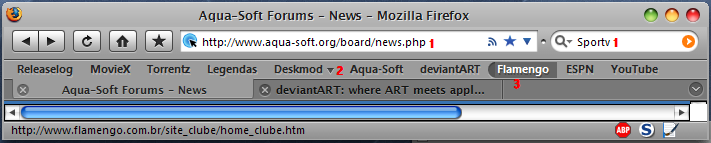
For now the best one is GrApple
http://www.takebacktheweb.org/
Using this one I have faced a number of problems. Here they are:
1) problem with context menu background. It can be solved in two ways.
a. Install Stylish extension - maake new entry - copy this (thanks Kinsemon):
/* Make menus XP style */
menupopup, popup {
border: 1px solid ThreeDShadow !important;
-moz-border-left-colors: ThreeDLightShadow !important;
-moz-border-top-colors: ThreeDLightShadow !important;
-moz-border-right-colors: ThreeDDarkShadow !important;
-moz-border-bottom-colors: ThreeDDarkShadow !important;
padding: 2px !important;
background-color: rgb(230, 230, 230) !important;
}
menubar > menu {
border: 1px solid transparent !important;
padding: 2px 5px 2px 7px !important;
margin: 0 !important;
}
menubar > menu[_moz-menuactive=true] {
background-color : Highlight !important;
color: HighlightText !important;
}
b. If you don't want to use Stylish - copy this into your UserChrome file:
menupopup, popup {
border: 1px solid ThreeDShadow !important;
-moz-border-left-colors: ThreeDShadow !important;
-moz-border-top-colors: ThreeDShadow !important;
-moz-border-right-colors: ThreeDShadow !important;
-moz-border-bottom-colors: ThreeDShadow !important;
padding: 1px !important;
background-color: rgb(230, 230, 230) !important;
}
2) problem with fonts.

the same with menus. so if you know how to change font in FF3 menus - please.
3) bookmarks small icon on favorites bar. I can't find it.
this is it by now.