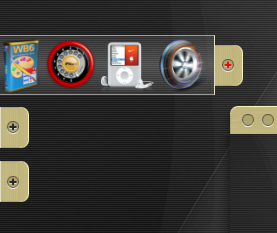
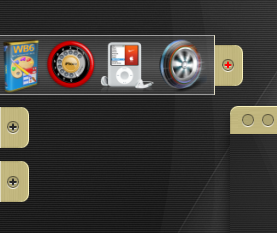
RunMe 0.9 (Application Launcher)

RunMe: application launcher for windows.

rmprw11tj0.th.jpg

Please backup "1.xml" to save your old links!

0.9.2

-In new version:

-I've rewrited building of links from folder algorithm. Faster, less RAM.

-SlideIn and SlideOut algorithms rewritten.

Language engine working now, all elements translated (English and Russian languages included)

-Added Vista blur (only in Aquarel [Dark Blue] theme while, for example)

-Preview for images (in context menu)

0.9

I will not write much about new features, I only tell that if I not release it now - I not release it never ;)

-Auto width for menus

-New menu item "context menu" (for file and folder)

-Option "as vista menu" for Run box item (fast searching, check Indexing tab in properties)

-Weather forecast (on click while ;))

Note: please download weather icons and place it in RunMe folder (for ex. here).

-Option "as menu" for folders:

rmprw12rc5.th.jpg

Vista blur and new image preview in context menu:

rmprw13ds6.th.jpg

Download RunMe v0.9.2.1

Mirror

Latest EXE: http://windocks.narod.ru/runme0.9.2.6u_exe.zip)

#485398

Nice I will have some fun with this runs smooth.

#485402

very awesome app launcher on windows!

thx for it!;)

#485416

Shouldn't be long before there are lots of skins...

runme.png

#485419

I want to add My Network Place as a menu how can I do that?

#485499

I want to add My Network Place as a menu how can I do that?

Nice simple theme on previous screenshot! :)

You can add folders as menu only like c:folder,

but I think you can make so: "New group" and links in it from your network places (something like this: computername on Object field of item properties)

Hope this helps :)

#485524

Thanks got it working

Need a nice big dock icon for it.

#485525

Ghostwalker,

if you use dock then you can try this:

http://ksoft.nm.ru/runme0.9.1exe.zip

it's an exe only (v0.9.1). If you make link to runme.exe in dock and will use "1.xml" as parameter,

this be will like kkmenu (not docklet). So if you made XMLs for various groups (program, documents etc),

you will have several menus in dock.

rmprw13.jpg

On RunMe icon, I can upload large png, but it seems to me that icon of launcher in launcher is not so useful :)

#485699

I dont always have RunMe running so I wanted to have it (icon) in my other dock. I have the docks set up for various things I use RK for the docklets I use MagicFormation for folder I am going to set your dock up for development apps and folders. This looks like a good way for the menus thanks.

#485754

Ok, I have understood :)

256x256 with shadow:

rmicon2.png

#485773

Hey KSoft,

1st your Tool is awesome, i really love it ^^

I found a Bug, i'll try to explain, but my english is not very well^^

If the Option "Hide RunMe Completely" is activated, the "Hidden" RunMe shows and hides itself every X ms. It is hard to explain ^^

Im using WinXP SP2

And then i've a Question to the Weather plugin, how can i select my Town, i dont know how^^

Greets from Germany

EugenE

#485996

Hey KSoft,

1st your Tool is awesome, i really love it ^^

I found a Bug, i'll try to explain, but my english is not very well^^

If the Option "Hide RunMe Completely" is activated, the "Hidden" RunMe shows and hides itself every X ms. It is hard to explain ^^

Im using WinXP SP2

And then i've a Question to the Weather plugin, how can i select my Town, i dont know how^^

Greets from Germany

EugenE

Thank You, EugenE, I will try to correct this bug,

I'm glad that RunMe helps organize Your links :)

For weather:

1)Open http://www.weather.com/ in browser

2)Search town (edit box with Go button)

3)Choose your town in found list

4)Now address in browser like this:

http://www.weather.com/outlook/travel/busi...rom=search_city

So for Berlin, for example, code GMXX0007.

This code various for other towns, use this code in Settings->Advanced->Weather group box

#486053

Thx ;) , but at this Weather-Service my Town isnt available :(

And i hope u can find and fix the bug^^

#486070

EugenE, maybe You have city with avaliable forecast near Your town?

#486076

found one^^ thx

but How u add the City Name after the °C

#486087

EugenE, in weather item Properties, in field Param must be %s (it will be replaced by temp.) and You can add any text around it. For example: "%s in my town"

#486145

and thx again =)

#486161

:) Oh what a beautiful program !!!!! Thanks a lot !

ernest33

PS : Do you have a template to make a french translation please (i saw you've prepared something about Language :-) ).

PS : Do you think it will be possible to have a popup menu for "Control Panel" (by example) ?

#486637

Hi,KSoft,I'm just wondering if you could make it pop up like the Object Dock Plus ?

Please see the attachment,thank's

post-66870-1199722210_thumb.png

KSoft.png
KSoft.png

#486645

:) Oh what a beautiful program !!!!! Thanks a lot !

ernest33

PS : Do you have a template to make a french translation please (i saw you've prepared something about Language :-) ).

PS : Do you think it will be possible to have a popup menu for "Control Panel" (by example) ?

Thank You, Ernest33! :)

Example of language English file here: http://ksoft.nm.ru/rm/English.ini

But unfortunately not all strings translated yet, so I think I should make normal system for translation at first. But thanks for interest! :)

(for language files it's needed to create "Languages" folder and place ini file here).

On Control Panel, it's possible now only make popup menu and add System items there (in Properties of item, Type=System).

Edited:

or, Ernest33, You can place links to all Control Panel items in separate folder (Open CP, select all items and drag'n'drop to folder) and make DiscOrFolder item with "As Popup Menu" parameter and it will be popup menu with all Control Panel items.

#486648

Hi,KSoft,I'm just wondering if you could make it pop up like the Object Dock Plus ?

Please see the attachment,thank's

Oh, it's really horizontal position of Object dock with tabs?

It's absolutely another idea (horizontal position of items) and I think it must be new program then, with new system of skining :(

#486650

yes,please KSoft ,I'm sure many people will love it and maybe your apps could beat it,thank's

#486651

A fantastic application - using it everyday now! Thank you!

#486902

Thank You, Narr! :)

Husaini HB, Unfortunately I have vo time to programming something new now,

I thought something more customizeble menu like Aston2

(http://www.astonshell.com/a2menu/), but Aston made it ;)

#487000

Thank's for the alternative one,but by the look on their site,I don't like the skin or the way it's operated,even I haven't tried it,maybe I just wait for your time to make "Run Me " really like the Tab horizontal,appreciated,thanks KSoft,remember,still waiting for your time

#487011