 Aqua-Soft Forums
Indeed! Coffee mug is on a 'Fullers ESB' beer towl... honest!
Post Your Workstation
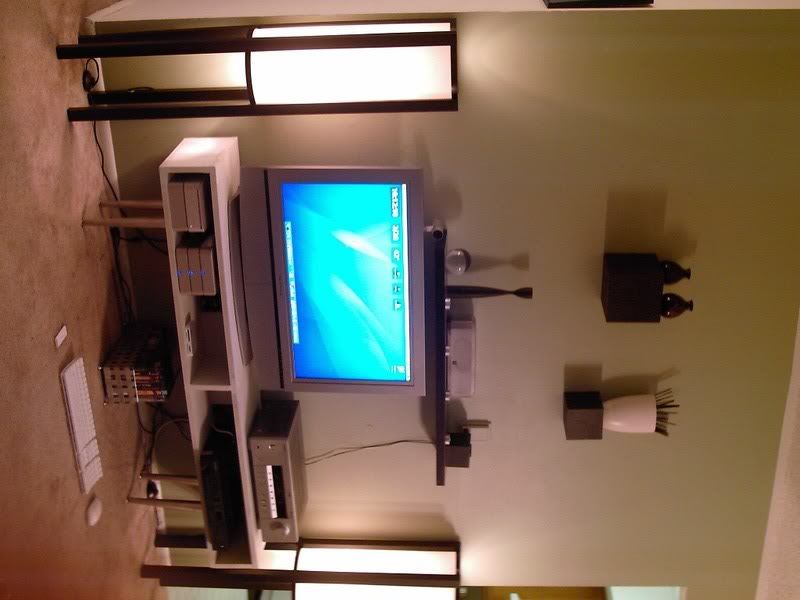
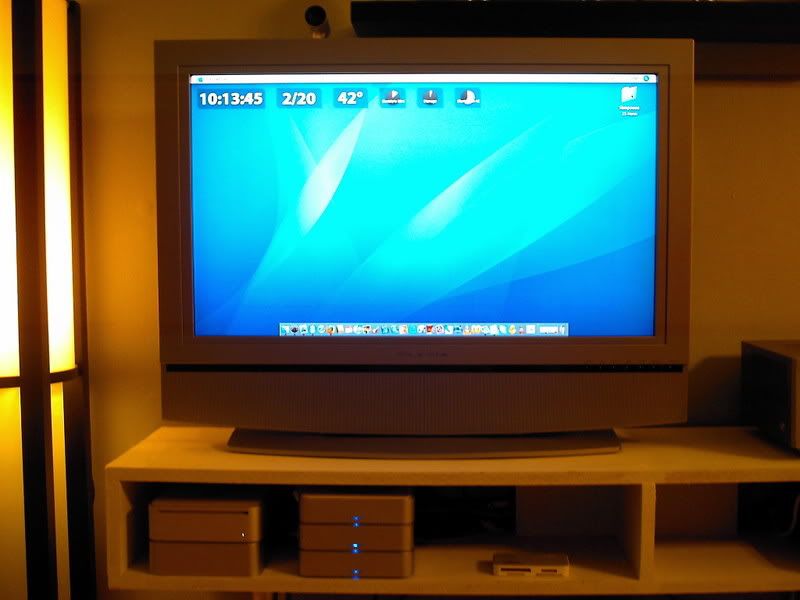
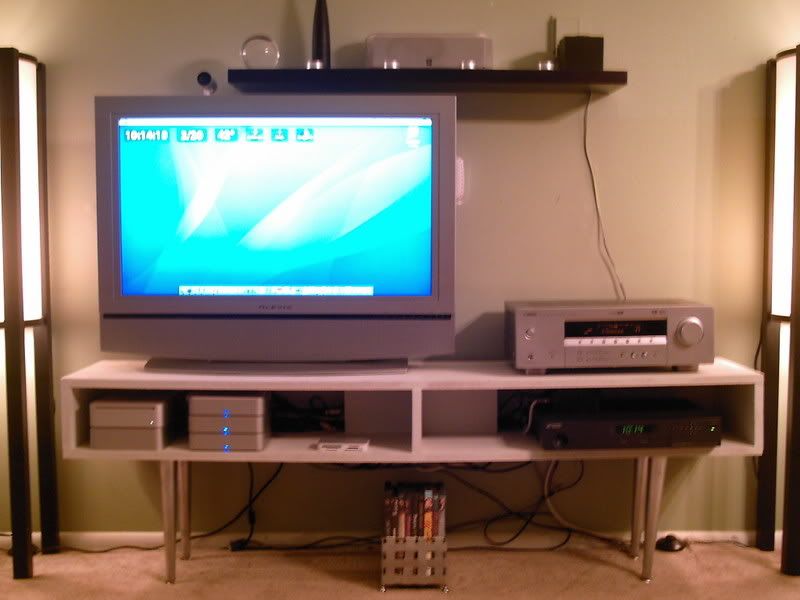
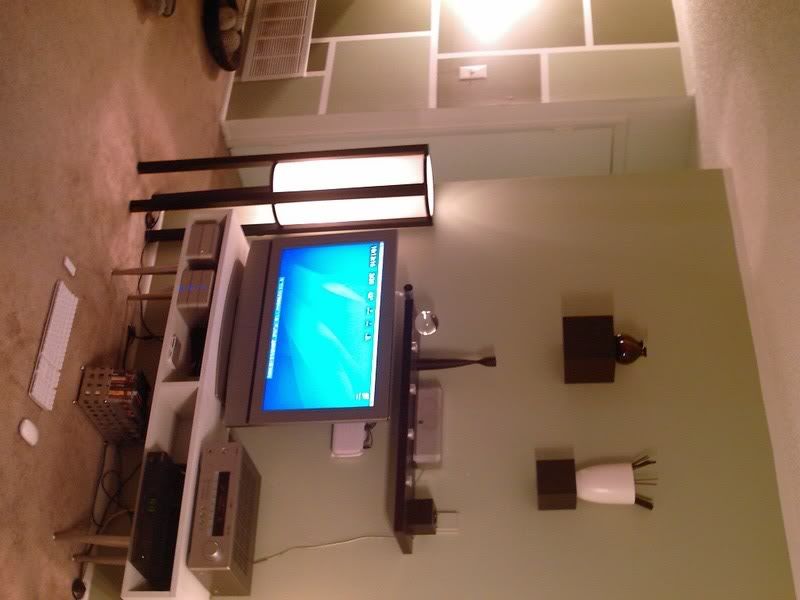
Mac Mini Setup - by Duckie
Click each thumbnail for the full image:
Used For:
TV - Digital Cable (HDTV Ant Ready)
iTunes Content (Movies, TV, etc.)
Torrent Content (Movies, TV, etc.)
Internet
Web Design
Photoshop
Podcasting
Gaming
Mac Mini - LINK
Specs:
2 GB ram - LINK
Maxtor 500gb SATA - LINK
Seagate 320gb ATA - LINK
Seagate 320gb ATA - LINK
3 miniStack V2's - LINK
SATA to IDE converter - LINK
DVI to HDMI converter - LINK
Belkin PureAV Digital Optical Audio Cable - LINK
Peripherals:
Apple Bluetooth Keyboard - LINK
Apple Bluetooth Mouse - LINK
Apple Remote - LINK
iSight - LINK
Logitech Gamepad (PS style) - LINK
EyeTV Hybrid - LINK
Crucial All-in-one Card Reader - LINK
Software:
Stattoo - LINK
VLC - LINK
Games:
Call Of Duty 2 - LINK
Doom 3 - LINK
Jedi Knight Academy - LINK
Armagetron Advanced - LINK
Mame - LINK
Star Wars - Battlefront - LINK
Other Hardware:
Olevia 32" 16:9 HDTV Model 332H - LINK
Yamaha HTR-5830 550W Cinema DSP reciever - LINK
Netgear WGR614 Wireless G Router - LINK
Furniture:
White 'IKEA style' cabinet - $20 worth of MDF (built by me)
Legs on White cabinet - Old legs from side table (painted silver)
Total cost:
$2,882.92
Notes:
1. Including the 60gb in the Mac Mini, the total HD space is exactly 1.2tb
2. I had to cut out the side of one of the miniStacks to fit the SATA to IDE converter. I cut it using a razor by scoring it, then breaking it away with a wrench. It made a clean cut. I used electrical tape to seal the hole and then painted the tape silver to match the case. It's very subtle. It only sticks out about 1cm. Look closely and you can almost see it in THIS one on the left side of the top miniStack.
3. Cabinet has hidden compartment in the back for cords and power supplies.
4. iSight is mounted on top of the HDTV
5. Software on desktop is Stattoo. Displays Time, Date, Weather, and HD space on each drive.
6. I use THIS CHAIR, every now and then, when I have to do high res Photoshop stuff. I built a 1 1/2 foot x 1 1/2 foot table that fits on the arm for my mouse. Keyboard sits in my lap.
Any questions?
http://digg.com/apple/Mac_Mini_HDTV_Digita..._HD_space_Dream
Woah, this is really cool. It's nice that you built your own cabinet, and all those converters and extra harddrives look like they come in handy.
I really dig the design of your place. All of it, it looks like something out of a magazine.
thanks.
I should add 2 things:
1. That wire is no longer visible. It has since been moved.
2. Not listed is my iBook G4
1.2ghz PPC
792mb ram
60gb HD
DVD/CD burner
Airport Extreme

jordy and Duckie: those are both pretty slick setups. Very cool!


No Pic, but here are specs.
Acer Aspire 3680
80 GB HD
512 MB RAM
14.1" WXGA
CD-RW/DVD Combo Drive
1.6 GHz, 533 MHz FSB
Intel Celeron M Processor
802.11 Wireless
-----------------------------
Office 2000
Mozilla Firefox
iTunes
Trillian

I have the same power strip as you do. Cool. I've always liked your shots, and slowly but surely, my desk is becoming yours (I'm going to buy a logitech keyboard and mouse, I want Creature speakers, I bought a wooden desk, I want to buy a Griffin Elevator/iCurve, and finally, I am going to buy a nice external monitor). But, I'll need to save up my money for that.
what's the black box with the apple logo on it?
looks like a book with an apple sticker 
It's a moleskine, with the sticker from his iBook.

gnomexp what mac are you running? MBP?
he sold the mbp. looks like he's running it off his macbook
It's a moleskine, with the sticker from his iBook.
aah its not so easy to see unless you see the large size 
hey hey now, gnomexp, i liked you setup b3tt@ wit the MBP :slant: lol
lol
the 23" is still just as sexy though 
@gnomexp
congrat...nice setup, beautiful isn't it?
i have a question? can u tell me that 23" of urs do u see any light pink hue cover the screen?
i have one, too... and use it with windows PC, i have to calibrate it inoder to get a native resolution, you're on Mac maybe different?
There is no pink anywhere on the monitor. No dead pixels. It is flawless. 
thanks for replied perhaps Apple hardware doesn't seem to agree with windows that much
Oh, by the way...Those wires lying around beware getting shock
let me get that wallpaper please pm me with a link if possible
http://www.macthemesforums.net/viewtopic.php?t=16779486
Thanks Sci-Fi. One update: I got my first paid client today. http://macapper.com/forums/
Screw imagesize rules. I'll let the thumbnail catch it.

Nice work. See how that behemoth comes in handy? Web Design and graphic design (all types) is so much easier with the space.