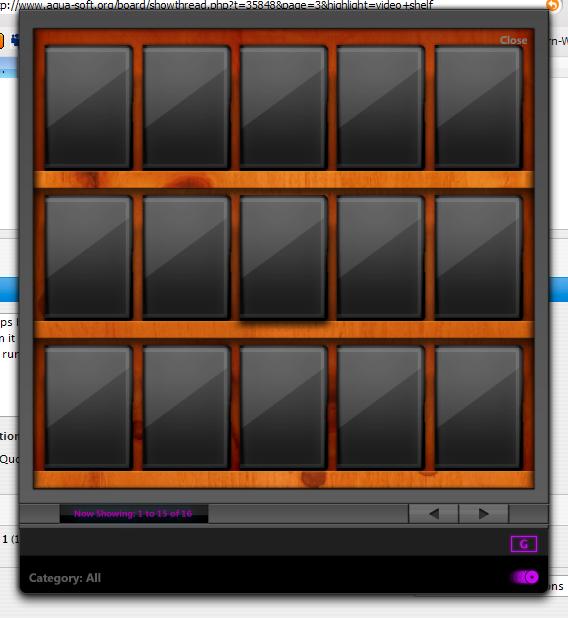
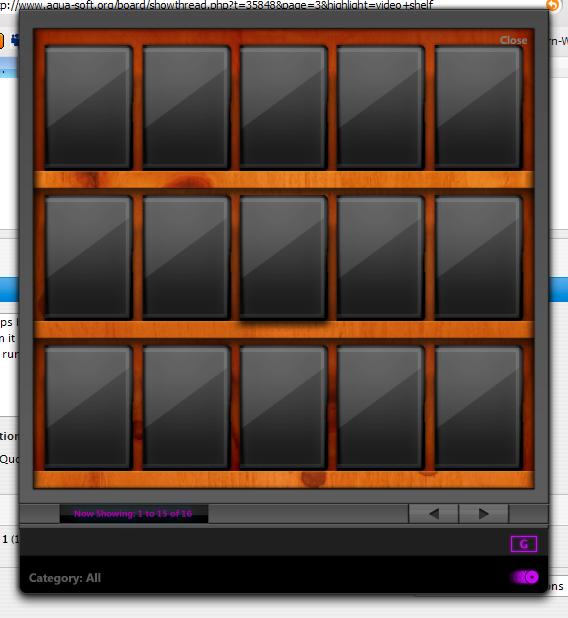
VideoShelf RC1

Hey hey, good to see you got it up and running. I know I've been promising the new release and it's coming. I just noticed a few bugs I need to fix before I release it to the public. Later tonight guys...

Check the first page for some updated screenshots and new features.

#416164

Version 1.0 has been released and is now available for download at DeviantArt. Check the first post for the link and details on new features.

For those of you that have already created collections, simply extract the zip folder and copy the new VideoShelf exe file into the old folder.

I have added a new option for those of you that do not know how to register .dll files. Simply run VideoShelf and it will be automatically registered. No need to worry about it any more.

Hope you all enjoy the new version and hope it was worth the wait. I'm very excited about this release. Thankyou.

#417615

Very nice. and is just me for is it faster?

EDIT: One problem. I got the 3 volumes of the show "FLCL".

Basically if I add one its fine. but if i try adding a second one. it changes the dvd cover of the previous to the second.

#417626

@Vkeios: Thanks a lot. I've tried to streamline some of the coding to make it run faster - glad to see it's noticable. To answer your question, just denote each volume differently (ie. FLCL - Volume 1, FLCL - Volume 2...) You should then be able to have each volume show its own cover. I've done this with my collection of Sopranos, Futurama, Family Guy, etc and it works.

#417637

Thank you.

But I figured out editing the ini pretty easily.

#417645

Hi

I got a bug which is a killer...

When I changed the media player to Media Player Classic then play a file from HD, the sound of the video plays in the background but I can't see any video.

Media Player doesn't even show in the taskbar.

In the task manager, wmplayer.exe is running in the processes, but it should be mplayerc.exe as I set it.

(path: C:Program FilesK-Lite Codec PackMedia Player Classicmplayerc.exe)

Any ideas?

It's an awesome program, so I hope it can be fixed.

#417647

@Zaft: I've noticed this too and you're right - it IS a killer. : I'm looking into it and will release an update as soon I figure it out.

@Vkeios: Not sure why it isn't working for you. It works fine for me. I'll look into it.

#417725

It actually works for me. I just noticed a while later. the edit window just appeared behind the main window so I didn't see it.

And one note. If I have 16 dvds, I can't view the second page, but if there's 17 or more, it works. (thankfully I spend a lot of dvds)

And also thank you for the dvd pending. I usually have a list of 5 or more to see/buy.

#417732

@Vkeios: Ahh okay, good to hear it's working for you. Had me worried there for a moment. ;) Odd that it won't display the second page with only 16. I'll have a look.

Not a problem adding the pending DVD screen. I thought about it while I was without net access. I threw all the DVDs we picked up during that time and then when we were re-connected I was then able to add them all without having to forget any.

EDIT: New version uploaded with bugs fixed.

#417743

Now works awesome! Thanks for all your work, it's a great program.

#417859

cool update ,but how to add dvd manually and how to return from the screen of the pedding list?

#418483

To switch back from pending just reselect it from the menu. Adding DVDs manually has been taken out. This is why I have added the pending list. When I'm offline, I add the DVDs to the pending list to be added when I connect to the net.

I found adding DVDs manually to be a tedious task - especially if you're someone like myself who has close to 400 DVDs. It's much easier to let Amazon get the info and change any errors manually afterwards. Most of the time Amazon gets it right anyway and there very few mistakes.

#418644

Great work, really better graphycal improves (it remember me the yahoo widget style with those violet font colors) and is also nice the pending choice :)

there are still some little bugs that i think u just know

-still cannot be edit the genres

-the plot is not accepted all if there is an empty line betweenup

- if u add a movie with a" /" in his title there are problems with his .jpg becasue "/" is not accepted for files descriptions.

anyway the look is incredible i hope you will find a way to make it works with avedesk ,

and add a little and useful option for listview (as like delicious library) sorting so for genres,year,and alphabatical orders in fast-way,

thanks again for the new improves !

#418645

@Zorda: Thanks a lot for the comment and suggestions.

- I'll try to reproduce the 'edit genre' bug and get back to you on this.

- I'm not sure I understand what you mean by 'if there is an empty line betweenup'. Can you clarify that for me?

- Also, I'm working on a error-check for problems that occur when there is an invalid character in the name. Perhaps some sort of replacement where characters such as "/" are replaced with a "-" or something.

I don't think I will be adding this app to AveDesk. I don't really see the point to be honest. It'd be like adding RumShot to AveDesk - they are two, seperate programs. Having said that, a widget could be created that uses the VideoShelf database. Or even a wishlist type widget that could then add the list to VideoShelf's pending list when the DVD is purchased, similar to the Delicious Library widget.

Regarding a listview option of browsing the DVD collection, it is my intention to add this some time in the future. I've already started looking into it and will let you know how thing progress. This feature would clearly be a version 2.0 addition though.

#418647

Scumm on my mouth after the last lines you wrote :P

i was meaning that if i edit a plot of a movie (for exaple using the way of cutpaste from a site)

and between it there is an empty line (cause a fullstop or a new added comment)

all that is after that empty line will be not added ,

as like the first "empty line" put the rules of the end of write field

sorry for my hugly english.

thanks again for listening the wishes.

#418662

@Zorda: Ahh, okay. I understand you now. I will look into it and get back to you. I'm pretty sure I know why it is doing that and I think I even ran into that before in the past. It's one of those things that I meant to get around to and it just fell through the cracks. Thanks for reminding about it. ;)

No worries on the english and keep the suggestions coming.

#418666

Perhaps I am the biggest idiot ever, but I can't seem to get this program to run. I've been anxiously keeping an eye on it since it was in the Beta stages. I've downloaded from DevArt about 1000 times, and every time I run the program I just get the screen that I attached. I've clicked everywhere on this screen but nothing happens. Is something supposed to pop up? Was I supposed to create some file? Is it just a drag and drop? When I right-click, I get "Hide, Close, About, and Autorun". [sIDENOTE: Clicking About leads me to a screen that says it's version 1.1, even though I just downloaded 1.2 from DevArt]. This does require DesktopX to run, right? (I currently have DesktopX, so it's not a problem).

Please don't flame me for not reading directions; trust me, I've read all there is to read, and I feel soooooooo stupid for having to ask!

post-26631-1158727224_thumb.jpg

VideoShelf.jpg
VideoShelf.jpg

#419172

..When I right-click, I get "Hide, Close, About, and Autorun"...

That would mean that AutoItX3.dll isn't correctly registered. You should try to register it again.

#419531

@Default: No, this does not require DesktopX to be installed to run. Croat is correct in saying that AutoItX3.dll has not been registered correctly.

Version 1.3 has been uploaded. There have been a lot of changes especially to the UI. Also, I have been working with Magnus Wild to create a OS X theme for VideoShelf which will take advantage of the skinning capabilities VideoShelf will have when 2.0 is released.

Also, also... Andrew has been nice enough to offer me web hosting. I just haven't had any time to work on this AND create a website. If anyone has any free time and would like to contribute please contact me either through WLM or email here.

#421449

Great update. I love this program. It actually didn't take me that long to add my dvds again. There are just a few small things that I've noticed.

1. It doesn't save the position of the "Large Cover Viewer" or the "Edit DVD Information" windows when I close the program and reopen it (Earlier versions saved the positions of both of these). Every time I start the program and open these windows, they appear at the bottom of my monitor partially cut off the screen.

2. This is minor, but when I open VideoShelf, it initially opens at the bottom of my screen (Partially cut off) for half a second or so and then reappears in the middle of my screen (where i set the window position).

#421506

Thanks a lot for the comments Minoba. I will get to adding in code to remember the placement of those windows (I'm actually thinking of making them act as drawers as on OS X where the window would slide out from the right side of VideoShelf).

As for the flash, that is a problem with the intial coding and I will address this in the next minor update. Also, if you notice the list view move on the search screen, please download the newest update. I forgot to lock it into position. There's no need to redo your collection, just overwrite the old folder with the new one. The ini file and the DVD cover folder should not be effected by this.

#421530

No problem. The drawers idea sounds pretty good. One more thing that I've noticed, I don't know if it's intentional or not but the search function is case-sensitive. I think it'd be better if it wasn't case-sensitive, so that if somebody else was lookin' at my collection they wouldn't have to know exactly how a movie title was entered into my colleciton

#421597

@Minoba: Thanks for pointing that out. I thought it was just me. I will add it in so that it isn't case sensitive in the next build.

#421604

This is a similar program, but not free (30 day-trial).

#423443

Yes it is and it's also a blatant rip-off of Delicious Library. One, which they have already been notified and are now taking the appropriate measures against it.

I'm not sure why you would provide a link to it. This is a thread for comments, suggestions and bug-reports regarding VideoShelf.

I could see if anyone has asked for a similar program but...

#423447