VideoShelf RC1

videoshelfsplash0jm.png

A few of you might have noticed this in a thread I started earlier. Well now it's available to the public!! It's basically a DVD cataloger in the same vein as Delicious Library. Add in your DVD information, download a cover and voila browse your collection without having to touch your DVD case.

Good news to all!! I've finally fixed most (hopefully) of the bugs and now feel confident to release VideoShelf as 1.0. It is feature-complete for the moment but I will open it up to future request soon. For now though, I would like to concentrate on squashing the rest of the bug that might have slipped through. Anyway on to the features...

Features include:
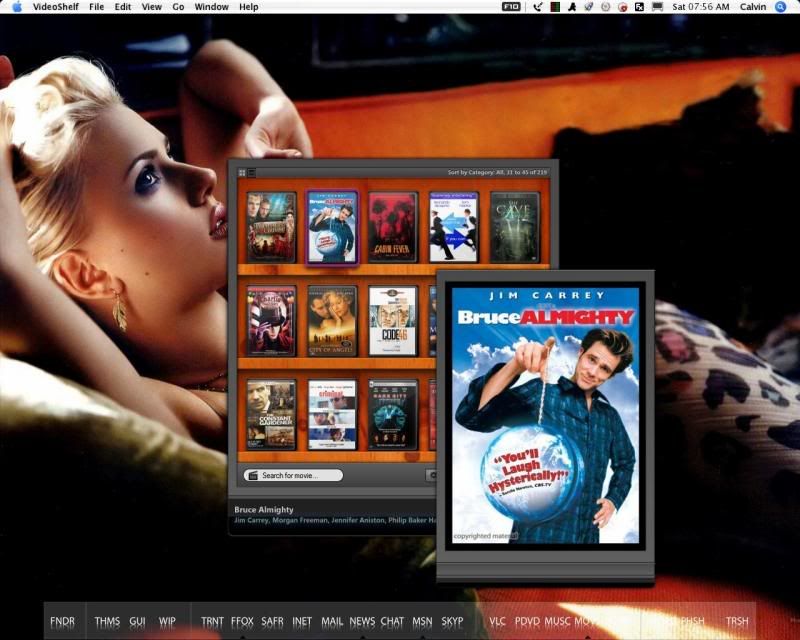
  • Browse your collection in a graphical manner as if your DVDs were on an actual shelf.

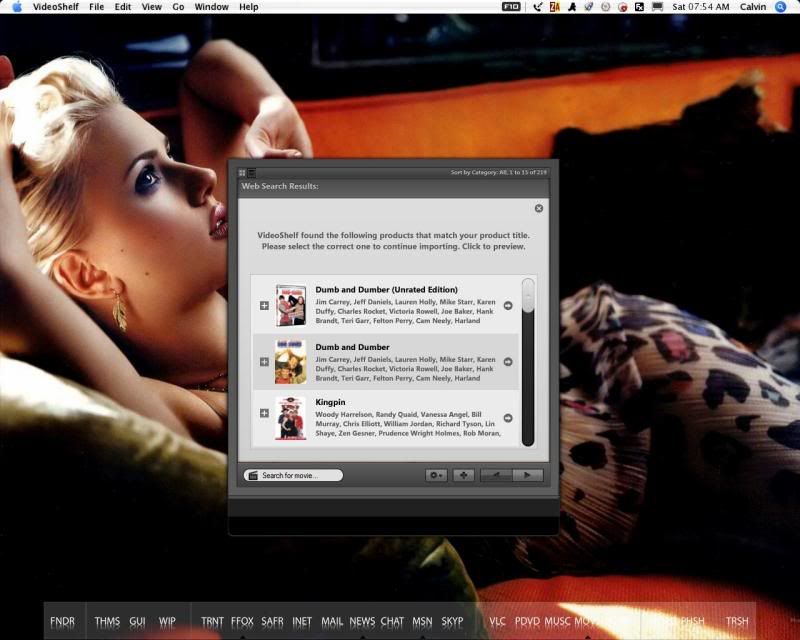
  • Add DVDs automatically by searching Amazon.com for information and to download cover.

  • Drag-and-drop covers to correct or add to the DVD in the collection.

  • Sort by category.

  • Search by actor.

  • Search by director.

  • Search by title.

  • Export collection to a text file for easy printing.

  • Linking of DVD to movies stored on hard drive for automatic playing.

  • Loan out DVD and know whether or not they have been returned by marking loaned DVDs.

  • Store pending DVDs in a seperate, browseable list.

  • Edit information manually.

  • And much more...

Screenshots:

th_VideoShelf1_3-MainScreen.jpg

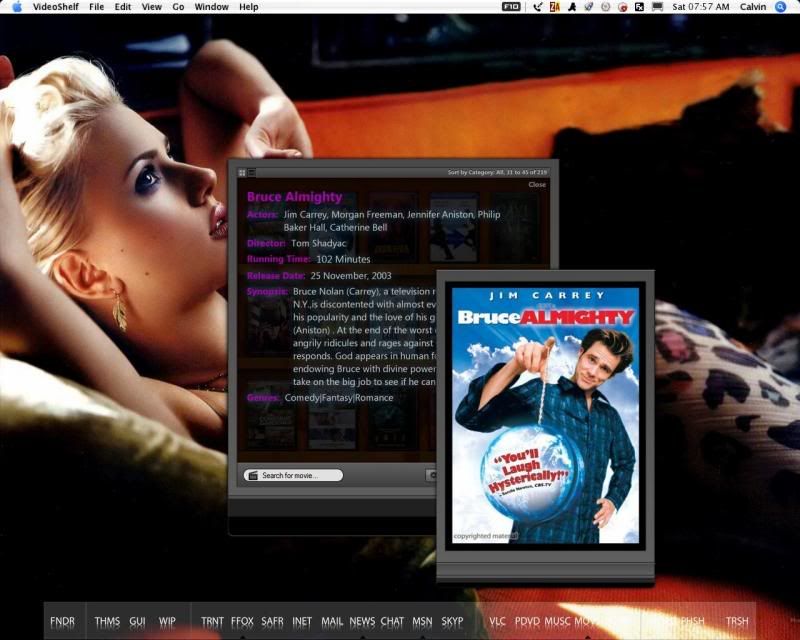
th_VideoShelf1_3-InfoScreen.jpg
th_VideoShelf1_3-AddDVDScreen.jpg

Click to view image.

In the zip file you will find the application, a dll file (this must be registered if you haven't used any of my previous applications), an ini file and an empty folder named "DVD Covers".

VideoShelf.exe
- this is the thing that makes it all tick.

AutoItX3.dll
- dll. There is no longer any need to register this manually. Simply run the program and it'll automatically register it
.

VideoShelf.ini
- This is where all the information is stored.

The DVD Cover folder will now be created by default in the same folder as the executable file.

Download from DeviantArt and, as always, enjoy!

Many thanks to my dedicated team of beta-testers. Without them, this would still be in beta stage and I'm sure I would have missed a lot.

Bug fixes and release list:

Version 1.1 -
September 14, 2006

  • Sorting bug not being able to switch to next page if only one DVD was left (noticed by Vkeios) fixed.

  • Major bug where playing file would not function properly (noticed by Zaft) fixed.

-- NOTICE! With this update you may need to do a little copy and pasting if you have already started a collection. Simply make a backup of old ini file and run the new VideoShelf (ver.1.1) to create the new ini. Exit VideoShelf, open the backup copy of your old ini and copy and paste the old values for DVDCollection, PendingDVDCollection and DVD values into the new ini.

Version 1.2 -
September 22, 2006

  • Fixed possible conflict with some firewalls where in VideoShelf would require permission to access the internet on every run (noticed by Zaft).

-- NOTICE! With this update you will need to extract the zip and drop the old ini file into the folder. Then simply run the new exe (VideoShelf.exe) as normal.

Version 1.3 - September 30, 2006

  • Fixed quite a few small internal bugs.
  • Streamlined the item lookup code (should be a little faster now).
  • Redesigned the Add DVD / Search window.
  • Redesigned the main UI.
  • Included a search bar in the main window.
  • Included return to previous collection from searched DVD.
  • Included the addition of searching by year.
  • Included sorting by rating.
  • Included more information when adding a DVD to the collection (Release Date, etc).
  • Included link to DVD page at Amazon.com in right-click menu.
  • Added tags to DVDs to denote favorites, placement in folder, etc.
  • Some more things I can't remember at the moment...

-- NOTICE! With this update, due to many added things, you will have to restart your collection from scratch. I apologize for this, and hope from now on you will not have to repeat this procedure.

Unzip and replace all files in old folder with new contents. If you want to save your DVD covers, rename the DVD folder to Backup or what-have-you and begin again. When finished, drag-and-drop the old covers on to the new DVDs to replace missing/wrong covers.

Version 1.3.1 - September 30, 2006

  • Locked search list pane from moving when dragged.

-- Just drop the new contents into the old folder. Overwrite any copies. You should be good to go. Only a small update to fix that one bug that slipped through.

#395622

3rd to download yor app, really tnx for your hard work, videoshelf is clean ,simple and fast to use and definitely great to the eyes :)

#395630

haha i was the first to download :P . great app Sranshaft ... ( all the things zorda said here ) Thanks for this

#395631

Good job on fixing everything I found. Still a couple of things I spotted.

1) Science-Fiction category does not work because in the ini file, it is listed as Sci-Fi. If you change Sci-Fi to Science-Fiction, then the movies appear under the category.

2) Missing the right click menu for exiting or hiding the program.

3) Still doesn't want to quit on its own. Have to use task manager. :P

Other then those things, excellent job!

#395640

3) Still doesn't want to quit on its own. Have to use task manager. :P

Other then those things, excellent job!

LOL still did't tried to quit this excellent toy :D ,

anyway some little improves to do:

1) add a movie manually doesn't works

2) change movie proprieties update botton doesn't want to update so any manual edit

isn't possible

3) drag images in searching window popup doesn't works too

4) delete dvd from collection doesn't works

i hope u will add (but that's my personal wish :D )

a "search for movie " in menu'

a " search by year"

a movie "ID" tab and "Year" info in window proprieties

thats' all;

your program take only 4 MB of ram (that's great)

ps: the quite button as well :P , take all the time u need !

#395649

So Codeman finally has the nerve to release VideoShelf to the masses :P.

#395661

This is great!!! I have one question though, how can you get it to mount iso images when clicked on? To try to do this, I have my hard drive player set as my image mounter (Daemon Tools), the DVD location set to "Hard Drive" and the DVD path set to the path of the ISO file. I already have Daemon Tools configured to automount an image when the file is opened with Daemon Tools.

With all of this in place, I tried to play a Video with videoshelf and it just tried to open it with WMP, any ideas?

Thanks again for the amazing program :)

#395662

Excellent I absolutely love your releases! *Instintaneously puts video shelf on dock

#395688

this looks pretty neat.. but i think MediaMan is the closest application to delicious library that we'll ever see.

#395694

Holy crap I love this program! I used to just list all my dvds in a Word Document, but this is better!

- The focus does not work when you click on it on the tasckbar.

- It drags really choppy

That's all that I have found in accordance to the ones listed above.

#395695

AWESOME. I LOVE IT!

I can't wait for RC2!

#395726

@Enjoilax: Thankyou very much. You shouldn't have to wait long for RC2.

@Tehloxely: That's how I originally used to list mine as well and what got me started on VideoShelf in the first place.

- The focus hiccup should only occur the first time you click the taskbar. After that it should work normally.

- This will occur on older computer. It's nothing that can really be solved.

@Shockme: The only reason MediaMan looks like DL is because he's ripped the graphics directly from DL. It's already a known issue with the Delicious Monster and they're working to close MediaMan down.

@Lukevink: Thanks for all your support! I'm happy if at least one person enjoys my applications!

@Liter o Cola: The reason you are experiencing this is because the file you are pointing it to is an iso. I have restricted it to only play mpeg or avi (as they are the most used formats for encoding movies) but I can add in addition formats if it is desired.

Question: Why would you want it to point to an iso in the first place?

@Austin: Yeah, imagine that. :P

@Zorda: Thanks a lot for all the kind words. To answer some of the bugs:

- I'm aware of it. It was running later than I expected it to and seeing as I promised a release LAST monday...will be coded for RC2.

- I noticed that as well. Strange as this was coded... I'll take a look.

- Another one of those over looked features I forgot to add. *makes a note*

- Refer to the above comment about being late...

As for your request, they are easily done so will be included. Not sure what you mean by a movie ID tab though...

@Ziptrix: Thanks for the bug list and all your help so far.

- I noticed this and will change it to look for Sci-Fi instead. If you've changed your ini file to read Science-Fiction, change it back when I release the new version.

- Right-click the taskbar button and select close. The quit menu item is giving me loads of trouble and I cannot figure out why. It's a simple 1 line command...anyway, for now, right-click the taskbar and close from there. There is code that needs to run at the end to clean things up internally that will not run if you force quit through Task Manager.

To everyone else: thankyou very much and expect an update with these bugs fixed quite soon.

@

#395756

ah... i tried it out, and i was quite impressed.. and the memory usage is very low compared to other "homebrew" applications..

i just had a problem closing the application.. i went to "quit" and it wouldn't!

and i suggestion: include a live search directly on the application window- and instead of having multiple search options, one could just search for their movie/director/actor/etc using the same search bar.

#395766

@Ziptrx: Thanks for the bug list and all your help so far.

- I noticed this and will change it to look for Sci-Fi instead. If you've changed your ini file to read Science-Fiction, change it back when I release the new version.

- Right-click the taskbar button and select close. The quit menu item is giving me loads of trouble and I cannot figure out why. It's a simple 1 line command...anyway, for now, right-click the taskbar and close from there. There is code that needs to run at the end to clean things up internally that will not run if you force quit through Task Manager.

No problem helping out. If you need anymore on other apps, just let me know. Always willing to lend a hand to those who are aimed at the "free world". Keep up the good work.

I would use the taskbar, except I don't have one in Litestep. ;) Just a suggestion, but is it possible to add a systray icon with a menu holding 'Quit' on it?

#395772

i dont see why a systray would be necessary for this kind of application.

#395792

You may not see the need for the icon, but I know, myself and others do not always like having programs clutter their taskbar or desktop. In the previous version, there was a menu the would display when you right clicked, not on a DVD, that displayed the option to 'Hide'. This would allow the program to minimized to the taskbar, but in my case to the desktop. From there I could close the program without the need for using task manager. So maybe my question should have been more along the lines of "Is it possible to add the 'Hide' feature to the existing menu or the ability to minimize to the systray?"

#395799

@Ziptrix: I have added back the right-click menu for hiding VideoShelf. The quit option now works correctly. While I could have the program load to the system tray, I feel this sort of program belongs on the taskbar.

I am open to the idea though...so if the majority of users want it to load to the system tray, tell me now.

Update:

Fixed bugs (Quit menu, drop cover in search, Sci-fi, export to text - yes, there was one in there that nobody caught - and the update info). Working on the Add DVD manually right now.

#395802

The reason you are experiencing this is because the file you are pointing it to is an iso. I have restricted it to only play mpeg or avi (as they are the most used formats for encoding movies) but I can add in addition formats if it is desired.

Question: Why would you want it to point to an iso in the first place?

I have all my dvd's backed up as ISO files on my external hard drive. I use this format because there will be no quality lost if I need to burn a dvd from this backup. If your program could open iso files, I could use it to browse my collection and mount the files (and autoplay them) on a virtual drive, that would be awesome! I have no programming knowledge, but I don't see why my files continue ot try to be opened with WMP when I specify Daemon Tools as my hard drive player and specify the file path correctly (in the .ini file) ... oh well.

I would love it if you would allow your program to load iso files, but if there is not enough demand and/or it is too hard I certainly understand.

Thanks for the concern and a great program! :D

#395814

@Sranshaft,

for movie ID (movie identity) i was meaning a tab in wich to set a number to a movie manually ( in order to find a movie faster in our bags)

than i have other requests :

in edit tab is also possible to change "name of the movie""category""year" ? cause the different languages for title :P, and most of all (for category) Amazon is always falling to assign the right one to a movie

: example"Brothers Grimm"=Horror :/ )

oh, seems "search for director" doesn't works

thanks so much to listen all our request !

ps: no problems for compliments , your app is really great! , thank u again.

#395833

@Ziptrix: I have added back the right-click menu for hiding VideoShelf. The quit option now works correctly. While I could have the program load to the system tray, I feel this sort of program belongs on the taskbar.

Cool. I wasn't referring to it loading to the systray, but the ability to be minimized to the systray like Winamp has.

#395839

Aha!

Fading-in (and fading-out) effect is very slow on my computer, cripplingly so. ATI Radeon 9000 and DirectX 9c. Uh, so is dragging the window.

Working very nicely :D. A suggestion--the only way to "unsearch" actors and directors is by resorting the whole collection. I think there should be a little "X" button that appears when you search to go back to the normal screen.

Also, when searching Amazon, there's no way to interrupt searches. Anyway to add this feature? Say Amazon has two results and I click the wrong one. When I click the new one, it won't switch immediately. Is this an Amazon limitation?

Great job man, thanks :).

-NC

Also,

#395930

Does anyone know where I can get dvd covers on the web that are flat pictures of the coveres (so they look nice in the program)? Because amazon doesn't always have flat ones.

#395938

Does anyone know where I can get dvd covers on the web that are flat pictures of the coveres (so they look nice in the program)? Because amazon doesn't always have flat ones.

I got some covers from dvdtown.com. Hope that helps.

Sranshaft, great program you have here. I have my whole DVD collection on it now. Thanks for this. :D

#395950

Wow, this is a GREAT program! I've been looking for a program to keep track of my dvds.

The only things that I've noticed that haven't been mentioned yet (at least i didn't see it mentioned) are:

1) When I click one of my dvds and the info fades in, I can't scroll down to see the full synopsis if the dvd has a particularly long synopsis that doesn't fit into the window.

2)Every once and a while if I have another program open (internet explorer, firefox..) and I want to go back to Video Shelf, nothing happens when I click Video Shelf on my taskbar. I have to either minimize my current window or double-click Video Shelf on my taskbar a couple times. However, after i get it to come up it seems to work normally.

Also, is there a way to change to default location where the actual window is when I open Video Shelf. When I open Video Shelf it always opens with the bottom controls (<+>) half-way off the bottom of my screen.

These are just minor things that I notice, I love this program though!

#395980

Thanks again to everyone who has commented. RC2 is really starting to shape up and should be available in the very near future. To everyone that's worrying whether all you're hard work has gone to waste adding your collections fear not, your collections will always be compatible with the newest version released.

Now to answer some individual questions:

@Minobar82: VideoShelf should reopen where ever you last closed it. If this isn't the case, I will add in some code that will remember where it is when it closes and force it to open there.

- When the information extends beyond the window, simply click and drag up. It will scroll until it reaches the end. I'm still adding in a more visual cue for this. Just haven't decided yet.

- This has been noted before. I can't reproduce this though. I do notice a hiccup the first time I click the taskbar but after this it works fine. Still looking.

@Tehloxely: Kgraphic's rec of DVDtown.com is where I get the majority of the DVD covers that are missing from Amazon.com. Other than that, you can google for them and choose 'images' as your search.

@NC: Ah the fading/animation - some people have no trouble with it while others...Unfortunately, it's as streamlined as I can make it. Any more and it would be choppy. I will add in a toggle though to turn it off. This is probably the easiest way around it.

Unsearch? :P Yeah, it shouldn't be too much of a hassle to add in a feature like that. I'll see what I can do to squeeze it into RC2.

As for interrupting the parsing...It's not so much a limitation of Amazon as it is a limitation of the script. At the moment, it basically has to finish out the chunk of coding dealing with downloading the info from Amazon before it can throw that out and start over. I can add some checks within that can restart the code if the selection has been changed. I'll mull it over and get back to you. :D

#396103