 Aqua-Soft Forums
Did you try the new version, 2.3.2?
Just did. I can set 0 or -100 and it remains set but as soon as I close prefs the chroma comes back. Just trying to knock the chroa off eternal aqua to make it graphite.
Did you try the new version, 2.3.2?
Just did. I can set 0 or -100 and it remains set but as soon as I close prefs the chroma comes back. Just trying to knock the chroa off eternal aqua to make it graphite.
With any of the darker skins, I'm having problems with the text at the bottom of the window as well as where it says "Source" on the upper left and "Browse" and "Search" on the upper right. There's some sort of shadow that makes the text nearly impossible to read. Does anyone have a suggestion for how I might fix this?
[ATTACH]7196[/ATTACH]
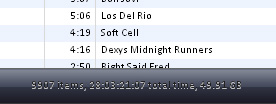
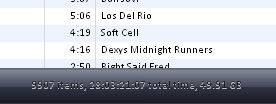
@fluke435: Try editing SkinData.ini in your skin folder:
Font006=0x666666
Font009=0x666666
Font014=0x666666
Font006 --> Search and Browse Text
Font009 --> Status Text
Font014 --> Source, Now Playing, Artist, Album, Song Name, etc. etc.
EDIT: Change 666666 to FFFFFF for pure white color..
Let me know if you still have problem and I'll hook you up with the .ini file 
Just did. I can set 0 or -100 and it remains set but as soon as I close prefs the chroma comes back. Just trying to knock the chroa off eternal aqua to make it graphite.
1) if you set it to, let's say, -99, does it work?
2) can you post the value of ColorAdjustment in HKEY_CURRENT_USERSoftwareMPluginSettings after you choose the saturation you want and click OK in the preferences dialog?
3) Thinking again, maybe I've misunderstood you. The Eternal Aqua skin doesn't come with any bitmaps (except the progress bar glitch) in the extended folder, so when you colorize it it only affects the titlebar buttons. You can dump the resources and copy the bitmaps you want to colorize from the Developer Template's Extended folder to Eternal Aqua's Extended folder.
Do you have this issue with other skins? The Mac OSX skin for example shoule be 100% suitable for colorizing when using iTunes 6.0.3.
1) if you set it to, let's say, -99, does it work?2) can you post the value of ColorAdjustment in HKEY_CURRENT_USERSoftwareMPluginSettings after you choose the saturation you want and click OK in the preferences dialog?
3) Thinking again, maybe I've misunderstood you. The Eternal Aqua skin doesn't come with any bitmaps (except the progress bar glitch) in the extended folder, so when you colorize it it only affects the titlebar buttons. You can dump the resources and copy the bitmaps you want to colorize from the Developer Template's Extended folder to Eternal Aqua's Extended folder.
Do you have this issue with other skins? The Mac OSX skin for example shoule be 100% suitable for colorizing when using iTunes 6.0.3.
Yes! With Mac OSX the feature works. Thanks for your patience.
ya i had the problem with the installer process running after i tried to 'end task' and it just wouldnt budge til i restarted the computer.. even logging off didnt work! 
anyhoo thanks for the update
i just wish i could colorize the default skin, its the best skin so far i think
Is there a way to make it work with iTunes 6.02? Tooo much for me to download 6.03 
Is there a way to make it work with iTunes 6.02? Tooo much for me to download 6.03
I won't officially support it, but you could use a hex editor and look for a "6.0.3" string (probably Unicode) in the installer and change it.
Thank you very much. It worked out. Hope It won't format my HD 
Apparently, Apple released 6.0.4 featuring stability and performance improvements, probably for their newly upgraded Front Row software (which now features Bonjour). If I upgraded from 6.0.3 to 6.0.4, do you think MP will still work?
It works for 6.04, I haven't tried EVERYTHING in MP but it skins it
Is there a way to make it work with iTunes 6.02? Tooo much for me to download 6.03
Use a download manager. I used to download 700mb isos on dial-up so 30Mb surely can't be a big deal.
Use a download manager. I used to download 700mb isos on dial-up so 30Mb surely can't be a big deal.
It is not a problem to download. It's the problem to pay provider for the time.
question : when i apply skins, sometimes the font doesnt work with it, for instance.. with vista.. the search and browse and my number of songs on the bottom are hardly visible. and so forth for other skins..
i heard someone talking about the skindata file or whatever, but in there i font know which font00x is what.. someone please help me.
id like to make those fonts white and in albook. i want the window fonts to be white.. the ones in the little display.. someone please help me.
question : when i apply skins, sometimes the font doesnt work with it, for instance.. with vista.. the search and browse and my number of songs on the bottom are hardly visible. and so forth for other skins..i heard someone talking about the skindata file or whatever, but in there i font know which font00x is what.. someone please help me.
Here is the code from my VistaXP Skindata.ini (Fonts changed to white):
[Settings]

DeveloperMode=No

ProgressGlitchFix=Yes


NoColorize=|Button_Green_Normal|Button_Green_Down|Button_Green_Over|Button_Red_N
ormal|Button_Red_Down|Button_Red_Over|Button_Yellow_Normal|Button_Yellow_Down|But
ton_Yellow_Over|Mini_Green_Normal|Button_Green_Down|


[FontColors]

Font005=0xFFFFFF

Font005_Shadow=0xC4C4C4

Font008=0xFFFFFF

Font008_Shadow=0xC4C4C4

Font013=0xFFFFFF

Font013_Shadow=0xFFFFFF

Font013_Inactive=0xd9d9d9

Font014=0xFFFFFF

Font014_Inactive=0xd9d9d9

Font098=0xFFFFFF

Font098_Inactive=0xd9d9d9

Font009=0xFFFFFF

Font009_Shadow=0xC4C4C4

Font009_Inactive=0xd9d9d9

Font006=0xFFFFFF

Font006_Shadow=0xC4C4C4

Font006_Inactive=0xd9d9d9
My suggestion...
I know multiplugin is primarily used for skinning ability/ font changing etc BUT A nice feature to add in would be the ability to copy back an entire iPod music library and all of its playlists back onto iTunes on the computer.
This has probably been done before, but I want to use iTunes to copy music back (dont tell me bout ephpod, copy pod, ipod agent...I want a plugin, that integrates with iTunes and copies playlists along with library, album art, ID3 tags etc)
I can think of plenty of legitimate pusposes for the plugin and am not interested in pirating music, just rebuilding my music library on my computer after it goes heywire (which it does a lot).
Thanx in advance...
Well that's an interesting request, Levi, I feel like it's FAR too much to ask of a single programmer.
-NC
If anyone didn't notice yet, the newest version causes iTunes to crash often when updating a 5G iPod (Works when uninstalled).
I love Multiplugin, but I also love iTunes Remote (old but good). Has anyone else had problems with iTunes Remote ceasing to function once Multi-plugin is installed and if so, is there a fix?
Weird, it seems that iTunes Remote does work but only if iTunes is minimized to the tray, otherwise no go.
Is the 2.2 version still floating around?
I should learn not to delete old versions of stuff anymore.
- Buu
I know I'm going to look stupid, as it's abundantly clear to me how many other people have downloaded and installed this just fine. But I was directed to this forum by another link, so I'm at a loss.
Can someone please walk me through the steps of installation? I'm running OS 10.3.9, and iTunes 6.0.2. I'm sorry if you guys are rolling your eyes at me like this should be easy as pie, but somehow, I find it isn't.
Thanks to anyone willing to help me!
i believe it's for windows only?
i have some complain... some of the skins are older versions. many with no borders. ugly
@Silentwalkaway: Well, Multi-Plugin is only for iTunes on Windows Platform. It is not available for Mac OSX, and I'm not developer so I've no idea if it will be available on Mac OS !!
I am having a slight problem with the plugin...actually the first problem ever...
I have y'z shadow and the shadow isnt coming up on the itunes window. It works fine wtih the itunes menus but the main window has no shadow...any ideas? P.S I am also using ituneskeys if that helps
I am having a slight problem with the plugin...actually the first problem ever...I have y'z shadow and the shadow isnt coming up on the itunes window. It works fine wtih the itunes menus but the main window has no shadow...any ideas? P.S I am also using ituneskeys if that helps
IIRC YzShadow does not skin the ITunes window, WindowFX works fine.