[release]avepreview

AvePreview

A little previewer application

Heya all,

I have been playing around this weekend and I came up with an little previewer application.

It can show you a preview of multiple image types. Files can be previewed by drag-'n-dropping them into the preview-pane.

Also, using the image as an argument to the exe file, you can preview it.

The app is skinnable, just check out Skins\Brushed.

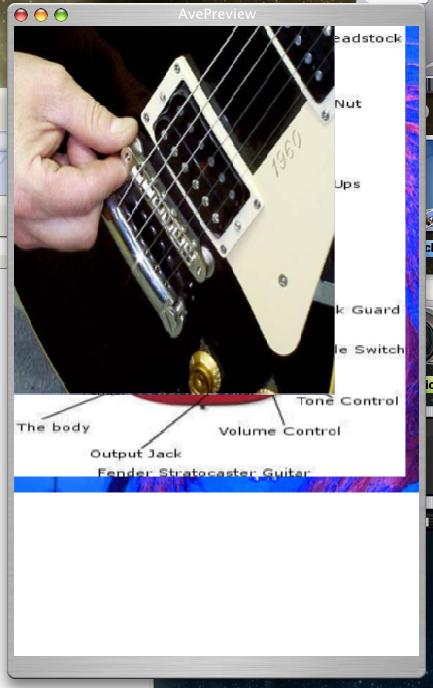
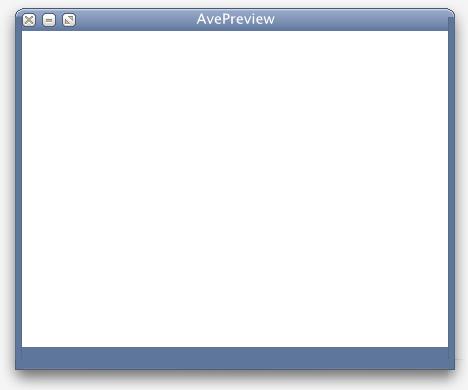
Screenie:

avepreview.png

In this screenie you can see it in action. Note that the shadows are not by Y'zShadow or by WindowsFX, they are a part of the skin.

Many thanks to:

Pe7er for the graphics.

Duckie for giving me hints on the window.

Seph for helping me with the images.

Let me know what you all think, because I am planning to make an bigger application of this (not a previewer, but something else).

Download

Download AvePreview

Have a nice day,

Andreas

#129233

That was freaking quick!!

I thought it was meant to be a finder clone :P

#129235

came together faster and better than I thought

thanks

now I am going to work on a 'Preview' Skin

#129236

Originally posted by Seph@Mar 14 2004, 02:43 PM

I thought it was meant to be a finder clone

I bet the 'core' still is

#129238

wow very slick, high quality, those shadow things tricked me because i didnt have my WindowFX on and i was like what the?! then i noticed the skin had it, thats really cool!!

-bolero

#129239

Have all of the devolpers plotted against us to over stilumate us all?

One bug is the way it maximises, it goes so all the buttons are hidden under the task bar at the top :(

It defiantly has potental, i cant wait for the 'full' version *cough iphoto mabie cough*

#129240

Originally posted by Duckie@Mar 14 2004, 10:46 PM

I bet the 'core' still is

hehehe, naughty The AVE, its ok, im a big boy i can take deceit :P

#129242

One bug is the way it maximises, it goes so all the buttons are hidden under the task bar at the top

shi_t :rant: , wait a minute I'll fix it ASAP

#129244

Listen, Andreas, that picture inside the preview... that is some l337 5k1llz you got there for the sign to spot you out :P

#129249

im not sure if thi is a bug but when ever i load an image thats of different size of the previewer, a huge white spot will be there, the image doesnt fill the whole previewer, or when you drag new images to preview that are smaller of size then the last, you can see previews images behind

i attachedt he image

-bolero

post-37-1079291208_thumb.jpg

unknown_ave_desk.JPG

#129254

here is the progress of my skin, but sadly the title bar is too small

check the corners, Andreas.

#129258

Lostspyder and Bolero: The bugs have been fixed, just redownload.

At Duckie: You must resize the left_top.png and right_top.png. The application uses the height of these images for the corners. The Skin is looky great already btw!! :woot:

#129262

Originally posted by AndreasV@Mar 14 2004, 03:28 PM

Lostspyder and Bolero: The bugs have been fixed, just redownload.

At Duckie: You must resize the left_top.png and right_top.png. The application uses the height of these images for the corners. The Skin is looky great already btw!!  :woot:

when I resize the bottom image, it stretches too far.

will the top right and left do the same?

#129263

when I resize the bottom image, it stretches too far.

will the top right and left do the same?

Can you send me the file ( averhoev.2@hccnet.nl ) please ?

#129264

im creating a skin called Digital cream, its looking great BUT, when i open Avepreview, (with no image being previed) and go to resize, it just freezes

(nevermind i fixed it, i forgot to put 1 Skin png in my skins folder)

-bolero

#129269

(nevermind i fixed it, i forgot to put 1 Skin png in my skins folder)

All files are required for the skin. Btw, you can edit the

[caption]
Text=AvePreview

In the values.ini to show a different caption.

#129275

Originally posted by AndreasV@Mar 14 2004, 03:44 PM-->
QUOTE(AndreasV @ Mar 14 2004, 03:44 PM)
All files are required for the skin. Btw, you can edit the

[caption]<!--QuoteEBegin
[b]

In the values.ini to show a different caption.

what about font color and skin switching?

do I enter:

[skin]

Panther

oh, and I got the skin finished

#129277

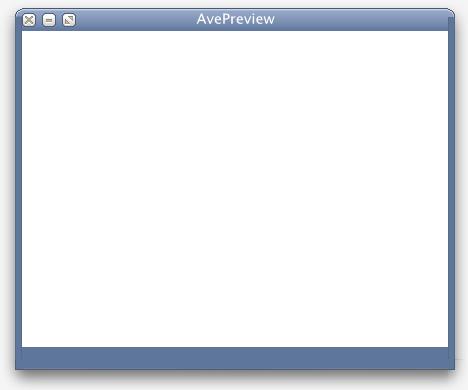
heres my Skin called Digital cream, its the current visual style i have on

im pretty much done it

Duckie how did you fix the top corners overlay problem?

-bolero

post-37-1079293867_thumb.jpg

Digital_cream.jpg
Digital_cream.jpg

#129278

[general]
; name of the skin
name=Brushed
; author name
Author=Andreas Verhoeven
;anything you want to say more
Notes=Graphics by Pe7er


[Left]
; start in pixels of the resizing area
ResizeBorder1=12
; end in pixels of the resizing area
ResizeBorder2=15
; width of the left-border
Width=22

[bottom]
; idem as left
ResizeBorder1=20
ResizeBorder2=23
; height of the bottom border
Height=46

[right]
; idem as left
ResizeBorder1=5
ResizeBorder2=8
; start in pixels from the bottom, where the resize North-South-West-East
; starts
ResizeBorder3=30
; end of the NSWE resizing area
ResizeBorder4=20
Width=22

[top]
; height of the top border
Height=30

[caption]
; caption title
Text=AvePreview

; font used
FontName=Lucida Sans Unicode
; font size
FontSize=14
; font style: 1 = bold, 2 = italic, etc
FontStyle=0

; aligment, just try it out
HorAlign=1
VerAlign=2

; rectangle where the text could be drawn in PERCENTAGES
X=0
Y=0
Width=100
Height=100

; colour of the font in RGBA (max 255) values
ColorR=255
ColorB=255
ColorG=255
ColorA=255

[buttons]
; close button coords
closeX=0
closeY=12

; min button coords
minX=20
minY=12

;'max buttons coords
maxX=40
maxY=12

That skin looks awesome :woot:

#129280

I am shocked, this has been released a little longer than an hour and there are already two skins being worked on, bug fixes have been carried out...

Andreas cannot be human, really :blink:

#129281

Duckie and Bolero aren't human :blink: I needed your help for the graphics Seph, look what they do in - what is it - half an hour.

BTW, When will you two release those beautiful skins?

#129283

hehe this is actually my first skin for anything really, its just about done too

will there be an easier way to allowing which skin to use? rather then switching folder names? (also i figure the right thing to do is to ask permission first from Roberto if it would be okay to release a skin of his Digital cream for another application)

Lol also i want to make the title bar text to black, but when i change the values i only get Red, no matter what values i choose.

im in a huge skinmaking mood, and i want to make another skin for this, ill browse through my themes directory, only thing is, everytime i make a skin of a theme would i have to ask permission from every author? I add the right credits, original graphics, originalky theme by in the Values.ini file as notes

-bolero

#129284

Updated it: Right Click the titlebar to get a list of available skins ;)

Just saw the caption-font-color bug, fixed it right away ('colo' instead of 'color' >.:)

One more thing: Anyone out there with a nice icon? That default Delphi icon isn't really nice :lol:

#129291

Good going everyone!! Can't wait to get home to try it out!!

P.S. [Off Topic] Speaking of skins, has anyone made any for the Andreas'

GREAT MP3 player? I've made some for personal use, but would love more.

#129295

Thanks AndreasV you the man!

heres another skin OpusOS!! i think it turned out great BUT, i stil lcant fix the top corner overlapping problem, lol so until i can fix that i will release my skins

(also i dunno if its jsut me but when i do teh right click menu choose one of my skins it gives me the dialog givcing me the notes, then nothing happens, still stays a brushed. The ini file says it is set to say digital cream but it does not show)

-bolero

post-37-1079296582_thumb.jpg

Opus_ave.JPG
Opus_ave.JPG

#129296