Aqua-Soft Forums
someone please help me.
i need to be able to use the bold, italics, underline, smaller, bigger, and smilly buttons. how do i enable them?
someone please help me.
i need to be able to use the bold, italics, underline, smaller, bigger, and smilly buttons. how do i enable them?
Originally posted by liquidbrain@Apr 24 2004, 01:58 AM:6
-5 inner shadow don´t work!
Even getting 0 Shadow on left side.
hmmmm
that's strange...mine worked just perfect with yz shadow 
Originally posted by liquidbrain@Apr 24 2004, 01:58 AM:6
-5 inner shadow don´t work!
Even getting 0 Shadow on left side.
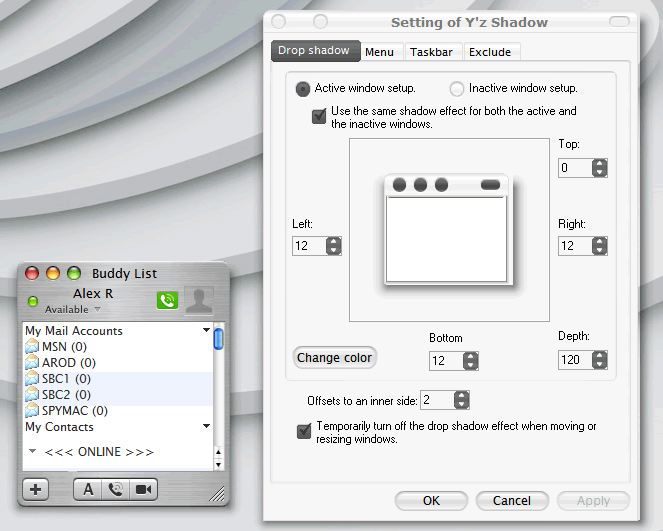
Here
Try my settings to see if it works

someone please help me.
i need to be able to use the bold, italics, underline, smaller, bigger, and smilly buttons. how do i enable them?
On buddy list the shadow works perfectly ...bt what about the chat window when it have the little avatar pop up ?
Originally posted by mntnbkr1065@Apr 24 2004, 12:26 AMsomeone please help me.
i need to be able to use the bold, italics, underline, smaller, bigger, and smilly buttons. how do i enable them?
he disabled them in this version...you would have to go edit the code yourself to add them back in
lol, that very well may be true too you know  :6
:6
I modded one of my xml/ini files (don't know which one at this point) and added the buttons back in...once I find which one I did (as it was awhile ago, I'll let you know what and where to add 
thanks people i thought i was going insane :woot:
please please please email @: arnaud_crowther@hotmail.com
...thanx danimator... <_<
Originally posted by MDZ61384@Apr 24 2004, 11:49 PMlol, that very well may be true too you know
I modded one of my xml/ini files (don't know which one at this point) and added the buttons back in...once I find which one I did (as it was awhile ago, I'll let you know what and where to add
if you cant find which .XML file it was, than just give the whole XML folder. send it to arnaud_crowther@hotmail.com
Check the readme file that came with the skin. It contains the directions for changing that name as well as other useful customizations. The process will involve modifying some XML files, so be sure to make backups of them before starting.
does any body know how to enable the bold, italics, underlined, emots buttons in message windows?
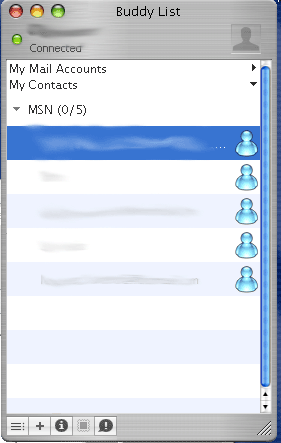
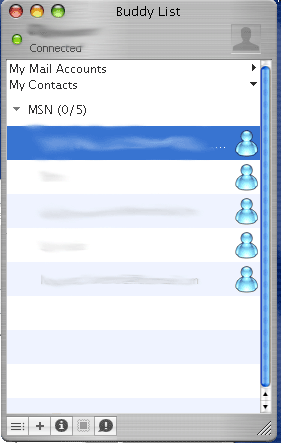
Originally posted by crxmen@May 4 2004, 03:21 PMHow do i get this icon to show up???

u mean there not , post a screen of what your getting please.
thoughs gells, indicated if someone is online or away, idle dosn't have one. so that maybe why your not seeing them.
ya it looks like thoughs names are idle, nor not online. so there not gonna have a green button.
i could be wrong cause u smugged them all up 
Originally posted by grim53@May 4 2004, 03:53 PMya it looks like thoughs names are idle, nor not online. so there not gonna have a green button.
i could be wrong cause u smugged them all up
Yep
that's totally right .......... you have to have somebody online for it to display
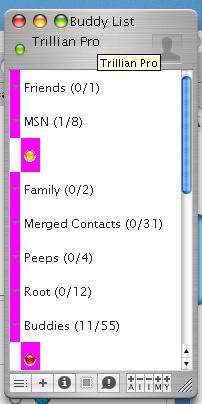
I have something similar going on, only the area surrounding the dot is rather pink!
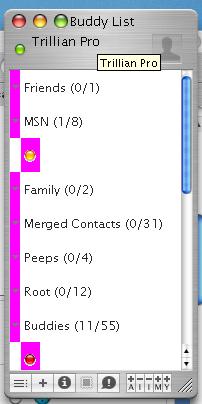
Um, Where's buddy.xml? it's not in documents and settings/program files/Trillian/Languages/En
I did, i can't find it..
That's one hell of a bump. I like my ressurrections and all but...this puppy should be put to bed already.
Aww.. but i need help installing it!