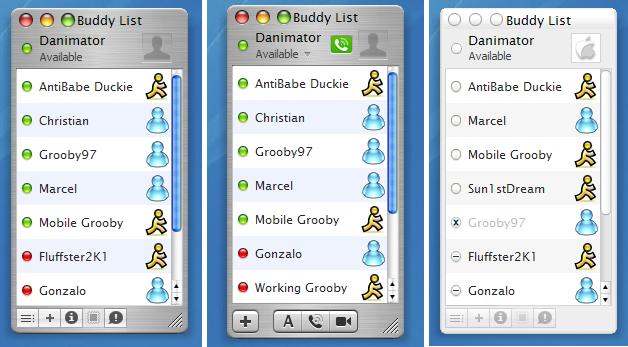
iChat Trillian Skin

K guys, I've fixed all the bugs as far as I know, did some tweaks, and made the main interface minimum size same as the real iChat. All 3 versions are included.

Get em here:

http://www.deviantart.com/deviation/2781557/

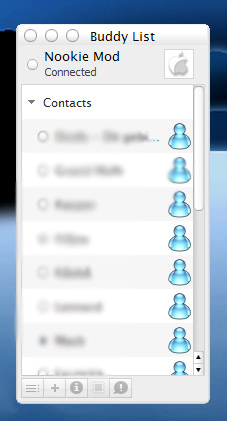
Read the included ichat instructions.txt file if you download the skins or I will NOT help you in anyway if you have probs :) Nuff said... Here's a screenie (Crappy .jpg sorry). Enjoy.
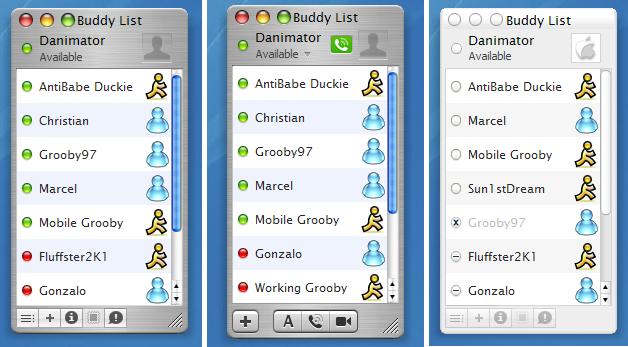
post-1540-1066693170_thumb.jpg

All_iChats2.JPG
All_iChats2.JPG

#67448

The first to compliment you. Nice skin dan

#67454

Useful Information:

- For a request of an app, please begin your thread titling with a "[request]" sign.

- For help, please begin your thread titling with a "[help]" sign.

- For releasing a app, please begin your thread titling with a "[release]" sign.

- If you have a preview, use [PREVIEW]

- For an announcement, use [ANN]

- If you find a new link or website, use [LINK]

- This is not a place for [DEBATE]s

;)

#67457

The Jabber button doesn't show up on my sliding connection thing. Anyone know how to fix it?

#67486

Yep.

Simply perfect.

Great job Dan :order:

#67488

Originally posted by DrEaMs In DiGiTaL@Oct 20 2003, 06:34 PM

The Jabber button doesn't show up on my sliding connection thing.  Anyone know how to fix it?

you need to install the jabber plug-in

#67490

Originally posted by DinoJr@Oct 20 2003, 06:42 PM

you need to install the jabber plug-in

Ah, I see, thanks! :)

#67503

WOW

so cool. thx a lot. :woot:

#67592

Killer skin !! Love it

<------ **** qestion PLEASE tell em how to get my email accounts to show agian i meeszed up and need to fix my list also

SOME PLEASE POST A SCREENIE OF the slideing conection do hickies Please

#67749

The slider is just above those 5 buttons, when you hold your mouse cursor where the grey aprt of the skin meets the white of the contact list, you'll see your pointer change to a resize pointe, just left click and hold and drag up teh slider, voila, status icons.

#67754

ok Great but what about my Email accounts how do i get them back after i hidden them i made a boo boo

#67755

hmmm are the icons beside the nick suppose to appear?

mine doesnt.... >.<

#67815

ah! got it..

man how stupid cld i be...

#67883

ok i followed the read me to the letter !

but my contact list sill will not set up right :(

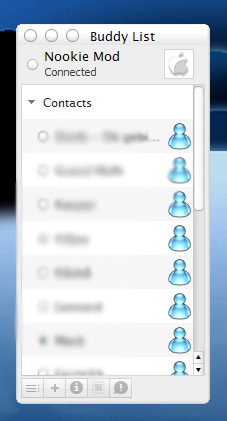
post-1015-1066851275_thumb.jpg

whynowork.jpg
whynowork.jpg

#68114

I have a little question: I bought Trillian Pro 1.0, but I love your skins. Will this work for TP1 or do I have to go buy Version 2?

:smiliemaker:

AquaKid 3D

#68185

Originally posted by AquaKid3D@Oct 22 2003, 07:18 PM

I have a little question: I bought Trillian Pro 1.0, but I love your skins. Will this work for TP1 or do I have to go buy Version 2?

:smiliemaker:

AquaKid 3D

2.0 is free if you bought 1.0 :D

#68193

I'm told it does work with Trillian 1 Pro, so give it a shot you`ll see if it does for sure or not.

>Dark....go through teh readme again, I tested it here by following my readme and it worked fine, so maybe ya missed a step?

#68201

Great work Danimator, keep it up (Y)

-zoot

#68254

Originally posted by Danimator@Oct 22 2003, 07:55 PM

I'm told it does work with Trillian 1 Pro, so give it a shot you`ll see if it does for sure or not.

>Dark....go through teh readme again, I tested it here by following my readme and it worked fine, so maybe ya missed a step?

ok ill go agian

#68347

This skin works like a champ with trillian 1 pro, but I have a question. There is no language folder in the trillian directory in 1 pro. Any suggestions on still being able to changed connected to available? Also, it looks like the small rectangular buttons (for aim, msn, yahoo, icq, etc.) do not seem to be covered all the way in 1 pro. There is a fairly faint of uncleanliness to the line on the left side of the bottom. Any way to fix it?

#68835

Does anyone know how to get the sounds working? I love the Ichat sounds that come with these skins however I copied the folder and selected them but they seem not to play. when I im someone or when someone signs on.. I get nothing :( any help would be appreaciated.

thanks

Moose

#69774

Preferences > Events > Advanced tab

Click on one and press edit.

#69936

Anyone have a mirror? DA's down...

#71980

Link works fine for me :blink:

#71999

Has anyone gotten the avatars to show up in the message windows? Mine won't show up for some reason.

#72329