Aqua-Soft Forums
thanks applelover!!! :woot:
wookietv, too bad you went through all that trouble, but you should use the new version. it's good. 
thanks applelover!!! :woot:
wookietv, too bad you went through all that trouble, but you should use the new version. it's good.
:rant: live and learn... i should know that eventually someone will always make it easier and quicker than the way i do things.
yeah, but at least the new version is neat, and all the work is done. since you already did the work, there's no difference between using that and using your own. it's all in the past now. i hope you didn't spend too much time, though.
Originally posted by etiwanda@Oct 16 2003, 10:08 PMThank you TYT, now I got my loc id:
City, CA (91***)
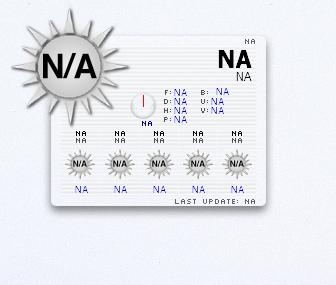
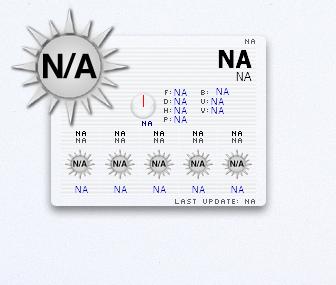
Then I put my zip to "const LOCID = "91***" ' Set this to your "loc id" from the above ", (I suppose that my zip is my locid,) but still got N/A or not yet executed on every part.
Yet, I got nothing under the select function pull down menu in Config.
Same problem here. Help please.
did you add getcachefiles? what's your zip?
hmm sometimes client restart and i get 2 client.exe so its a resource hog. How i can do to every restart it will open just one copy of client.exe
Thanks!
Ripper and etiwanda, if you mistyped or altered a line in the script accidentally, Samurize wont tell you. It will just not work. I found this advice in the Samurize Scripting Help fourms..
posted by gordepIf you have introduced an error into the script in the config editor if you select a different script temporarily and then select the DesktopWeatherXML script again it will display the line number of the error in the Result: box
Basically, if you choose a diffent script, then choose the DesktopWeatherXML script and an error pops up then you messed up the config somewhere. If your not comfortable with editing the script, then take a fresh copy ( Download the config again, and extract the new script into your Script directory. ) and make your changes now that you know what to change.
Also, you can try deleting the HTML files in your script folder, and let Samurize re-download them again. The timeouts are set ( I think  ) to 30 minutes and 120 minutes for a HTML refresh, so you could still be reading off the old HTML files.
TYT
ok, problem fixed. It seems that the script has error in it. The author forgot to add quote at certain line. Thanks though.
Originally posted by Ripper@Oct 17 2003, 06:24 AMok, problem fixed. It seems that the script has error in it. The author forgot to add quote at certain line. Thanks though.
Hi, Ripper, can you tell me where the erro is? Thanks.
Edit:
Finally I got it working! But I messed up the line 347 which is "getDayHighLow = ",
could some1 post what it should be after that quote? Thanks in advance.
Don't know if anyone else had this problem with the old script, but at night, the script stopped showing the moon and continued showing daytime images. This was after implementing the new function to remove the N/As that were popping up everywhere (Extract Ticker function)
Anyway, the advantages of using the XML script is that the night images are back and I've been using it all day today and no probs so far.
fingers crossed!

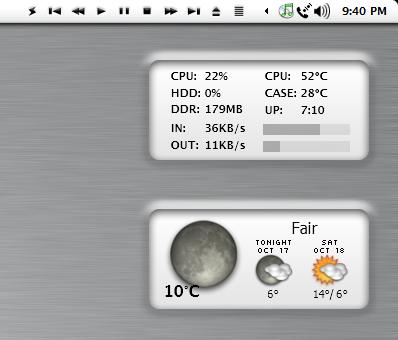
Finally I got it working! But I messed up the line 347 which is "getDayHighLow = ", could some1 post what it should be after that quote? Thanks in advance.
It could be any of these:
getDayHighLow = "N/A" or
getDayHighLow = low & "°" or
getDayHighLow = high & "°" & "/ " & low & "°"
It appears as if there was a server problem or maintenance issue last night.
Thank you very much, applelover! The last one is perfect for me! Thank you again.
Need some help on line 167 please!
Originally posted by Ripper@Oct 18 2003, 02:11 AMNeed some help on line 167 please!
Need a little more info.
Is this the getImage function?
Well nevermind. I got it fixed already. Thanks though.
Hi,
Could anyone point me here where is my loc id , plz ?
Thanks.
Im having trouble put it working.
http://www.weather.com/outlook/travel/loca...0gaia&y=12&x=20
Bye.
the loc id for you should be POXX0029
you get it by going to the site
http://xoap.weather.com/search/search?where=
after the = you would type in the zip code or city, country
but that's what came up for your town in Portugal
Originally posted by Rissol@Oct 18 2003, 08:14 PMHi,
I think i put tyhis to work, how can i choose Celcius ?
Thanks.
Bye.
const UNIT = "s" ' Set of units. Standard or Metric (VALUES = [ s or m ]).
Change the above line to read:
const UNIT = "m" ' Set of units. Standard or Metric (VALUES = [ s or m ]).
It's great that this is out there,..
Ok I tried it in it's stock configuration. (I.e. Just enter my loc id, and change the path from e:/ etc to my own)
But what happens is that all the data for my location gets pulled up ok,. apart from the weather icon (image). Whereas my dock pulls it up right (haze in this case). Even after reloading 10 times.
I am a **** (or actually just crap) at samurize.
How would I get the script to pull up the right image?
Even though I changed the script to use the "old" images, (I reckon they're better),.. I can still see that the script is trying to use the "new" ones...
I heard that the "stock" version has a single line of error in it? Is it some thing called getcachefile, or getcachefiles, is that the reason?
Anyhow, heres a screenie of what I get so far.
I do hope that this hasn't been answered in one of the other 27 threads, on samurize weather. I did look.


what version of the xml script are you using? i'm using 1.1 and it's working fine. 1.2 is out now, which you can get at samurize.com. there should not be any script problems in 1.1.
have you tried deleting the temp files? delete the xml files in your script folder, then reload your config and wait a while. it should work if you've set everything up correctly.
It sure was the DesktopWeather30min.xml and DesktopWeather120min.xml temp files,.. deleted them, ran client, selected the config, reloaded once and Bam,.. works perfect. Apart from maybe the bottom Last Update line overrunning slightly.
Thanks man, I'm going to delve into this stuff now.