 Aqua-Soft Forums
You have to get all those dlls too. Wait, I'll upload my version here...
Brilliant, thanks a lot for that! Your version works fine. 
You have to get all those dlls too. Wait, I'll upload my version here...
Brilliant, thanks a lot for that! Your version works fine.
@Bapestar, it looks fine. Only that forums text was looking slightly weird.
I made a setup for this app.
Look here: http://www.aqua-soft.org/board/showpost.ph...19&postcount=13
Great setup Ojalord. Thank you so much for your efforts
This is brilliant! Thanks so much for your work, Oja. Been looking for something like this forever.
Finally, Firefox looks almost as good as safari...
@Jubal, this app is not my creation. I've only made a setup of it so it's easily configured and installed. lol
Yeah, not sure if I could have gotten it working otherwise.
Ojalord, thanks for the setup! Amazing tool.. seems like it has little to no impact on performance and makes Windows look way better.
You have to get all those dlls too. Wait, I'll upload my version here...
You dont have to replace anything in your system folder. All you do is just download gdi (not the latest) and run gditray.exe and then enable it.
You dont have to replace anything in your system folder. All you do is just download gdi (not the latest) and run gditray.exe and then enable it.
Nobody mentioned anything about replacing dlls in the system folder...The dlls (freetype, etc) need to be in the same folder as the app.
I'm using this with Vista and just noticed that the start menu only changes when I move my mouse over and then it goes back to normal as if I'm not using GDI.
It's not built for Vista methinks.
Hey, thanks very much for the setup!
This is really working great here
It even makes my Firefox2 Safari-look look really perfect! (see screenshot)
Now I still need to configure my Objectbar, because the font looks a little distorted now  lol
lol
Thx again!
xfifteen
EDIT: I added a screenshot

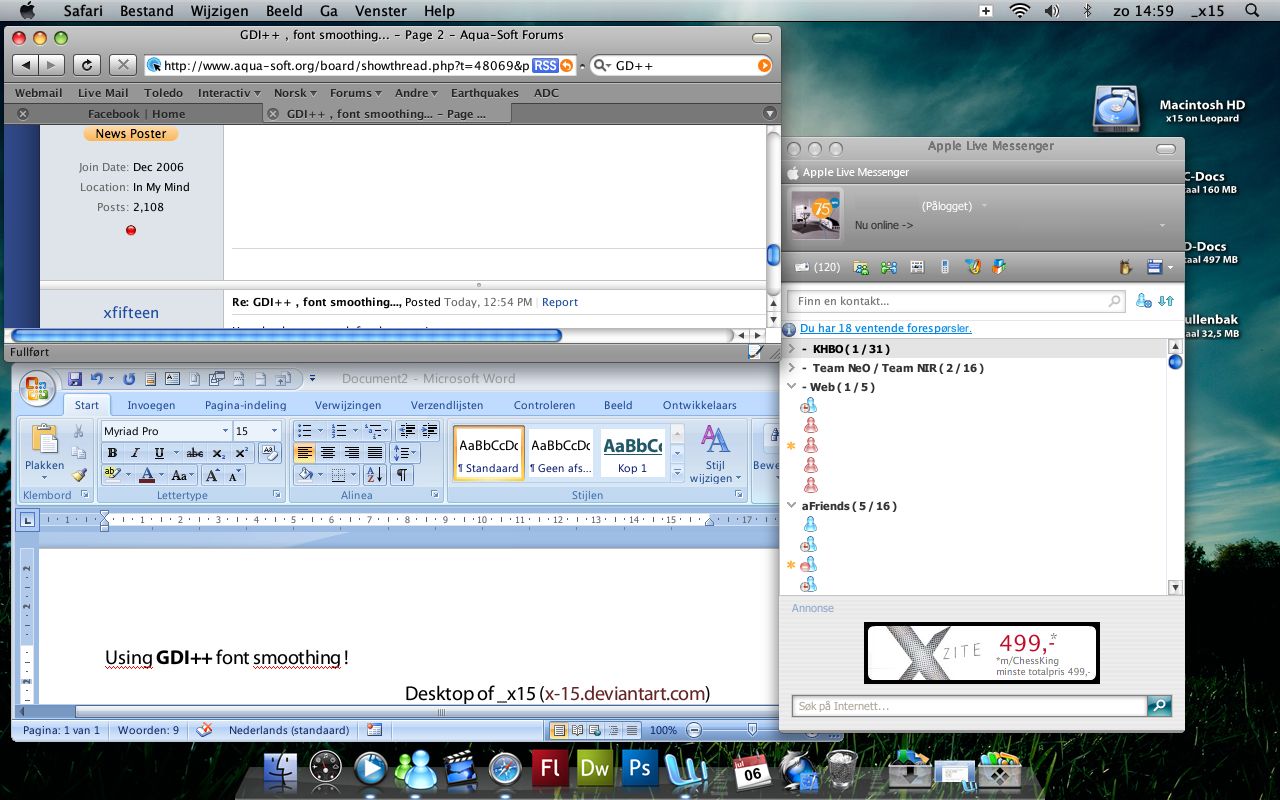
Thank you Ojalord for the setup for the GDI++ app and for post your .ini file, looks great on my Windows Server 2008
Thank you Ojalord. Really appreciated it.
But there seems to be a problem, everytime I click on a shortcut, a error appears saying zlib1 is not found, but the program still opens. Is there a reason for this? It only happens if i enable GDI.
Here is my screenshot.
http://beriadon.deviantart.com/art/Screens...th-GDI-98574083
Windows Vista 6.00.6001 Service Pack 1
Screen: 1680 x 1050 x 32 bpp
GDI++.DLL Version 8.0.2007.0927
I got it to work with Explorer and Photoshot and Flock, some other apps are working as well. However it doesn't affect everything, like utorrent isn't working ect. Also titlebars aren't working, same with the startmenu.
Does anyone know how to make it affect everything? And also KAWSquared, your font is a lot smoother than mine. Could I ask how you managed that?
I'm on XP. Therefore it works correctly with mine.
Also, as a deskmodder, I have access to all the best fonts anyways.
LOL, I've thought of switching back to XP many times but I don't think I'll ever do it. Anyone know how to fix the title bar on Vista?
My title bar is fine <_
Why not just dual boot?
Why bother?
there aren't enough differences for it to be worthwhile.
Heck, Crysis only gets 3 more fs in every s for me.
lol at the idea of dual booting just to get gdi++ working correctly.
If Vista is working fine for you, stick with it. Needless to say, this app was intended to work with XP, so you're out of luck if you experience most bugs, I guess.
Meh, it works fine enough. I'm not dual booting or switching os's just for this program. I'll probably delete later this week anyways.
I can't get the program to work..
It always says "could not load gdi++.dll"
I tried running it on my F drive, then on my C drive, and it will not work either way..
It also works here on Vista yay!