 Aqua-Soft Forums
Multi-Plugin for iTunes 7

...uhmmm i don't undersstand well regarding old skin. I have a lot of skin working on iTunes 6.x...
And now with this new version 7.x not work anymore or yes ??
Thank
Hyspa
pure genius
Very Cool. I'm installing ITunes 7 now. I now really can't wait for the final release!
Thanks, localhost! 
Update: A couple of teething problems, but it works great now!
Incredible...just incredible.
Excellent. 
Question though, does this still have the bug with iPods that when you try to update with a large amount of files, it crashes?
cool man,havent tried it out,will probably wait for the final release,
but im sure itll rock,so THANX
vishesh_L : waits for the final release
10.9,8......is it out yet??
vishesh_l : waits for the final release
5,4,3
IS IT OUT YET ??
hehe
great work
Another update:
Foobar2000 passthrough will probably be gone for some time. Apparently iTunes doesn't play through waveOut even if it's explicitly specified in the QuickTime preferences, and muting DirectSound is harder (but possible, I'll just have to learn how).
I've also added a new feature - convert uppercase titles in the source pane (like PLAYLISTS) to normal ones (Playlists).
This will probably be a stable release - moving MPlugin.dll back to it's normal path made things a lot more stable.
If it doens't make problems by then, I'll post it tomorrow.
One problem has arisen. I've been closing iTunes 7 with multiplugin, and it crashes, then restarts automatically. Repeatedly. I'm laying off of it until a release comes.
Other than that, it works great!
This is what I get when I try to open iTunes :
MPlugin.dll paths :
C:Program FilesiTunes
C:Program FilesQuickTimeQTSystem
Any help?

I got the same problem.
Any help would be greatly appreciated.
ChimChim - You should delete MPlugin.dll from C:Program FilesiTunes with this version.
LOL sorry, it did work that way. Moved the 1 in C:Program Files iTunes & put it in C:Program FilesQuickTimeQTSystem works.
Thanks localhost
Hi, thnx for quick release
I noticed (it was in erlier versions of Multi-Plugin) a little bug, see in this sshot:
http://www.aqua-soft.org/board/attachment....=1&d=1158181743
Can you fix it?
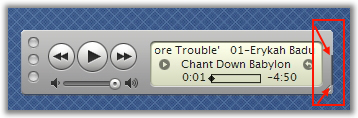
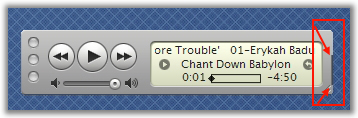
not with the current way the skinning engine works. I'll have to rewrite a big part of it from scratch. I'll do it sooner or later, but I don't know when I'll have the time,
Can somebody test this with a 5G iPod and see if it crashes with a large amount of files and post the results here? Thanks.
I followed localhost and ChimChim's instructions. I now get this :

I reinstalled iTunes and then reinstalled MPlugin and that didn't work. I also reinstalled without replacing the QuickTime.qts and that also didn't work. Any help? Thanks.
I had the same problem. Restart your computer.
THANK YOU SO MUCH!
Is there an aqua skin for this?
Sweet THanks
@Localhost: how do I enable regular caps for the source categories? I didn't dee it in the preferences pane.
(I've been posting too much, so I'll just edit this one)
Thanks, soniku, I guess I didn't read it all the way.
Does anyone else have an issue with switching to mini mode?
It won't let me.
Another update:Foobar2000 passthrough will probably be gone for some time. Apparently iTunes doesn't play through waveOut even if it's explicitly specified in the QuickTime preferences, and muting DirectSound is harder (but possible, I'll just have to learn how).
I've also added a new feature - convert uppercase titles in the source pane (like PLAYLISTS) to normal ones (Playlists).
This will probably be a stable release - moving MPlugin.dll back to it's normal path made things a lot more stable.
If it doens't make problems by then, I'll post it tomorrow.
sean....he didn't post the update yet
I had the same problem. Restart your computer.THANK YOU SO MUCH!
Is there an aqua skin for this?
Thanks, I'll try.
EDIT : Didn't work, still getting it :|
Hi,
I get an error like iSamurai's first one, and the error dialog wont exit. Help?
And I extracted files from the zip, exactly as told to.
EDIT: Sorry, got it fixed. Thanks for the great plugin, localhost.
WOW, maybe it's just luck, but this preview is working for me good
Only the RAM usage goes from 60 mb to 30 mb using the coverflow
This feature itself worth the use of the plugin (I love the eyecandy too)