 Aqua-Soft Forums
this is ultra cool, i don't use thunderbird but i would install it just to have that
I know I did!
this is ultra cool, i don't use thunderbird but i would install it just to have that
I know I did!
It's a wonderful skin, really beautiful and a fantastic copy of the original. I just wanted to ask a question that has already be raised but forgotten in all the excitement. Does anyone know what can be added to make the toolbar background transparent. I mean by that so that the area behind the buttons just inherits the toolbarbackground from whatever theme or vs you happen to be using. I thought it would be easy to do through the userchrome, but so far all my attempts have either done nothing or just messedup the theme totally.
It's a wonderful skin, really beautiful and a fantastic copy of the original. I just wanted to ask a question that has already be raised but forgotten in all the excitement. Does anyone know what can be added to make the toolbar background transparent. I mean by that so that the area behind the buttons just inherits the toolbarbackground from whatever theme or vs you happen to be using. I thought it would be easy to do through the userchrome, but so far all my attempts have either done nothing or just messedup the theme totally.
I'm pretty sure you can't do that.
I've tried with a certain void skin for firefox before,
and just doesn't work.
If you want more information, try mozilla's forums maybe, there's a section on skinning.
oh wow, very nice skin for thunderbird. love the acuracy, and i didn't spell that right  yet, you force me to use WBlinds again... maybe this weekend i hack away at thunderbird, see if I can get it as close as I can to the actual Apple Mail. I'll see what I can do.
Edit: Did lots of expansion over at this thread: http://www.aqua-soft.org/board/showthread.php?t=32218
Very cool,
thanks for the new clear vertical splitter of the sidebar 
If you want to set a background image of the splitter that devides the list of mails an the current opened mail, you can edit userChrome.css (application datathunderbirdprofiles..chrome) by adding those lines:
/* Use a image for the splitter */

#threadpane-splitter {

  background-image: url("splitter.bmp") !important;

  background-color: none !important;

}
You can use that image as splitter.bmp: http://www.inpacshp.de/trash/spliter.bmp
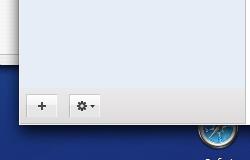
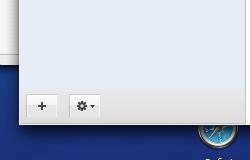
btw: At the moment I'm trying to create an extesion that places the two buttons of the original Apple Mail on the bottom left in the siderbar. I will release it as soon as I managed to place them at the right position and set a background image. See the image for a closer look how far I came
Hey, are there any plans to fix the calendar view in tb?
I noticed that this theme has the zebra.css file under globasubskin but when I try to use the line
@import url("chrome://global/subskin/zebra.css"); in my userChrome.css
I don't get the striped message pane. Am I doing this incorrectly?
The Best Skin ever for Thunderbird !!
Tiger Mail has been updated to v2.1.1.
Changes are:
* Windows theme fonts used
* Selected sort header is highlighted
* Folders show bold font for new messages and normal font if not
* More display glitches fixed
Grab it now from here or click "Find Updates" within Thunderbird if you have already installed Tiger Mail.
Thankzz 4 updated toyo-snow
Yes. Thanks a lot. We've been doing serious work to it while you've been gone.
Little problem
I've recently installed Tiger-2.11-tb, everything is great but one.When I move cursor onto the menu, it appears with deep-blue backgroud and black fonts, but I prefer them to be white.
How can I change it ?
Since Thunderbird 2 is out of Beta, are there any plans to get this working in the new version? Can't wait!
Please update this for 2.0.0.0
Agreed. Would LOVE to see this for new Thunderbird 2.0. Please.
yes please make a update for 2.x
toyo-snow's Last Activity: 07-30-2006 04:20 AM
toyo-snow's Last Activity: 07-30-2006 04:20 AM
I cannot find Thunderbird 1.5 anywhere, can someone upload me.
